
For most gaming PCs, a budget PCIe 4.0 NVMe SSD such as the Crucial P310, WD_BLACK SN770 or WD Blue SN580 is the right buy, while a SATA drive only makes sense for older machines without an M.2 slot and a PCIe 5.0 drive is rarely worth the extra spend on a budget. Games load from any modern NVMe drive quickly, so capacity, endurance and reliability matter more than the biggest benchmark number.
As an Amazon Associate we earn from qualifying purchases at no extra cost to you.




Our Top Picks


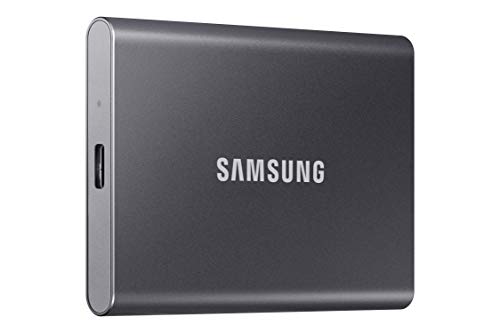

Top 3 picks at a glance
What “Budget” Means for an SSD in 2026
Budget drives usually cut costs in three places: they skip a DRAM cache chip, use denser flash memory (QLC or lower-layer TLC), and ship with shorter warranties or lower endurance ratings. Reviewers note that DRAM-less NVMe drives are perfectly serviceable for gaming, because games read far more than they write and modern controllers use host memory buffer to compensate. What you give up is sustained write speed when the drive’s fast cache fills, and a bit of performance consistency during large file transfers.
Several outlets name the same group of drives in budget roundups: the Crucial P3 Plus, Crucial P310, Kingston NV3, WD Blue SN580, WD_BLACK SN770, Silicon Power UD90 and Biwin NV7400. PC Gamer picks the Biwin Black Opal NV7400 as a budget standout and the Crucial P510 as its budget PCIe 5.0 option; other outlets prefer the Crucial P3 Plus for the most capacity per unit of spend.
At a Glance: Budget SSD Comparison
| Drive | Interface | Best for | Key stated details | Limits |
|---|---|---|---|---|
| Crucial P310 | PCIe 4.0 M.2 | Fast budget game drive | Makers and reviewers place it among the faster budget PCIe 4.0 drives | DRAM-less; sustained writes slow after cache fills |
| WD_BLACK SN770 | PCIe 4.0 M.2 | Gamers wanting a known brand | DRAM-less PCIe 4.0 drive aimed at gaming; recommended by several outlets | Older design; may be succeeded by newer models |
| WD Blue SN580 | PCIe 4.0 M.2 | Everyday and gaming use on a tight budget | Named top pick in at least one under-budget 1 TB roundup | Lower write speeds than gaming-tuned drives |
| Kingston NV3 | PCIe 4.0 M.2 | Lowest cost reliable 1 TB | Cited as one of the cheapest dependable 1 TB options | Slower than the leaders; component choices can vary |
| Crucial P3 Plus | PCIe 4.0 M.2 | Most capacity per spend | Often listed as a value pick for large capacities | QLC flash; slower sustained writes |
| Biwin Black Opal NV7400 | PCIe 4.0 M.2 | Budget buyers who read reviews | PC Gamer’s budget pick | Less familiar brand; check warranty terms |
| Crucial P510 | PCIe 5.0 M.2 | Budget PCIe 5.0 curious | PC Gamer’s budget PCIe 5.0 pick | Gaming gains over PCIe 4.0 are small; may need heatsink |
PCIe 4.0 vs PCIe 5.0 vs SATA
PCIe 4.0 NVMe
This is the sweet spot. Drives in this class are fast enough that game loading is limited by the CPU and game engine rather than the drive. They also run cooler than PCIe 5.0 models, and motherboards at nearly every price level provide at least one PCIe 4.0 M.2 slot.
PCIe 5.0 NVMe
PCIe 5.0 drives list far higher sequential speeds, but reviewers report that the difference in real game loading is small. They run hotter and often need a heatsink, and they cost more per terabyte. DirectStorage titles are the main place where faster drives might matter, and those remain limited.
SATA SSD
SATA drives top out at much lower speeds than NVMe, and today they often cost about the same. They remain useful for older PCs, laptops without M.2, or as secondary storage. If your board has a free M.2 slot, an NVMe drive is usually the better choice.
Capacity: How Much Do You Need?
Modern AAA games can take large amounts of space, so a 1 TB drive fills quickly with just a handful of titles plus Windows. Many reviewers suggest 2 TB as the balance point for most gamers, with 1 TB as the budget minimum. If the budget is tight, a 1 TB drive now plus a second M.2 or SATA drive later is a sensible path. Avoid 500 GB drives for a gaming main drive unless you plan to store only a few titles.
Compatibility and Fit Notes
- Form factor: Most budget NVMe drives use the M.2 2280 size. Check that your motherboard has an M.2 2280 slot, and whether it is wired for PCIe 4.0 or only PCIe 3.0.
- Handheld and console use: The PlayStation 5 requires an M.2 drive meeting Sony’s published specifications, usually with a heatsink; check the console’s storage guidance before buying.
- Heatsinks: Many motherboards include M.2 heatsinks. If yours does not, a low-profile heatsink helps PCIe 5.0 drives especially, and some budget PCIe 4.0 drives run fine without one.
- Laptops: Confirm the laptop’s slot supports 2280 length and the interface type; some thin models use shorter 2230 drives.
- Warranty and endurance: Compare the maker’s terabytes-written rating and warranty period. Longer warranties are a good sign of confidence.
Budget Tiers
- Budget: A 1 TB PCIe 4.0 DRAM-less drive such as the Kingston NV3 or WD Blue SN580 covers gaming and everyday use.
- Mid-range: A 2 TB drive such as the Crucial P310, or a gaming-tuned drive like the WD_BLACK SN770 or SN7100 class, balancing speed and capacity.
- Premium: High-end PCIe 4.0 drives with DRAM, such as the Samsung 990 Pro or WD_BLACK SN850X, or PCIe 5.0 drives for creators.
Pick X If …
| If you … | Pick | Why |
|---|---|---|
| Want the fastest budget PCIe 4.0 drive | Crucial P310 | Frequently cited for speed at its tier |
| Want a trusted gaming-branded option | WD_BLACK SN770 | Recommended by multiple outlets for gaming |
| Need to spend as little as possible | Kingston NV3 or WD Blue SN580 | Low-cost 1 TB options |
| Need lots of storage | Crucial P3 Plus | Strong capacity for the spend |
| Want to try PCIe 5.0 on a budget | Crucial P510 | Budget PCIe 5.0 pick from PC Gamer |
| Have an older PC with no M.2 slot | A SATA SSD | Works with SATA ports |
Alternatives Worth Considering
- Samsung 990 Pro or WD_BLACK SN850X: Step-up PCIe 4.0 drives with DRAM for buyers who write often and want better sustained speed.
- WD_BLACK SN7100: PC Gamer names it the best overall gaming SSD; it sits above pure budget drives.
- External SSD: If you cannot open your PC, a USB external SSD can store games, though loading speeds depend on the port.
Setup and Care Tips
Install the drive in the M.2 slot closest to the CPU if the board marks it as the primary PCIe 4.0 or 5.0 slot. Update the drive’s firmware using the maker’s utility, and leave some free space (a common suggestion is about 10 to 20 percent) so the controller can keep write speeds steady. Do not fill a QLC drive to the brim. Keep backups of important files, since any single SSD can fail without warning.
Reading Spec Sheets Honestly
SSD makers list peak sequential read and write speeds measured under ideal conditions. Real games depend more on random access and the CPU, so two drives with different headline speeds may load a game in nearly the same time. Look instead at endurance ratings, warranty length, whether the drive has a DRAM cache, and what flash type it uses. Some reviewers have reported that budget drives can change components between production runs, so read recent reviews of the specific capacity you plan to buy.
Migrating Your Games
Most launchers let you move installed games to a new drive without redownloading them. Install the new drive, add it as a library folder in your launcher, and use the move or relocate option. Keep Windows on the faster drive if you have two, and use the second drive for games you play less often.
Drive Health and Backups
Use the maker’s utility or a health-monitoring tool to watch wear and temperature. Keep important files backed up on a separate device, since no SSD is guaranteed to last, and avoid disabling Windows features that help the drive manage itself.
Frequently Asked Questions
Is a DRAM-less SSD fine for gaming?
Yes. Reviewers report that DRAM-less NVMe drives handle game loading well, since games mostly read data. You may see slower performance during large sustained writes, such as moving huge folders.
Is PCIe 5.0 worth it for a budget gaming PC?
Usually not. Real game load times differ very little from a good PCIe 4.0 drive, while PCIe 5.0 drives run hotter and cost more. Spend the difference on capacity or on another component.
How much storage do I need for gaming?
One terabyte is the practical minimum, and 2 TB is more comfortable for a library of large modern games. If you play only a few titles at a time, 1 TB can be enough.
Will an NVMe drive work in any motherboard?
It needs an M.2 slot that supports NVMe. Most boards from the last several years include one, but a few older or very budget boards have only SATA M.2 slots, so read the manual first.
Do I need a heatsink on my SSD?
Many PCIe 4.0 drives run fine with the motherboard heatsink or none, while PCIe 5.0 drives generally benefit from one. Follow the maker’s guidance for your specific drive.
What is the difference between QLC and TLC flash?
QLC stores more bits per cell, which lowers cost but reduces write speed and endurance. TLC is typically faster and more durable, and drives using it often sit a tier higher in cost.


