The best gaming PC for Fortnite in this set depends on the refresh rate you want: the Skytech King 95 with a Ryzen 7 9800X3D and RTX 5070 Ti is the performance ceiling, the CyberPowerPC Gamer Master with an RTX 5060 Ti is the balanced mid-range option, and the YAWYORE Ryzen 7 5700X plus RTX 5060 system is the value pick for 1080p and 1440p play. Eight listings are covered below, including three entry-level machines that are weaker than the keyword suggests.
Fortnite scales from modest hardware to very heavy settings. Competitive players often drop effects to chase frame rate, while others switch on the UE5 visual features and want a strong graphics card. Nobody picks the same machine for both goals, so this guide sorts the eight by what they are realistically built to do, based on listing titles, manufacturer documentation and buyer reviews.
Our Top Picks
Compare at a glance

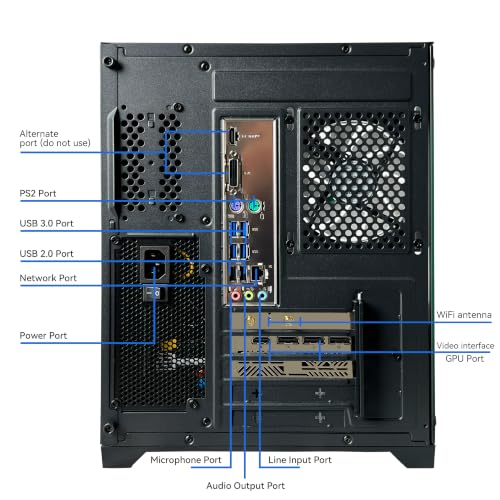
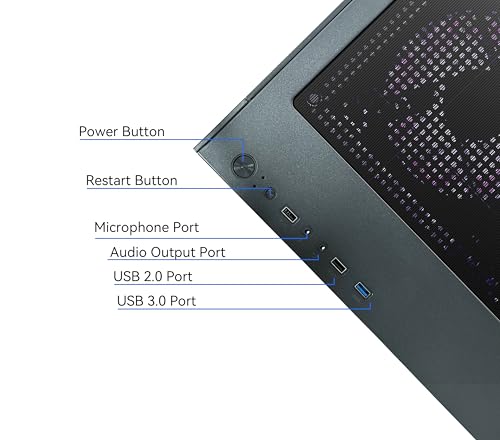
YAWYORE Gaming PC, AMD Ryzen 7 5700X, GeForce RTX 5060 Desktop Computer | 32GB DDR4 RAM, 1TB M.2 NVMe SSD,, ARGB Fans, WiFi+BT


As an Amazon Associate we earn from qualifying purchases. Product prices and availability are accurate as of the date/time indicated.

Olialia Gaming PC Prebuilt, RTX 3060 Ti, AMD Ryzen 5 5500, 16GB RAM | 512GB SSD, RGB lighting, WiFi 6, 600W Power, Win 11, Panoramic Tower Desktop for Gaming, Streaming, Everyday Use


As an Amazon Associate we earn from qualifying purchases. Product prices and availability are accurate as of the date/time indicated.

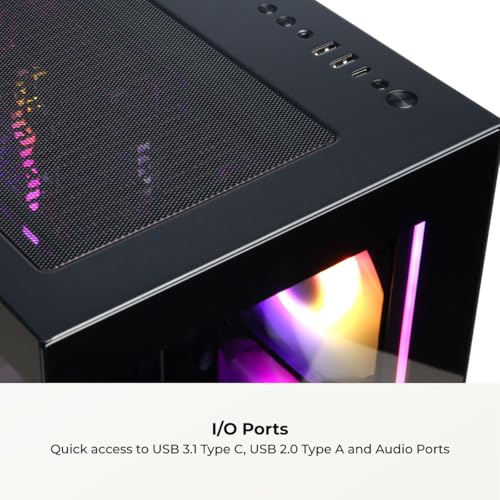
CyberPowerPC Gaming PC, AMD Ryzen 7 8700F, GeForce RTX 5060 Ti 8GB | Gamer Master, 16GB DDR5, 1TB PCIe 4.0 SSD, WiFi Ready & Windows 11 Home (GMA2900A3)




As an Amazon Associate we earn from qualifying purchases. Product prices and availability are accurate as of the date/time indicated.

YAWYORE Gaming PC Desktop Computer AMD R5 5600GT 16GB 1TB NVMe Towers WiFi | 16GB DDR4 3200MHz, 1TB M.2 NVMe PCIe, 550W 80PLUS PSU, WiFi BT, Game Design Office Console


As an Amazon Associate we earn from qualifying purchases. Product prices and availability are accurate as of the date/time indicated.

STGAubron Gaming PC Desktop,Core I7,RX 580 8G,16G RAM,1T SSD | Gaming Computer Tower for Streaming,Video Editing,Home,School,I7 up to 3.9GHz,ARGB Fan,WiFi 6,BT 5.0,4K HDMI,Win11 Home


As an Amazon Associate we earn from qualifying purchases. Product prices and availability are accurate as of the date/time indicated.

ZYNEEX Prebuilt Gaming Desktop PC, AMD Ryzen 5 5500, GeForce RTX 3050 6GB,16GB DDR4 3200MHz RAM, 1TB NVMe SSD, ARGB Air Cooling, Wi-Fi,Tower Computer for Gaming, Streaming, Editing


As an Amazon Associate we earn from qualifying purchases. Product prices and availability are accurate as of the date/time indicated.

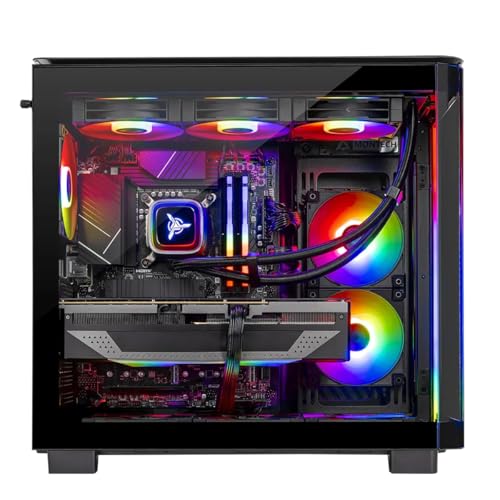
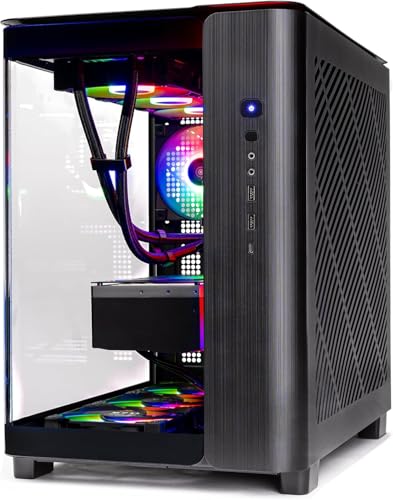
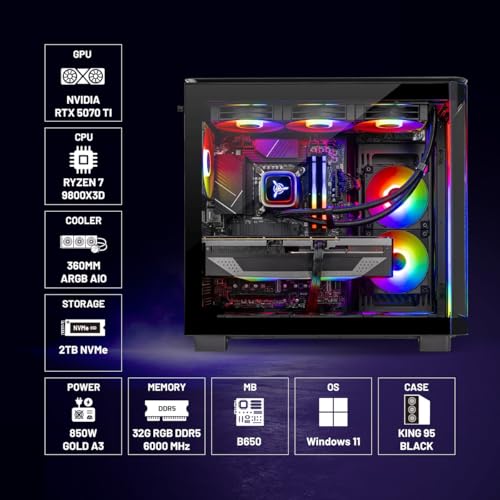
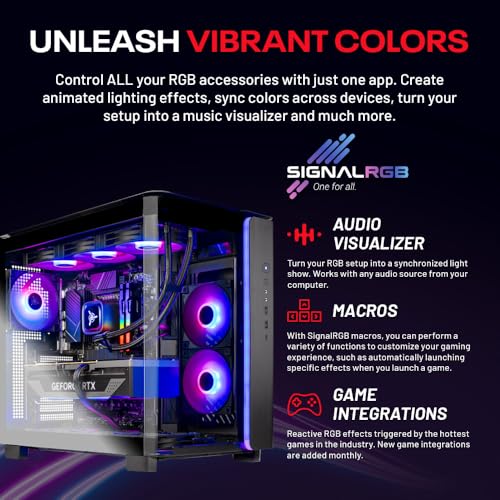
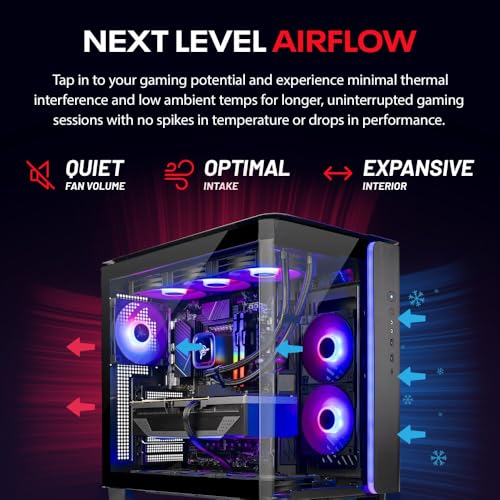
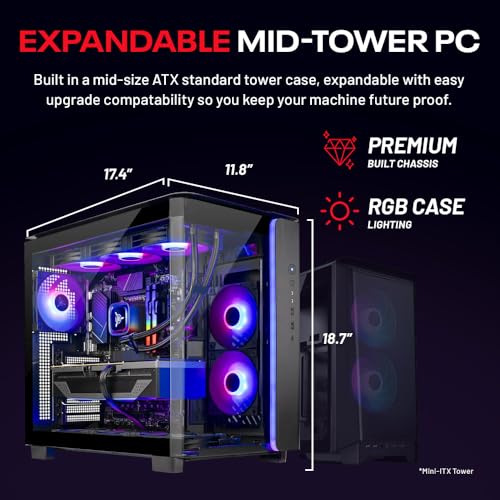
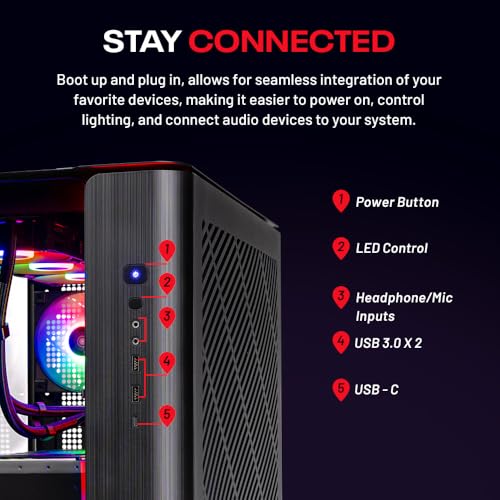
Skytech Gaming PC Desktop, Ryzen 7 9800X3D, RTX 5070 Ti, 32GB RAM, 2TB SSD | Windows 11, Gen4 NVMe SSD, DDR5 6000, 850W GOLD ATX 3 PSU, 360 ARGB AIO , Wi-Fi 5, King 95 Series


As an Amazon Associate we earn from qualifying purchases. Product prices and availability are accurate as of the date/time indicated.

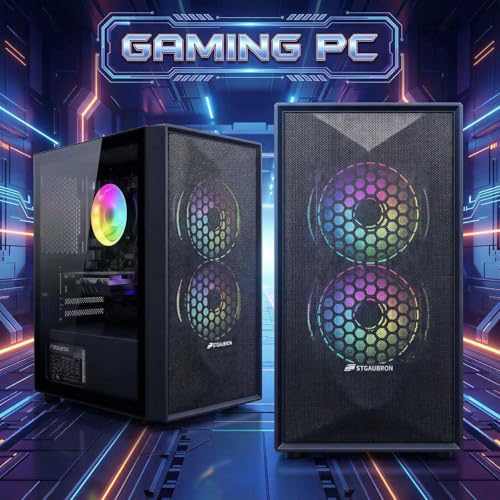
STGAubron Gaming PC Desktop,Core I5,RX 550 4G,16G RAM,512G SSD | Gaming Computer Tower for Streaming,Video Editing,Home,School,I5 up to 3.6G,ARGB Fan,WiFi 6,BT 5.0,4K DP,HDMI,Win11 Home



As an Amazon Associate we earn from qualifying purchases. Product prices and availability are accurate as of the date/time indicated.
| Model | Key point from the title | Price tier | Best for |
|---|---|---|---|
| Skytech King 95 (Ryzen 7 9800X3D, RTX 5070 Ti) | 32GB DDR5 6000, 2TB Gen4 SSD, 850W Gold ATX 3, 360 AIO | Premium | High refresh at 1440p with heavy settings |
| CyberPowerPC Gamer Master GMA2900A3 | Ryzen 7 8700F, RTX 5060 Ti 8GB, 16GB DDR5, 1TB PCIe 4.0 | Mid-range | Balanced 1080p to 1440p |
| YAWYORE Ryzen 7 5700X, RTX 5060 | 32GB DDR4, 1TB NVMe, WiFi and Bluetooth | Mid-range | Value 1080p, light streaming |
| Olialia RTX 3060 Ti, Ryzen 5 5500 | 16GB RAM, 512GB SSD, 600W, WiFi 6 | Budget | 1080p on a tighter budget |
| ZYNEEX Ryzen 5 5500, RTX 3050 6GB | 16GB DDR4 3200, 1TB NVMe, air cooling | Budget | Entry 1080p, lower settings |
| STGAubron Core i7, RX 580 8G | 16GB RAM, 1TB SSD, up to 3.9GHz | Budget | Casual play at low settings |
| YAWYORE Ryzen 5 5600GT | 16GB DDR4 3200, 1TB NVMe, 550W 80PLUS, no discrete GPU named | Budget | Light play and office use |
| STGAubron Core i5, RX 550 4G | 16GB RAM, 512GB SSD, up to 3.6GHz | Budget | Basic, low-settings play only |
Choose the Fortnite experience before the hardware
Fortnite players tend to fall into three camps, and the right PC differs for each. Competitive players run low settings, watch for the highest steady frame rate and want a monitor at 240Hz or more. Visual-quality players run higher resolutions with modern effects like Nanite and Lumen, where the graphics card and its video memory dominate. Casual players want smooth play with friends at 1080p and do not mind trimmed settings.
Put your monitor into this decision early. A 60Hz panel hides the difference between a mid-range and a high-end machine, while a 240Hz screen can make a mid-tier GPU feel limiting. The worked example further down turns refresh rate into a time budget so you can see why.
Game mode also changes the load. Battle Royale lobbies with long sight lines, creative maps and the lighter-weight performance rendering option all place different demands on the processor and graphics card, and updates to the engine can shift those demands over time. Treat any single performance expectation as a range that depends on settings, drivers and the version of the game you run, and leave a margin when sizing a purchase.
How we picked these: the set was built from listing titles, manufacturer documentation and recurring buyer feedback. Nobody on the team used or measured these units. Several listings leave out the power supply brand, motherboard and memory layout, so those items appear as questions to ask rather than facts.
The eight prebuilt PCs, one by one
Skytech Gaming King 95 (Ryzen 7 9800X3D, RTX 5070 Ti)
This is the heavyweight of the list. The title names a Ryzen 7 9800X3D, an RTX 5070 Ti, 32GB of DDR5 6000, a 2TB Gen4 NVMe SSD, an 850W Gold ATX 3 power supply, a 360mm ARGB liquid cooler and Wi-Fi 5. X3D chips are known for their large stacked cache, which tends to help CPU-bound games at high frame rates, and that is exactly the situation in competitive Fortnite.
It suits players who want a monitor above 240Hz, plan to stream while playing, or want to run higher resolutions with heavier effects. It is also the most expensive system here by a wide margin, and a premium prebuilt makes sense only if you will use that headroom. The Wi-Fi 5 detail looks dated next to the rest of the specification, so a wired connection or a newer adapter is a sensible plan. For a framework on judging any listing from this brand, see how to evaluate a Skytech listing.
- Pros: top-tier CPU and GPU, 32GB DDR5, large SSD, ATX 3 power supply
- Cons: premium cost; Wi-Fi 5 is dated; liquid cooler adds a pump to monitor over the years
Question to ask before buying: does my monitor and game settings justify this much headroom?
CyberPowerPC Gamer Master GMA2900A3
The listing specifies a Ryzen 7 8700F, a GeForce RTX 5060 Ti with 8GB, 16GB of DDR5, a 1TB PCIe 4.0 SSD, WiFi ready and Windows 11 Home. The F suffix means the processor ships without integrated graphics, which is fine here because the discrete card handles output. The DDR5 platform leaves more upgrade room than the DDR4 machines in this set.
It fits players who want strong 1080p and capable 1440p performance without paying for the top tier. The 8GB of video memory is the main point to watch: at 1440p with high texture settings and the heavier UE5 effects, 8GB can become a limit, so settings may need trimming. The phrase WiFi ready can mean an adapter is not included, so confirm before assuming wireless works out of the box. For a broader brand view, see CyberPowerPC versus iBUYPOWER.
- Pros: modern DDR5 platform, PCIe 4.0 SSD, strong GPU class, clear model number
- Cons: 8GB video memory limits high settings at 1440p; 16GB RAM is the minimum; WiFi wording is ambiguous
Question to ask before buying: is the RAM installed as two sticks, and which power supply brand is inside?
YAWYORE Gaming PC (Ryzen 7 5700X, RTX 5060)
The title lists a Ryzen 7 5700X, a GeForce RTX 5060, 32GB of DDR4 RAM, a 1TB M.2 NVMe SSD, ARGB fans and WiFi plus Bluetooth. Eight cores and 32GB of memory give it more multitasking comfort than most sub-premium systems here, and the RTX 5060 is a current-generation card.
It targets buyers who want to play Fortnite, keep a browser and chat open, and perhaps record clips. AM4 is an older platform, so the upgrade path is shorter than on AM5 or DDR5 machines, and DDR4 is slower than DDR5 on paper. The brand is a smaller name; check the warranty terms, the power supply listing and the return window carefully. Higher-priced than the budget machines, it sits close to the CyberPowerPC in cost, so compare both listings on current price.
- Pros: 8-core CPU, 32GB RAM, current-generation GPU, 1TB NVMe
- Cons: older AM4 platform; lesser-known brand; power supply and motherboard unnamed in the title
Question to ask before buying: what are the warranty and return terms from this seller?
Olialia Gaming PC (RTX 3060 Ti, Ryzen 5 5500)
The listing describes an RTX 3060 Ti, a Ryzen 5 5500, 16GB of RAM, a 512GB SSD, RGB lighting, WiFi 6, a 600W power supply and Windows 11. The 3060 Ti is a previous-generation card that remains competent at 1080p and entry-level 1440p, and a 600W unit is a reasonable match for that class if the quality is good.
It is built for a player who wants solid 1080p frame rates at a lower cost. Its 512GB drive is the weak point: Fortnite installs are large and can grow further with updates and extra content, so storage fills fast once you add other games and Windows files. The Ryzen 5 5500 is a six-core chip with a smaller cache than some of its siblings, so it can bottleneck high refresh competitive play. Check whether the title’s "Everyday Use" marketing hints at generic parts elsewhere in the build.
- Pros: capable GPU for 1080p, WiFi 6, 600W supply listed
- Cons: small 512GB SSD; modest CPU; previous-generation platform
Question to ask before buying: can I add a second M.2 drive easily, and is the 600W unit from a recognized brand?
ZYNEEX Prebuilt Gaming Desktop (Ryzen 5 5500, RTX 3050 6GB)
The title names a Ryzen 5 5500, a GeForce RTX 3050 with 6GB, 16GB of DDR4 3200, a 1TB NVMe SSD, ARGB air cooling and Wi-Fi. The 1TB drive is a plus over the Olialia, but the GPU sits a clear tier lower than the 3060 Ti.
It suits a newcomer who wants to try Fortnite at 1080p with reduced settings and keep costs in check. Six gigabytes of video memory will limit texture and effect settings, and the RTX 3050 6GB is an entry-class card, so expect to adjust quality to hold steady frame rates. Anyone aiming for 240Hz in competitive play will likely want to step up in GPU class instead. Air cooling is fine at this power level.
- Pros: 1TB SSD, lower cost, simple air-cooled design
- Cons: entry-class GPU with 6GB memory; limited upgrade headroom; modest CPU
Question to ask before buying: does a slightly higher budget get me a 3060 Ti or newer class card instead?
STGAubron Gaming PC (Core i7, RX 580 8G)
This listing names a Core i7 with a stated speed of up to 3.9GHz, an RX 580 with 8GB, 16GB of RAM, a 1TB SSD, ARGB fan, WiFi 6 and Windows 11 Home. Two details stand out. First, the title never says which generation the Core i7 is, which matters a great deal for performance. Second, the RX 580 is an old graphics card, well behind current entry cards.
It could handle Fortnite at low settings and modest resolution, which suits a casual player or a child’s first gaming PC, but it is not a competitive machine and the title leans on vague marketing wording like Home and School. For a few more dollars, a newer entry GPU is likely a better investment. Read the listing for CPU model, power supply details and driver support before buying.
- Pros: low cost, 8GB card, 1TB SSD, WiFi 6
- Cons: old GPU; undisclosed CPU generation; generic multi-purpose marketing; weak upgrade path
Question to ask before buying: exactly which Core i7 model is inside?
YAWYORE Gaming PC Desktop (Ryzen 5 5600GT)
The title lists an AMD R5 5600GT, 16GB of DDR4 3200, a 1TB NVMe SSD, a 550W 80PLUS power supply and WiFi plus Bluetooth, and describes it for game design and office use. There is no discrete graphics card in the title. The 5600GT is an APU, so it relies on integrated Radeon graphics.
That makes this a weaker-class listing for this keyword. Integrated graphics can run Fortnite at low settings and reduced resolution, but expect limited frame rates and visual compromises, and anything beyond casual play will frustrate. As a general office desktop that can play lighter games, it is reasonable, and it leaves room to add a graphics card later if the 550W supply and case allow it. Confirm physical space and PCIe connectors before planning that upgrade.
- Pros: low cost, 1TB SSD, quiet and low power, GPU upgrade possible later
- Cons: integrated graphics only; not suited to competitive Fortnite; small power supply for future GPU choices
Question to ask before buying: am I buying this as a Fortnite machine, or as an office PC with occasional games?
STGAubron Gaming PC (Core i5, RX 550 4G)
The most basic system listed pairs a Core i5 stated as up to 3.6GHz with an RX 550 4G, 16GB of RAM, a 512GB SSD, WiFi 6 and Windows 11 Home. As with the other STGAubron listing, the CPU generation is not named. The RX 550 is a very entry-level, older graphics card.
It is the weakest option for Fortnite in this set. Low settings at a reduced resolution are the realistic target, and even then frame rate stability may be modest. If a Fortnite-capable machine is the goal, this one is better skipped in favour of a system with a clearly named, newer GPU. It might serve as a learning machine or media PC at a very low budget.
- Pros: lowest cost, 16GB RAM, Windows installed
- Cons: very weak GPU; unnamed CPU generation; small drive; minimal upgrade value
Question to ask before buying: would saving a bit more get me a modern graphics card instead?
What to verify before ordering
Spec concepts that change Fortnite performance
| Spec concept | What to look for | Why it matters for Fortnite |
|---|---|---|
| GPU class | Named card, current or previous generation | Sets resolution and settings ceiling |
| Video memory | 8GB or more for 1440p with heavier effects | Textures and UE5 features use VRAM |
| CPU | Named model, not just "Core i7" | Competitive low settings can be CPU-bound |
| RAM layout | Two sticks, dual channel, 16GB minimum | Single-channel memory can cost performance |
| Storage | 1TB NVMe preferred, space for a second drive | Fortnite installs are large and keep growing |
| Power supply | Brand and wattage named | Weak units limit stability and upgrades |
| Cooling | Air or liquid, case airflow | Sustained clocks and noise |
Cooling is a part prebuilt buyers often overlook. If you are weighing a case change later, see cooling-focused gaming cases for what makes airflow effective.
Worked example: turning refresh rate into a time budget
Assume a monitor refresh rate and a goal of matching it with frames. The time each frame gets is simply one second divided by the target frame rate. The CPU and GPU both have to finish their work within that window.
| Target frame rate | Time per frame | What it implies |
|---|---|---|
| 60 fps | 16.7 ms | Easy for most listed systems at 1080p |
| 144 fps | 6.9 ms | Mid-range GPU with reduced settings |
| 240 fps | 4.2 ms | Strong CPU matters; low settings usually needed |
| 360 fps | 2.8 ms | Top-tier CPU and tuned settings only |
Moving from 144 to 240 fps cuts the frame budget by roughly 2.7 ms, which is why the extra frames get so expensive. A machine that is comfortable at 144 may need a much faster processor to hold 240. This is arithmetic, not a performance claim for any listed PC.
Decision flow
- Is the monitor 240Hz or above, or are you planning heavy effects at 1440p? Consider the Skytech King 95.
- Do you want balance and a modern platform? Look at the CyberPowerPC Gamer Master.
- Do you want more memory and storage for the money? The YAWYORE RTX 5060 system is the value choice.
- Is the budget tight but 1080p matters? Compare the Olialia and ZYNEEX, checking storage space.
- If a listing has no named discrete GPU, or an old one, treat it as a casual machine.
If you wonder whether to skip prebuilts altogether, see prebuilt versus custom for Fortnite, and for budget building principles read where to save and what never to cut.
Which PC for which player
| Player | Best match | Watch out for |
|---|---|---|
| Competitive, 240Hz or more | Skytech King 95 | Wi-Fi 5 and cost |
| Balanced 1080p to 1440p | CyberPowerPC Gamer Master | 8GB video memory |
| Stream and play | YAWYORE Ryzen 7 5700X | Older AM4 platform |
| Budget 1080p | Olialia, ZYNEEX | Storage and GPU tier |
| Casual, low settings | STGAubron Core i7, YAWYORE 5600GT | Old or integrated graphics |
| Not recommended for Fortnite | STGAubron Core i5, RX 550 | Very weak graphics card |
Common mistakes when buying a Fortnite PC
| Mistake | Better approach |
|---|---|
| Trusting vague terms like "Core i7" with no model | Ask for the exact CPU model or skip the listing |
| Buying a 512GB drive for a large game library | Aim for 1TB or confirm a free M.2 slot |
| Pairing a 240Hz screen with entry hardware | Match monitor and PC, or lower the target |
| Ignoring power supply brand | Look for named units and check warranty |
| Assuming all 8GB cards behave the same | Compare GPU class, not memory size alone |
| Skipping the return policy of small sellers | Read warranty and returns before ordering |
Prebuilt listings often include marketing for streaming, editing and school in one sentence. When a title tries to do everything, check whether the hardware really supports the gaming claim.
Verdict by use case
For maximum performance, the Skytech King 95 is the clear leader. For most players, the CyberPowerPC Gamer Master is the balanced choice, with the YAWYORE Ryzen 7 5700X and RTX 5060 system a strong value alternative if you prefer more RAM. Budget buyers can consider the Olialia or ZYNEEX with an eye on storage and the GPU tier, while the two STGAubron listings and the integrated-graphics YAWYORE should be viewed as casual or office-first machines.
Frequently asked questions
How much PC do I need for Fortnite?
It depends on what you want from the game. A system with a modern mid-range graphics card, 16GB of RAM and an NVMe drive handles 1080p at high refresh rates in performance-oriented settings. If you want Epic quality at 1440p with the heavier UE5 effects switched on, you need a stronger GPU with more video memory and a capable processor.
Is 16GB of RAM enough for Fortnite?
For playing Fortnite alone, 16GB is generally workable on a clean Windows install. Once you add a browser, Discord, streaming or recording software, 32GB becomes more comfortable. Check that the memory is installed as two sticks, because single-channel memory can cost performance in CPU-bound situations.
Does Fortnite need a high-end CPU?
At competitive low settings and very high frame rates, Fortnite leans on the processor more than many players expect, and large-cache chips tend to help. At high visual settings and 1440p, the graphics card becomes the main limit. A mid-range six or eight core chip suits most players.
Can I play Fortnite on integrated graphics?
It can run on modern integrated graphics at low settings and reduced resolution, and the game offers lighter rendering options for weaker hardware. Expect compromises in frame rate consistency and visual quality. Anyone who wants smooth competitive play should buy a system with a dedicated graphics card.
Prebuilt or custom PC for Fortnite?
Prebuilt systems save time, include a warranty and are easy to set up, but part choices such as power supplies and motherboards vary by seller. A custom build lets you choose every part, at the cost of your own time. Read the full listing for the power supply and motherboard brands.
Do I need a 240Hz monitor to benefit from a faster PC?
Not strictly, but a faster PC is easiest to notice on a high-refresh display. On a 60Hz screen, a mid-range system and a premium one can look similar in smoothness. Match the monitor to the machine so you do not pay for performance you cannot see.