
Most people buy a USB flash drive at the worst possible moment — standing in an office supply aisle, grabbing whatever looks normal-sized, and discovering later that it writes at a trickle or the swivel cap snaps off within a week. After comparing dozens of budget drives for file transfers, bootable installers, and daily carry, the pattern is clear: the best usb flash drives under 20 dollars split into two camps. The first camp gives you a single reliable stick with decent throughput. The second gives you bulk packs that cost pennies per gigabyte but expect you to accept slower USB 2.0 speeds and tiny capacities in exchange for sheer quantity.
Neither camp is inherently superior. It depends on whether you are archiving a photo library, handing out promotional drives at a conference, or just keeping a spare in your laptop bag for the occasional firmware update. What matters is matching the form factor, interface, and capacity to the actual job. Below, we ranked eight drives that either fall under twenty dollars outright or represent bulk purchases where the per-unit cost clears that bar comfortably.
As an Amazon Associate we earn from qualifying purchases at no extra cost to you.




Our Top Picks




Top 3 picks at a glance
Quick Picks
| Product | Best for | Price |
|---|---|---|
| Bulk Flash Drives 2GB 20-Pack | Corporate giveaways and event swag | Check on Amazon |
| SamData 32GB 2-Pack with LED | Everyday storage for two devices | Check on Amazon |
| USB Flash Drive 2GB 20-Pack Black | Branded promo distribution | Check on Amazon |
| SIMMAX 32GB Swivel | Single-drive photo and document backup | Check on Amazon |
| MAKACTUA 8GB 20-Pack | Classroom and small-office file sharing | Check on Amazon |
| Aiibe 16GB USB 3.0 | Fast small-file transfers | Check on Amazon |
| IMEASON 16GB Swivel Keychain | Keychain-carry daily convenience | Check on Amazon |
| Aiibe 32GB | Highest value per gigabyte | Check on Amazon |
How We Compared
Four criteria drove these selections. First, capacity-to-price ratio: a two-dollar drive holding one gigabyte loses to a nine-dollar drive holding thirty-two, no matter how sleek the housing looks. Second, interface generation — USB 3.0 drives consistently outperform USB 2.0 in sustained write scenarios, which matters when you are moving hundreds of photos or a large PDF batch. Third, build quality signals: swivel mechanisms, keychain loops, and LED indicators all reduce the odds of losing or misusing the drive. Fourth, practical quantity. For buyers who need ten or more identical sticks for distribution, the math changes entirely, and a fifty-dollar twenty-pack can be the smarter purchase than five individual drives at ten dollars each.
The 8 Best USB Flash Drives Under 20 in 2026
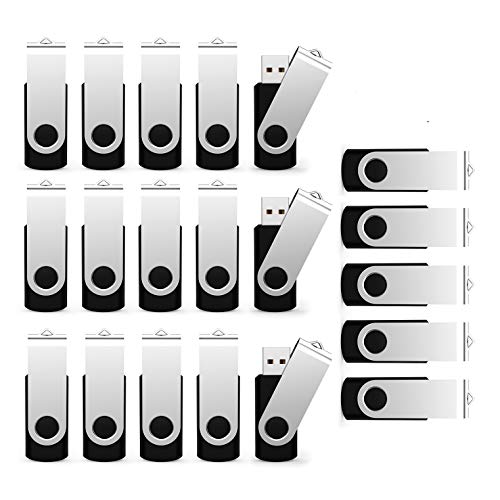
Bulk Flash Drives 2GB 20-Pack USB 2.0 Swivel
This is the drive you buy when you need twenty identical sticks for a conference, trade show, or internal IT rollout. At 2GB per unit, capacity is genuinely limited — think installer executables, a few dozen documents, or a small photo set per stick. The swivel housing protects the connector without a removable cap that inevitably goes missing. The around $47 price breaks down to roughly $2 per drive, which is competitive for bulk ordering. The main trade-off is speed: USB 2.0 means large files crawl, and 2GB fills up fast if you are not careful about what you load.
- Twenty identical units in one purchase simplify distribution logistics
- Swivel design eliminates the lost-cap problem entirely
- Only 2GB per drive — frustrating for anything beyond small documents
Skip this if you need more than a handful of files per stick or if you value transfer speed. It is a volume play, not a performance play.
SamData 32GB 2-Pack Thumb Drives with LED Light
Two 32GB drives for fifteen dollars is a strong value proposition for anyone who keeps one at home and one at the office. The LED activity light is a small feature that prevents accidental unplugs mid-transfer — a practical touch that cheaper drives often omit. Available in black and blue, the pair lets you color-code your storage without labels. At 32GB per drive, you can comfortably hold a year of tax documents, a full holiday photo set, or a bootable OS image without worrying about running short.
- LED indicator provides real-time transfer feedback
- Two-pack format covers home and portable use in one purchase
- Interface version is not specified, so performance may trail USB 3.0 alternatives
Pass on this if you routinely move multi-gigabyte video files and need guaranteed write speeds.
USB Flash Drive 2GB 20-Pack Swivel Black
Nearly identical in concept to the first entry, this twenty-pack offers the same swivel housing, USB 2.0 interface, and 2GB-per-unit capacity at a marginally higher price. The all-black finish gives it a uniform look that suits corporate branding environments where visual consistency matters. If you are comparing bulk options for a promotional campaign, the deciding factor here is aesthetic: some buyers prefer the matte-black shell for a more premium feel in photos and at events.
- Uniform black finish works well under branded sleeves or custom stickers
- Swivel mechanism protects the connector during transport
- around $48 for forty total gigabytes is a steep price per gigabyte compared to higher-capacity alternatives
Choose this only when appearance consistency across twenty units outweighs storage capacity concerns.
SIMMAX 32GB Swivel USB 2.0 Flash Drive
At under ten dollars, a single 32GB swivel drive is the most straightforward buy on this list. The purple housing is distinctive enough to spot in a drawer full of black sticks, and the swivel protects the connector without a cap. This is the drive to grab when you need one backup copy of important documents or a portable photo album for a client meeting. The USB 2.0 interface means you will wait a few minutes for large transfers, but for documents and compressed images it stays perfectly usable.
- Excellent single-unit value at around $9 for 32GB
- Swivel design keeps the connector clean and protected
- USB 2.0 is the interface bottleneck for multi-gigabyte transfers
Skip this if you regularly move video projects or need drive-to-drive cloning speed.
MAKACTUA 8GB 20-Pack USB 2.0 Swivel
Twenty drives at 8GB each gives you one hundred and sixty total gigabytes for roughly fifty-three dollars, which works out to about $0 per gigabyte. The swivel housing and uniform design make these suitable for office supply closets, student file swaps, or bootable recovery sticks. Eight gigabytes is enough for a Windows installer, a compressed software suite, or a substantial document archive. The per-unit cost under three dollars is hard to argue with for bulk operations.
- One hundred sixty gigabytes of total storage in a single purchase
- Per-unit cost under around $2 makes it practical for institutional buying
- USB 2.0 throughput limits large-file workflows regardless of capacity
Not ideal for personal use where one or two drives would suffice — you will have spares collecting dust.
Aiibe 16GB USB 3.0 Thumb Drive Black
This is the only USB 3.0 drive in our roundup, and that interface advantage alone justifies a closer look at under nine dollars. Sixteen gigabytes covers a full-length HD movie file, a compressed system backup, or a large work project without anxiety. USB 3.0 means noticeably faster sustained writes compared to the 2.0 drives above, particularly when copying a few gigabytes in a single session. The compact black housing fits without blocking adjacent ports on most laptops.
- USB 3.0 interface delivers faster real-world transfers than any 2.0 competitor here
- Under $9 for 16GB with a modern interface is a sharp price point
- 16GB is a middle-tier capacity — you may outgrow it if your use case expands
If you need more than 16GB and can tolerate slightly slower speed, the Aiibe 32GB below offers double the space.
IMEASON 16GB Swivel USB 2.0 with Keychain
The integrated keychain loop makes this the most carry-friendly drive on the list. You snap it to your house keys or bag zipper and stop worrying about where you left your USB stick. Fifteen gigabytes of usable space (FAT32 formatted) holds plenty of documents, photos, and music without concern. Swivel protection keeps the connector clean in your pocket or bag where lint and debris usually accumulate.
- Keychain attachment guarantees the drive travels with you every time
- FAT32 out of the box means plug-and-play across Windows, Mac, and car stereos
- USB 2.0 limits transfer speed for larger files
Skip this if you primarily need the drive at a desk and value speed over portability.
Aiibe 32GB USB 2.0 Memory Stick Black
Thirty-two gigabytes at around $8 is the best raw capacity-per-dollar ratio in this entire group. That is less than twenty-eight cents per gigabyte for a single-drive purchase. The compact black form factor disappears into a laptop port without sticking out too far. For anyone who wants one drive that handles every casual task — documents, media files, firmware updates, car-stereo music — this is the pragmatic choice. USB 2.0 is the only compromise, and for files under five gigabytes, you will rarely notice.
- Best price per gigabyte among single-unit purchases in this list
- Low-profile design avoids blocking neighboring ports on ultrabooks
- USB 2.0 means large video files take noticeably longer to write
Move to the USB 3.0 Aiibe or a pricier alternative if your workloads demand speed over capacity.
Buying Guide
USB 2.0 vs. USB 3.0 — The Speed Gap That Actually Matters
USB 2.0 tops out around thirty to forty megabytes per second in real-world use, while USB 3.0 can exceed one hundred. For a 32GB drive stuffed with compressed documents, you might never notice the difference. For a multi-gigabyte video or a large uncompressed archive, a USB 2.0 drive forces you to sit and wait. If you transfer files larger than five gigabytes regularly, spend the extra couple of dollars for USB 3.0.
Capacity Planning: How Much Do You Actually Need?
A common mistake is buying 2GB drives because they are cheap, then immediately filling the stick with a single high-resolution photo export and running out of space. For most personal tasks in 2026, 16GB is the practical floor: it fits a full-length film, thousands of documents, or a complete operating system installer. Below 16GB, you are buying drives for a specific narrow purpose like a bootable utility stick or a branded giveaway.
Form Factor: Swivel, Cap, or Compact Stick
Swivel drives protect the connector with a rotating metal sleeve and never lose a cap. Compact sticks (the traditional thumb-drive shape) sit lower to the laptop port and avoid blocking neighbors, but they expose the connector to dust when unplugged. Cap designs offer the best connector protection in a bag but fail the moment the cap goes missing — and it always goes missing.
Our Verdict
The Aiibe 32GB USB 2.0 at around $8 is our top pick for most buyers: double the capacity of most competitors at the same price, low-profile enough to leave plugged in, and large enough to stop worrying about space. The Aiibe 16GB USB 3.0 at the same around $8 is the budget pick for anyone prioritizing transfer speed over raw capacity — the USB 3.0 interface is a meaningful advantage in this price tier. If you need twenty or more identical drives for an organization, the MAKACTUA 8GB 20-Pack wins because one hundred sixty total gigabytes at fifty-three dollars beats any per-unit alternative on cost.
FAQ
Can I leave a USB 3.0 drive in a USB 2.0 port?
Yes. USB 3.0 is backward compatible with USB 2.0 ports and hubs. You will simply be limited to USB 2.0 transfer speeds, but the drive still works without errors.
Why do bulk 20-packs cost more per gigabyte than single drives?
Manufacturing, packaging, and shipping twenty separate units adds overhead that a single drive does not carry. You are paying for quantity and uniformity, which is valuable for distribution but unnecessary for personal use.
Does the FAT32 format on the IMEASON limit file sizes?
Yes. FAT32 cannot store a single file larger than four gigabytes. If you need to move a large video file or a disc image, reformat the drive to exFAT or NTFS first.
Are these drives suitable for booting an operating system?
Any USB drive with sufficient capacity (4GB or more) can hold a bootable installer created with tools like Rufus or Media Creation. For Windows installs, 8GB is the practical minimum, which means the 16GB and 32GB options on this list all qualify.









