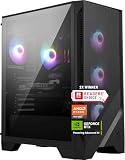
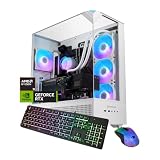
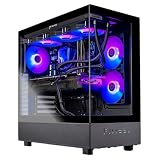
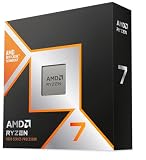
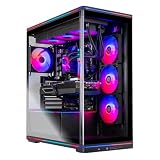
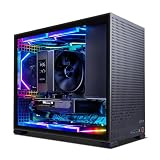
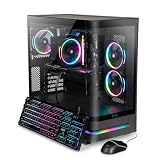
For most buyers, the ASUS ROG G700 with Core Ultra 7 265F, GeForce RTX 5070, 32GB DDR5, and a 1TB PCIe 4.0 NVMe SSD is the best Intel Core Ultra 7 gaming desktop in this group. It combines the strongest clearly specified ASUS configuration here with substantial memory, fast storage, Wi-Fi 6, 2.5Gbps Ethernet, and a 58L chassis designed to support triple-slot graphics cards. This facet means desktops built around Intel Core Ultra 7 processors, but the GPU, memory, storage, operating system, and chassis features still determine which model fits your needs. The Acer is a sensible alternative if Wi-Fi 7 matters, while the HP leads on listed GPU class but uses a different Core Ultra 7 265K processor.
Our Top Picks
 HP OMEN 45L Gaming Desktop3,847.65 cubic inches8.03 x 18.5 x 21.85 Inches49.82 PoundsCheck on Amazon


Top 3 picks at a glance

Quick List
- ASUS ROG G700 RTX 5060 Ti – best for balanced 1080p-class gaming configurations and broad connectivity
- Alienware Aurora RTX 5070 – best for buyers who want AlienFX lighting and an Alienware chassis
- ASUS ROG G700 RTX 5070 – best overall for a high-end Core Ultra 7 configuration with 32GB RAM
- Acer Nitro 85 – best for Wi-Fi 7 and a panoramic-glass gaming design
- HP OMEN 45L – best for the listed RTX 5070 Ti and 32GB RAM
- MSI Codex R2 AI – best for 2TB storage in a renewed desktop
Which One Is Right for You?
| If you… | Choose |
|---|---|
| Want the strongest all-around configuration with 32GB RAM and an RTX 5070 | ASUS ROG G700 RTX 5070 |
| Prefer the listed RTX 5070 Ti and Windows 11 Pro | HP OMEN 45L |
| Want Wi-Fi 7 and a 20-core, 5.3GHz-boost processor listing | Acer Nitro 85 |
| Want an Alienware design with customizable AlienFX lighting | Alienware Aurora RTX 5070 |
| Need the largest listed SSD capacity | MSI Codex R2 AI |
| Want an ASUS ROG G700 with an RTX 5060 Ti | ASUS ROG G700 RTX 5060 Ti |
The ASUS ROG G700 RTX 5070 is the most complete match for buyers who want a Core Ultra 7 desktop without compromising the listed RAM or GPU tier. The HP is a runner-up for graphics-focused shoppers, but its Core Ultra 7 265K is not the same processor as the 265F models in the ASUS, Alienware, and Acer listings.
The MSI is also a runner-up rather than a universal winner: its 2TB SSD is attractive, but the listing identifies the system as renewed and pairs it with an RTX 5060. Confirm missing chassis, networking, dimensions, and detailed operating-system information on the product page.
All 6 Picks in Detail
1. ASUS ROG G700 RTX 5060 Ti – Best for a balanced configuration
As an Amazon Associate we earn from qualifying purchases at no extra cost to you.

This ASUS ROG G700 is a practical choice for someone who wants the Intel Core Ultra 7 265F platform with a clearly specified 32GB of DDR5 memory and a 1TB PCIe 4.0 NVMe SSD. Its GeForce RTX 5060 Ti is below the RTX 5070 and RTX 5070 Ti options in this group, so it is a runner-up for buyers prioritizing the highest listed graphics tier. It can still make sense when the goal is a well-rounded gaming desktop rather than the most powerful graphics configuration.
The chassis details are unusually useful for planning a desk setup. The listing gives a 58L capacity and says the design supports triple-slot GPUs. It also identifies a dual-glass chassis, Aura Sync RGB lighting, a quad-fan system, dust filters, and airflow-focused thermal design. These are listing claims rather than independently verified test results. The system includes Wi-Fi 6 and 2.5Gbps Ethernet, and the listing also mentions Dolby Atmos audio and AI noise cancellation.
- Processor: Intel Core Ultra 7 265F
- Graphics: NVIDIA GeForce RTX 5060 Ti
- Memory: 32GB DDR5 RAM
- Storage: 1TB M.2 NVMe PCIe 4 SSD
- Operating system: Windows 11 Home
- Chassis and networking: 58L chassis, Wi-Fi 6, and 2.5Gbps Ethernet
Pros
- 32GB RAM and PCIe 4.0 NVMe storage are clearly listed.
- Includes Wi-Fi 6 and 2.5Gbps Ethernet.
- Quad-fan cooling and dust filters are listed.
Cons
- Its RTX 5060 Ti is below the RTX 5070 and RTX 5070 Ti choices here.
- Power-supply wattage and motherboard details are confirm on listing.
Compared with the nearest alternative, the ASUS ROG G700 RTX 5070 has the same listed 32GB and 1TB configuration but a higher listed GPU tier, making this 5060 Ti version the value-oriented runner-up within the ASUS pair.
2. Alienware Aurora RTX 5070 – Best for Alienware design features
The Alienware Aurora is aimed at buyers who want an RTX 5070 desktop built around Intel Core Ultra 7 265F and who place design, lighting, and software controls high on the list. The listing identifies a matte basalt black finish, customizable AlienFX lighting zones, and stadium lighting. Alienware Command Center is also listed as the control point for lighting, performance modes, and gaming profiles. These features make the Aurora distinctive even though several core specifications are not provided in the listing fields.
The RTX 5070 is the key hardware specification supplied by the product name and listing bullets. The listing also gives a 1TB size field, but it does not identify the storage interface or drive type. RAM capacity, memory type, operating system, power supply, cooling arrangement, and motherboard details are confirm on listing. That missing information matters when comparing the Aurora directly with systems that explicitly list 32GB DDR5 and PCIe 4.0 NVMe storage.
- Processor: Intel Core Ultra 7 265F
- Graphics: NVIDIA GeForce RTX 5070
- Storage capacity: 1TB listed; drive type and interface are confirm on listing
- Chassis finish: matte basalt black
- Lighting: customizable AlienFX zones and stadium lighting
- Software: Alienware Command Center is listed
Pros
- RTX 5070 and Core Ultra 7 265F are clearly identified.
- Distinctive AlienFX lighting and software controls.
- The listed dimensions are more compact in width than the ASUS G700.
Cons
- RAM capacity and type are confirm on listing.
- Storage interface, operating system, and power-supply wattage are confirm on listing.
- It lacks the ASUS listing’s explicit 2.5Gbps Ethernet and Wi-Fi 6 details.
Compared with the ASUS ROG G700 RTX 5070, the Aurora offers a more recognizable Alienware lighting ecosystem, while the ASUS provides more complete published memory, storage, networking, and chassis specifications.
3. ASUS ROG G700 RTX 5070 – Best overall configuration

This is the strongest all-around pick in the list for shoppers specifically seeking a Core Ultra 7 gaming desktop with a clearly documented configuration. The ASUS ROG G700 combines an Intel Core Ultra 7 265F processor with an NVIDIA GeForce RTX 5070, 32GB DDR5 RAM, and a 1TB M.2 NVMe PCIe 4 SSD. Windows 11 Pro is included in the listing name, which gives this model a different software position from the Windows 11 Home systems listed here.
The 58L chassis is designed around expansion room, and the listing says it supports triple-slot GPUs. ASUS also lists a dual-glass enclosure, Aura Sync RGB lighting, quad-fan cooling, dust filters, Wi-Fi 6, and 2.5Gbps Ethernet. The listing describes Dolby Atmos audio and AI noise cancellation as part of the connectivity and communication feature set. Those are manufacturer or retailer listing claims, not independent measurements of sound or network performance.
- Processor: Intel Core Ultra 7 265F
- Graphics: NVIDIA GeForce RTX 5070
- Memory: 32GB DDR5 RAM
- Storage: 1TB M.2 NVMe PCIe 4 SSD
- Operating system: Windows 11 Pro
- Chassis and networking: 58L capacity, Wi-Fi 6, and 2.5Gbps Ethernet
Pros
- Combines the RTX 5070 with 32GB DDR5 and a 1TB PCIe 4.0 SSD.
- Windows 11 Pro is explicitly listed.
- Cooling, expansion capacity, and networking features are described.
Cons
- Its power-supply wattage and exact motherboard model are confirm on listing.
- The large 58L chassis may need substantial desk or floor space.
Compared with the HP OMEN 45L, this ASUS has a lower listed GPU tier but provides a more directly comparable Core Ultra 7 265F processor and a fully specified 32GB memory configuration.
4. Acer Nitro 85 – Best for Wi-Fi 7

The Acer Nitro 85 stands out for networking and processor detail. Its listing names an Intel Core Ultra 7 265F processor, an NVIDIA GeForce RTX 5070, 16GB DDR5 memory, a 1TB Gen 4 SSD, Wi-Fi 7, and Windows 11 Home. The listing also states that the processor has 20 cores, a 5.3GHz boost, and a dedicated NPU for AI tasks. Those figures are presented as listing specifications and should be confirmed on the product page before purchase.
Acer emphasizes the panoramic curved glass panel, which flows from the front to the side. This makes the Nitro 85 a design-led option for buyers who want the internal components visible. The listing references NVIDIA Blackwell, DLSS 4, and Multi Frame Generation in its graphics marketing. These are features or claims associated with the listed graphics platform; they are not a promise of a particular frame rate or image-quality result.
- Processor: Intel Core Ultra 7 265F; listing states 20 cores and 5.3GHz boost
- Graphics: NVIDIA GeForce RTX 5070
- Memory: 16GB DDR5
- Storage: 1TB Gen 4 SSD
- Networking: Wi-Fi 7
- Operating system: Windows 11 Home
Pros
- Wi-Fi 7 is explicitly listed.
- RTX 5070, 1TB Gen 4 SSD, and Windows 11 Home are specified.
- Panoramic curved glass design provides a distinctive presentation.
Cons
- 16GB RAM is less than the 32GB configurations from ASUS, HP, and MSI.
- Exact SSD interface, power-supply wattage, and motherboard are confirm on listing.
Compared with the ASUS ROG G700 RTX 5070, the Acer offers Wi-Fi 7 and a panoramic chassis, while the ASUS doubles the listed memory capacity and specifies NVMe PCIe 4 storage.
5. HP OMEN 45L – Best for the listed RTX 5070 Ti
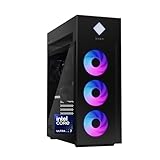
The HP OMEN 45L is the graphics-focused runner-up in this group because its listing names an NVIDIA GeForce RTX 5070 Ti, the highest GPU tier stated among these six desktops. It uses an Intel Core Ultra 7 265K rather than the Core Ultra 7 265F found in the ASUS, Alienware, and Acer listings. It still belongs in a broad Core Ultra 7 buying guide, but shoppers should not treat the 265K and 265F as the same processor configuration.
Memory and storage are clearly documented: 32GB RAM and a 1TB PCIe Gen4 NVMe M.2 SSD. The product name specifies Windows 11 Pro, Microsoft Copilot, tempered glass, and a 2025 model designation. HP also describes an industry-standard form factor and tool-less access for upgrades and customization. The listing does not provide power-supply wattage, motherboard model, cooling specifications, networking standard, or the exact memory configuration.
- Processor: Intel Core Ultra 7 265K
- Graphics: NVIDIA GeForce RTX 5070 Ti
- Memory: 32GB RAM; memory type is confirm on listing
- Storage: 1TB PCIe Gen4 NVMe M.2 SSD
- Operating system: Windows 11 Pro
- Chassis: tempered glass and industry-standard form factor; tool-less access is listed
Pros
- Highest listed GPU tier in this group.
- 32GB RAM and 1TB PCIe Gen4 NVMe storage are specified.
- Tool-less access and an industry-standard form factor are listed.
Cons
- Uses Core Ultra 7 265K, not the 265F processor in several competing listings.
- Memory type, cooling, networking, and power-supply wattage are confirm on listing.
Compared with the ASUS ROG G700 RTX 5070, the HP has the stronger listed GPU class and the same stated storage capacity, but the ASUS provides a clearly stated DDR5 memory type and more networking and cooling details.
6. MSI Codex R2 AI – Best for 2TB storage

The MSI Codex R2 AI is a storage-led runner-up. Its listing identifies an Intel Core Ultra 7 265K processor, 32GB DDR5 6000 memory in a 2x16GB configuration, a 2TB M.2 NVMe Gen4 SSD, and an NVIDIA GeForce RTX 5060 with 8GB. That 2TB drive is the largest explicit storage capacity in the group, making this model worth considering for buyers who want more room for games and files without immediately adding another drive.
This desktop is explicitly marked “Renewed” in the listing name. That status makes condition, included accessories, warranty coverage, and return terms important questions to resolve on the product page. The listing does not provide dimensions, chassis capacity, cooling, networking, power-supply wattage, motherboard details, or display outputs. It also uses the Core Ultra 7 265K rather than the 265F processor used by four other listed configurations.
- Processor: Intel Core Ultra 7 265K
- Graphics: NVIDIA GeForce RTX 5060 with 8GB
- Memory: 32GB DDR5 6000, configured as 2x16GB
- Storage: 2TB M.2 NVMe Gen4 SSD
- Operating system: Win11H is listed; exact edition is confirm on listing
- Condition: Renewed
Pros
- Largest listed SSD capacity at 2TB.
- 32GB DDR5 6000 memory configuration is detailed.
- Graphics memory is listed as 8GB.
Cons
- RTX 5060 is below the RTX 5070 and RTX 5070 Ti options listed here.
- Renewed condition requires checking warranty and return details.
- Chassis, power supply, cooling, and networking are confirm on listing.
Compared with the ASUS ROG G700 RTX 5060 Ti, the MSI offers twice the listed storage capacity and a detailed memory speed, but its RTX 5060 is a different and lower listed GPU tier.
Specs Compared
| Desktop | CPU | GPU | RAM | Storage | Operating system | Networking or chassis details |
|---|---|---|---|---|---|---|
| ASUS ROG G700 RTX 5060 Ti | Intel Core Ultra 7 265F | NVIDIA GeForce RTX 5060 Ti | 32GB DDR5 | 1TB M.2 NVMe PCIe 4 SSD | Windows 11 Home | 58L chassis, Wi-Fi 6, 2.5Gbps Ethernet |
| Alienware Aurora RTX 5070 | Intel Core Ultra 7 265F | NVIDIA GeForce RTX 5070 | confirm on listing | 1TB; interface and drive type confirm on listing | confirm on listing | AlienFX lighting; networking confirm on listing |
| ASUS ROG G700 RTX 5070 | Intel Core Ultra 7 265F | NVIDIA GeForce RTX 5070 | 32GB DDR5 | 1TB M.2 NVMe PCIe 4 SSD | Windows 11 Pro | 58L chassis, Wi-Fi 6, 2.5Gbps Ethernet |
| Acer Nitro 85 | Intel Core Ultra 7 265F; 20 cores and 5.3GHz boost stated | NVIDIA GeForce RTX 5070 | 16GB DDR5 | 1TB Gen 4 SSD; interface confirm on listing | Windows 11 Home | Wi-Fi 7; panoramic curved glass |
| HP OMEN 45L | Intel Core Ultra 7 265K | NVIDIA GeForce RTX 5070 Ti | 32GB; type confirm on listing | 1TB PCIe Gen4 NVMe M.2 SSD | Windows 11 Pro | Tempered glass and tool-less access |
| MSI Codex R2 AI | Intel Core Ultra 7 265K | NVIDIA GeForce RTX 5060 with 8GB | 32GB DDR5 6000, 2x16GB | 2TB M.2 NVMe Gen4 SSD | Win11H listed; edition confirm on listing | Networking and chassis details confirm on listing |
How We Chose These
These picks were selected from the listed desktops that identify an Intel Core Ultra 7 processor and a discrete NVIDIA GeForce RTX graphics processor. The comparison gives priority to clearly stated gaming-relevant specifications: CPU model, GPU model, RAM capacity and type, SSD capacity and interface, operating system, networking, and chassis features. A desktop with stronger listed graphics is not automatically the best overall choice when important supporting specifications are missing.
The ASUS ROG G700 RTX 5070 leads because it combines a clearly identified Core Ultra 7 265F with an RTX 5070, 32GB DDR5, 1TB PCIe 4.0 NVMe storage, Windows 11 Pro, and listed Wi-Fi 6 and 2.5Gbps Ethernet. The HP is labeled a runner-up because it uses a Core Ultra 7 265K, although its RTX 5070 Ti is the highest listed GPU tier. Renewed condition, unspecified RAM, or missing networking details also affect how confidently a model can be recommended.
What to Look For
Start with the exact Core Ultra 7 model
“Core Ultra 7” is a processor family label, not a complete configuration. The model suffix matters. In this group, the ASUS, Alienware, and Acer listings specify Core Ultra 7 265F, while the HP and MSI listings specify Core Ultra 7 265K. Do not assume that an F suffix and a K suffix describe identical systems. Compare the exact processor designation shown on the product page.
The Acer listing adds processor details that the other listings do not: 20 cores, a 5.3GHz boost, and a dedicated NPU for AI tasks. Treat those as listed specifications and confirm them on the current product page. The practical buying rule is simple: write down the full processor model before comparing desktops, rather than sorting only by the words “Core Ultra 7.”
Also check whether the desktop includes the operating-system edition you need. Windows 11 Pro is listed for the ASUS RTX 5070 and HP OMEN 45L, while Windows 11 Home is listed for the ASUS RTX 5060 Ti and Acer Nitro 85. The Alienware edition is confirm on listing, and the MSI listing uses “Win11H,” with the exact edition confirm on listing.
Match the GPU to your display and games
For gaming desktops, the graphics processor usually deserves more attention than decorative features. The six listings include RTX 5060, RTX 5060 Ti, RTX 5070, and RTX 5070 Ti configurations. The HP OMEN 45L has the highest listed GPU tier, the RTX 5070 Ti. The ASUS, Alienware, and Acer RTX 5070 systems form the next clearly identified group, while the ASUS RTX 5060 Ti and MSI RTX 5060 are the lower listed tiers.
Choose based on the display you plan to use. A conventional 1080p monitor places different demands on a GPU than a high-resolution or high-refresh-rate display. Resolution, refresh rate, ray-tracing settings, and upscaling support all influence the right graphics class. No listing here provides an FPS result, so do not use the product bullets as a substitute for a specific performance test.
VRAM is also worth checking. The MSI listing explicitly states 8GB for its RTX 5060. The other product information provided here does not state GPU memory capacity, so that value is confirm on listing. A useful rule of thumb is to prioritize the GPU first, then verify the exact VRAM, power connectors, and physical card clearance before buying.
Check RAM capacity and upgrade potential
Memory capacity affects multitasking, game loading behavior, creative applications, and how much background software can run comfortably. The ASUS models, HP, and MSI list 32GB configurations, while the Acer lists 16GB DDR5. Alienware RAM is confirm on listing. The MSI provides the most detailed memory information: 32GB DDR5 6000 arranged as two 16GB modules.
For a new gaming desktop, 32GB is a comfortable target when you stream, create content, keep many browser tabs open, or expect to keep the system for several years. A 16GB system can still be suitable, but check whether the memory can be expanded and whether an open slot is available. Do not infer the number of slots, maximum capacity, or upgrade procedure unless the product page confirms them.
Use a simple example: if one desktop lists 16GB and another lists 32GB with the same GPU class, the 32GB model has the clearer multitasking advantage on paper. That does not prove a higher frame rate, because gaming performance depends heavily on the GPU, game, settings, and display.
Understand SSD capacity and interface
These desktops use solid-state storage, but the listings do not describe every drive in the same detail. The ASUS systems specify a 1TB M.2 NVMe PCIe 4 SSD. The HP lists a 1TB PCIe Gen4 NVMe M.2 SSD. Acer lists a 1TB Gen 4 SSD but does not fully identify the interface in the supplied product information. Alienware lists 1TB without identifying the drive type or interface.
The MSI has the largest listed capacity at 2TB and specifies an M.2 NVMe Gen4 SSD. More capacity means more room for installed games and files, but it does not by itself establish faster game performance. Check whether the desktop has additional M.2 slots, open drive bays, or a documented storage expansion path before assuming an upgrade will be easy.
PCIe 4.0 and Gen4 describe the storage interface generation in the listed specifications. They should not be confused with the capacity number. A 1TB Gen4 SSD and a 2TB Gen4 SSD share an interface generation but provide different amounts of storage. Confirm the drive model and expansion details if those differences matter to your workload.
Evaluate chassis space, cooling, and connectivity
Physical fit is easy to overlook. The ASUS G700 listing gives a 58L capacity and dimensions of 9.45 x 20.05 x 18.88 inches. It also says the chassis supports triple-slot GPUs. The Acer measures 19.5 x 9.6 x 18.4 inches according to its listing fields, while the HP lists 8.03 x 18.5 x 21.85 inches. Alienware lists 18.05 x 7.76 x 16.46 inches. MSI dimensions are confirm on listing.
Measure the intended location, including clearance for cables and airflow. A large glass-panel desktop may need more open space than its width alone suggests. The ASUS listing names a quad-fan system and dust filters; Acer emphasizes a panoramic glass panel; HP lists tempered glass and tool-less access. These descriptions help identify design intent, but they do not establish temperatures, noise levels, or sustained power behavior.
Networking can also separate otherwise similar systems. ASUS lists Wi-Fi 6 and 2.5Gbps Ethernet, while Acer lists Wi-Fi 7. Alienware and MSI networking details are confirm on listing. Wi-Fi 7 can be useful with a compatible router, but the network standard alone does not guarantee a faster internet connection. Finally, verify rear ports, display outputs, power-supply wattage, and included accessories before checkout; those details are missing or incomplete for several models here.
Questions
Which desktop is the best overall pick?
The ASUS ROG G700 with the RTX 5070 is the best overall pick from these listings. It combines Core Ultra 7 265F, 32GB DDR5, a 1TB PCIe 4.0 NVMe SSD, Windows 11 Pro, Wi-Fi 6, and 2.5Gbps Ethernet.
Which model has the strongest listed graphics card?
The HP OMEN 45L lists an NVIDIA GeForce RTX 5070 Ti, the highest GPU tier among these products. It uses a Core Ultra 7 265K rather than the Core Ultra 7 265F used by several alternatives.
Which desktop has the most storage?
The MSI Codex R2 AI lists a 2TB M.2 NVMe Gen4 SSD. It is marked Renewed, so confirm condition, warranty coverage, and return terms before buying.
Is 16GB RAM enough for a gaming desktop?
Sixteen gigabytes can be suitable for gaming, but 32GB offers more headroom for multitasking, streaming, creative work, and future software. The Acer lists 16GB DDR5, while the ASUS models, HP, and MSI list 32GB configurations.
Which model lists Wi-Fi 7?
The Acer Nitro 85 explicitly lists Wi-Fi 7. A compatible router and network environment are still required to use the capabilities of that standard.
What specifications should I confirm before ordering?
Confirm the power-supply wattage, motherboard, cooling layout, display outputs, upgrade slots, and exact networking hardware. Alienware RAM and storage interface, Acer’s complete SSD interface, and MSI chassis details are also confirm on listing.
Update History
- October 14, 2026 – Initial publication; product set drawn from current catalog listings.
- Check the product page for current specifications and availability before buying.
Sources
- Retailer listing titles, listing bullets, and specification fields for the six included desktops.
- Manufacturer product information attributed in the listings for ASUS, Alienware, Acer, HP, and MSI features.