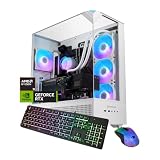
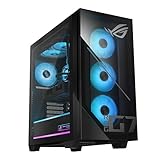
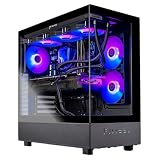
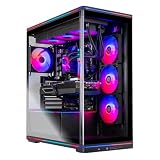
The best MSI gaming desktops in this selection are led by the MSI Aegis ZS with its Ryzen 9 9900X, GeForce RTX 5080, 32GB of DDR5 memory, 2TB NVMe SSD, liquid cooling, and Windows 11 Pro. It suits demanding gaming and content-creation workloads when the strongest listed hardware matters most. This facet means comparing MSI-branded prebuilt desktop PCs by their stated CPU, GPU, RAM, storage, cooling, connectivity, and operating system. The Codex Z2 with RTX 5070 is the better-balanced overall choice for many players, while the Aegis R2 is an attractive Intel-based alternative. Confirm any unlisted motherboard, power-supply, expansion, and display-output specifications on the product page before buying.
Our Top Picks

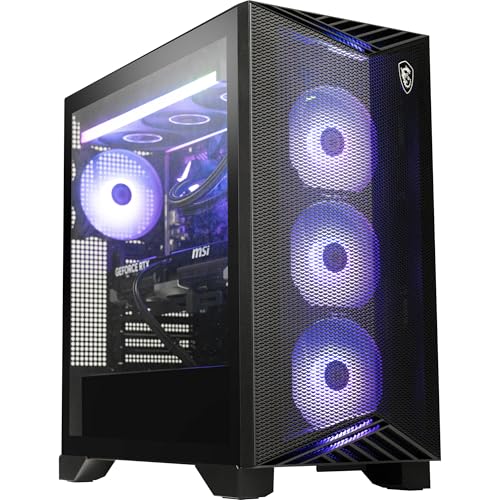


Top 3 picks at a glance
Quick List
- MSI Codex Z2 RTX 5070 – best for balanced high-end gaming
- MSI Codex Z2 RTX 5060 Ti – best for mainstream gaming and multitasking
- MSI Aegis ZS RTX 5080 – best for maximum listed graphics performance
- MSI Codex R2 RTX 5060 – best for entry-level MSI desktop gaming
- MSI Aegis R2 RTX 5070 – best for Intel-based high-end gaming
- MSI Codex R2 RTX 5070 – best for RTX 5070 performance with 32GB RAM
Which One Is Right for You?
| If you… | Choose |
|---|---|
| Want the strongest CPU and GPU combination listed | MSI Aegis ZS RTX 5080 |
| Want a balanced Ryzen desktop with RTX 5070 graphics | MSI Codex Z2 RTX 5070 |
| Prefer an Intel Core Ultra processor and RTX 5070 | MSI Aegis R2 RTX 5070 |
| Want an RTX 5070 with 32GB RAM in the Codex R2 chassis | MSI Codex R2 RTX 5070 |
| Need a lower-tier RTX 5060 Ti configuration | MSI Codex Z2 RTX 5060 Ti |
| Want the most basic listed RTX configuration | MSI Codex R2 RTX 5060 |
The Aegis ZS is the performance-oriented pick because its listing names a Ryzen 9 9900X, RTX 5080, 32GB of DDR5-6000 RAM, and liquid cooling. The two RTX 5070 Codex systems trade some hardware detail for a smaller, simpler configuration, while the Aegis R2 supplies a Core Ultra 9 285 and a larger chassis.
The RTX 5060 and RTX 5060 Ti systems are runner-up choices when the goal is to stay within a more modest graphics tier. Exact power-supply capacity, motherboard model, display outputs, and upgrade-slot details are not stated for these listings, so confirm them before purchase.
All 6 Picks in Detail
1. MSI Codex Z2 RTX 5070 – Best for balanced high-end gaming
As an Amazon Associate we earn from qualifying purchases at no extra cost to you.

The MSI Codex Z2 RTX 5070 is the best overall pick for shoppers who want a strong combination of modern graphics, generous memory, and substantial solid-state storage without moving to the largest Aegis enclosure. Its listing names an AMD Ryzen 7 8700F processor with 8 cores and 16 threads, an NVIDIA GeForce RTX 5070, 32GB of DDR5 RAM, and a 2TB SSD. That combination makes it a sensible fit for gaming, streaming, and general multitasking, although actual game performance depends on settings, drivers, display resolution, and software.
- CPU: AMD Ryzen 7 8700F; 8 cores and 16 threads; boost speed up to 5.0 GHz is stated in the listing.
- GPU: NVIDIA GeForce RTX 5070.
- Memory: 32GB DDR5.
- Storage: 2TB SSD.
- Operating system: Windows 11 Home.
- Chassis details: black, 16 x 8.38 x 19 inches, and 21.3 pounds.
Pros
- 32GB of RAM and 2TB of storage are the largest listed capacities among the Codex Z2 options.
- The listing identifies USB Type-C, VR readiness, and four system cooling fans.
- The Ryzen 7 processor is listed with 8 cores and 16 threads.
Cons
- The exact SSD interface and power-supply wattage are not stated.
- Windows 11 Home is included rather than Windows 11 Pro.
Compared with the Codex Z2 RTX 5060 Ti, this model has the stronger listed GPU, twice the stated storage, and twice the listed RAM, making it the more capable choice when those specifications matter.
2. MSI Codex Z2 RTX 5060 Ti – Best for mainstream gaming and multitasking

The MSI Codex Z2 RTX 5060 Ti is a practical mainstream configuration for shoppers who want an MSI gaming desktop with a current AMD processor and a dedicated NVIDIA graphics card, but do not need the higher-tier specifications of the RTX 5070 systems. The listing names the AMD Ryzen 7 8700F, NVIDIA GeForce RTX 5060 Ti, 16GB of DDR5 memory, and a 1TB SSD. It also identifies Windows 11 Home, USB Type-C, VR readiness, and an air-cooling setup with four system fans.
- CPU: AMD Ryzen 7 8700F; the listing does not state the core count or boost speed for this product.
- GPU: NVIDIA GeForce RTX 5060 Ti.
- Memory: 16GB DDR5.
- Storage: 1TB SSD.
- Operating system: Windows 11 Home.
- Chassis details: black, 16 x 8.38 x 19 inches, and 21.3 pounds.
Pros
- The Ryzen 7 8700F is positioned by the listing for gaming and multitasking.
- The product includes USB Type-C and is described as VR-ready.
- The listing identifies four cooling fans, with three in front and one in the rear.
Cons
- 16GB of RAM is less than the 32GB configurations in this guide.
- The storage capacity is 1TB, and the exact SSD type is confirm on listing.
- Power-supply wattage, motherboard, and upgrade details are confirm on listing.
Compared with the Codex Z2 RTX 5070, this model uses the same named Ryzen 7 8700F platform and chassis dimensions but lists an RTX 5060 Ti, 16GB of RAM, and a 1TB SSD instead of the higher-tier configuration.
3. MSI Aegis ZS RTX 5080 – Best for maximum listed graphics performance

The MSI Aegis ZS is the performance leader in this group based on the hardware named in its listing. It combines an AMD Ryzen 9 9900X processor, a GeForce RTX 5080 with 16GB of graphics memory, 32GB of DDR5-6000 RAM, and a 2TB M.2 NVMe SSD. The listing also names liquid cooling, Wi-Fi 7, a keyboard and mouse, a DIY-friendly design, and Windows 11 Pro. Those features make it the strongest fit for shoppers who prioritize the highest listed graphics tier and a more fully specified platform.
- CPU: AMD Ryzen 9 9900X; 12-core processor.
- GPU: NVIDIA GeForce RTX 5080 with 16GB of graphics memory.
- Memory: 32GB DDR5-6000 RAM.
- Storage: 2TB M.2 NVMe SSD.
- Cooling: liquid cooling.
- Operating system: Windows 11 Pro, 64-bit.
Pros
- It has the highest listed GPU tier in this comparison.
- The listing provides unusually specific memory and storage information.
- Wi-Fi 7, liquid cooling, and included keyboard and mouse are stated.
Cons
- The 19.4 x 19 x 9.1-inch chassis is larger than the Codex systems listed here.
- Power-supply wattage, motherboard model, and display outputs are confirm on listing.
- The listing does not identify the exact liquid-cooler radiator size.
Compared with the Aegis R2 RTX 5070, the Aegis ZS lists a higher-tier RTX 5080, 16GB of graphics memory, liquid cooling, and a Ryzen 9 9900X rather than a Core Ultra 9 285 and RTX 5070.
4. MSI Codex R2 RTX 5060 – Best for entry-level MSI desktop gaming

The MSI Codex R2 RTX 5060 is the most modest graphics configuration in this guide and is best treated as a runner-up for buyers specifically seeking an MSI desktop with an RTX 5060. Its listing names an Intel Core i5-14400F, NVIDIA GeForce RTX 5060, 16GB of DDR5 memory, and a 1TB SSD. Windows 11 Home and four cooling fans are also referenced in the listing bullets. This is a gaming desktop configuration, but the listing does not provide enough detail to assess its power supply, storage interface, motherboard, or expansion options.
- CPU: Intel Core i5-14400F.
- GPU: NVIDIA GeForce RTX 5060.
- Memory: 16GB DDR5.
- Storage: 1TB SSD; interface is confirm on listing.
- Operating system: Windows 11 Home is stated in the listing bullets.
- Chassis details: black, 16 x 8.38 x 19 inches, and 21.3 pounds.
Pros
- The processor and graphics card are clearly identified.
- The compact Codex dimensions are shared with the other Codex configurations listed here.
- The listing describes an RGB CPU air cooler and four-fan airflow system.
Cons
- It has the lowest listed GPU tier in this selection.
- It lists 16GB of RAM and 1TB of storage.
- The listing contains an inconsistent cooling reference, naming a Codex R2 desktop while mentioning an Aegis RS in the cooling bullet; confirm the exact cooling hardware on the product page.
Compared with the Codex Z2 RTX 5060 Ti, this model lists an Intel Core i5-14400F instead of the Ryzen 7 8700F and an RTX 5060 instead of an RTX 5060 Ti, while retaining the stated 16GB RAM and 1TB SSD class.
5. MSI Aegis R2 RTX 5070 – Best for Intel-based high-end gaming

The MSI Aegis R2 RTX 5070 is the best fit for shoppers who specifically want an Intel Core Ultra processor paired with an RTX 5070. Its listing names the Core Ultra 9 285, 32GB of DDR5 memory, a 2TB SSD, and Windows 11 Home. The listing also describes an RGB CPU air cooler and a four-fan cooling arrangement. Compared with the Codex models, its Aegis chassis is wider and deeper in the stated dimensions, so measure the intended desk or cabinet area before choosing it.
- CPU: Intel Core Ultra 9 285.
- GPU: NVIDIA GeForce RTX 5070.
- Memory: 32GB DDR5.
- Storage: 2TB SSD; interface is confirm on listing.
- Operating system: Windows 11 Home.
- Chassis details: black, 19.4 x 9.1 x 19 inches, and 26.9 pounds.
Pros
- It combines an Intel Core Ultra 9 285 with an RTX 5070.
- 32GB of RAM and 2TB of storage are listed.
- The listing states four system cooling fans and an RGB CPU air cooler.
Cons
- Windows 11 Pro is not listed; the operating system is Windows 11 Home.
- Exact SSD type, power-supply wattage, and motherboard details are confirm on listing.
- The chassis is larger and heavier than the Codex configurations listed here.
Compared with the Codex Z2 RTX 5070, this Aegis model uses the named Core Ultra 9 285 instead of the Ryzen 7 8700F and has a larger chassis, while both list an RTX 5070, 32GB of RAM, and 2TB of storage.
6. MSI Codex R2 RTX 5070 – Best for RTX 5070 performance with 32GB RAM
The MSI Codex R2 RTX 5070 is a runner-up worth considering when the key priorities are an RTX 5070, 32GB of DDR5 RAM, Wi-Fi 6E, and a smaller Codex-style chassis. Its listing names an Intel Core i5-14400F, an RTX 5070 with 12GB of graphics memory, a 1TB NVMe SSD, air cooling, and Windows 11 Home. The listing also describes four-fan airflow and standard off-the-shelf components for future upgrades. Those upgrade claims come from the listing; compatibility and available slots should be confirmed before buying replacement components.
- CPU: Intel Core i5-14400F.
- GPU: NVIDIA GeForce RTX 5070 with 12GB of graphics memory.
- Memory: 32GB DDR5 RAM.
- Storage: 1TB NVMe SSD.
- Connectivity: Wi-Fi 6E.
- Operating system and cooling: Windows 11 Home and air cooling.
Pros
- It pairs an RTX 5070 with 32GB of RAM.
- The listing identifies a 1TB NVMe SSD and Wi-Fi 6E.
- Four-fan airflow and standard off-the-shelf components are stated.
Cons
- The listed 1TB storage capacity is lower than the 2TB options.
- The Core i5-14400F is a lower-tier named processor than the Core Ultra 9 285 and Ryzen 9 9900X systems.
- Power-supply wattage, motherboard model, and display outputs are confirm on listing.
Compared with the Codex Z2 RTX 5070, this model lists the same GPU class and 32GB RAM but uses an Intel Core i5-14400F, provides 1TB NVMe storage, and specifically lists Wi-Fi 6E rather than the Z2 listing’s USB Type-C and 2TB SSD.
Specs Compared
| Product | CPU | GPU | RAM | Storage | Cooling | Operating system | Wireless or ports | Dimensions |
|---|---|---|---|---|---|---|---|---|
| Codex Z2 RTX 5070 | AMD Ryzen 7 8700F, 8 cores, 16 threads, up to 5.0 GHz stated | NVIDIA GeForce RTX 5070 | 32GB DDR5 | 2TB SSD | ARGB air cooler; four fans stated | Windows 11 Home | USB Type-C; VR-ready | 16 x 8.38 x 19 inches |
| Codex Z2 RTX 5060 Ti | AMD Ryzen 7 8700F | NVIDIA GeForce RTX 5060 Ti | 16GB DDR5 | 1TB SSD | ARGB air cooler; four fans stated | Windows 11 Home | USB Type-C; VR-ready | 16 x 8.38 x 19 inches |
| Aegis ZS RTX 5080 | AMD Ryzen 9 9900X, 12 cores | GeForce RTX 5080, 16GB graphics memory | 32GB DDR5-6000 | 2TB M.2 NVMe SSD | Liquid cooling | Windows 11 Pro, 64-bit | Wi-Fi 7; keyboard and mouse included | 19.4 x 19 x 9.1 inches |
| Codex R2 RTX 5060 | Intel Core i5-14400F | NVIDIA GeForce RTX 5060 | 16GB DDR5 | 1TB SSD | RGB air cooler; four fans stated | Windows 11 Home | confirm on listing | 16 x 8.38 x 19 inches |
| Aegis R2 RTX 5070 | Intel Core Ultra 9 285 | NVIDIA GeForce RTX 5070 | 32GB DDR5 | 2TB SSD | RGB air cooler; four fans stated | Windows 11 Home | confirm on listing | 19.4 x 9.1 x 19 inches |
| Codex R2 RTX 5070 | Intel Core i5-14400F | NVIDIA GeForce RTX 5070, 12GB graphics memory | 32GB DDR5 | 1TB NVMe SSD | Air cooling; four fans stated | Windows 11 Home | Wi-Fi 6E | 16 x 8.38 x 19 inches |
How We Chose These
These picks are based on the specifications and product descriptions stated in the six MSI listings. The primary criteria are processor class, graphics processor, stated graphics memory, system RAM, storage capacity and interface, cooling approach, operating system, wireless standard, included accessories, and physical dimensions. GPU tier receives particular weight because it is usually the central component for a gaming desktop, while RAM and storage affect multitasking and the amount of installed content the system can accommodate. The guide also separates the Aegis and Codex chassis rather than treating every MSI desktop as interchangeable. Missing information is not filled in: power-supply capacity, motherboard model, display outputs, expansion slots, and some storage interfaces are identified as confirm on listing. Marketing statements about VR readiness, upgradeability, cooling consistency, and architectural benefits are attributed to the applicable listing rather than presented as independently verified results.
What to Look For
Start with the graphics card
For a gaming desktop, the GPU is usually the first specification to compare. These listings span the NVIDIA GeForce RTX 5060, RTX 5060 Ti, RTX 5070, and RTX 5080. A higher model tier generally indicates a different performance class, but the card name alone does not tell you the exact board power, cooler design, factory settings, outputs, or dimensions. Confirm those details on the product page if they affect your monitor, case clearance, or power planning.
Graphics memory also matters. The Aegis ZS listing identifies an RTX 5080 with 16GB of graphics memory, while the Codex R2 RTX 5070 listing identifies an RTX 5070 with 12GB. The other graphics-memory capacities are confirm on listing. More graphics memory can be useful for larger textures and demanding creative workloads, but it does not replace the importance of the GPU model itself.
Match the graphics tier to the display you intend to use. A desktop connected to a standard 1080p monitor has different requirements from one intended for a high-refresh 1440p panel or a 4K display. The listing for the Codex R2 RTX 5070 mentions 1440p and 4K gaming, ray tracing, and DLSS 4 Multi-Frame Generation; those are manufacturer or listing claims, not a guarantee of a particular result in every game.
Compare processor class and platform
The CPUs in this group include AMD Ryzen 7 8700F, AMD Ryzen 9 9900X, Intel Core i5-14400F, and Intel Core Ultra 9 285. The Aegis ZS listing provides the most detailed CPU information, identifying the Ryzen 9 9900X as a 12-core processor. The first Codex Z2 listing identifies the Ryzen 7 8700F as an 8-core, 16-thread chip with boost speeds up to 5.0 GHz. For the other listings, core counts and boost speeds are confirm on listing.
CPU choice matters most when you stream, compile, edit video, run virtual machines, or keep many applications open while gaming. A stronger processor can also be useful when a high-end GPU is paired with a high-refresh display, although the exact balance depends on the game and settings. Do not compare processor names by brand alone; compare the exact model and the tasks you plan to run.
Intel and AMD platforms can both be appropriate. Select based on the exact CPU, the desktop’s stated memory configuration, connectivity, upgrade information, and warranty or support terms. The product data here does not identify the motherboard model or socket, so future CPU compatibility is confirm on listing.
Check RAM and storage together
System RAM and storage solve different problems. RAM holds active applications and game data, while the SSD stores the operating system, games, media, and documents. The listed systems offer either 16GB or 32GB of DDR5 RAM. The two 16GB configurations are the Codex Z2 RTX 5060 Ti and Codex R2 RTX 5060. The other four listings specify 32GB, including one configuration with DDR5-6000 RAM.
As a rule of thumb, 16GB can be a reasonable starting point for a conventional gaming desktop, while 32GB gives more headroom for streaming, browser tabs, creative applications, and newer software. That is a planning guideline, not a performance guarantee. Confirm whether the installed memory uses two modules, whether slots remain free, and what maximum capacity the motherboard supports.
Storage capacities range from 1TB to 2TB. The Aegis ZS specifically lists a 2TB M.2 NVMe SSD, and the Codex R2 RTX 5070 specifically lists a 1TB NVMe SSD. Other storage interfaces are confirm on listing. An SSD is preferable to a hard drive for operating-system responsiveness and game loading, but capacity still matters: a large modern library can occupy a substantial portion of a 1TB drive after Windows and applications are installed.
Worked example: if your priority is keeping several large games installed while also storing video projects, the 2TB configurations have a capacity advantage over the 1TB models on paper. If your library is smaller and you plan to add storage later, the 1TB configuration may be sufficient, but verify available M.2 or drive bays before assuming an upgrade will be simple.
Evaluate cooling, enclosure size, and noise expectations
The listings describe air cooling on most systems and liquid cooling on the Aegis ZS. Several listings state a four-fan layout, with three front fans and one rear fan. That arrangement can support front-to-back airflow, but the product information does not specify fan sizes, bearing type, fan curves, noise levels, or operating temperatures. Do not treat a fan count as a measured noise or temperature result.
Case dimensions affect both placement and maintenance. The Codex systems listed here measure 16 x 8.38 x 19 inches, while the Aegis ZS measures 19.4 x 19 x 9.1 inches and the Aegis R2 measures 19.4 x 9.1 x 19 inches. Check all three dimensions against the desk, shelf, or cabinet opening, and leave room for intake and exhaust airflow. Avoid placing a desktop’s ventilation openings directly against a wall or blocking them with papers and fabric.
Liquid cooling can use a radiator, pump, tubing, and fans, but the Aegis ZS listing does not state the radiator size or pump details. Confirm those specifications if cooler replacement, maintenance, or clearance is important. Air cooling is usually easier to understand and maintain, but the exact cooler model is not stated for most products.
Verify connectivity and upgrade details
Connectivity varies in the supplied listings. The Codex Z2 systems identify USB Type-C and VR readiness. The Aegis ZS identifies Wi-Fi 7 and includes a keyboard and mouse. The Codex R2 RTX 5070 identifies Wi-Fi 6E. For the remaining desktop, wireless capability and port details are confirm on listing.
Before buying, check the exact number and location of USB-A and USB-C ports, the available display outputs on the graphics card, wired-network speed, audio connectors, and wireless antennas. This is especially important if you use multiple monitors, a VR headset, external storage, a capture device, or a mechanical keyboard with additional USB accessories.
Upgrade claims also require care. The Codex R2 RTX 5070 listing states that the system uses standard, off-the-shelf components and describes future storage, RAM, or GPU upgrades as straightforward. That is a listing claim. Confirm the power-supply capacity, connector types, physical clearance, free memory slots, storage slots, and motherboard support before ordering an upgrade. A GPU upgrade may require more power and additional case space than a memory or storage upgrade.
Questions
Which MSI desktop is the best overall choice?
The MSI Codex Z2 RTX 5070 is the best overall choice in this group for a balanced configuration. Its listing combines an RTX 5070, Ryzen 7 8700F, 32GB of DDR5 RAM, and a 2TB SSD.
Which model has the strongest listed GPU?
The MSI Aegis ZS lists a GeForce RTX 5080 with 16GB of graphics memory, the highest GPU tier in this comparison. Its listing also names a Ryzen 9 9900X, 32GB of DDR5-6000 RAM, and liquid cooling.
Do all of these desktops have 32GB of RAM?
No. The Codex Z2 RTX 5060 Ti and Codex R2 RTX 5060 list 16GB of DDR5 RAM. The other four products list 32GB.
Which desktops list Wi-Fi?
The Aegis ZS lists Wi-Fi 7, and the Codex R2 RTX 5070 lists Wi-Fi 6E. Wireless specifications for the other four products are confirm on listing.
Which models list 2TB of storage?
The Codex Z2 RTX 5070, Aegis ZS RTX 5080, and Aegis R2 RTX 5070 list 2TB of storage. The remaining three products list 1TB.
Should I choose Windows 11 Home or Pro?
Windows 11 Home is listed on five of these desktops, while the Aegis ZS lists Windows 11 Pro, 64-bit. The listing states that MSI recommends Windows 11 Pro for business use; choose based on your software and administrative requirements.
Update History
- October 14, 2026 – Initial publication; product set drawn from current catalog listings.
- Check the product page for current specifications and availability before buying.
Sources
- Retailer listing titles, bullets, and specification fields for the six MSI desktop products.
- Manufacturer product naming and specification information included in the supplied MSI listings.