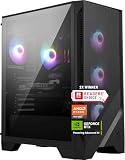
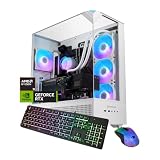
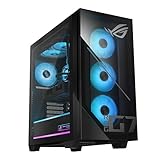
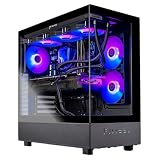
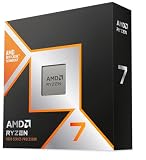
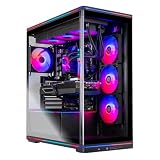
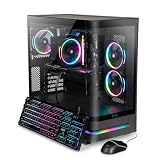
If you want an RTX 5060 Ti gaming desktop, the KOTIN build with a Ryzen 7 8700F, 32GB of DDR5 and a 1TB SSD is the best overall pick here: it is the only one that doubles the memory most rivals ship with, on a current AM5 platform. The RTX 5060 Ti is NVIDIA’s 1080p-to-1440p card, and every system on this page uses the 8GB version, so it suits players who prefer high refresh rates at moderate resolutions over maximum texture settings.
Our Top Picks


Top 3 picks at a glance
Quick List
- KOTIN Ryzen 7 8700F, 32GB DDR5 – best for memory headroom on a current platform
- KOTIN Ryzen 7 8700F, 16GB DDR5 – best for a simple DDR5 starter system you can upgrade
- KOTIN Core i5-14400F, 16GB DDR4 – best for Intel buyers who accept older memory
- Skytech Ryzen 7 5700 – best only for tight setups where upgrade path matters less
- Skytech Core i5-14400F – best for a plain Intel build with a named brand
- MSI Codex Z2 – best for a known hardware brand and a tidy factory build
Which One Is Right for You?
| If you… | Choose |
|---|---|
| keep many apps open while gaming or plan to stream | KOTIN Ryzen 7 8700F with 32GB DDR5 |
| want a recognizable hardware maker behind the PC | MSI Codex Z2 |
| plan to add a second memory kit later | KOTIN Ryzen 7 8700F with 16GB DDR5 |
| prefer an Intel processor and do not care about DDR5 | KOTIN Core i5-14400F |
| want an Intel system from a dedicated gaming-PC brand | Skytech Core i5-14400F |
| want an older AM4 platform and can live with its limits | Skytech Ryzen 7 5700 |
The deciding factors are memory and platform age. Five of the six systems ship with 16GB, which works but leaves little spare room, and the Intel and AM4 builds sit on older platforms that limit later upgrades. Pick the system whose weakest spec you can live with, or plan the upgrade on day one. If you are undecided, the 32GB KOTIN is the safest starting point, the MSI is the choice for brand confidence, and the Skytech Ryzen 7 5700 is the one that needs the most caution.
All 6 Picks in Detail
1. KOTIN Gaming PC, Ryzen 7 8700F, 32GB DDR5 – Best for Memory Headroom
As an Amazon Associate we earn from qualifying purchases at no extra cost to you.

This system stands out for one reason: 32GB of DDR5 alongside the RTX 5060 Ti 8GB. That matters because an 8GB graphics card sometimes spills data into system memory, and more RAM makes those moments less painful. It also suits players who run a browser, chat app and capture software in the background while gaming.
Practically, that means a player who streams to friends or records clips can run capture software without choking the game. A 1TB drive holds roughly a dozen large modern installs, so plan on a second drive if your library is bigger. Because the listing is brief, look at the case and power supply details on the product page before you rely on it for future graphics upgrades.
The Ryzen 7 8700F has 8 cores and 16 threads on AM5, so a later move to a faster processor is possible without replacing the board.
- CPU: Ryzen 7 8700F, 8 cores, 16 threads, AM5
- GPU: GeForce RTX 5060 Ti 8GB
- Memory: 32GB DDR5
- Storage: 1TB SSD (confirm interface on listing)
- Power supply, case and cooling: confirm on listing
Pros:
- Most memory in the group
- Current AM5 platform with an upgrade path
Cons:
- 8GB of video memory limits very high texture settings
- The 8700F has no integrated graphics, so the card is required for display output
Compared with the 16GB KOTIN that follows, you get an extra memory kit and more breathing room, so it is the better starting point.
2. KOTIN Gaming PC, Ryzen 7 8700F, 16GB DDR5 – Best for a Simple Starter System
The same platform as the first pick with half the memory. It suits someone who wants DDR5 and an AM5 board now and is happy to add a second 16GB kit later. If your main games are esports titles or older releases, 16GB is plenty today; it is the large open-world games and multitasking where it starts to feel tight.
The practical advice is to treat the memory as a first upgrade rather than a flaw. DDR5 kits in matched pairs are widely available, and installing one takes only a few minutes on a board with four slots. Confirm on the listing that two slots are free; if the PC ships with two modules installed and only two slots on the board, you would replace rather than add.
- CPU: Ryzen 7 8700F, 8 cores, 16 threads
- GPU: GeForce RTX 5060 Ti 8GB
- Memory: 16GB DDR5
- Storage: 1TB SSD (confirm interface)
- Platform: AM5 (confirm free memory slots)
Pros:
- Same CPU and GPU class as the 32GB model
- Easy memory upgrade path if slots are free
Cons:
- 16GB is the floor, not the target
- Case, supply and cooler are not stated in the listing name
It matches the MSI on processor, graphics class and memory, so the choice comes down to whether you prefer the MSI name or this configuration’s listing details.
3. KOTIN Gaming PC, Core i5-14400F, 16GB DDR4 – Best for Intel Buyers on Older Memory

The Core i5-14400F is a 10-core processor with 6 performance cores and 4 efficiency cores, running up to 4.7GHz according to Intel’s specification, and it has no integrated graphics. In this system it is paired with DDR4 memory and a 1TB NVMe drive. That is a sensible mid-range gaming processor, but DDR4 puts it on the last of the older platforms, so future upgrades are narrower than on AM5.
A 10-core processor is plenty for current games, and the 14400F’s strength is that it does not need a premium motherboard. The compromise is longevity: LGA 1700 and DDR4 are older standards, and you will find fewer new processors and fast memory kits aimed at them. If you plan to keep the PC unchanged for three or four years, that matters little; if you like to upgrade, AM5 is a better bet.
- CPU: Core i5-14400F, 10 cores (6P + 4E), 16 threads
- GPU: GeForce RTX 5060 Ti 8GB
- Memory: 16GB DDR4
- Storage: 1TB NVMe SSD
- Socket: LGA 1700
Pros:
- Capable mainstream gaming processor
- Explicit NVMe storage
Cons:
- DDR4 and LGA 1700 limit long-term upgrades
- No integrated graphics for fallback video output
It is a close match for the Skytech i5 build further down, differing mainly in how the listing describes the parts.
4. Skytech Gaming PC, Ryzen 7 5700, 16GB DDR4 – Best for Tight Setups, with Caveats

This is the weakest platform fit in the group, and we place it last. The Ryzen 7 5700 is an 8-core AM4 chip with PCIe 3.0 and 16MB of L3 cache. The RTX 5060 Ti uses a PCIe 5.0 x8 connection, and on a PCIe 3.0 board it runs at a fraction of its link bandwidth, which can matter more for an 8GB card that leans on system memory. The listing also names DDR4-3200, a 650W Gold supply and Wi-Fi 5.
For some buyers it still makes sense: if you already own a monitor and peripherals and want eight cores plus a Gold-rated 650W supply in a ready-to-run box, the specifications check out. But a new graphics card of this class deserves a newer board. If you do buy it, expect to replace the whole platform at the next upgrade rather than only the processor.
- CPU: Ryzen 7 5700, 8 cores, 16 threads, AM4
- GPU: GeForce RTX 5060 Ti 8GB
- Memory: 16GB DDR4-3200
- Storage: 1TB NVMe SSD
- Power supply: 650W 80 Plus Gold; Wi-Fi 5
Pros:
- Detailed listing with supply and memory speed stated
- Eight cores for multitasking
Cons:
- AM4 and PCIe 3.0 platform is at the end of its life
- Pairing with a PCIe 5.0 x8 graphics card wastes some of its capability
The AM5 KOTIN builds and the MSI are better balanced; treat this as a runner-up.
5. Skytech Gaming PC, Core i5-14400F, 16GB – Best for a Plain Intel Build from a Gaming-PC Brand

Skytech sells prebuilt gaming PCs, and this one uses the Core i5-14400F with an RTX 5060 Ti 8GB, 16GB of memory and a 1TB drive. The listing name does not state the memory generation or drive interface, so confirm both. It suits buyers who want a straightforward Intel machine from a company that specializes in gaming desktops.
Because the listing title is short, treat this one as a candidate rather than a finished choice. Look for the motherboard model, the memory type, the power supply wattage and the cooler type on the product page. Brand-specific prebuilt makers sometimes bundle a branded case, RGB lighting and a set number of case fans, which affects both noise and thermals more than the processor choice does.
- CPU: Core i5-14400F, 10 cores, 16 threads
- GPU: GeForce RTX 5060 Ti 8GB
- Memory: 16GB (confirm DDR4 or DDR5)
- Storage: 1TB (confirm NVMe)
- Power supply and cooling: confirm on listing
Pros:
- Mainstream Intel gaming processor
- Gaming-focused brand
Cons:
- Several key details left out of the listing name
- Same 16GB limit as most rivals
Next to the KOTIN i5 above, it is the less specific listing, so pick it only if you value the brand and verify the missing details.
6. MSI Codex Z2 (Ryzen 7 8700F, RTX 5060 Ti) – Best for a Known Hardware Brand

MSI is a long-established maker of motherboards and graphics cards, and the Codex Z2 is its ready-built line. The listing names a Ryzen 7 8700F, an RTX 5060 Ti, 16GB of DDR5 and a 1TB SSD, with USB Type-C and VR-ready labeling. The listing does not state the graphics memory size; MSI’s own pages for Ryzen 7 8700F models of this machine indicate the 8GB version, but confirm before ordering.
A factory build from a motherboard maker tends to mean validated part combinations and a documented parts list, which is helpful if you want fewer surprises. It is the choice for someone who does not want to read a long list of component names and prefers a known company standing behind the system. Expect to upgrade memory in time, since 16GB is the baseline for this class.
- CPU: Ryzen 7 8700F, 8 cores, 16 threads
- GPU: GeForce RTX 5060 Ti (confirm 8GB on listing)
- Memory: 16GB DDR5
- Storage: 1TB SSD
- OS: Windows 11 Home
Pros:
- Components from a manufacturer that also designs the motherboard and card
- DDR5 platform with room to expand memory
Cons:
- Only 16GB of RAM out of the box
- Listing does not spell out the VRAM size
Against the 32GB KOTIN, it trades memory capacity for a recognizable name and a more documented build.
Specs Compared
| Product | CPU | GPU | RAM | Storage | Platform |
|---|---|---|---|---|---|
| KOTIN Ryzen 7 8700F (32GB) | Ryzen 7 8700F | RTX 5060 Ti 8GB | 32GB DDR5 | 1TB SSD | AM5 |
| KOTIN Ryzen 7 8700F (16GB) | Ryzen 7 8700F | RTX 5060 Ti 8GB | 16GB DDR5 | 1TB SSD | AM5 |
| KOTIN i5-14400F | Core i5-14400F | RTX 5060 Ti 8GB | 16GB DDR4 | 1TB NVMe | LGA 1700 |
| Skytech Ryzen 7 5700 | Ryzen 7 5700 | RTX 5060 Ti 8GB | 16GB DDR4-3200 | 1TB NVMe | AM4 |
| Skytech i5-14400F | Core i5-14400F | RTX 5060 Ti 8GB | 16GB (confirm type) | 1TB (confirm type) | LGA 1700 |
| MSI Codex Z2 | Ryzen 7 8700F | RTX 5060 Ti (confirm 8GB) | 16GB DDR5 | 1TB SSD | AM5 |
How We Chose These
We started with the six desktops in the catalog that name the RTX 5060 Ti and compared them using the information in each listing title, manufacturer pages and the published specifications of the processors and the graphics card. We ranked platforms with newer memory and a longer upgrade path higher, preferred listings that state memory and storage clearly, and moved the oldest platform to the bottom. Where a detail was absent, we wrote that it needs confirming. We also noted whether each system leaves room to add memory or swap the processor later, because that affects how long a prebuilt stays useful. This is a research-based, specification-led comparison built from published information.
What to Look For
What the RTX 5060 Ti Offers
The GeForce RTX 5060 Ti uses NVIDIA’s Blackwell architecture with 4,608 CUDA cores, GDDR7 memory on a 128-bit bus and a 180W power rating, and it comes in 8GB and 16GB versions. Every system in this list uses the 8GB model. That is workable for 1080p and 1440p play with sensible settings and DLSS upscaling, but it is the first thing to run short when you push texture quality in recent games.
8GB versus 16GB of Video Memory
If you play mostly esports and older titles, 8GB is fine. If you want to turn textures up in new releases, or you plan to keep the PC for four or more years, a 16GB card gives much more margin. A simple rule: a 1080p player on high settings can stay with 8GB, while anyone at 1440p with ultra textures should look at the 16GB version or lower a few settings.
Platform and Memory
The processor platform decides your upgrade options. AM5 with DDR5 can accept newer Ryzen chips for years. LGA 1700 with DDR4 is the end of a generation, and AM4 is older still. Memory matters because an 8GB graphics card can use system RAM as overflow, so 32GB is a smarter choice than 16GB, and dual-channel memory (two matching modules) performs better than a single stick.
Also check the graphics card link: the RTX 5060 Ti uses a PCIe 5.0 x8 interface. On a PCIe 4.0 board it runs at half the maximum rate of a 5.0 board, which is generally fine. On a PCIe 3.0 board, such as one paired with the Ryzen 7 5700, it drops lower again.
Power Supply and Cooling
A 180W graphics card plus a 65W processor is not demanding; a quality 550W to 650W supply with an 80 Plus Bronze or Gold rating is a reasonable fit. Prefer a supply from a recognizable brand, and confirm the case has at least one front intake fan and one rear exhaust fan. Worked example: roughly 180W for the card, 65W to 150W for the processor, and 50W for the rest adds up to about 300W under load, so a 650W supply keeps a comfortable margin.
Why the Processor Letter Matters
Several of these systems use “F” processors, such as the Ryzen 7 8700F and Core i5-14400F. The F means the chip has no integrated graphics, which lowers its cost but means the monitor must be plugged into the graphics card. It also means that if the card ever fails, the PC cannot display anything until you replace or borrow a card. That is an acceptable trade for most gamers, but worth knowing before you troubleshoot a black screen.
Resolution, Monitors and Upscaling
Match the monitor to the card. A 1080p monitor at 144Hz or 165Hz is the ideal partner for an 8GB RTX 5060 Ti, and a 1440p monitor at 144Hz works in many games with DLSS upscaling turned on. DLSS and frame generation are NVIDIA features supported on the RTX 50 series, and they reduce the load on the card at the cost of some image fidelity in certain scenes. If you intend to buy a 4K display, step up to a more powerful graphics card instead.
A short rule of thumb for planning: the graphics card should be the limit, not the processor. An 8-core Ryzen or a 10-core Core i5 both leave the RTX 5060 Ti as the component that sets your frame rate in most modern games, which is how a balanced gaming PC should behave.
Storage and Upgrades
1TB is the minimum worth buying. Look for an NVMe drive rather than SATA, and check whether the board has a free M.2 slot, since a second drive is the cheapest way to double capacity later.
Questions
Is the RTX 5060 Ti a good 1440p card?
It can handle 1440p with upscaling and moderate settings, especially in the 16GB version. The 8GB version in these systems is better described as a strong 1080p card that can stretch to 1440p in many games.
Does 8GB of VRAM matter in 2026?
It matters for new, texture-heavy releases at high settings, where the game may lower texture quality or stutter when the card runs out of memory. For esports titles and older games it is not a problem.
Is DDR4 a dealbreaker?
Not for gaming today, because the graphics card does the heavy lifting, but it limits what you can reuse later. DDR5 platforms keep their value longer and accept faster memory.
How much memory should I get with this card?
Choose 32GB if you can. Sixteen gigabytes is enough to start, and a second matching kit is an inexpensive upgrade on a system with free slots.
Is the Ryzen 7 5700 system worth considering?
Only if you value its documented extras, such as the 650W Gold supply, and accept the older AM4 and PCIe 3.0 platform. The AM5 builds in this list are the better long-term buys because they let you change the processor and memory later without replacing the board.
What should I check before ordering any of these?
Confirm the graphics memory size, the memory type and number of free slots, the power supply wattage and the drive interface on the product page. Those four details are missing or abbreviated in several of the listing names above, and they determine how long the PC stays useful.
Update History
- October 14, 2026 – Initial publication; product set drawn from current catalog listings.
- Check the product page for current specifications and availability before buying.
Sources
- Manufacturer product and specification pages for MSI, AMD, Intel and NVIDIA
- Published processor specification sheets for the Ryzen 7 5700 and Core i5-14400F
- Retailer listing titles and specification fields