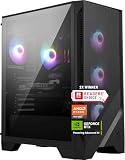
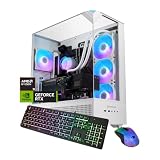
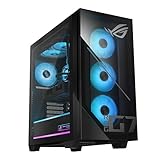
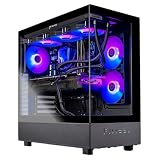
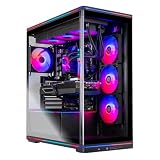
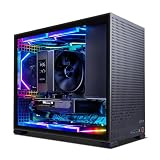
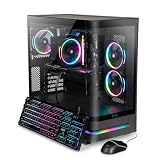
The best Ryzen 7 9800X3D gaming desktop in this group is the Skytech build with an RTX 5070 Ti, 32GB of RAM and a 2TB SSD, because it puts a 16GB graphics card next to the processor without skimping on memory or storage. The 9800X3D is AMD’s 8-core Zen 5 chip with 96MB of stacked L3 cache, built to push frame rates in processor-limited games. Five of these picks are complete PCs, and one is the bare processor for readers who plan to build their own.
Our Top Picks



Top 3 picks at a glance
Quick List
- AMD Ryzen 7 9800X3D (processor only) – best for builders assembling their own PC
- KOTIN 9800X3D / RTX 5070 12GB – best for a compact configuration with 32GB of DDR5
- Skytech 9800X3D / RTX 5070 Ti / 2TB – best overall for 1440p and entry-level 4K
- Skytech 9800X3D / RTX 5070 / 2TB – best for lower graphics power with a large drive
- Skytech 9800X3D / RTX 5070 Ti / 1TB – best for the same graphics power with smaller storage
- ASUS ROG GM700 – best for a major-brand build with a documented parts list and 2TB of storage
Which One Is Right for You?
| If you… | Choose |
|---|---|
| want the strongest graphics card in a ready-made 9800X3D system | Skytech with RTX 5070 Ti and 2TB |
| want a larger manufacturer behind the build | ASUS ROG GM700 |
| already own an external drive and can live with 1TB | Skytech with RTX 5070 Ti and 1TB |
| mainly play at 1080p or 1440p and want storage over graphics power | Skytech with RTX 5070 and 2TB |
| want a straightforward 32GB DDR5 system with a 12GB RTX 5070 | KOTIN 9800X3D build |
| are building from parts and have the rest of the components | AMD Ryzen 7 9800X3D processor |
The processor is the same in all five complete systems, so the choice is about the graphics card, the storage and who built the machine. The 5070 Ti and Radeon RX 9070 XT are the higher-performance options, the RTX 5070 is the step down, and the loose processor is for people who want to choose every other part. If you are unsure, start with the Skytech RTX 5070 Ti system, then use the ASUS as the comparison point for a brand-backed alternative.
All 6 Picks in Detail
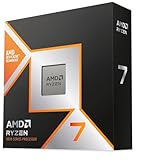
1. AMD Ryzen 7 9800X3D Processor (Processor Only) – Best for Builders
As an Amazon Associate we earn from qualifying purchases at no extra cost to you.
This listing is the processor alone, not a gaming desktop, so it does not match the “desktop” part of the facet and appears here as a runner-up for DIY builders. It is an 8-core, 16-thread Zen 5 chip with 96MB of L3 cache for the AM5 socket. You need a compatible AM5 motherboard, DDR5 memory, a cooler (boxed processors in this class typically do not include one, so confirm), a power supply and a case.
If you choose this route, budget separately for the motherboard, memory, storage, cooler, supply and case. A balanced AM5 build for this processor usually pairs it with a B650 or X870 board, 32GB of DDR5 in two modules and a 750W or larger supply. Building also lets you choose a case with strong airflow and a cooler sized properly for the processor, two areas where prebuilt systems often cut corners.
- Cores and threads: 8 cores, 16 threads
- Cache: 96MB L3 (stacked 3D V-Cache)
- Clocks: 4.7GHz base, up to 5.2GHz boost (AMD specification)
- Socket: AM5, DDR5 memory only
- TDP: 120W
Pros:
- Lets you pick every other component
- Strong gaming processor with a straightforward upgrade path
Cons:
- Not a computer; requires assembly and extra parts
- No integrated graphics worth gaming on
Choose it only if you already know how to build a PC; otherwise one of the five complete systems below is simpler.
2. KOTIN Ryzen 7 9800X3D, RTX 5070 12GB, 32GB DDR5, 1TB – Best for a 32GB DDR5 Entry

KOTIN’s configuration names DDR5 and the 12GB RTX 5070 explicitly, with 32GB of memory and a 1TB SSD. It matches the Skytech RTX 5070 on the processor and graphics, and the main difference is half the storage and the seller. It suits buyers who want clear specifications for memory type and graphics memory in the title.
It is a good fit for someone upgrading from an older DDR4 system who wants to make sure the new machine uses DDR5, as the 9800X3D requires. The 12GB RTX 5070 provides a comfortable margin for 1440p textures in most titles. As with the other prebuilts, confirm the supply wattage, the cooling method and the case before buying, since they decide noise and upgrade potential.
- CPU: Ryzen 7 9800X3D, 8 cores, 16 threads
- GPU: GeForce RTX 5070, 12GB
- Memory: 32GB DDR5
- Storage: 1TB SSD
- Cooling and power supply: confirm on listing
Pros:
- Clear listing title with memory type and VRAM
- Strong gaming processor and 32GB DDR5
Cons:
- 1TB of storage
- Case, cooler and supply not specified
Next to the Skytech RTX 5070 further down, it offers the same class of performance with less storage.
3. Skytech Ryzen 7 9800X3D, RTX 5070 Ti, 32GB, 2TB – Best Overall for 1440p and Beyond

This is the balanced pick. The RTX 5070 Ti has 16GB of GDDR7 and sits comfortably between mid-range and enthusiast cards, which makes it a strong partner for the 9800X3D at 1440p high refresh and for 4K with upscaling. The 32GB of RAM and 2TB of storage are the amounts we want to see at this level. The listing does not name the case, cooler or supply, so confirm those on the product page.
With 16GB of video memory, the card has room for high-resolution texture packs and for ray tracing and frame generation features that use extra memory. At 1440p it should be comfortable at high settings in most current games, and 4K becomes realistic with upscaling turned on. Since the processor has a proven record in cache-heavy titles, this pairing avoids the common prebuilt problem of a strong graphics card held back by a weak processor, or the reverse.
It suits players who want a single system that will last several years without immediate upgrades.
- CPU: Ryzen 7 9800X3D, 8 cores and 16 threads, 96MB L3 cache
- GPU: GeForce RTX 5070 Ti, 16GB GDDR7
- Memory: 32GB (confirm DDR5 speed)
- Storage: 2TB SSD (confirm interface)
- Cooling and power supply: confirm on listing
Pros:
- 16GB of video memory suits modern texture settings
- 32GB and 2TB are sensible capacities
Cons:
- Listing leaves out the cooler, case and supply
- Skytech is less known than the large OEMs
It is the better-equipped sibling of the 1TB version later in the list, which differs only in storage.
4. Skytech Ryzen 7 9800X3D, RTX 5070, 32GB, 2TB – Best for Lower Graphics Power and a Large Drive

The RTX 5070 has 12GB of GDDR7 and a lower power rating than the 5070 Ti, making it a good fit for 1080p and 1440p play. Paired with the 9800X3D it gives high frame rates in processor-limited games, and the 2TB drive keeps a large library on board. It suits players who want fast frame rates at 1440p and are happy to use upscaling at 4K.
Think of it as a processor-first build. In games that depend on the cache, the 9800X3D will help the RTX 5070 reach high frame rates, so the card is less of a limit than its tier suggests at 1080p and 1440p. If you later find the card is the bottleneck, the AM5 platform leaves the processor and memory in place while you swap in a faster graphics card, provided the supply has enough wattage and connectors.
- CPU: Ryzen 7 9800X3D, 96MB L3 cache
- GPU: GeForce RTX 5070, 12GB GDDR7
- Memory: 32GB (confirm DDR5)
- Storage: 2TB SSD
- Cooling and power supply: confirm on listing
Pros:
- Strong processor with generous storage
- Lower graphics power draw
Cons:
- 12GB of VRAM is less future-proof than 16GB
- Weaker graphics than the 5070 Ti systems
It is the step-down from the RTX 5070 Ti system just above: same everything except the graphics card.
5. Skytech Ryzen 7 9800X3D, RTX 5070 Ti, 32GB, 1TB – Best for Same Graphics with Less Storage

This system is the 2TB RTX 5070 Ti build with half the storage, so it is the answer for people who already own spare drives or plan to add an NVMe module themselves. The graphics and processor are identical. If you only keep a handful of games installed at a time, 1TB works, though many current releases need 100GB or more each.
One tip: if you buy this model, check that the motherboard has a second M.2 slot or SATA connectors free. Adding a 2TB NVMe drive later is a ten-minute job, and it brings the system to the same capacity as the 2TB version. Until then, uninstall games you are not playing to keep the main drive from filling. This is a sensible choice if you prefer to spend the storage money on a different upgrade, such as a monitor.
- CPU: Ryzen 7 9800X3D, 8 cores and 16 threads
- GPU: GeForce RTX 5070 Ti, 16GB GDDR7
- Memory: 32GB (confirm DDR5)
- Storage: 1TB SSD
- Cooling and power supply: confirm on listing
Pros:
- Same core hardware as the leader
- Simple to add a second drive
Cons:
- 1TB fills quickly
- Same unlisted supply and cooler details
It is the practical alternative when storage is the one thing you are willing to trade away.
6. ASUS ROG GM700 (Ryzen 7 9800X3D, RX 9070 XT) – Best for a Major-Brand Build

ASUS puts the 9800X3D beside AMD’s Radeon RX 9070 XT Prime OC, with 32GB of DDR5 and a 2TB PCIe 4.0 NVMe drive. ASUS’s own specification pages for this model describe an 850W Gold-rated supply and a 240mm liquid cooler, which is the sort of detail the other listings omit. It is the choice for buyers who prefer a documented, brand-backed machine.
The Radeon RX 9070 XT carries 16GB of GDDR6 and AMD’s FSR 4 upscaling, so it competes with the 5070 Ti class on memory capacity even though it lacks NVIDIA’s DLSS. Because the listing names the exact graphics model, the 2TB drive and 32GB of DDR5, there is little guesswork. If you value a clear specification sheet and a large-company support structure more than a specific graphics brand, this is the strongest alternative to the Skytech RTX 5070 Ti systems.
- CPU: Ryzen 7 9800X3D, 8 cores, 16 threads
- GPU: Radeon RX 9070 XT Prime OC, 16GB GDDR6
- Memory: 32GB DDR5
- Storage: 2TB M.2 NVMe, PCIe 4.0
- OS: Windows 11 Home
Pros:
- Well-documented parts list from a major manufacturer
- 2TB NVMe drive and 32GB of DDR5
Cons:
- Radeon graphics lack NVIDIA features such as DLSS
- Large tower
Against the Skytech 5070 Ti builds above, the graphics class is similar, so the decision comes down to AMD versus NVIDIA features and the brand you trust.
Specs Compared
| Product | Type | GPU | RAM | Storage |
|---|---|---|---|---|
| AMD Ryzen 7 9800X3D | Processor only | Not included | Not included | Not included |
| KOTIN 9800X3D / 5070 | Desktop | RTX 5070 12GB | 32GB DDR5 | 1TB SSD |
| Skytech 9800X3D / 5070 Ti / 2TB | Desktop | RTX 5070 Ti 16GB | 32GB (confirm type) | 2TB SSD |
| Skytech 9800X3D / 5070 / 2TB | Desktop | RTX 5070 12GB | 32GB (confirm type) | 2TB SSD |
| Skytech 9800X3D / 5070 Ti / 1TB | Desktop | RTX 5070 Ti 16GB | 32GB (confirm type) | 1TB SSD |
| ASUS ROG GM700 | Desktop | RX 9070 XT Prime OC 16GB | 32GB DDR5 | 2TB NVMe PCIe 4.0 |
How We Chose These
We began with the six catalog listings that name the Ryzen 7 9800X3D and compared them using the details in each listing title, manufacturer product pages and AMD’s published specifications for the processor. We favored systems with a large-VRAM graphics card, 32GB of memory and 2TB of storage, and we preferred listings whose titles state memory type and capacities. The loose processor was kept as a runner-up because it is not a finished PC. We also separated true desktops from the loose processor so the comparison stays fair. This is a specification-led comparison, and anything the listing did not state is marked for confirmation, rather than assumed.
What to Look For
What the 9800X3D Does Well
The Ryzen 7 9800X3D has 8 cores, 16 threads, a 4.7GHz base clock, boost up to 5.2GHz, 96MB of L3 cache and a 120W rating. The large cache sits directly above the cores, and in published reviews it tends to raise frame rates in games that are limited by the processor, such as esports titles, simulations and strategy games. Its 8 cores are enough for gaming and light streaming, but heavy video rendering favors chips with more cores.
Choosing the Graphics Card
Because the processor is fixed, the graphics card sets your performance ceiling. The RTX 5070 (12GB) suits 1080p and 1440p. The RTX 5070 Ti (16GB) and the Radeon RX 9070 XT (16GB) are for 1440p at high refresh and 4K with upscaling. A simple rule: pick 16GB of video memory if you play new releases at high textures or plan to keep the PC for four or more years. NVIDIA cards add DLSS and stronger ray-tracing support; AMD cards use FSR and often come with more raw memory for the class.
Memory, Storage and Platform
The 9800X3D requires an AM5 board and DDR5, so any complete system built on it is on a current platform. Prefer 32GB in two modules so it runs in dual-channel mode, and look for an NVMe SSD of 1TB or larger. Worked example: a 2TB drive that holds Windows, a dozen 100GB games and capture clips leaves roughly half free, which is a comfortable margin for patches.
Cooling, Power and Case
The 9800X3D draws more power than its 120W rating suggests under load in some reviews, and it runs best with a good tower air cooler or a 240mm to 360mm liquid cooler. A 5070 Ti-class system is well served by a quality 750W to 850W supply. Look for a case with a mesh front panel and at least three fans, and avoid listings that do not say anything about the supply.
Reading Reviews and Specifications Critically
When you research a 9800X3D system, look for reviews of the processor itself and of the graphics card separately, since a prebuilt’s performance is the sum of the two. Be careful with claims that a particular system is “the fastest”: frame rates depend on the game, the resolution, the settings and the memory speed. Prefer comparisons that state the resolution and settings used, and treat a single percentage figure as a rough guide only.
Also note that AMD’s own materials list the 9800X3D with DDR5 support only, so any listing that mentions DDR4 alongside this processor should be treated as an error. When in doubt about a detail, the manufacturer’s product page and the seller’s description are the final word.
Upgrade Path and Longevity
One advantage of this platform is that AM5 is a socket AMD has committed to supporting for several processor generations, so the 9800X3D can be replaced later without a new motherboard. Graphics cards can be swapped as long as the supply has the wattage and connectors. The weakest links in a prebuilt are usually the supply and the motherboard’s expansion options, so favor listings that name them. A rule of thumb: buy the supply you would need for the next graphics card tier, not just the current one.
Buying a Complete PC or Building
A prebuilt saves time and gives you one warranty, but the unseen parts, such as the motherboard, supply and cooler, can be basic. Building gives control but needs time and care with delicate parts. If you choose a prebuilt, treat the details that the listing does not state as questions to answer before purchase.
Questions
Is the Ryzen 7 9800X3D good for gaming?
Yes. It is one of the strongest gaming processors available, thanks to its large stacked cache. The effect is greatest in processor-limited games and at lower resolutions, and shrinks when the graphics card is the limit, as it often is at 4K.
Do I need an RTX 5070 Ti with this processor?
Not necessarily, but it makes a better balanced system for 1440p and 4K play and gives you 16GB of video memory. The RTX 5070 pairs well with the processor at 1080p and 1440p and is easier on the power supply.
Does the 9800X3D include a cooler?
Boxed processors in this class typically do not ship with a cooler, so a complete system should supply one. Check the listing for the cooler type and radiator size.
How much RAM do I need?
Thirty-two gigabytes of DDR5 is the sweet spot for gaming and general use, and every complete system here meets it. Sixteen gigabytes can work, but leaves little headroom for streaming or many background apps.
Should I choose the Radeon or the NVIDIA system?
Choose NVIDIA if you want DLSS and mature ray tracing support. Choose the Radeon if you want 16GB of memory and a brand-documented build such as the ASUS.
Is the Skytech or the KOTIN version better?
The Skytech and KOTIN RTX 5070 systems are similar in processor and graphics class, so storage and the details of the listing decide it. The Skytech offers 2TB where the KOTIN offers 1TB, while the KOTIN states DDR5 in its title. Compare the case, cooler and warranty on each page.
Update History
- October 14, 2026 – Initial publication; product set drawn from current catalog listings.
- Check the product page for current specifications and availability before buying.
Sources
- Manufacturer product and specification pages for ASUS, AMD and NVIDIA
- AMD published specifications for the Ryzen 7 9800X3D
- Retailer listing titles and specification fields