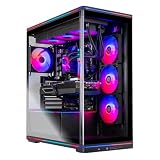
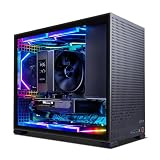
The best Radeon RX 9070 gaming desktop in this group is the ASUS ROG GM700 with a Ryzen 7 9800X3D, a Radeon RX 9070 XT Prime OC, 32GB of DDR5 and a 2TB NVMe drive, because it pairs AMD’s strongest gaming processor with the faster card in the RX 9070 family and leaves room to grow. The RX 9070 series is AMD’s RDNA 4 line, with 16GB of GDDR6 on a 256-bit bus. Four of the six picks are complete PCs; two are graphics cards for people who already own a machine and just want the upgrade.
Our Top Picks
 GIGABYTE Radeon RX 9070 XT Gaming OC 16GRADEON9070XT11.34 x 5.2 x 2.2 inches3.9 poundsCheck on Amazon


Top 3 picks at a glance
Quick List
- Acer Nitro 85 – best for mixed gaming and heavy multitasking
- Skytech 9850X3D / RX 9070 XT – best for the newest X3D processor and a 2TB drive
- GIGABYTE RX 9070 XT Gaming OC – best for dropping a faster card into an existing PC
- ASRock RX 9070 Challenger OC – best for a cooler, lower-power card upgrade
- ASUS ROG GM700 – best for a balanced, ready-to-play 1440p build
- Lenovo Legion Tower 5 (2026) – best for a mainstream brand with the same core hardware
Which One Is Right for You?
| If you… | Choose |
|---|---|
| want a finished PC with the strongest gaming CPU and plenty of storage | ASUS ROG GM700 |
| prefer the newest X3D chip and do not mind a smaller brand | Skytech 9850X3D build |
| like a big-name warranty channel and a clean tower | Lenovo Legion Tower 5 |
| stream, edit or compile code as well as game | Acer Nitro 85 (12-core Ryzen 9) |
| already own a modern AM5 or Intel PC with a spare slot and power connectors | GIGABYTE RX 9070 XT Gaming OC |
| have a smaller power supply or case and want less heat | ASRock RX 9070 Challenger OC |
Start with the choice between a whole PC and a card, because the two types of listing answer different needs and that choice decides everything else. If you buy a complete system, the X3D processors are the gaming-first option and the Ryzen 9 is the multitasking option. If you buy a card, check your power supply and case clearance before anything else.
All 6 Picks in Detail
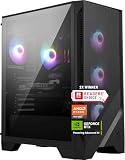
1. Acer Nitro 85 (Ryzen 9 9900X, RX 9070 XT) – Best for Mixed Gaming and Multitasking
As an Amazon Associate we earn from qualifying purchases at no extra cost to you.

Choose this one if your PC does more than game. The Ryzen 9 9900X has 12 cores and 24 threads, which helps with video encoding, streaming and compiling, and the RX 9070 XT keeps the graphics side strong. The trade-off is memory: the listing shows 16GB of DDR5, which is on the lean side for a system with this much power, though Acer’s pages describe the memory as expandable.
It is a good match for someone who games in the evening but edits video, streams or runs virtual machines during the day. The Wi-Fi 7 radio helps if the PC sits far from your router, and the listing’s Gen 4 SSD is fast enough for loading modern games quickly. Expect to add a second 16GB memory kit soon after purchase so both memory channels are fully populated at 32GB.
- CPU: Ryzen 9 9900X, 12 cores and 24 threads, AM5
- GPU: Radeon RX 9070 XT, 16GB GDDR6
- Memory: 16GB DDR5
- Storage: 1TB Gen 4 SSD
- Networking: Wi-Fi 7
Pros:
- Twelve cores for creative work
- Wi-Fi 7 on board
Cons:
- 16GB of RAM is the minimum we would suggest; plan an upgrade
- Does not have the X3D cache that boosts many games
Compared with the 9800X3D builds listed last, it will usually trail in cache-sensitive games but pull ahead in multi-threaded workloads.
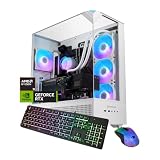
2. Skytech 9850X3D / RX 9070 XT – Best for the Newest X3D Processor

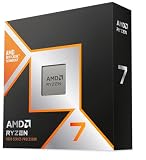
Skytech’s build is the only one here with the Ryzen 7 9850X3D, a 2026 refresh of the 9800X3D that keeps the same 8 cores and 96MB of L3 cache but lifts the maximum boost clock to 5.6GHz, according to AMD’s published specification. Add the RX 9070 XT, 32GB of RAM and a 2TB drive and you have a very capable machine, though the listing name says nothing about the case, cooler or power supply.
It suits enthusiasts who want the current top gaming processor and a large drive, and who are comfortable reading a short listing and confirming the remaining details themselves. Think of it as the pick for competitive and simulation players whose games lean on the processor cache. Ask or check which case, cooler and supply Skytech fits, because that is where prebuilt systems differ most from one another.
- CPU: Ryzen 7 9850X3D, 8 cores and 16 threads
- GPU: Radeon RX 9070 XT, 16GB GDDR6
- Memory: 32GB (confirm DDR5 speed)
- Storage: 2TB SSD (confirm interface)
- Cooling and PSU: confirm on listing
Pros:
- Newest X3D chip with the highest boost clock in this list
- 2TB of storage matches the ASUS
Cons:
- Gains over the 9800X3D are modest in published reviews
- Less detail in the listing title than the big-brand systems
Against the ASUS build later in this list, the Skytech offers a slightly newer processor, while the ASUS gives you a more fully documented parts list.
3. GIGABYTE RX 9070 XT Gaming OC 16G – Best for Upgrading an Existing PC

This is a graphics card, not a desktop, so it belongs here only as an upgrade route. It is the RX 9070 XT, the faster of the two RX 9070 models, in a factory-overclocked Gaming OC design with 16GB of GDDR6 and a PCIe 5.0 interface. Check that your power supply has the required connectors and that the card’s length and slot width fit your case.
It suits anyone with a working PC built in the last few years who wants a large jump in graphics without replacing the processor or motherboard. Verify three things first: a power supply with enough wattage and the right connectors, a case with room for a large triple-slot style cooler, and a processor that will not hold the card back at your resolution.
- GPU: Radeon RX 9070 XT, RDNA 4
- Memory: 16GB GDDR6
- Interface: PCIe 5.0 (works in older slots at lower link speed)
- Model: GV-R9070XTGAMING OC-16GD
- Power and dimensions: confirm on the product page
Pros:
- Full XT specification, usually the best value for upgraders
- Factory overclock without manual tuning
Cons:
- Not a computer; you need a compatible PC and power supply
- AMD lists 304W of board power for the XT, so budget PSU headroom
Against the ASRock card, it is the faster option and the hungrier one.
4. ASRock RX 9070 Challenger 16GB OC – Best for a Cooler, Lower-Power Upgrade

This listing is the only true RX 9070 (non-XT) card in the group. It has fewer compute units than the XT and AMD rates it at about 220W of board power, so it asks less of your power supply and cooling. The listing names a 2520MHz boost clock, 16GB of GDDR6 on a 256-bit bus, triple fans and a 0dB silent mode at idle.
It suits upgraders with a 650W-class supply, a smaller case, or a preference for quiet operation. The plain RX 9070 still has 16GB of memory, so texture-heavy games do not run out of VRAM, and the lower power draw makes heat and noise easier to manage. If your case and supply can handle an XT, the faster GIGABYTE is usually the better long-term buy.
- GPU: Radeon RX 9070, RDNA 4
- Memory: 16GB GDDR6, 256-bit
- Boost clock: 2520MHz
- Cooling: triple-fan design with 0dB idle mode
- Interface: PCIe 5.0
Pros:
- Lower board power suits smaller power supplies
- Quiet at idle
Cons:
- Slower than any XT option here
- Card only; no CPU or system included
It is the second of the two cards: pick it for efficiency, and the GIGABYTE for speed.
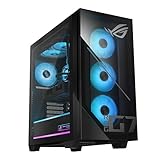
5. ASUS ROG GM700 (Ryzen 7 9800X3D, RX 9070 XT) – Best for a Balanced 1440p Build

This is the configuration to buy if you want one box that needs nothing added. The listing names a Ryzen 7 9800X3D, a Radeon RX 9070 XT Prime OC, 32GB of DDR5 and a 2TB PCIe 4.0 NVMe drive, which is more storage than most competing builds ship with. ASUS’s own specification pages describe an 850W 80 Plus Gold supply and a 240mm liquid cooler for this model family, but confirm both on the listing you are viewing.
It suits players who want to unbox, install their launcher and play at 1440p high settings or 4K with upscaling, without researching parts. The 2TB drive means a library of a dozen large games fits without immediate cleanup, and the X3D cache makes the processor a safe choice for years of upgrades. Because the motherboard and supply are standard desktop parts, a later graphics or memory upgrade is realistic.
- CPU: Ryzen 7 9800X3D, 8 cores and 16 threads, AM5 socket
- GPU: Radeon RX 9070 XT Prime OC, 16GB GDDR6
- Memory: 32GB DDR5 (listing says 32GB; confirm speed and free slots)
- Storage: 2TB M.2 NVMe, PCIe 4.0
- OS: Windows 11 Home
Pros:
- Pairs the cache-heavy 9800X3D with the faster RX 9070 variant
- Roomy 2TB drive for a large library
- Named-brand chassis with a documented parts list
Cons:
- Larger tower than the compact rivals
- PCIe 4.0 storage rather than Gen 5, which rarely matters for games
Compared with the Lenovo Legion Tower 5 next, it carries twice the stated storage for the same processor and graphics pairing, so it is the stronger specification on paper.
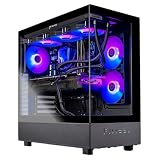
6. Lenovo Legion Tower 5 (2026) – Best for a Mainstream Brand with the Same Core Hardware

Lenovo’s tower uses the same Ryzen 7 9800X3D and Radeon RX 9070 XT combination as the ASUS but ships with 1TB of storage and 32GB of memory. It suits buyers who want a recognizable manufacturer, a plain black chassis and a system that looks at home on a desk. The listing also advertises a bundled PC Game Pass trial, which is a convenience rather than a spec.
It is aimed at buyers who would rather deal with one of the largest PC makers than a boutique builder, and who want familiar support channels and a conservative design. The core hardware matches the ASUS closely, so game performance should be in the same class. Before buying, read the full listing for the power supply rating and cooler type, since those two details decide how comfortably you can add a faster card or more drives later.
- CPU: Ryzen 7 9800X3D, 8 cores and 16 threads
- GPU: Radeon RX 9070 XT, 16GB GDDR6
- Memory: 32GB (confirm DDR5 speed on the listing)
- Storage: 1TB (confirm drive type and interface)
- OS: Windows 11 Home, Eclipse Black finish
Pros:
- Strong gaming CPU and GPU pairing at the listing’s headline level
- Understated styling that avoids heavy RGB
Cons:
- Power supply wattage and cooling type are not stated in the listing name; confirm before planning upgrades
- 1TB fills quickly with modern game installs
Next to the ASUS just above, you give up storage capacity in exchange for the Lenovo name, so choose it when you value the brand more than the extra terabyte.
Specs Compared
| Product | Type | CPU | GPU | RAM | Storage |
|---|---|---|---|---|---|
| Acer Nitro 85 | Desktop | Ryzen 9 9900X | RX 9070 XT 16GB | 16GB DDR5 | 1TB Gen 4 SSD |
| Skytech 9850X3D | Desktop | Ryzen 7 9850X3D | RX 9070 XT 16GB | 32GB (confirm on listing) | 2TB SSD (confirm on listing) |
| GIGABYTE Gaming OC | Graphics card | Not included | RX 9070 XT 16GB GDDR6 | Not included | Not included |
| ASRock Challenger OC | Graphics card | Not included | RX 9070 16GB GDDR6 | Not included | Not included |
| ASUS ROG GM700 | Desktop | Ryzen 7 9800X3D | RX 9070 XT Prime OC 16GB | 32GB DDR5 | 2TB NVMe PCIe 4.0 |
| Lenovo Legion Tower 5 | Desktop | Ryzen 7 9800X3D | RX 9070 XT 16GB | 32GB (confirm on listing) | 1TB (confirm on listing) |
How We Chose These
We built this list from the products named in the current catalog for this search and compared them using the specifications stated in each listing name, manufacturer product pages and published GPU and CPU specification sheets. We favored systems whose names state the processor, graphics card, memory and storage, then ranked them by how closely the parts match what the RX 9070 family does best. Where a listing did not state a value, we marked it for confirmation rather than guessing. Two graphics cards are included because they match the facet directly, and we flagged them as upgrades rather than systems. This is a specification-led comparison built from published information.
What to Look For
RX 9070 versus RX 9070 XT
Both cards use AMD’s Navi 48 chip with 16GB of GDDR6 on a 256-bit bus. The XT has 64 compute units and a 304W board power rating; the non-XT has 56 compute units and a 220W rating. Most prebuilt desktops with this facet use the XT, so read the listing name closely: if it says RX 9070 with no XT, expect a slightly slower and cooler card.
Match the Processor to How You Play
The X3D processors add a large stack of L3 cache that tends to help frame rates in games limited by the processor, such as competitive shooters and simulation titles. The 9800X3D and 9850X3D each have 8 cores, which is enough for nearly all gaming. The Ryzen 9 9900X has 12 cores and trades some of that gaming edge for stronger multi-threaded work. As a rule of thumb, buy an X3D if more than half your hours are games and a Ryzen 9 if you render or stream regularly.
Memory and Storage Minimums
Treat 32GB of DDR5 as the target for a card this capable. A 16GB system works, but background apps, streaming software and recent games can leave little headroom. For storage, 1TB is a starting point; many modern titles occupy 100GB or more, so ten large games can fill it. Worked example: a library of eight 80GB games, plus 150GB for Windows and apps, already uses nearly 800GB of a 1TB drive. That leaves little room for patches, shader caches and recordings, which is why the 2TB builds in this list age better.
Power Supply, Case and Cooling
The RX 9070 XT’s 304W rating and transient spikes mean a 750W to 850W good-quality supply is a sensible pairing, and the non-XT can often run on somewhat less. Two 8-pin connectors are common on partner cards, but check each model. When adding a card, measure the available length and slot clearance, and make sure the case has front-to-back airflow.
Resolution and Upscaling
The RX 9070 family is aimed squarely at 1440p high-refresh play and handles 4K with upscaling. AMD’s FSR 4 upscaler and frame generation are supported on RDNA 4 cards, so look at your monitor first: a 1440p panel at 144Hz or higher is the sweet spot, while 1080p panels leave much of the card unused. If you play at 4K, treat upscaling as part of the plan rather than a fallback.
Reading a Prebuilt Listing Critically
Complete PCs vary far more in the parts you cannot see than in the headline components. Two systems with the same processor and graphics card can differ in power supply quality, motherboard features, memory speed, cooler size and case airflow. A good listing names the supply wattage and efficiency rating, the memory type and the drive interface. When a listing leaves those out, as several here do, open the manufacturer page or ask the seller before you commit.
A quick checklist helps: confirm DDR5 rather than DDR4, confirm at least one free memory slot, confirm the drive is NVMe, and confirm the supply is at least 750W for an XT-class card. Also check the warranty terms and whether the system ships with a keyboard and mouse, since that changes what you still need to buy. For the two card-only listings, confirm the physical card length in millimeters against the space in your case.
Questions
Is the RX 9070 XT the same as the RX 9070?
No. They share the same chip family and 16GB of memory, but the XT has more compute units, higher clocks and a higher power rating. Most complete PCs in this price tier use the XT, so the practical question is usually whether you want the extra performance headroom or the lower power draw of the non-XT card.
Is 16GB of VRAM enough for 1440p?
For nearly all current games at 1440p, 16GB is comfortable. It also leaves room for higher texture settings and some 4K play with upscaling.
Do I need an X3D processor with this card?
You do not need one, but it helps in games limited by the processor. If you also run heavy multi-core tasks, such as video export or game streaming at high quality, a Ryzen 9 may suit you better.
Can I upgrade the memory later?
Usually yes, since these systems use standard DDR5 modules. Check how many slots are free on the listing or manufacturer page before you buy, and match the memory type and speed the motherboard supports.
Does the RX 9070 support ray tracing and upscaling?
Yes. RDNA 4 includes dedicated ray accelerators and supports AMD’s FSR 4 upscaling. How much ray tracing costs in frame rate depends on the game, so check how your favorite titles handle it.
Should I buy a card or a complete PC?
Buy a card if your current PC has a modern processor, enough power supply capacity and space. Buy a complete PC if your existing parts are older than about five years, because an older processor, board or supply can hold a new card back.
Update History
- October 14, 2026 – Initial publication; product set drawn from current catalog listings.
- Check the product page for current specifications and availability before buying.
Sources
- Manufacturer product and specification pages for ASUS, Acer, Lenovo, GIGABYTE and ASRock
- AMD published specifications for the Radeon RX 9070 series and the Ryzen 7 9850X3D
- Retailer listing titles and specification fields