The top gaming PC brands in 2026 split into two camps: boutique builders such as Maingear, Origin, Corsair, NZXT, CyberPowerPC and iBuyPower, which use mostly standard retail parts and longer warranties, and big manufacturers such as Alienware, HP Omen, Lenovo Legion, MSI and ASUS ROG, which offer polished designs and wide service networks but more proprietary components. The best brand for you depends on whether you value upgradeability, on-site support or simply the lowest price for a given graphics card, so this guide compares them on the four things that matter after the box is opened.
As an Amazon Associate we earn from qualifying purchases at no extra cost to you.
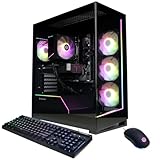


Our Top Picks



Top 3 picks at a glance
How the Brands Compare at a Glance
Warranty terms below are the typical standard coverage when buying direct from the brand; coverage bought through third-party retailers is often shorter, and terms change with promotions.
| Brand | Key desktop lines | Parts approach | Typical standard warranty | Upgradeability | Best for |
|---|---|---|---|---|---|
| Maingear | MG-1, Champion and Ultimate configs | Standard retail parts, premium options | Varies by series; lifetime support | High | Buyers who want a boutique build with careful cable work |
| Origin PC | Millennium, Genesis | Standard parts, custom cases on some models | 1–2 years parts, lifetime labor | High | Long-term support and high-end custom configs |
| Corsair | Vengeance a/i series | Corsair-branded standard parts | 2 years | High | Clean builds with a single-brand ecosystem |
| NZXT | Player One, Player Two, Player Three | Standard parts in NZXT cases | 2 years parts and labor | High | Simple, quiet mid-range and high-end systems |
| CyberPowerPC | Wide configurable catalog | Standard parts, budget-leaning choices | 2 years parts, 3 years labor (direct) | High | Lowest price for a given GPU |
| iBuyPower | Y40, Slate, Trace and others | Standard parts, budget-leaning choices | 1–2 years parts depending on channel | High | Value builds with frequent configuration options |
| Skytech | Blaze, Chronos, Shadow, Azure | Standard parts | Typically 1 year | High | Ready-to-ship value systems |
| Alienware | Area-51 | Dell-designed chassis, partly proprietary | 1 year, extendable | Medium | Premium design and Dell service plans |
| HP Omen | Omen 35L, Omen 45L, Omen Max 45L | Mixed standard and HP-specific parts | 1 year, extendable | Medium | Mainstream retail availability |
| Lenovo Legion | Legion Tower 5, Legion Tower 7 | Lenovo-specific board and case layout | 1 year with on-site service in many regions | Medium | Buyers who want on-site repairs |
| MSI | MAG Infinite, MPG Trident, MEG Aegis | MSI parts, some compact proprietary chassis | Typically 1 year | Medium to high | Buyers who like MSI motherboards and GPUs |
| ASUS ROG | ROG desktops including the G700 | ASUS parts, mixed standard and custom | Typically 1 year | Medium to high | ROG ecosystem fans |
Build Quality: What Separates Good Brands From Average Ones
Build quality in a prebuilt is mostly invisible in a spec sheet. The brands that rank highest tend to share the same habits: a named power supply from a reputable manufacturer, airflow-focused cases with at least two intake fans, dual-channel memory, tidy cable routing that does not block fans, and GPU support brackets on heavy cards. Boutique builders such as Maingear, Origin and NZXT generally lead here because their business depends on enthusiasts who open the side panel.
Value-focused builders like CyberPowerPC, iBuyPower and Skytech can be excellent, but quality varies more between configurations. The GPU and CPU in the headline are usually solid; the savings tend to come from the power supply, motherboard VRM quality, single-channel memory or a generic SSD. With these brands, read the full component list instead of the headline specs.
Proprietary Parts: The Hidden Long-Term Cost
Large manufacturers often design their own motherboards, power supplies, front-panel connectors and cases. This lets them control acoustics and appearance, but it can make future upgrades difficult. The most common proprietary limits are:
- Non-standard motherboards: custom sizes or mounting holes mean the board cannot be swapped into a normal case later, and BIOS options are often limited.
- Custom power supplies: unusual form factors or low wattage ratings can block a GPU upgrade even when the case has room for the card.
- Front I/O and fan headers: proprietary cables make it hard to reuse the case or add fans.
- Cooler mounts: some compact chassis only fit the original cooler.
Boutique and value builders almost always use standard ATX or micro-ATX motherboards, standard ATX power supplies and normal cases, which means every part can be replaced at a regular PC parts retailer. If you plan to keep a PC five years and upgrade the GPU along the way, that difference is worth more than a slightly lower launch price.
Warranty and Support: Read Beyond the Headline
Most gaming PCs still ship with a one-year warranty, so brands offering two years of parts coverage stand out. Three details matter as much as the length:
- Where you buy. CyberPowerPC and iBuyPower commonly give longer coverage when you order direct than through third-party retailers. NZXT’s two-year warranty applies to systems bought from NZXT in North America.
- How repairs happen. Lenovo and Dell can offer on-site service in many regions, which avoids shipping a 15–20kg tower. Most boutique brands use mail-in repairs, sometimes with prepaid shipping.
- What voids coverage. Adding your own RAM or storage rarely voids a warranty on the original parts, but damage you cause during an upgrade is not covered. Some systems also warn that firmware overclocking settings fall outside warranty terms.
Lifetime labor or lifetime technical support, offered by builders such as Origin and NZXT, does not mean free parts forever. It means the brand will diagnose problems or install parts you pay for after the parts warranty ends.
Upgradeability Score: A Simple Way to Judge Any Brand
Before buying any prebuilt, score it with this checklist. Give one point for each “yes”; 5–6 points means the system will upgrade like a custom build, 3–4 is acceptable, and 0–2 suggests the PC is closer to a sealed appliance.
| Check | What a “yes” looks like | Why it matters |
|---|---|---|
| Standard motherboard size | ATX, micro-ATX or mini-ITX listed by name | Lets you move parts to a new case or replace the board |
| Named PSU with headroom | 750W or more for RTX 5070 Ti-class GPUs, 1000W+ for RTX 5090 | Determines whether a bigger GPU is possible later |
| Free RAM slots or upgradeable kit | 4 slots with 2 used, or 2 x 16GB minimum | Memory is expensive now; easy expansion later saves money |
| Spare M.2 slot | At least one empty NVMe slot | Adding storage without removing the original drive |
| Case fits a 330mm+ GPU | Full-length GPU clearance listed | High-end cards keep growing in length |
| Standard CPU cooler mount | Retail air cooler or AIO from a known brand | Lets you upgrade cooling for a hotter future CPU |
Which Brand Fits Which Buyer
You want the best value per frame
CyberPowerPC, iBuyPower and Skytech typically sell a given GPU tier for the least money. Choose a configuration that lists the power supply brand and uses two memory sticks, and buy direct for the longer warranty where available.
You want a premium build you will keep for years
Maingear, Origin and Corsair focus on component quality and finishing. Maingear has also offered bring-your-own-RAM builds during the memory shortage, which can lower the cost of high-capacity configurations if you already own a kit.
You want a clean, quiet mid-range PC with minimal choices
NZXT’s Player series keeps the configuration simple, uses standard parts and includes two years of coverage, making it a sensible default for first-time PC buyers.
You want in-person service and broad retail availability
Lenovo Legion and Dell’s Alienware are easier to service in many regions and are frequently discounted during major sales. Accept that upgrades will be more limited than with a boutique build.
You already like a component brand
MSI and ASUS ROG desktops suit buyers who already trust those brands’ motherboards and graphics cards. Look at the full-size towers rather than the compact models if upgrades are a priority.
Pricing Reality in 2026
Every brand raised prices this year as the DRAM shortage drove up the cost of memory, SSDs and graphics cards. Expect a 1440p-class system with an RTX 5070 or RX 9070 to cost around $1,900–$2,600 and an RTX 5090 flagship to run $5,000–$8,000 or more, regardless of brand. The gap between brands at the same specification is usually 5–15%, which is why warranty terms and proprietary parts are often a better tie-breaker than sticker price. For the brands and practices worth steering clear of, see our companion guide on worst gaming PC brands to avoid.
Frequently asked questions
What should I check besides the processor and graphics card when comparing a prebuilt?
Check the complete component list, especially the power supply, motherboard, memory configuration, SSD and cooling. A reputable named power supply, airflow-focused case, dual-channel memory, tidy cable routing and a GPU support bracket are useful signs of a thoughtful build. Value-focused systems can still be good, but their quality varies more between configurations, so the headline processor and graphics card are not enough.
Does adding my own RAM or storage cancel the warranty?
Adding your own RAM or storage rarely cancels coverage for the original parts. However, damage caused during an upgrade is not covered, and some systems exclude firmware overclocking settings from warranty terms. Check the specific warranty before modifying the computer, because coverage can differ depending on the brand, the purchase channel and the system’s stated conditions.
Is buying direct from the manufacturer better than buying through a retailer?
Buying direct can provide longer warranty coverage from some brands, while third-party retailer coverage is often shorter. CyberPowerPC and iBuyPower commonly offer longer coverage when ordered direct, and NZXT’s two-year system warranty applies to purchases from NZXT in North America. Retail purchases may still offer broader availability or major-sale discounts, so compare the complete terms before choosing.
How can I tell whether a prebuilt uses standard parts?
Look for an ATX, micro-ATX or mini-ITX motherboard, a standard ATX power supply and a normal case. The listing should also identify GPU clearance, available M.2 slots, memory slots and a standard CPU cooler mount. Non-standard boards, custom power supplies, proprietary front-panel cables and restricted cooler mounts can make later replacements or case transfers more difficult.
What does lifetime support actually include?
Lifetime support generally means ongoing diagnosis or technical assistance, not free replacement parts forever. Origin and some other builders may offer lifetime labor or lifetime technical support after the parts warranty ends, but you pay for any parts and sometimes for the associated work. Read whether the advertised benefit covers troubleshooting, labor, shipping or installation before relying on it.
Related guides
- Best Gaming PC for Fortnite: Eight Prebuilt Desktops Sorted by Refresh Rate Goal (2026)
- Best RX 9070 XT Prebuilt Gaming PCs: Seven Desktops and Three Cards Compared: 10 Compared (2026)
- CyberPowerPC vs iBUYPOWER Gaming PC: How the Two Brands Compare
- Best RX 9070 XT Prebuilt Gaming PC (2026): 5 Picks Compared