
Your frame rate is not where you want it, and you have money for exactly one upgrade. Do you buy a new graphics card or a new processor? Guess wrong and you spend a lot for little gain. The right answer depends on what is actually limiting your PC, which you can diagnose in minutes. This guide shows how to tell whether your CPU or GPU is holding you back, and how to choose.
As an Amazon Associate we earn from qualifying purchases at no extra cost to you.


Our Top Picks


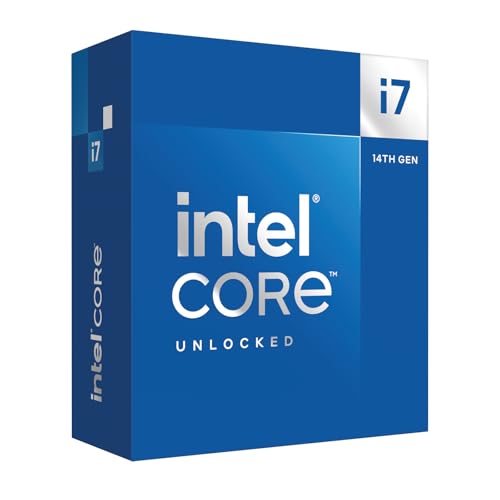
Top 3 picks at a glance
The Core Idea: Find the Bottleneck
At any moment, either your CPU or your GPU is the limiting factor. If the GPU is pinned near 100 percent usage while the CPU sits lower, the GPU is the bottleneck and a faster card gives more frames. If the GPU sits well below 100 percent while a CPU thread is maxed, the processor is holding you back and a GPU upgrade will barely help. Monitoring usage during your actual games is the fastest way to know.
Resolution changes the answer
Higher resolutions lean on the GPU, so at 4K a GPU upgrade almost always helps most. Lower resolutions and very high refresh targets lean on the CPU, so a 1080p 240Hz esports player is more likely to be CPU-limited than a 4K player.
Quick Diagnostic Guide
| Symptom | Likely bottleneck | Best upgrade |
|---|---|---|
| GPU near 100%, low FPS at high settings | GPU | Graphics card |
| GPU under 100%, one CPU thread maxed | CPU | Processor |
| Low 1% lows, stutter in crowds/cities | CPU | Processor |
| Fine at 1080p, want 4K | GPU | Graphics card |
| High-refresh esports feels capped | Often CPU | Processor |
Test in the games you actually play, since results vary by title. A demanding single-player game and a competitive shooter can point to opposite upgrades on the same PC.
Other Factors Before You Buy
Platform cost of a CPU upgrade
A GPU is usually a drop-in swap. A CPU upgrade may also require a new motherboard and memory if you are jumping platforms, which raises the true cost. Factor that in when comparing options.
Memory can masquerade as a CPU limit
Slow or improperly configured RAM can cause stutter and low minimums that look like a CPU bottleneck. Before replacing a processor, make sure your memory is running at its rated speed with the correct profile enabled, since that fix is nearly free.
Reading the Numbers Correctly
An on-screen overlay gives you two vital figures beyond average FPS: component usage and the one-percent lows. Usage tells you which part is the bottleneck in the moment, but the one-percent lows reveal how the game actually feels. A high average with poor lows, meaning frequent brief dips, usually points to a CPU or memory limitation and shows up as stutter even when the average looks fine. Learning to watch lows, not just the big average number, keeps you from buying a GPU that raises a number you were already happy with while leaving the stutter untouched.
Rule out the free fixes first
Before spending anything, confirm your memory is running at its rated speed with the correct profile enabled, update your GPU driver cleanly, and check that no background process is stealing CPU cycles. Slow memory in particular can imitate a CPU bottleneck, producing the exact low-FPS stutter that tempts people into an unnecessary processor upgrade. These checks cost nothing and occasionally solve the problem outright.
Counting the full cost
When you do decide, weigh the total outlay, not just the part price. A graphics card is usually a clean swap, while a CPU jump across platforms can require a new motherboard and memory, multiplying the cost. Sometimes that tips the decision toward the GPU even when the CPU is the marginal bottleneck, simply because the GPU upgrade delivers more improvement per dollar spent.
FAQ
How do I know if I am CPU or GPU limited?
Run your game with an on-screen usage overlay. If GPU usage is near 100 percent, you are GPU limited and should upgrade the graphics card. If GPU usage is well below 100 percent while a CPU core is maxed, you are CPU limited and should upgrade the processor.
Does upgrading the CPU help at 4K?
Usually less than at lower resolutions. At 4K the GPU does most of the work, so a graphics card upgrade typically delivers more frames. A CPU upgrade at 4K mainly helps minimum frame rates in CPU-heavy games rather than raising the average much.
Bottom Line
Do not guess; measure. Watch CPU and GPU usage in your real games, factor in your resolution, and upgrade whichever component is the actual bottleneck. Remember that a CPU upgrade can drag along a new board and memory, and that enabling your RAM’s rated speed can fix stutter for free before you spend anything.

