
CAD work can quickly overwhelm a small desk, a shared studio, or a home office that also has to function as a guest room. A full tower may offer easy expansion, but it takes up valuable floor space and can make cable management around dual monitors, drawing tablets, and external drives unnecessarily messy. The best small form factor PCs for CAD aim to keep the workstation footprint controlled without forcing you into an underpowered office machine.
For this roundup, we prioritized processor class, memory and storage configurations, display support, networking, upgrade potential, and the practical value of each listed price. The right choice depends on whether you are opening 2D plans, working in larger assemblies, managing files across a studio network, or building a compact workstation in 2026. These are not interchangeable machines: some are ready-to-run value picks, while others are flexible workstation platforms that require a more deliberate setup.
As an Amazon Associate we earn from qualifying purchases at no extra cost to you.


Our Top Picks
 Dell Desktop Computer Windows 11 Pro OptiPlex 704032GB | New 1TB SSD15 x 14 x 6 inchesCheck on Amazon
 MINISFORUM MS-A2 Mini Workstation AMD Ryzen 9 9955HXMSA2-9955HX(64+2T)7 x 7 x 1 InchesCheck on Amazon
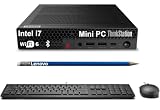
 Lenovo ThinkStation P3 Tiny Workstation Desktop8-64GB|256GB-2TB7.2 x 7 x 1.5 inches3.01 poundsCheck on Amazon


Top 3 picks at a glance
Quick Picks
| Product | Best for | Price |
|---|---|---|
| Dell OptiPlex 7040 i7 Refurbished Small Form Factor PC | Budget-conscious CAD setups needing three-monitor support | Check on Amazon |
| Beelink SER5 Mini PC AMD Ryzen 5 5500U | Basic home-office drafting and light CAD | $389 |
| MINISFORUM MS-A2 Ryzen 9 8945HX, 32GB/1TB | High-speed networked CAD workflows | $1,095 |
| MINISFORUM MS-A2 Ryzen 9 9955HX, 64GB/2TB | Demanding projects needing more memory and storage | $1,759 |
| Lenovo ThinkStation P3 Tiny i5-14500 vPro Customized | Configurable office or firm workstation deployments | Check on Amazon |
| MINISFORUM MS-A1 Ryzen 9 9950X Barebone | Experienced buyers building a compact custom workstation | Check on Amazon |
| Lenovo ThinkStation P3 Tiny i5-14500 vPro, 16GB/512GB | Ready-to-use dual-4K drafting station | Check on Amazon |
| Lenovo ThinkStation P3 Tiny i7-14700 vPro Customized | Power-focused compact ThinkStation buyers | Check on Amazon |
How We Compared
CAD applications benefit from a balanced system rather than a single impressive specification. We looked first at the processor and available RAM, since these affect day-to-day modeling, multitasking, file handling, and the ability to keep drawings, reference documents, and communication tools open together. Storage capacity also matters: a 480GB SSD may suit a light personal workflow, while 1TB or 2TB is more comfortable for active project files and local archives.
We also weighed display outputs, because a compact workstation should still fit naturally into a serious desk setup. Triple-display output, dual 4K support, and 8K-display support can be meaningful depending on your monitor plan. Finally, we considered each machine’s value at its stated price, distinguishing between fully configured computers and barebone systems that need separately purchased storage and an operating system setup.
The 8 Best Picks
1. Dell OptiPlex 7040 i7 Refurbished Small Form Factor PC
The refurbished Dell OptiPlex 7040 is the practical value choice for a home drafter, student, or small office that needs a traditional small-form-factor desktop without spending workstation-level money. At around $390, it arrives with an Intel i7-6700 at 3.40GHz, 32GB of DDR4 RAM, and a new 1TB M.2 NVMe SSD. Its listed HDMI three-monitor support is particularly useful for a desk with a main CAD display plus reference screens.
- Pro: 32GB RAM and 1TB NVMe storage are generous for the price.
- Pro: Built-in Wi-Fi 6E and three-monitor support improve desk flexibility.
- Con: The i7-6700 is an older processor generation.
Skip it if your work involves especially demanding current-generation modeling workloads or if you want a newer workstation platform with more stated expansion options.
2. Beelink SER5 Mini PC AMD Ryzen 5 5500U
The Beelink SER5 is best suited to light CAD, home-office planning, 2D drawing, and users who want the smallest possible computer presence on a compact desk. Its Ryzen 5 5500U processor, 16GB RAM, and 480GB SSD create a straightforward everyday configuration at $389. The appeal is simplicity: it is a compact mini PC that can sit out of sight while leaving room for a monitor arm, notebook, and drafting accessories.
- Pro: It matches the Dell’s entry price while using a modern compact mini-PC format.
- Pro: The 16GB RAM and 480GB SSD are suitable for basic work and office use.
- Con: Its 480GB storage allocation is limited for large local project libraries.
Skip it if you regularly handle large assemblies, need a stated multi-display workstation feature set, or prefer starting with 32GB of RAM.
3. MINISFORUM MS-A2 Ryzen 9 8945HX, 32GB/1TB
The $1,095 MINISFORUM MS-A2 configuration is a strong fit for CAD users whose workstations need to connect to fast office or studio networks. It pairs a Ryzen 9 8945HX listed with 16 cores and 32 threads, up to 5.4GHz, with 32GB RAM and a 1TB SSD. Just as notable are its HDMI and two USB-C display outputs, two 2.5G LAN ports, and a 10G SFP+ port. That is an unusually connectivity-rich package for a compact machine.
- Pro: Triple-display output supports a more expansive CAD desk.
- Pro: Two 2.5G LAN ports and 10G SFP+ suit fast shared-storage environments.
- Con: It costs substantially more than the basic small-PC options.
Skip it if your files live only on a local drive and you do not need high-speed network connectivity or three display outputs.
4. MINISFORUM MS-A2 Ryzen 9 9955HX, 64GB/2TB
This higher-spec MS-A2 is for CAD professionals who want substantial memory and storage in a compact workstation without assembling the system themselves. For $1,759, it includes a Ryzen 9 9955HX listed at 16 cores and 32 threads, up to 5.4GHz, along with 64GB RAM and a 2TB SSD. Like the less expensive MS-A2, it offers HDMI plus two USB-C outputs, two 2.5G LAN ports, a 10G SFP+ port, and support for M.2 2280, M.2 22110, and U.2 SSDs.
- Pro: 64GB RAM provides more headroom for multitasking and larger projects.
- Pro: The 2TB SSD reduces the need to immediately add external storage.
- Con: At $1,759, it is the most expensive ready-configured option here.
Skip it if your drawings are modest in size, or if a 32GB/1TB configuration would cover your needs for much less.
5. Lenovo ThinkStation P3 Tiny i5-14500 vPro Customized
The customizable Lenovo ThinkStation P3 Tiny with Intel i5-14500 vPro is a sensible middle-ground option for firms and buyers who want to choose their own memory and storage level. Priced at around $700, the listing offers 16GB, 32GB, or 64GB RAM choices and 512GB, 1TB, or 2TB storage choices, all with Windows 11 Pro. Its stated 8K display support makes it worth considering for monitor-forward office setups.
- Pro: Multiple RAM and SSD configurations allow a more tailored purchase.
- Pro: Windows 11 Pro and vPro support suit business-oriented environments.
- Con: The exact configuration must be confirmed before ordering.
Skip it if you want a fully specified machine with no configuration decisions, or if fast 10G SFP+ networking is essential.
6. MINISFORUM MS-A1 Ryzen 9 9950X Barebone
The MINISFORUM MS-A1 is the enthusiast and power-user pick: a barebone mini workstation built for buyers who want to choose their own storage setup. At around $850, it includes a Ryzen 9 9950X listed with 16 cores and 32 threads, up to 5.7GHz, AMD Radeon Graphics, triple outputs through HDMI, DisplayPort, and USB-C, plus two 2.5G LAN ports. Its four PCIe SSD slots are the standout feature for users planning extensive internal storage.
- Pro: Four PCIe SSD slots offer unusually broad compact-system storage potential.
- Pro: HDMI, DisplayPort, and USB-C support a three-display arrangement.
- Con: It ships without storage or an SSD.
Skip it if you need a ready-to-use CAD computer immediately or do not want to source and install your own storage.
7. Lenovo ThinkStation P3 Tiny i5-14500 vPro, 16GB/512GB
This ready-configured ThinkStation P3 Tiny is a polished option for users who want a compact business workstation without navigating custom configuration menus. For around $900, it includes an Intel Core i5-14500 vPro with 14 cores and speeds up to 5GHz, 16GB DDR5 RAM, a 512GB SSD, Wi-Fi 6, Windows 11, and a USB keyboard and mouse. Its stated dual 4K display support suits a clean two-monitor drafting desk.
- Pro: DDR5 memory and a 14-core i5-14500 provide a current desktop-oriented foundation.
- Pro: Dual 4K support and included keyboard and mouse simplify setup.
- Con: The included 16GB RAM and 512GB SSD may feel tight for bigger projects.
Skip it if you already know you need 32GB or 64GB RAM, more local storage, or a three-display configuration.
8. Lenovo ThinkStation P3 Tiny i7-14700 vPro Customized
The Lenovo ThinkStation P3 Tiny with an Intel i7-14700 vPro is the best Lenovo option here for buyers who want more processor ambition while retaining the Tiny workstation format. At around $950, it can be configured with 16GB, 32GB, or 64GB RAM and with 512GB, 1TB, or 2TB storage. Windows 11 Pro and stated 8K display support reinforce its role as a compact professional desktop rather than a casual mini PC.
- Pro: The i7-14700 vPro option is positioned above the i5-based P3 choices.
- Pro: Buyers can select up to 64GB RAM and 2TB storage.
- Con: Configuration details can affect the final system value.
Skip it if your CAD work is light enough that the lower-priced i5 P3 or Dell configuration already meets your requirements.
Buying Guide
Start With RAM and Storage, Not Just the Processor
For lighter 2D CAD and everyday office work, 16GB RAM can be a workable starting point. For larger files, heavier multitasking, and a longer useful life, 32GB is the more comfortable target in this list. The 64GB MS-A2 and configurable Lenovo systems make more sense when you routinely keep multiple large projects open. Storage should also be realistic: 480GB and 512GB can fill quickly, while 1TB is a more flexible baseline and 2TB provides additional breathing room.
Plan Your Monitor Layout Before Buying
A small computer does not mean a small workspace. If you use two displays, the ready-configured ThinkStation P3 with dual 4K support is a clear match. For three-screen arrangements, look at the Dell’s listed three-monitor support or the MINISFORUM systems with HDMI plus two USB-C outputs. Confirm the ports and monitor input requirements before purchase, especially if your displays rely on DisplayPort, USB-C, or adapters.
Decide Whether You Want Ready-to-Run or Expandable
The Dell, Beelink, and configured Lenovo models are simpler choices for buyers who want to unbox, connect displays, and begin working. The MS-A1 is different: it is a barebone system without storage or an SSD, so its around $850 price is not the entire project cost. In return, it offers four PCIe SSD slots. The MS-A2 models provide more advanced networking and stated storage-format support for buyers building around shared files or high-capacity storage.
Our Verdict
The Dell OptiPlex 7040 is the best budget pick for CAD buyers who prioritize 32GB RAM, 1TB storage, and three-monitor support at around $390. For basic drafting in the smallest setup, the $389 Beelink SER5 is the straightforward choice. Buyers who need a more serious compact workstation should focus on the MINISFORUM MS-A2 models: choose the 32GB/1TB version for stronger value, or the 64GB/2TB version for greater capacity. The Lenovo ThinkStation P3 Tiny i7-14700 vPro is the most appealing balanced choice for buyers who want a configurable, business-oriented Tiny workstation.
FAQ
Is 16GB of RAM enough for CAD?
It can be enough for light CAD, 2D plans, and general office work. For more demanding multitasking or larger projects, 32GB is the safer target. This roundup includes options with 32GB and 64GB RAM, as well as configurable Lenovo systems.
Should I choose a mini PC or a small form factor desktop for CAD?
Choose a mini PC when desk space is extremely limited and you value a minimal setup. Choose a traditional small form factor desktop when you prefer a more conventional workstation layout. The right decision also depends on display support, storage needs, and whether you expect to expand the system.
Which option supports three displays?
The Dell OptiPlex listing states HDMI three-monitor support. Both MINISFORUM MS-A2 configurations list HDMI plus two USB-C outputs for triple display use. The MS-A1 lists HDMI, DisplayPort, and USB-C triple outputs.
Is a barebone CAD PC a good value?
It can be, but only for buyers comfortable completing the build. The MINISFORUM MS-A1 costs around $850 but does not include storage or an SSD. Its value comes from its Ryzen 9 9950X platform, triple outputs, two 2.5G LAN ports, and four PCIe SSD slots; budget separately for the components you need.
Related guides
- Best Gaming PC for Fortnite: Eight Prebuilt Desktops Sorted by Refresh Rate Goal (2026)
- Best RX 9070 XT Prebuilt Gaming PCs: Seven Desktops and Three Cards Compared: 10 Compared (2026)
- CyberPowerPC vs iBUYPOWER Gaming PC: How the Two Brands Compare
- Best RX 9070 XT Prebuilt Gaming PC (2026): 5 Picks Compared









