
Editing 4K footage at home can turn a tidy office, studio corner, or shared family room into a frustrating bottleneck when the computer cannot keep up with timeline playback, exports, media storage, and a high-resolution display at the same time. The best setup depends on whether you need a ready-to-use tower, a workstation focused on professional software stability, a budget-friendly secondary machine, or a display that lets you judge detail more clearly.
This ranked roundup focuses on the listed hardware, storage, memory, graphics capability, and price rather than unverified benchmark claims. For 2026 buyers, the strongest 4K editing PC is not automatically the most expensive one: a larger SSD, more RAM, and a creator-oriented GPU can matter more than gaming-focused extras depending on your footage and workflow. One pick is a monitor rather than a computer, included because a capable screen is an essential part of a practical editing station.
As an Amazon Associate we earn from qualifying purchases at no extra cost to you.




Our Top Picks
Pros & cons
- Built-in 11.3 inch smart display shows live temps and usage
- 850W 80+ Gold PSU leaves headroom for upgrades
- Arrives fully assembled with Windows 11 Home installed
- Monitor must connect to the graphics card, not motherboard ports
- 360mm liquid cooler takes up significant case space
 CPU Solutions Express 4K Video Editing PC8.07 x 18.11 x 13.78 inches18.11 x 8.07 x 13.78 inches45 PoundsCheck on Amazon
 HP Workstation PC Desktop Computer3.7 x 11.4 x 11.5 inches11.4 x 3.7 x 11.5 inches11.57 PoundsCheck on Amazon


Top 3 picks at a glance
Quick Picks
| Product | Best for | Price |
|---|---|---|
| KOTIN Prebuilt Gaming PC RTX 5070 12GB | Best overall value for creator-gamers | $2099.99 |
| Skytech Gaming PC Desktop Ryzen 7 9850X3D | Best high-storage performance tower | $2899.99 |
| CPU Solutions Express 4K Video Editing PC | Best dedicated editing workstation | $3299.99 |
| ASUS Prime RTX 5070 Ti OC 16GB GDDR7 GPU | Best graphics upgrade for a compatible build | $1649 |
| HP Workstation PC Desktop Computer | Best low-cost desktop for basic editing | Check on Amazon |
| GMKtec G3S Mini PC Computers Intel N95 | Best compact companion computer | Check on Amazon |
| STGAubron Gaming PC Desktop Core I7 | Best entry-level tower with ample listed memory | Check on Amazon |
| CRUA 32" 4K UHD 160Hz Curved Gaming Monitor | Best display addition for an editing desk | Check on Amazon |
How We Compared
We ranked these options by how directly their listed specifications suit a 4K video-editing workflow. Processor class, installed memory, graphics memory, and internal storage were the primary considerations, followed by whether the product arrives as a complete computer or requires a separate system. A full editing setup also needs a display, which is why the CRUA monitor appears as a supporting pick rather than a replacement for a PC.
We also considered buying practicality. A prebuilt can reduce setup complexity, while a dedicated workstation can better suit editors who need Windows 11 Pro and creator-oriented hardware. Lower-priced systems remain useful where the goal is simple cuts, proxy-based projects, organization, or a second workstation. We did not assume unspecified port selection, dimensions, power-supply wattage, upgrade room, color accuracy, or real-world export performance. Confirm those details with the seller before purchasing.
The 8 Best Picks
1. KOTIN Prebuilt Gaming PC RTX 5070 12GB, Ryzen 7 9700X, 32GB DDR5, 1TB SSD
The KOTIN prebuilt is the best all-around choice for editors who also want a capable home gaming computer without sourcing individual parts. Its Ryzen 7 9700X, 32GB of DDR5 memory, RTX 5070 with 12GB, and 1TB SSD form a balanced starting point for 4K project work. It is especially appealing for creators moving up from an older desktop and wanting a current, straightforward tower.
- Pro: The RTX 5070 includes 12GB of graphics memory for a strong creator-and-gaming balance.
- Pro: 32GB DDR5 RAM supports more comfortable multitasking than entry-level configurations.
- Con: The included 1TB SSD may fill quickly with large video files and project backups.
Skip it if you need more than 1TB of internal storage out of the box or specifically want a professional workstation configuration.
2. Skytech Gaming PC Desktop, Ryzen 7 9850X3D, RX 9070 XT, 32GB RAM, 2TB SSD
Skytech’s desktop is a compelling option for an editor who values generous built-in project storage alongside a powerful gaming-oriented platform. The Ryzen 7 9850X3D, RX 9070 XT, 32GB RAM, and 2TB SSD make it easier to keep active footage, cache files, and applications on one machine before adding external storage. At $2899.99, it is aimed at shoppers who prefer a higher-spec prebuilt rather than a budget compromise.
- Pro: The 2TB SSD gives this system twice the listed internal storage of the KOTIN.
- Pro: 32GB RAM offers a solid baseline for demanding desktop multitasking.
- Con: It is one of the pricier complete desktop choices in this roundup.
Skip it if your editing software or workplace standard calls specifically for NVIDIA Quadro hardware or Windows 11 Pro.
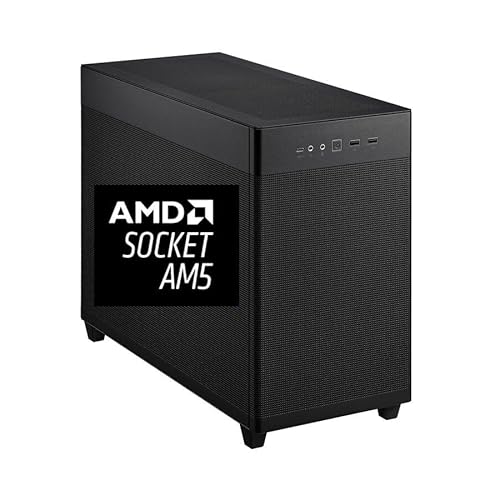
3. CPU Solutions Express 4K Video Editing PC, Ryzen 9 9950X, 64GB DDR5 RAM, 2TB NVMe SSD, Quadro RTX 2000ADA 16GB
This CPU Solutions Express mini tower is the most purpose-built choice for serious editors and designers. It combines a Ryzen 9 9950X listed at 5.7Ghz with 16 cores, 64GB DDR5 RAM, a 2TB NVMe SSD, Quadro RTX 2000ADA 16GB graphics, and Windows 11 Pro. That specification list is tailored more directly to professional creative work than the gaming-first systems above, making it our top workstation recommendation.
- Pro: 64GB DDR5 RAM is the highest listed memory capacity among the complete PCs here.
- Pro: The Quadro RTX 2000ADA provides 16GB of graphics memory and a creator-oriented focus.
- Con: At $3299.99, it carries the highest price among the complete computers.
Skip it if your projects are occasional and simple enough that a less expensive desktop would meet your needs.
4. ASUS Prime RTX 5070 Ti OC 16GB GDDR7 GPU
The ASUS Prime RTX 5070 Ti OC is not a complete PC, but it is the strongest listed graphics-led route for a buyer who already owns a compatible desktop and wants to build around a higher-end GPU. Its 16GB GDDR7 memory, PCIe 5.0 support, HDMI 2.1b, and three DisplayPort 2.1b outputs make it a relevant component for video editing, 3D rendering, streaming, and local AI work.
- Pro: The card has 16GB of listed graphics memory, more than the KOTIN’s RTX 5070.
- Pro: Three DisplayPort 2.1b outputs add flexibility for multi-display desks.
- Con: The $1649 price covers only the GPU, not a complete editing computer.
Skip it if you need a ready-to-edit system immediately or cannot verify PCIe 5.0 compatibility in your existing build.
5. HP Workstation PC Desktop Computer, NVIDIA Quadro K1200 4GB GPU, Intel Core i5, 32GB DDR4 RAM
The renewed HP workstation is the value pick for editors handling lighter projects, organizing media, or building a practical office editing station on a restricted budget. For around $510, it includes an Intel Core i5, 32GB DDR4 RAM, NVIDIA Quadro K1200 4GB graphics, a 1TB SSD, a 4TB HDD, Wi-Fi 5G, Bluetooth, and Windows 11 Pro. Its storage arrangement is particularly useful for keeping files locally separated from the operating system.
- Pro: The 1TB SSD plus 4TB HDD offers substantial listed storage capacity.
- Pro: Windows 11 Pro is included at a notably lower price than premium workstations.
- Con: The Quadro K1200 has only 4GB of listed graphics memory.
Skip it for demanding effects-heavy 4K work where newer processing and more graphics memory are priorities.
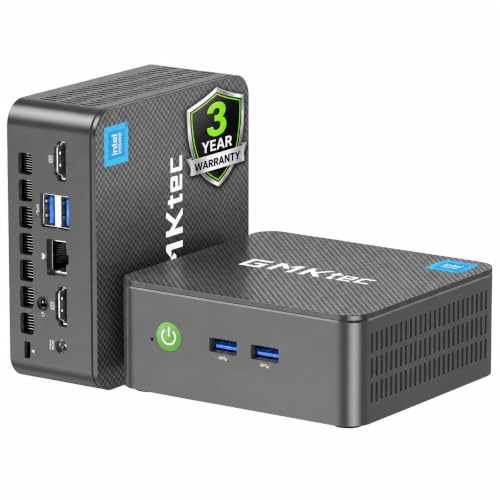
6. GMKtec G3S Mini PC Computers Intel N95 Processor
The GMKtec G3S is best treated as a compact helper machine rather than the center of a serious 4K editing suite. Its Intel N95 processor has a listed turbo speed of 3.4GHz, and its around $250 price makes it appealing for script review, file management, administrative tasks, light cutting, or a small secondary workstation where desk space is limited. It can also be useful in a shared home office where a full tower is impractical.
- Pro: Its mini PC format is suited to space-conscious desks and small rooms.
- Pro: It is the least expensive complete computer in this roundup.
- Con: The listing does not provide RAM, storage, or dedicated graphics specifications.
Skip it as your primary choice for complex 4K editing projects or if you need clearly specified creator hardware.
7. STGAubron Gaming PC Desktop, Core I7, GTX 1660S 6G, 32G RAM, 1T SSD
The STGAubron desktop offers a middle-ground price for buyers who want a traditional tower with 32G RAM and a 1T SSD but cannot justify a premium workstation. Its Core I7 processor and GTX 1660S 6G graphics make it a more substantial starting point than a compact mini PC, while the around $670 price keeps it within reach for hobbyists. It is best for basic editing, learning software, and projects that benefit from a full desktop environment.
- Pro: 32G RAM is a useful listed capacity at this price level.
- Pro: The 1T SSD provides dedicated internal space for applications and active files.
- Con: The GTX 1660S has 6G of listed graphics memory, well below the higher-ranked GPU options.
Skip it if you are buying specifically for sustained professional 4K work or need newer high-capacity graphics hardware.
8. CRUA 32" 4K UHD 160Hz Curved Gaming Monitor
The CRUA monitor is the essential display-side pick for anyone assembling an editing desk around one of the computers above. Its 32-inch 4K UHD screen provides a larger canvas for a timeline, preview window, bins, and tool panels than a compact display. The 1500R curved design, AMD FreeSync, and 160Hz refresh rate add gaming appeal, while the around $300 price is approachable for a large-format 4K monitor.
- Pro: The 32-inch 4K UHD format gives editors more workspace for applications and footage.
- Pro: It includes HDMI-oriented gaming features and AMD FreeSync.
- Con: No color-accuracy specification is provided in the listing.
Skip it if your work requires a display with verified professional color specifications or if you need a computer rather than a monitor.
Buying Guide
Prioritize Memory, Graphics, and Storage Together
A 4K editing PC needs balance. The CPU Solutions Express model leads on listed memory with 64GB DDR5 RAM, while several other towers provide 32GB. Graphics memory also varies sharply, from 4GB on the HP’s Quadro K1200 to 16GB on the ASUS GPU and CPU Solutions Express workstation. Storage matters just as much: 1TB can be a workable start, but 2TB or a 1TB SSD plus 4TB HDD is more convenient for locally stored media.
Choose a Complete PC or a Build Component
Most picks here are complete computers, making them easier to place in a home office and start configuring. The ASUS Prime RTX 5070 Ti OC is different: it is a graphics card for an existing compatible desktop. Before selecting it, confirm your case clearance, power requirements, cooling, and motherboard compatibility, since those details are not supplied here. A component can be a smart route for experienced builders, but it is not the simplest path for a first editing station.
Do Not Overlook the Display and Workspace
A fast tower does not solve the problem of a cramped editing interface. The CRUA offers a 32-inch 4K UHD screen, which can make it easier to arrange editing panels and view footage at high resolution. However, editors working on color-critical projects should verify color specifications before ordering. Also plan for dependable backup storage, comfortable seating, cable management, and enough desk depth for a large monitor and full-size tower.
Our Verdict
For most shoppers, the KOTIN Prebuilt Gaming PC is the best balance of current components, 32GB DDR5 memory, RTX 5070 12GB graphics, and a $2099.99 price. Choose the Skytech if a 2TB SSD is more important to your workflow. Choose CPU Solutions Express if you need the most editing-focused configuration, 64GB DDR5 RAM, Quadro RTX 2000ADA 16GB graphics, and Windows 11 Pro. Pair any suitable tower with the CRUA 32-inch monitor only after confirming that its display characteristics fit your editing needs.
FAQ
Is 32GB RAM enough for a 4K editing PC?
It can be a practical starting point, and several picks here include 32GB RAM. Editors who regularly multitask with demanding creative applications may prefer the CPU Solutions Express system’s 64GB DDR5 RAM.
Which pick has the most listed internal storage?
The HP workstation lists a 1TB SSD plus a 4TB HDD. The Skytech and CPU Solutions Express systems each list a 2TB SSD or NVMe SSD, respectively.
Can I buy the ASUS Prime RTX 5070 Ti OC as a complete editing computer?
No. It is a GPU, not a complete PC. You will need a compatible desktop and should confirm case, power, cooling, and motherboard requirements before buying.
Why is a monitor included in a PC-build roundup?
A 4K editing workflow depends on both computer performance and the screen used to view footage. The CRUA is included as a display recommendation, not as a substitute for an editing PC.









