
Small rooms, shared desks, and media cabinets create a particular PC-building problem: there is rarely enough open space for a large tower, yet compact components can trap heat when airflow is an afterthought. For a Mini-ITX build that relies on air cooling, the case has to do more than fit on a shelf. It needs a sensible path for fresh air, room to work around the motherboard, and a layout that does not turn routine cleaning into a major project.
This guide to the best mini itx case for air cooling focuses on practical, air-first options at several budget levels. Some picks are conventional enclosed cases, while others are open-frame designs for builders who prioritize unrestricted ventilation and easy component access. In 2026, the right choice depends less on chasing a single “best” enclosure and more on matching the case style to where the computer will live, how often it will be moved, and how much dust exposure the room presents.
As an Amazon Associate we earn from qualifying purchases at no extra cost to you.

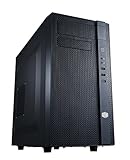


Our Top Picks


Top 3 picks at a glance
Quick Picks
| Product | Best for | Price |
|---|---|---|
| Cooler Master Q300L V1 Micro-ATX PC Case, High Airflow, Transparent Panel | Value-minded enclosed builds | Check on Amazon |
| Cooler Master N200 – Mini Tower Computer Case with Fully Meshed Front Panel and mATX/Mini-ITX Support | Builders who want a meshed-front mini tower | Check on Amazon |
| PC Creative Assembly Frame Test Bench, Open Air Frame Case, DIY Computer Motherboard Case Rack, ITX ATX MATX/EATX Open Aluminum Frame Chassis (ITX) | ITX testing and open-air tinkering | Check on Amazon |
| ArctiMars Heavy Duty 3D Printed Open Frame PC Cooling Case | Simple open-frame cooling access | $46.9 |
| PC Creative Assembly Frame Test Bench, Open Air Frame Case, DIY Computer Motherboard Case Rack, ITX ATX MATX/EATX Open Aluminum Frame Chassis (M-ATX) | Flexible open-frame platform builds | Check on Amazon |
| Mechanic Master C24 Mini ITX PC Case with Handle Silver | Portable Mini-ITX builds | Check on Amazon |
How We Compared
Air cooling starts with airflow path, not marketing language. We prioritized cases described with airflow-oriented features, fully meshed frontage, or open-frame construction, since those approaches can help reduce the resistance between room air and the components that need it. We also considered whether each option explicitly supports Mini-ITX, whether it is likely to suit a permanent desktop build or an experimental workbench, and whether its design makes cable routing, part swaps, and dusting manageable.
Price matters here because the list spans around $39 to around $140. An open frame can be a compelling low-cost route to unobstructed access, but it comes with real tradeoffs around dust, accidental contact, and visual clutter. Enclosed cases are generally better for everyday living spaces, especially when the computer sits near pets, fabric, or foot traffic. Before buying, confirm the manufacturer’s current compatibility documentation for your graphics card, CPU cooler, power supply, fans, and storage configuration.
The 6 Best Picks
Cooler Master Q300L V1 Micro-ATX PC Case, High Airflow, Transparent Panel
The Cooler Master Q300L V1 is the practical starting point for a budget-conscious builder who wants an enclosed case rather than an exposed test bench. Its high-airflow positioning and transparent panel make it especially appealing for a compact desk setup where you still want to see the finished hardware. At around $39, it leaves more budget for cooling components and quieter fans. It is a Micro-ATX case, so Mini-ITX builders should view the extra platform flexibility as a feature rather than assume it is the smallest possible footprint. Skip it if your main goal is a dedicated carry-friendly Mini-ITX enclosure.
- Pro: High-airflow focus at an accessible price.
- Pro: Transparent panel suits display-oriented desktop builds.
- Con: Micro-ATX format may be more case than a strict Mini-ITX build needs.
Cooler Master N200 – Mini Tower Computer Case with Fully Meshed Front Panel and mATX/Mini-ITX Support
The Cooler Master N200 is the clearest conventional-case match for builders who want Mini-ITX support paired with a straightforward air-cooling strategy. A fully meshed front panel is valuable because it gives incoming air a direct route instead of placing a solid decorative barrier ahead of the cooling system. At around $62, it occupies a sensible middle ground for a bedroom, office, or family desk where an open frame would be too exposed. The mini-tower format can also be easier for first-time builders to work in than a highly specialized compact chassis. Skip it if portability and an integrated handle are central requirements.
- Pro: Explicit mATX and Mini-ITX support.
- Pro: Fully meshed front panel supports an air-first build plan.
- Con: It is a mini tower, not a purpose-built travel case.
PC Creative Assembly Frame Test Bench, Open Air Frame Case, DIY Computer Motherboard Case Rack, ITX ATX MATX/EATX Open Aluminum Frame Chassis (ITX)
This PC Creative Assembly Frame Test Bench is for the builder who changes parts often, troubleshoots hardware, or wants maximum physical access around an ITX system. Its open aluminum-frame design removes the enclosed-case airflow bottleneck entirely, allowing components to draw from the surrounding room. At around $43, it is a cost-effective choice for a workshop desk, repair station, or enthusiast setup where visibility and convenience outweigh concealment. The stated platform coverage also makes it more versatile than an ITX-only layout. Skip it for a floor-level family computer or any room with frequent dust, pet hair, or curious hands.
- Pro: Open-air layout offers direct access to installed parts.
- Pro: Aluminum-frame test-bench format supports DIY work.
- Con: Exposed components require a cleaner, more protected location.
ArctiMars Heavy Duty 3D Printed Open Frame PC Cooling Case
The ArctiMars Heavy Duty 3D Printed Open Frame PC Cooling Case is a specialized alternative for someone who values cooling access and an unconventional desktop presentation. Open-frame construction is inherently attractive for air cooling because it does not surround components with solid side panels and restrictive front sections. At $46.9, it remains close to entry-level case pricing while offering a very different building experience from a standard mini tower. This is best used on a stable desktop where cables can be routed carefully and the system will not be bumped or moved casually. Skip it if you need a polished, enclosed setup for a busy shared room.
- Pro: Open-frame format prioritizes access to ambient air.
- Pro: Heavy-duty positioning suits a more utilitarian setup.
- Con: The exposed design is less suitable for dust-prone living areas.
PC Creative Assembly Frame Test Bench, Open Air Frame Case, DIY Computer Motherboard Case Rack, ITX ATX MATX/EATX Open Aluminum Frame Chassis (M-ATX)
The M-ATX version of the PC Creative Assembly Frame Test Bench is the better fit for builders who want an open platform with broader motherboard flexibility while still considering Mini-ITX hardware. Like the ITX version, its open aluminum-frame approach is designed around access, experimentation, and reduced enclosure resistance for air cooling. Its around $44 price makes it an appealing bench-style option when the computer doubles as a project rather than disappearing into furniture. Choose it for component comparisons, frequent upgrades, or a dedicated maker-space desk. Skip it when you need the tidy cable concealment, physical protection, and finished appearance of an enclosed case.
- Pro: Supports ITX, ATX, MATX, and EATX platforms as stated.
- Pro: Open-frame construction simplifies hardware changes.
- Con: It is designed more like a bench than a traditional living-room PC case.
Mechanic Master C24 Mini ITX PC Case with Handle Silver
The Mechanic Master C24 is the premium pick for a builder committed to a true Mini-ITX case with portability in mind. Its integrated handle is the defining feature: it makes sense for a system that moves between rooms, workspaces, events, or a main desk and a television setup. The silver finish should also appeal to buyers who want the enclosure to look intentional on display rather than purely utilitarian. At around $140, it is the most expensive option here, so compatibility planning matters before purchase. Skip it if your computer will stay permanently in place and you prefer the easier access of a larger mini tower or open frame.
- Pro: Mini-ITX-specific design suits compact builds.
- Pro: Handle adds meaningful portability.
- Con: It carries the highest price in this roundup.
Buying Guide
Choose Enclosed or Open-Frame First
An enclosed case is usually the better household choice. It protects components from casual contact, helps contain cable clutter, and looks more at home beside furniture. For air cooling, look for a direct intake route, especially a mesh-front design such as the Cooler Master N200. Open frames are excellent for access and experimentation, but they place the responsibility for cleanliness and physical protection on the owner.
Plan the Entire Cooling System
A case does not cool a PC by itself. Match its layout with a sensible intake-and-exhaust plan, then verify that your chosen air cooler, graphics card, power supply, and storage all fit together in the manufacturer’s current documentation. Avoid buying solely on the case’s exterior size or its motherboard label. The internal arrangement matters more, particularly in compact systems where cables can obstruct the path that air needs to take.
Match the Case to Its Room
For a clean office desk, a mesh-front mini tower is often the most balanced solution. For a workshop or hardware-testing station, the PC Creative and ArctiMars open frames make maintenance much easier. For a system that needs to travel, the handled Mechanic Master C24 is the focused choice. Consider dust, pets, children, shelf clearance, and how often you expect to upgrade before deciding.
Our Verdict
For most people seeking the best mini itx case for air cooling in a normal home office or bedroom, the Cooler Master N200 is the most straightforward recommendation because it explicitly supports Mini-ITX and uses a fully meshed front panel. The Cooler Master Q300L V1 is the value pick for buyers comfortable with a Micro-ATX case, while the Mechanic Master C24 is the better choice when compact portability is worth paying around $140 for.
Open-frame options from PC Creative and ArctiMars are not substitutes for every enclosed PC case, but they can be outstanding for dedicated builders. If your priority is component access, testing, or the least obstructed relationship between room air and your hardware, they offer a compelling alternative at prices below $46.9.
FAQ
Is an open-frame case better for air cooling?
It can be, because components are more directly exposed to room air and there are fewer enclosure panels to impede airflow. However, open frames also expose hardware to dust, pet hair, spills, and accidental contact. They are best for controlled desks, test benches, and frequent hardware work.
Is a mesh front important for an air-cooled Mini-ITX build?
Yes. A mesh front can provide a more direct route for fresh air to enter than a solid front panel. The Cooler Master N200 stands out in this list because it is described with a fully meshed front panel and explicit Mini-ITX support.
Can I use a Micro-ATX case for a Mini-ITX motherboard?
Yes, when the case lists Mini-ITX support. A Micro-ATX case may give a Mini-ITX build more working room, but it may not deliver the smallest possible footprint. The Q300L V1 is worth considering when value and an enclosed airflow-oriented case matter more than maximum compactness.
What should I verify before ordering a Mini-ITX case?
Confirm compatibility for the motherboard, CPU air cooler, graphics card, power supply, storage, and planned fan arrangement. Also check how the case will fit into its intended room: leave space around ventilation areas, account for cable bends, and avoid placing an air-cooled system inside a tightly closed cabinet.









