
There’s a specific kind of frustration that comes with streaming from a loud PC. You’re mid-raid, your mic is hot, and your tower’s fans spin up like a hair dryer every time you hit “Go Live.” Your viewers hear it, your voiceover gets buried, and no amount of noise suppression in OBS quite fixes it. The problem isn’t your setup skills — it’s the machine itself. Cheap prebuilts often ship with the smallest possible cases, stock coolers, and bottom-rung power supplies that whine under load, all of which turns your streaming desk into a wind tunnel.
The fix is a prebuilt chosen specifically for acoustic performance and encoding headroom. That means a case with decent airflow, a CPU that can handle game and encode duties without pegging every core, and a GPU with enough VRAM for modern titles at 1080p or 1440p. We pulled together eight desktops across a wide price spectrum — from a around $540 entry-level box to a around $2,550 flagship — and ranked them for the streaming use case: quiet operation under sustained load, dual-task performance, and long-term upgradeability.
As an Amazon Associate we earn from qualifying purchases at no extra cost to you.


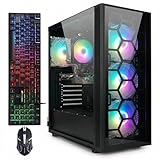


Our Top Picks


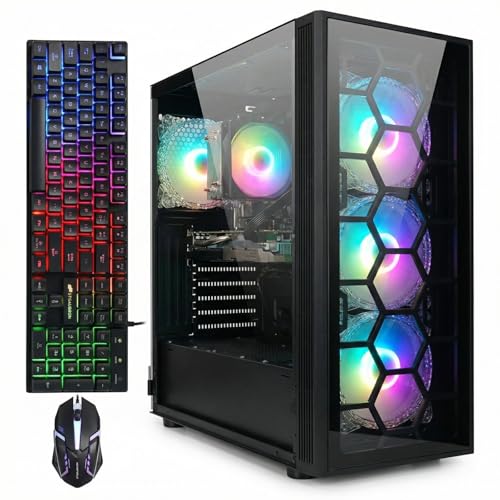
Top 3 picks at a glance
Quick Picks
| Product | Best for | Price |
|---|---|---|
| Alienware Aurora (RTX 5070, Core Ultra 7 265F) | Best overall for serious streamers | Check on Amazon |
| ZOTAC MEK (Ryzen 7 9700X, RTX 5060 Ti 16GB) | Best for 16GB VRAM and dual-tasking | Check on Amazon |
| Lenovo Legion Tower 5i (Core Ultra 7 265F, RTX 5070 Ti) | Best for 1440p high-refresh streaming | Check on Amazon |
| KOTIN Prebuilt (Ryzen 7 9700X, RTX 5060 Ti 8GB) | Best value modern platform | Check on Amazon |
| ZYNEEX Prebuilt (Ryzen 5 5500, RTX 3050 6GB) | Best budget starter stream rig | Check on Amazon |
| STGAubron (R7 5700X, RTX 3050 6GB) | Best budget CPU for encoding | Check on Amazon |
| STGAubron (Core i5, RTX 2060 6GB) | Best sub-$550 entry point | Check on Amazon |
| LXZ Gaming PC (Ryzen 5 4500, RX 560 4GB) | Best for chat/IRL and light streaming | Check on Amazon |
How We Compared
Streaming is a dual-workload problem: the game renders on your GPU while your encoder — either NVENC on Nvidia cards or x264 on your CPU — compresses the feed in real time. That shapes everything we prioritized here. First, we favored GPUs with dedicated encoding hardware and at least 6GB of VRAM, since modern games plus a Discord overlay and browser alerts will eat a 4GB card alive. Second, we looked at CPU class: an 8-core chip like the Ryzen 7 9700X gives you far more encoding headroom than a 6-core budget part. Third, acoustics matter as much as framerate for this audience, so we weighted case design, cooler type, and the presence of ARGB air cooling over stock blower-style setups. Finally, we factored price-to-longevity: a streaming PC should last through several GPU generations of upgrades, which is why PSU quality, case size, and platform (DDR5 vs. DDR4) all influenced the ranking. We did not run lab acoustics tests; our rankings reflect specifications, component tiers, and how these configs map to known streaming workloads.
The 8 Best Picks
1. Alienware Aurora Gaming Desktop — RTX 5070, Intel Core Ultra 7 265F (around $2,000)
The Aurora remains the most recognizable streaming prebuilt on the market, and the pairing of Intel’s Core Ultra 7 265F with an RTX 5070 is genuinely well-suited to dual-tasking. The 265F’s 20 cores handle x264 fallback encoding without breaking a sweat, while the 5070’s NVENC offloads the work entirely for near-zero performance cost. Alienware’s proprietary chassis has matured over the years into a reasonably quiet design under gaming loads, and its compact footprint — roughly 8.9 x 15.6 x 18 inches in previous generations — fits under most desks. For streamers who want one box that plays 1440p at high settings and encodes simultaneously, this is the safe, polished pick.
- RTX 5070 delivers excellent NVENC encoding quality alongside 1440p gaming performance
- Core Ultra 7 265F offers massive multi-core headroom for streaming, Discord, and alerts
- Proprietary motherboard and PSU limit future GPU and power upgrades compared to standard ATX builds
Skip it if you’re a tinkerer who plans to swap cases or rebuild — Lenovo and ZOTAC’s standard-component machines will serve you better.
2. ZOTAC MEK Gaming PC — Ryzen 7 9700X, RTX 5060 Ti 16GB (around $2,000)
The ZOTAC MEK is the sleeper pick of this list, and its 16GB of VRAM is the reason. If you stream graphically dense titles, run AI-enhanced upscaling, or want headroom for GPU-based filters and multi-game scenes in OBS, that extra memory is the difference between smooth and stuttery. The Ryzen 7 9700X is an 8-core, 65W-class processor that stays cool and quiet under streaming loads — its efficiency is a genuine acoustic advantage. ZOTAC’s MEK chassis uses mesh front panels and managed fan curves, which keeps noise reasonable during long sessions. At the same around $2,000 price as the Aurora, you’re trading a GPU tier (5070 down to 5060 Ti) for double the VRAM and a fully standard, upgrade-friendly platform.
- 16GB VRAM gives the most future-proofing for streaming overlays, filters, and VRAM-heavy games
- Standard components make GPU, RAM, and storage upgrades painless
- The RTX 5060 Ti sits a tier below the 5070, so top-end 1440p settings may need trimming
Skip it if raw 1440p framerate is your priority over VRAM capacity — the Aurora or Legion will out-render it.
3. Lenovo Legion Tower 5i — Core Ultra 7 265F, RTX 5070 Ti, 32GB RAM (around $2,550)
This is the no-compromises machine on the list. The Legion Tower 5i pairs the same 20-core Core Ultra 7 265F as the Aurora with a step-up RTX 5070 Ti and a full 32GB of memory — the exact configuration you want if you stream at 1440p60, run a dual-PC-style heavy scene setup, or keep a dozen browser tabs, chat bots, and voice channels open while gaming. Lenovo’s Legion towers have earned a reputation for restrained, well-cooled designs with standard ATX-friendly internals, and the Tower 5i continues that: roomy chassis, honest airflow, and fan curves that don’t panic under load. At around $2,550 it’s the priciest pick here, and the included three months of PC GamePass softens the sting for new streamers building a game library.
- RTX 5070 Ti plus 32GB RAM handles 1440p high-refresh gaming and streaming without compromise
- Standard, well-ventilated chassis with excellent long-term upgrade paths
- Highest price on the list by a wide margin — over $550 more than our next pick
Skip it if your streams are 1080p60 and your budget caps under $2,000 — you’re paying for headroom you won’t use yet.
4. KOTIN Prebuilt Gaming PC — Ryzen 7 9700X, RTX 5060 Ti 8GB, 16GB DDR5 (around $1,500)
KOTIN’s build is the value story of the modern-platform crowd. You get the same Ryzen 7 9700X and RTX 5060 Ti silicon as the around $2,000 ZOTAC — with 8GB of VRAM instead of 16 — plus 16GB of DDR5 and a 1TB SSD, for $500 less. For 1080p and mainstream 1440p streaming, the 8GB card is entirely adequate; NVENC handles encoding so cleanly that most viewers can’t tell the difference between GPU tiers. The 9700X’s 65W TDP class means the stock-class air cooling doesn’t need to scream to keep up. This is the config we’d recommend to a streamer upgrading from a laptop who wants current-gen parts without crossing $1,500.
- Current-gen 8-core CPU and RTX 50-series GPU at $500 less than equivalent branded builds
- DDR5 platform and AM5 socket leave a clear CPU upgrade path
- 8GB VRAM will age faster than the 16GB option in VRAM-heavy titles
Skip it if you play VRAM-hungry games at 1440p or keep heavy GPU filters in your OBS scenes — pay up for 16GB.
5. ZYNEEX Prebuilt Gaming Desktop — Ryzen 5 5500, RTX 3050 6GB, 16GB DDR4 (around $900)
The ZYNEEX is a textbook starter streaming rig. The Ryzen 5 5500 is a 6-core/12-thread chip that comfortably runs a game while NVENC on the RTX 3050 handles the encode, and the 1TB NVMe SSD means you can keep OBS replays and game installs on fast storage. The ARGB air cooling is a step above a bare stock cooler, and its tower layout leaves room for a GPU upgrade later — important at this price. The realistic ceiling here is 1080p60 streaming of moderate titles; competitive shooters at max settings will need compromises. As a first dedicated streaming PC that won’t drown out your mic for under $900, it’s a sensible entry.
- NVMe SSD and 16GB of RAM give a snappy, stream-ready experience out of the box
- Standard tower case with ARGB cooling leaves room for future upgrades
- The Ryzen 5 5500’s limited PCIe bandwidth constrains the RTX 3050 slightly
Skip it if you already own a 6GB+ card or stream above 1080p — the STGAubron 5700X build offers more CPU for $70 less.
6. STGAubron Gaming PC — R7 5700X, RTX 3050 6GB, 16GB DDR4, 1TB SSD (around $830)
The STGAubron 5700X build is the budget pick we’d point CPU-minded streamers toward. The Ryzen 7 5700X is an 8-core/16-thread chip — the same core count as the 9700X one tier up the list — which means if you ever want to encode with x264 for maximum quality, this machine can actually do it. Paired with the RTX 3050 6GB for NVENC duty and gaming at 1080p, it’s a balanced budget config. The 1TB SSD and 16GB of DDR4 round out a complete package at around $830, undercutting the ZYNEEX while offering two extra cores. Case and cooling are budget-grade, so expect fan noise to rise during long gaming sessions rather than staying library-quiet.
- True 8-core CPU at a budget price gives real x264 encoding headroom
- 1TB SSD and 16GB RAM — no cut corners on storage or memory
- Budget case and cooling mean more fan noise under sustained gaming loads
Skip it if quiet operation is your absolute top priority and your budget can stretch past $1,500.
7. STGAubron Gaming PC — Core i5, RTX 2060 6GB, 16GB RAM, 512GB SSD (around $540)
At around $540, this is the cheapest way onto this list, and it’s honestly better than its price suggests. The RTX 2060’s NVENC encoder remains very capable for 1080p streaming — Turing-generation NVENC is the same encoder architecture that powered thousands of successful streams years after launch. The Core i5 provides enough muscle for a game plus OBS, and 16GB of RAM keeps multitasking smooth. The trade-offs are the 512GB SSD, which fills up fast with modern game installs, and an older GPU architecture without current-gen features. For a new streamer on a strict budget — or a secondary stream/just-chatting rig — it’s a legitimate starting point.
- Turing NVENC still delivers clean 1080p streams at the lowest price here
- 16GB of RAM is generous at this price point
- 512GB SSD and older GPU architecture limit game library and visual features
Skip it if you play demanding new releases — save toward the KOTIN or ZYNEEX instead.
8. LXZ Gaming PC Desktop — Ryzen 5 4500, Radeon RX 560 4GB, 16GB DDR4 (around $600)
The LXZ occupies a narrow but real niche: chat-focused, IRL, music, and variety streamers whose “game” is a browser or a lightweight title like Minecraft, Stardew Valley, or RetroArch content. The Radeon RX 560 with 4GB of VRAM is not built for modern AAA streaming, and AMD’s encoder on this class of card is the weakest encoding hardware on this list. But the Ryzen 5 4500 handles x264 software encoding of lightweight content just fine, and at around $600 it’s a complete, working stream station. Buy it knowing exactly what it is — an entry ramp, not a gaming machine.
- Very affordable complete system for non-gaming and indie-game streams
- 6-core CPU handles x264 encoding of lightweight content acceptably
- RX 560 4GB can’t run modern titles, and its encoder trails Nvidia NVENC clearly
Skip it for any 3D AAA game streaming — spend the extra $240 on the STGAubron RTX 2060 build.
Buying Guide
Encoder and VRAM: The Two Specs That Matter Most
For streaming, your encoder does the heavy lifting. Nvidia’s NVENC — present on every RTX card here, from the RTX 2060 up through the 5070 Ti — is a dedicated silicon block that encodes your stream almost independently of gaming performance, which is why we’ve weighted Nvidia cards heavily. On VRAM: 6GB is the workable floor for 1080p, 8GB is comfortable for mainstream 1440p, and 16GB (the ZOTAC MEK) buys insurance for VRAM-heavy titles, GPU filters, and multi-scene OBS setups. A card with a great encoder but only 4GB, like the RX 560 in the LXZ, will force you into older or lighter games.
CPU Cores and Noise: Why 8 Cores and Good Airflow Go Together
If your GPU handles the encode via NVENC, a 6-core CPU like the Ryzen 5 5500 is sufficient. But 8-core chips — the Ryzen 7 5700X and 9700X, and the 20-core Core Ultra 7 265F — give you headroom for x264 software encoding, which produces the best quality at slow presets but demands serious CPU muscle. On noise: streaming means your mic sits near the tower, and fans ramping under load end up on your recording. Look for mesh-front cases, air coolers larger than stock (the ARGB cooling on the ZYNEEX is a good sign), and efficient CPUs — the 65W-class Ryzen 7 9700X runs cooler and quieter than hotter chips at the same performance level.
Platform and Upgrade Path: DDR4 vs. DDR5 and Case Standards
A streaming PC you buy today should accept a bigger GPU in three years. That makes the chassis and platform matter more than specsheets suggest. Standard ATX-style towers (Legion Tower 5i, ZOTAC MEK, KOTIN, ZYNEEX) let you swap in a longer, hotter GPU and add RAM and drives. DDR5 platforms like the KOTIN’s AM5 socket promise future CPU drop-in upgrades; DDR4 builds (ZYNEEX, STGAubron) are cheaper but are at the end of their upgrade roads. Budget roughly 100–150W of PSU headroom above your current GPU’s draw — a system pulling 300–400W today should ideally have a 650W+ supply for a future upgrade.
Our Verdict
If money is no object, the Lenovo Legion Tower 5i at around $2,550 is the best streaming PC here — RTX 5070 Ti, 32GB of RAM, and a standard chassis that will upgrade gracefully. For most serious streamers, though, the choice is between the two around $2,000 machines: the Alienware Aurora for maximum game performance, or the ZOTAC MEK for 16GB of VRAM and an upgrade-friendly platform — we lean MEK for the streaming use case. The value champion is the KOTIN at around $1,500, which delivers current-gen everything for hundreds less. Below that, the STGAubron 5700X (around $830) is the smart budget buy for its 8-core encoding headroom, and the around $540 STGAubron RTX 2060 build proves you can start streaming for under $550.
FAQ
Do I need a separate streaming PC?
Not anymore for most streamers. A modern 8-core CPU plus an RTX 30-series-or-newer card’s NVENC encoder handles game and encode simultaneously — even the around $540 STGAubron with its RTX 2060 produces clean 1080p60 streams. A dual-PC setup only becomes worth considering for x264 slow-preset encoding at high resolutions, which demands more CPU than any single gaming rig can spare while playing.
How much VRAM do I need for streaming?
Plan on 6GB minimum for 1080p streaming of current games, 8GB for comfortable 1440p, and 16GB if you play VRAM-hungry titles, run GPU-accelerated OBS filters, or want multi-year peace of mind. VRAM is shared between the game and everything on screen, so overlays, alerts, and a hardware-accelerated browser all nibble at it alongside the game itself.
How do I keep my PC quiet on stream?
Four practical steps: position the tower at least a couple of feet from your mic, or behind an acoustic barrier; enable a custom fan curve so fans idle low and ramp gradually rather than in steps; pick an efficient CPU (the 65W Ryzen 7 9700X in the KOTIN and ZOTAC are good examples); and use NVENC so your system never hits 100% CPU load — the moment it does, fans respond audibly. A dynamic boom arm with a cardioid mic pointed away from the tower covers the rest.
Is NVENC better than x264 for streaming?
For most streamers, yes. NVENC runs on dedicated hardware, costs nearly zero gaming performance, and at 6,000–8,000 Kbps bitrate its quality is visually close to x264 medium. x264 at slower presets still edges it out in quality per bitrate, but requires a powerful CPU and drops your in-game framerates. If you have an Nvidia card, use NVENC with the CQ or bitrate mode around 6,000 Kbps for 1080p60 — your viewers won’t know the difference.
Related guides
- Best Gaming PC for Fortnite: Eight Prebuilt Desktops Sorted by Refresh Rate Goal (2026)
- Best RX 9070 XT Prebuilt Gaming PCs: Seven Desktops and Three Cards Compared: 10 Compared (2026)
- CyberPowerPC vs iBUYPOWER Gaming PC: How the Two Brands Compare
- Best RX 9070 XT Prebuilt Gaming PC (2026): 5 Picks Compared









