
As an Amazon Associate we earn from qualifying purchases at no extra cost to you.

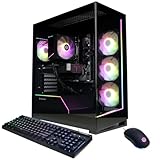


Buying a prebuilt custom gaming PC for 1440p sounds simple — pick a card, pay, done. Then you watch someone spend $2,400 on a machine with an RTX 5070 Ti bottlenecked by a weak CPU, or $1,300 on one with 8GB of VRAM that stutters the moment you enable ray tracing. The most common mistakes are predictable: overspending on RGB and liquid cooling while underbuying the GPU, assuming “8GB is fine,” pairing a $600 graphics card with a $120 processor, or buying a case so small the card thermally throttles. This guide walks through what actually matters when you’re building or buying for 1440p, with the numbers you need to make a confident call.
Our Top Picks
 Corsair Vengeance i7500 Gaming PC9.4 x 18.1 x 19.9 inches18.1 x 9.4 x 19.9 inches30.78 PoundsCheck on Amazon


Top 3 picks at a glance
Decide These 3 Things First
Before comparing any graphics card, lock in three answers.
1. What frame rate do you actually want? At 1440p (2560×1440), a card that pushes 60 fps in demanding titles is not the same as one that pushes 144+ fps for a high-refresh monitor. Competitive shooters are easier to run than open-world titles with ray tracing, so your target genre matters as much as your target number.
2. What’s your total budget — and what share goes to the GPU? A balanced 1440p build puts roughly 40–50% of the total cost into the graphics card. On a $1,500 build, that’s $600–$750 for the GPU. On a $3,000 build, it can climb past $1,400. If a prebuilt’s GPU share is far below that, something else in the spec sheet is eating your money.
3. Will you keep this card for 3–4 years? If yes, prioritize VRAM (12GB minimum, 16GB preferred) over raw headline performance. VRAM requirements have climbed steadily, and a card that’s comfortable today can feel cramped mid-cycle.
Match the GPU to Your Monitor and Target Frame Rate
This is the core decision. At 1440p, here’s how current cards generally tier out:
- RTX 5060 / RX 9060 class ($250–$350): 60–100 fps in most games at high settings. Fine for 60–75 Hz monitors. The 8GB VRAM limit on the Nvidia side is the real constraint — expect to drop texture settings in newer titles.
- RTX 5060 Ti 16GB / RX 9070 class ($400–$550): The 1440p sweet spot for most buyers. 100+ fps in demanding titles, high refresh achievable in esports. The 16GB CyberPowerPC configuration paired with a Ryzen 7 8700F at around $1,496 is a textbook mid-tier 1440p machine.
- RTX 5070 Ti / RX 9070 XT class ($700–$900): 144+ fps at high/ultra settings, comfortable ray tracing. This is where 1440p high-refresh gaming stops requiring compromises.
- RTX 5080 class ($1,000–$1,300): Capable of maxing 1440p and handling 4K. Only worth it at 1440p if you want maximum longevity or a 240 Hz+ display. You see this card in premium prebuilts like the ZOTAC MEK (Ryzen 7 9800X3D + RTX 5080, $3,199) and the Corsair Vengeance i7500 (i9-14900KF + RTX 5080, $3,399) — both excellent, both more GPU than 1440p strictly demands.
The trap to avoid: paying for a 5070 Ti–class system while accepting a 75 Hz monitor. Match the card to the display you own or plan to buy.
Size, Case Fit, and Airflow
Graphics cards are physically large now, and this bites prebuilt buyers and DIY builders alike.
- Card length: Current-generation triple-fan cards typically run 300–340mm long. Check your case’s GPU clearance spec and leave 10–15mm of headroom for cable bend.
- Thickness: Many high-end cards are now 2.5 to 3.5 slots thick (roughly 50–70mm). A compact micro-ATX case may not physically accept them.
- Case volume: For a 1440p build, a mid-tower with at least 40–50 liters of internal volume and two or three front intake fans keeps GPU temperatures 5–10°C lower than a cramped mesh-mini design.
- PSU wattage: RTX 5060-class cards are happy with a 550–650W unit; 5070 Ti–class wants 750W; RTX 5080 systems should ship with 850W or more, preferably ATX 3.x-rated to handle transient power spikes.
If you’re buying a prebuilt, check that the listed case isn’t a generic OEM chassis with a single rear exhaust fan — that’s a common corner-cut in $1,200–$1,500 systems.
Balance the CPU So It Doesn’t Bottleneck
A GPU is only as fast as the processor feeding it. At 1440p, CPU demands are lower than at 1080p, but pairing still matters:
- Budget tier ($1,200–$1,500 systems): A Ryzen 5 7600, Intel Core i5-14400F, or Ryzen 7 8700F pairs well with 5060/5060 Ti–class cards. The CyberPowerPC i5-14400F + RTX 5060 at $1,265 is correctly matched — neither part starves the other.
- Mid tier ($1,500–$2,200): Ryzen 7 7700X/9700X or Core i5-14600KF/14700F alongside a 5070 or 5070 Ti.
- Premium ($2,500+): This is where the Ryzen 7 9800X3D earns its reputation. Its large 3D V-Cache delivers the strongest gaming frame rates available, and in a $3,199 ZOTAC MEK it means the RTX 5080 never waits on the CPU. Intel’s i9-14900KF in the Corsair i7500 is similarly top-tier, though it demands robust liquid cooling — which that system ships with.
A quick sanity check: if the CPU costs less than a quarter of the GPU’s price, expect frame drops in CPU-heavy titles like simulation and large open-world games.
VRAM, Memory, and Storage: The Numbers That Age Well
- GPU VRAM: 8GB is the minimum for 1440p today and will require texture reductions in 2–3 years. 12GB is comfortable. 16GB is the safe choice for a card you’ll keep through 2026 and beyond.
- System RAM: 32GB of DDR5 (6000 MT/s for AMD platforms, 5600–6400 MT/s for Intel) is the current standard. 16GB still works but is the new minimum, not the recommendation. Verify a “32GB” listing means 2×16GB, not 4×8GB, so you keep upgrade slots free.
- Storage: A 1TB NVMe SSD fills fast with modern games at 80–150GB each. 2TB (like the Corsair i7500 ships with) is the practical sweet spot; look for PCIe 4.0 drives rated at 5,000+ MB/s sequential reads.
Price Tiers: What Your Money Actually Buys
- $1,200–$1,500 (entry 1440p): RTX 5060/5060 Ti class, mid-range six- to eight-core CPU, 16–32GB RAM, 1TB SSD. Expect 60–120 fps at high settings. Warranty coverage is often the standard 1 year.
- $1,500–$2,200 (mainstream): RTX 5070/5070 Ti, better cooling, 32GB RAM, 2TB storage, a named-brand motherboard and PSU. This is where most 1440p buyers should land.
- $2,500–$3,500 (premium): RTX 5080, flagship gaming CPUs like the 9800X3D or i9-14900KF, 360mm liquid cooling, premium cases. You’re buying longevity, max settings, and headroom for a future 4K monitor.
Warranty and Prebuilt Support
Prebuilt warranty terms vary more than most buyers realize:
- Standard: 1 year parts and labor on the full system. Acceptable, but ask whether opening the case voids it — some OEMs do, which blocks your own GPU upgrade.
- Better: 2–3 years, with individual component warranties honored (the GPU and SSD keep their manufacturer coverage independently).
- What to ask before buying: Is onsite service included? Is phone support US-based? Are the parts standard ATX form factors (so a future card swap is easy), or proprietary? Corsair, for example, builds the i7500 on standard components, which matters at upgrade time.
Spec Checklist
| Spec | Budget ($1,200–$1,500) | Mid ($1,500–$2,200) | Premium ($2,500+) |
|---|---|---|---|
| GPU | RTX 5060 / 5060 Ti 16GB | RTX 5070 / 5070 Ti | RTX 5080 |
| VRAM | 8–16GB | 12–16GB | 16GB |
| CPU | i5-14400F / Ryzen 7 8700F | Ryzen 7 9700X / i5-14700F | Ryzen 7 9800X3D / i9-14900KF |
| RAM | 16–32GB DDR5 | 32GB DDR5-6000 | 32GB DDR5-6000+ |
| Storage | 1TB NVMe | 2TB NVMe | 2TB+ NVMe |
| PSU | 650W 80+ Bronze | 750W 80+ Gold | 850W+ 80+ Gold, ATX 3.x |
| Cooling | Air, 2–4 fans | Air or 240mm AIO | 360mm AIO |
| Expected 1440p result | 60–120 fps, high | 120–165 fps, high/ultra | 165+ fps, ultra + RT |
Red Flags
- 8GB VRAM sold as “1440p-ready” at a premium price. At $1,265 the RTX 5060 CyberPowerPC is fairly priced; the same card in a $1,800 system is not.
- No PSU brand listed. If a listing hides the power supply maker or rating, assume it’s the cheapest unit available. A bad PSU can take the whole system down.
- Proprietary motherboard or case. Fine on day one, painful at upgrade time.
- “Up to” clock speeds and no named GPU model. “RTX-class graphics” or “up to 5.0 GHz” is marketing, not a spec.
- Single-fan cooling in a $1,500+ system. Thermal throttling will quietly erase the performance you paid for.
- DDR4 on a new build. Legacy memory means a dead-end platform.
FAQ
Is 8GB of VRAM enough for 1440p gaming?
For today’s games at high settings, mostly yes — with occasional texture reductions in the heaviest titles. But if you’re buying a card you plan to keep 3+ years, 12GB or 16GB is the safer investment. VRAM is the spec most likely to age badly.
Should I buy a prebuilt or build my own for 1440p?
Building yourself typically saves 10–15% and guarantees component quality. Prebuilts make sense when a deal undercuts component prices (common on entry and mid-tier systems like the $1,265 CyberPowerPC), when you value a single warranty, or when you don’t want to handle assembly.
Is an RTX 5080 overkill for 1440p?
For pure 1440p at 165 Hz, yes — a 5070 Ti delivers most of the experience for far less money. The 5080 makes sense if you want a system that survives a future monitor upgrade to 4K, or if you want ultra settings with heavy ray tracing plus max frame rates simultaneously.
How much should I spend on a 1440p gaming PC?
Most buyers are well served between $1,500 and $2,200, which gets you a 5070/5070 Ti–class GPU, a balanced CPU, 32GB of RAM, and 2TB of storage. Below $1,500, expect compromises on VRAM or CPU; above $2,500, you’re paying for headroom and longevity rather than a better 1440p experience.
Related guides
- Best Gaming PC for Fortnite: Eight Prebuilt Desktops Sorted by Refresh Rate Goal (2026)
- Best RX 9070 XT Prebuilt Gaming PCs: Seven Desktops and Three Cards Compared: 10 Compared (2026)
- CyberPowerPC vs iBUYPOWER Gaming PC: How the Two Brands Compare
- Best RX 9070 XT Prebuilt Gaming PC (2026): 5 Picks Compared









