
Our Top Picks


The Short Answer
It depends, but for most people building a dedicated streaming PC in 2026, the answer is yes if you plan to game and stream from the same machine. If you use a single PC to play a modern game, run OBS Studio, keep Chrome or Discord open, and handle chat bots and overlays, 32GB RAM is the new comfortable standard and the best way to avoid stutters and dropped frames. If you run a two-PC setup where one PC only encodes the stream, or you only stream lightweight esports titles like Valorant or League of Legends at 1080p with minimal background apps, 16GB is still enough and will save you $40 to $80.
The one condition that decides it: Are you gaming and encoding on the same PC while multitasking? If yes, get 32GB. If no, you can safely stay at 16GB and put the savings toward a better CPU or GPU.
As an Amazon Associate we earn from qualifying purchases at no extra cost to you.

What You Actually Get
When you ask “do I need 32GB RAM for streaming PC build,” what you are really asking is how much headroom you need for simultaneous workloads. Streaming is never just one program. A typical single-PC streaming session layers several memory-hungry tasks at once.
Here is a realistic breakdown of RAM usage during a 1080p 60fps stream:
A modern AAA game like Call of Duty: Warzone, Starfield, or Hogwarts Legacy will use 9GB to 14GB on its own at high settings. OBS Studio with x264 or NVENC encoding, plus browser sources, overlays, and alerts, typically adds 1.5GB to 3GB. Google Chrome with 5 to 10 tabs, StreamElements or Streamlabs, Discord, Spotify, and a chat bot can easily add another 2GB to 4.5GB. Windows 11 itself reserves about 3GB to 4GB just to run smoothly. Add it up and you are routinely hitting 15GB to 21GB of active use before you even open anything extra.
With 16GB installed, Windows has to constantly shuffle data to your SSD via the page file to keep up. That is when you see micro-stutters in game, OBS encoding lag warnings, or Chrome tabs reloading mid-stream. With 32GB, you have roughly 10GB to 12GB of free headroom left, so nothing has to fight for memory.
You also get flexibility in configuration. Most 32GB kits today are 2x16GB DDR4-3200 or DDR5-5600 to DDR5-6000, running in dual-channel mode. That gives you full bandwidth and leaves two DIMM slots open on an ATX board for a future upgrade to 64GB. Power draw is minimal, with a 32GB kit adding only 5 to 10 watts under load, and physical dimensions remain standard at about 133mm tall for kits with heatsinks, so clearance is not an issue in most mid-tower cases. Weight is negligible at 60 to 100 grams per kit, and compatibility is broad across Intel LGA1700 / LGA1851 and AMD AM4 / AM5 platforms.
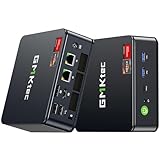
Two real-world product examples show where 32GB fits in 2026 pricing. A compact option like the GMKtec M5 Ultra Gaming Mini PC with a Ryzen 7 7730U, 32GB RAM and 512GB SSD at around $560 offers enough memory for light streaming, console capture, or as a dedicated encoding box in a dual-PC setup. At the other end, a full tower like the MSI Codex Z2 Gaming Desktop with an AMD R7-8700F, RTX 5070, 32GB DDR5 and 2TB SSD at $2080.53 is built specifically for single-PC gaming and streaming at 1440p without compromises. Both ship with 32GB because vendors now treat it as the baseline for streaming workloads.
In practical terms, 32GB does not give you higher frame rates by itself, but it prevents the frame drops and encoding overload that make a stream look unprofessional. It buys stability, not raw speed.
Pros
- Eliminates memory bottlenecks for single-PC streaming: Keeps gameplay, OBS encoding, and background apps from competing for RAM, which reduces stutter, frame dips, and “encoding overloaded” errors.
- Perfect for heavy multitasking: Lets you run Discord, Chrome with multiple tabs, Spotify, Streamlabs overlays, VTuber software, or video editing tools like Premiere Pro and DaVinci Resolve without closing anything.
- Future-proofing for new games and browser demands: Modern titles and Chrome are using more RAM every year; 32GB gives you a 3 to 5 year cushion before you need to think about upgrading again.
- Enables higher quality encoding options: Makes it feasible to use slower x264 presets like Medium or to run higher bitrates and canvas resolutions without maxing out memory.
- Cheap insurance compared to other components: Upgrading from 16GB to 32GB typically costs $40 to $85 for DDR4 and $65 to $120 for DDR5, far less than a CPU or GPU step-up, while weight, wattage, and heat increase are almost zero.
- Better for content creation after the stream: If you clip, edit, and render highlights right after going live, 32GB cuts down on preview lag and export times when working with 1080p to 4K timelines.
Cons
- Not always necessary: For a dedicated streaming-only PC that just captures a capture card feed and encodes, or for streaming lightweight esports titles on a budget, 16GB is still fully capable and $40 to $120 cheaper.
- No direct FPS increase: If your CPU or GPU is the bottleneck, adding RAM from 16GB to 32GB will not raise average frame rates; it only smooths out the lows and prevents crashes.
- Can hide a better upgrade: On a tight $700 to $900 build, the money for 32GB might be better spent moving from an RTX 4060 to an RTX 4060 Ti or from a Ryzen 5 5600 to a Ryzen 7 5700X3D, which will have a larger impact on stream quality.
- DDR5 price premium still exists: While DDR4 32GB kits are very affordable at $55 to $90, DDR5 32GB kits at 5600MHz and above cost $85 to $140, so you pay more on AM5 and Intel 14th Gen builds.
- Slightly higher power and potential compatibility checks: Four-stick 32GB configurations (4x8GB) can be harder to run at advertised XMP/EXPO speeds and may require manual tuning, so a 2x16GB kit is strongly preferred.
Who Should Buy It
You should build with 32GB RAM if you fit any of these profiles:
Single-PC streamers are the clearest case. If one computer will both run the game and encode with OBS Studio, especially at 1080p 60fps or 1440p 60fps, 32GB is the safe, recommended choice. This applies to anyone playing AAA games, battle royales, or simulation titles while streaming to Twitch, YouTube, or TikTok Live.
Multitaskers and creator-streamers should also choose 32GB. If you keep 10 or more Chrome tabs open, use animated overlays, run Chatbot, Discord, and Spotify simultaneously, or plan to edit video, design thumbnails in Photoshop, or record lossless footage while live, the extra headroom prevents slowdowns.
Future-focused builders on AM5 or LGA1851 should buy 32GB now. DDR5 platforms are designed around 32GB as the sweet spot, and buying a 2x16GB DDR5-5600 or 6000 CL30 kit today avoids having to discard a 2x8GB kit later.
Who Should Skip It
You can skip 32GB and stay with 16GB if you are building a strict budget rig under $800 or a secondary encoding PC.
Dual-PC streamers do not need 32GB in the streaming box. A dedicated encode PC with a mid-range CPU like a Ryzen 5 5600G or Intel i5-13400 and 16GB RAM can handle OBS encoding at 1080p without ever touching game assets. Put the savings toward a better capture card or microphone.
Casual or esports-only streamers can also skip it. If you mainly stream Valorant, League of Legends, Minecraft, or retro titles at 1080p with minimal overlays, your total RAM usage rarely exceeds 12GB to 14GB, so 16GB in a 2x8GB configuration is perfectly stable.
Finally, if you already own a reliable 16GB kit and are not experiencing any dropped frames, encoding lag, or stutter, there is no urgent reason to upgrade until you change your workflow.
Cheaper Alternatives
| Option | Cost | Trade-off |
|---|---|---|
| 16GB (2x8GB) DDR4-3200 or DDR5-5600 | $35 – $75 | Lowest cost and enough for dual-PC or esports streaming; will need to close background apps for AAA single-PC streaming and you may hit the page file, causing occasional hitching |
| 24GB (2x12GB) DDR5 – uncommon but available on some prebuilts | $70 – $105 | Middle ground with more headroom than 16GB; limited kit selection and mixed DIMM sizes can limit future matched upgrades |
| 32GB (2x16GB) with slower speed, e.g., DDR5-4800 CL40 | $75 – $110 | Saves $15 to $30 versus 6000MHz kits; you lose 3% to 5% performance in CPU-bound games but still get the full capacity benefit for streaming |
| Upgrade later – start 16GB, add same kit later | $0 upfront, $40 – $85 later | Preserves budget now; risks mismatched kits, having to sell old RAM, and four-stick stability issues if you mix different revisions |
FAQ
Is 32GB RAM overkill for streaming at 1080p?
For single-PC 1080p streaming while gaming, no, it is not overkill, it is the recommended amount. You will regularly use 16GB to 20GB with a modern game, OBS, and browser sources combined. For a two-PC setup or for streaming a console via capture card on a second PC, 16GB is enough and 32GB would be more than you need.
Will upgrading from 16GB to 32GB increase my stream quality or FPS?
It will not magically raise your maximum FPS if your GPU is already at 100% utilization. What it does is raise your 1% lows, reduce stutter, and prevent OBS from dropping frames due to memory pressure. If you are seeing encoding lag, game hitching when you open Chrome, or Windows warnings about low memory, the upgrade will make your stream noticeably smoother and more stable.
Is DDR4 32GB still good enough, or do I need DDR5 for streaming?
DDR4 32GB (2x16GB at 3200MHz CL16 or 3600MHz CL18) is still excellent for streaming on AM4 and Intel 12th/13th Gen builds and costs less. DDR5 32GB (2x16GB at 5600MHz to 6000MHz) offers extra bandwidth that helps slightly in CPU-heavy scenarios and is the standard for new AM5 and LGA1851 builds. For streaming stability, capacity matters more than the DDR generation, so choose the type your motherboard supports.
Can I mix RAM to reach 32GB, like adding a 16GB stick to my existing 16GB (2x8GB)?
You can, but it is not ideal. Mixing capacity, speed, or brand forces all sticks to run at the slowest stick’s speed and timings and can disable dual-channel performance or cause XMP/EXPO to fail. For best stability while streaming, use a matched 2x16GB kit from the same package and check your motherboard’s QVL list. If you must mix, match voltage, speed, and timings as closely as possible and be prepared to run at JEDEC defaults like 4800MHz.









