
Choosing between an ATX and a Micro-ATX case for a white themed build is not just about size, it is about how your PC will live in your home. Do you want a bright, open showcase that anchors a desk setup, or a compact, clean box that disappears neatly into a smaller space? Both form factors can deliver that crisp white aesthetic, but they handle airflow, component space, cable management, and future upgrades very differently. For a white build where every cable, fan, and panel is visible, the case you pick will determine how easy it is to keep the look cohesive and clutter-free.
In a typical white themed build, the case color dictates everything else, from the motherboard and GPU to fans and PSU cables. ATX mid-towers give you more room to show off those coordinated parts, while Micro-ATX cases force you to be more intentional with fewer visible components. Understanding that trade-off upfront saves you from buying parts that do not fit or paying for space you will never use.
As an Amazon Associate we earn from qualifying purchases at no extra cost to you.


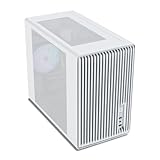
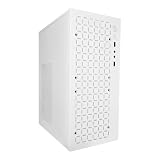
Our Top Picks


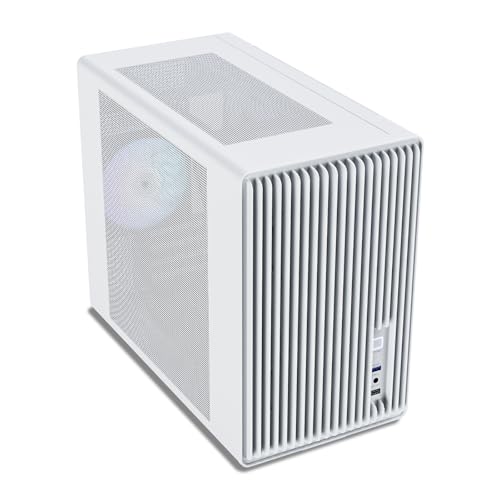

Top 3 picks at a glance
Quick Verdict
If you want maximum display impact, easier building, and room for larger GPUs, additional radiators, and future expansion, choose an ATX case. It is the better foundation for a showpiece white build on an open desk or in a dedicated office. If you value a smaller footprint, lower upfront cost, and a clean, minimal look that fits easily on a desk or inside a media console, choose a Micro-ATX case. It is ideal for apartments, bedrooms, and setups where floor and desk space are limited but you still want that bright white finish.
Side by Side
| Feature | ATX Mid-Tower (White Build) | Micro-ATX Mid Tower (White Build) |
|---|---|---|
| Typical Dimensions | 18 to 21 inches tall, 9 to 10 inches wide, 17 to 19 inches deep | 14 to 17 inches tall, 7 to 9 inches wide, 13 to 16 inches deep |
| Footprint / Space Needed | Needs 24 to 30 inch wide desk area, 50 to 65 lbs fully built | Fits 18 to 22 inch wide space, 30 to 45 lbs fully built |
| Component Clearance | GPU up to 400mm, CPU cooler up to 170mm, 360mm radiators top/front | GPU up to 320-350mm, CPU cooler up to 160mm, 240mm/280mm radiators typical |
| Airflow and Cooling | More fan mounts (6-8), better for high-wattage builds 600-850W | Fewer mounts (4-6), efficient for mainstream builds 500-750W |
| Look for White Theme | Large tempered glass panel, interior more visible, better for RGB and white cable displays | Compact glass panel, cleaner and less empty with smaller motherboards, tighter cable presentation |
| Build Comfort | Significantly easier with large cutouts, 25-35mm cable space behind tray | Tighter, requires planning, 15-22mm cable space |
| Durability and Materials | 0.8-1.0mm steel frame, heavier tempered glass, more rigid over time | 0.6-0.8mm steel, lighter panels, more prone to flex if moved often |
| Price Range (Case Only) | $70 to $150 for quality airflow models | $28 to $75 for quality airflow models |
| Resale and Longevity | Holds value better, supports multiple motherboard generations | Lower resale, limited to Micro-ATX/Mini-ITX boards |
| Best For | Enthusiast white builds, ATX motherboards, showcase setups | Value white builds, small spaces, clean minimal setups |
Where Atx Wins
ATX cases are the standard for a reason, and for a white themed build, that extra volume is an advantage. You get a full-size interior that makes white component coordination much easier. A white ATX motherboard, long white GPU, and white cable extensions have room to breathe instead of looking cramped. Builders choosing something like the CORSAIR 4000D RS ARGB Frame Modular Mid-Tower ATX PC Case get features designed for that showcase effect, such as a wide tempered glass side panel, high-airflow front panel, and an InfiniRail mounting system that keeps fans aligned and visible. Even compact ATX options like the NZXT H5 Flow still provide noticeably more interior width than most Micro-ATX towers.
Space translates directly to comfort and cooling. Full ATX mid-towers typically support seven expansion slots, four to six storage bays, and top-mounted 360mm radiators without interfering with tall RAM or VRM heatsinks. That matters if you plan on a 4070, 5070, or larger white GPU, which can easily exceed 320mm. You will also find 25 to 35mm of space behind the motherboard tray for routing thick white braided cables, plus larger PSU shrouds that hide non-white power supplies. In warm rooms, the ability to mount three 120mm front fans and three more on top or side significantly improves airflow while keeping fan speeds and noise low.
For long-term ownership, ATX is more flexible. It accepts ATX, Micro-ATX, and Mini-ITX motherboards, so you can reuse the case through several upgrades. The heavier steel frame and thicker glass also resist warping and rattling better after years of use, which helps preserve that clean white finish.
Where Matx Case for White Themed Build Wins
Micro-ATX cases win on footprint, price, and simplicity. If your desk is 42 to 48 inches wide or you are placing the PC on the floor beside a console, shaving 3 to 5 inches off both height and depth makes a real difference. A white Micro-ATX build looks intentionally minimal rather than empty, because a Micro-ATX board fills the window more proportionally and there are fewer open bays to cover. For many buyers in 2026, that smaller, brighter box blends better with home decor than a towering ATX chassis.
Cost is the other clear advantage. White Micro-ATX cases often start much lower than their ATX counterparts, letting you allocate more budget to the white GPU, cooler, or fans that actually define the theme. Options like the Vetroo M06 White Micro-ATX/Mini-ITX Mid Tower Gaming PC Case at around $49 or the V600 Micro ATX PC Case in White at around $27 show how accessible the form factor is, while still offering tempered glass, PSU shrouds, and white powder-coated interiors that make cable management look tidy. You do not need a large chassis to get a cohesive white look.
Maintenance is also simpler. With fewer fans and a smaller interior, there is less surface area to dust and fewer glass panels to fingerprint. Two well-placed 120mm or 140mm white ARGB fans up front and one exhaust in the rear are often enough for a mainstream CPU and GPU combo, keeping the build quiet without overcomplicating airflow. For users who do not plan on custom water cooling or multiple add-in cards, Micro-ATX removes complexity without sacrificing the white aesthetic.
Cost Over 5 Years
The case is only part of the total cost. Over five years, an ATX white build typically costs $120 to $250 more overall than a comparable Micro-ATX build.
Upfront, a quality white ATX airflow case ranges from around $69 to around $89 for models like the NZXT H5 Flow and the CORSAIR 4000D RS ARGB Frame, and up to $130 to $150 for premium white editions with extra fans. A white Micro-ATX case ranges from around $27 to $75. That $40 to $70 difference can cover a white CPU cooler upgrade or a set of white cable extensions.
Operating costs are similar but diverge with cooling. A larger ATX case with six fans may draw 12 to 18 watts for cooling at load versus 8 to 12 watts for a Micro-ATX case with four fans, a difference of only $3 to $6 per year if you run the PC 4 to 6 hours daily. Where ATX can cost more is expansion: ATX motherboards average $20 to $50 more than Micro-ATX equivalents, and it is easier to overspend on a 360mm AIO ($110 to $180) versus a 240mm AIO ($70 to $120) that fits Micro-ATX.
Long-term value favors ATX if you upgrade. Being able to keep the same case through a motherboard or GPU swap saves a full replacement cost of $50 to $150. Micro-ATX cases are more likely to be replaced when you move to a larger board or need more radiator support. If you plan to keep the same core components for five years without major changes, Micro-ATX remains the lower total cost. If you anticipate one or two significant upgrades, ATX often pays for itself by avoiding a case swap.
Which One for Your Home
Small Apartment or Compact Bedroom
Choose Micro-ATX. When floor space is limited and the PC shares a desk with monitors, books, or work materials, the smaller chassis keeps walkways clear and the room feeling open. A white Micro-ATX case like the Vetroo M06 reflects light and looks less bulky against white walls and light wood furniture. Look for a model under 16 inches tall and 14 inches deep with a mesh front to maintain airflow without adding footprint. You save desk space and keep the white theme subtle rather than dominant.
Family with Kids or Pets
Choose ATX if the PC is in a common area or office. The heavier weight (50+ lbs built) makes it harder to tip, and the elevated glass side panel is less likely to be kicked than a low-lying Micro-ATX on the floor. The larger interior also keeps hot components farther from little hands, and bottom PSU shrouds with filtered intakes help block pet hair. Position the tower on the desk rather than the floor, and choose a case with a sturdy steel frame and secure glass mounting to handle daily bumps.
Rental or Temporary Space
Choose Micro-ATX. Rentals often mean smaller desks, frequent moves, and tighter doorways. A 30 to 40 lb Micro-ATX build is far easier to transport and fits in closets or on narrow desks without dominating the layout. The lower price also matters if you are not ready to invest heavily in a space you may leave within a year or two. Models like the V600 Micro ATX PC Case keep the white aesthetic intact while remaining lightweight and budget-friendly for short-term living.
Long-Term Home or Dedicated Office
Choose ATX. For a settled home where the PC is a centerpiece, ATX gives you the best canvas for a polished white themed build. You can invest once in a high-airflow case such as the CORSAIR 4000D RS ARGB Frame or NZXT H5 Flow and have room to add white fans, a 360mm white AIO, and vertical GPU mounting later. The extra clearance future-proofs you for next-generation GPUs and keeps temperatures lower during long work or gaming sessions. If you want the build to look impressive for guests and stay relevant through upgrades, ATX is the stronger long-term home for the theme.
FAQ
Can I put a Micro-ATX motherboard in an ATX case for a white build?
Yes. All ATX cases support Micro-ATX and Mini-ITX boards. It will work perfectly, but the interior will look emptier and the white theme may appear less filled. Use white cable extensions and a larger air cooler or AIO to fill vertical space, or consider an ATX board if the showcase look is important to you.
Will a Micro-ATX case limit my white GPU choices?
Sometimes. Most white Micro-ATX cases support GPUs up to 320 to 350mm, which covers most dual and triple-fan models. Very long enthusiast cards over 360mm and thick 3.5 to 4-slot coolers may not fit. Check the exact GPU length and thickness against the case spec sheet before buying, and allow 20 to 30mm extra for front radiator and fans.
Which form factor is easier to keep white and clean?
Micro-ATX is quicker to clean due to less interior surface and fewer fans, but ATX cases often have better dust filtration and more space to route and hide cables cleanly. For a pristine white look, choose any case with full PSU shroud, removable dust filters on front, top, and bottom, and at least 20mm of rear cable space. Matte white powder coating hides dust better than glossy finishes.
Do I need extra fans for a white themed build?
Not necessarily. A white build does not need more cooling than any other color, but white cases with solid glass fronts can run warmer. For best results, choose a high-airflow mesh or perforated front panel in either size. Aim for two to three intake fans and one exhaust as a baseline. ATX cases benefit from three front intakes, while most Micro-ATX cases are well served by two 140mm or three 120mm front fans.









