
If you’ve ever tried streaming a game while editing footage on the same machine, you know the pain: the encoder spikes, your game stutters, and your editing timeline turns into a slideshow. A dedicated streaming and video editing combo PC solves that by pairing a strong multi-core CPU with a GPU that has dedicated encoding hardware, plus enough RAM and fast storage to handle large video files. The problem is that most “gaming” desktops are tuned for frame rates, not for the simultaneous demands of OBS, Premiere Pro, and a Chrome tab apocalypse running at once.
We rounded up eight prebuilt desktops across a wide price spectrum—from a around $280 budget box to a around $2,700 flagship—to see which ones actually make sense as dual-purpose streaming and editing rigs. Some are genuine bargains; others only make sense if your workflow is lighter than your ambitions. Here’s how they stack up.
As an Amazon Associate we earn from qualifying purchases at no extra cost to you.
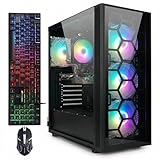




Our Top Picks
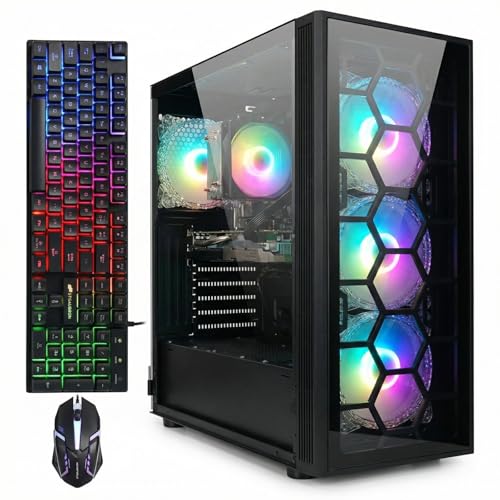

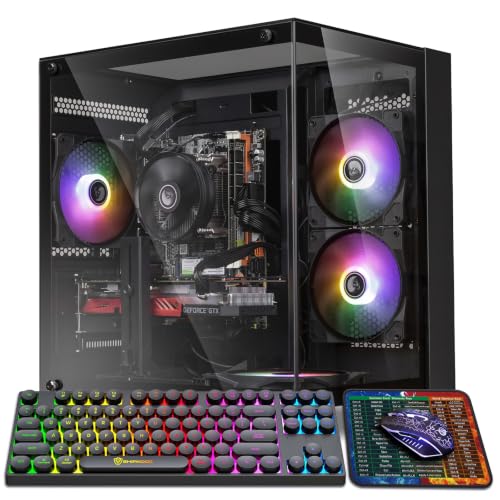
Top 3 picks at a glance
Quick Picks
| Product | Best for | Price |
|---|---|---|
| STGAubron Gaming PC Desktop, R7 5700X, RTX 3050 6G, 16G DDR4, 1T SSD | Best overall value for streaming plus 1080p editing | Check on Amazon |
| STGAubron Gaming PC Desktop, Core i7, RTX 3050 6G, 16G RAM, 512G SSD | Best budget RTX pick | Check on Amazon |
| STGAubron Gaming PC, Intel Core i7 up to 3.9GHz, Radeon RX 580 8G, 16GB RAM, 1TB SSD | Best sub-$600 starter combo | Check on Amazon |
| Alienware Aurora ACT1250 AI Gaming Desktop, Ultra 7 265F, RTX 5070, 64GB/1TB | Best high-end 4K editing and streaming | Check on Amazon |
| Desktop Computer Gaming PC, i5 up to 3.6GHz, 16GB RAM, 256GB SSD | Best ultra-budget entry point | Check on Amazon |
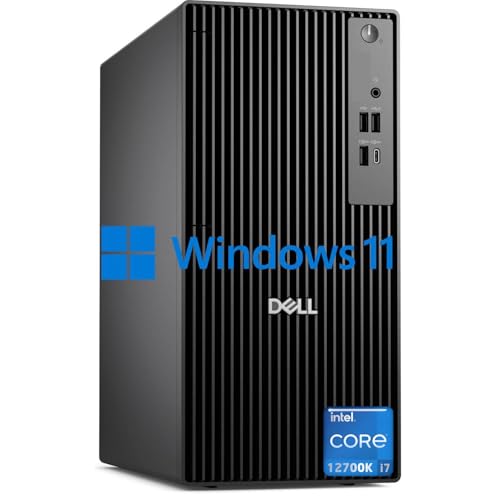
| Dell Pro Business Desktop, i7-12700K, 16GB RAM, 512GB SSD | Best CPU power for rendering | Check on Amazon |
| HP Pavilion Gaming Desktop, Ryzen 5 5600G, RX5500 4GB, 8GB RAM, 256GB SSD | Best for light streaming on a name-brand chassis | Check on Amazon |
| Qehi Gaming PC Desktop, Ryzen 7, RTX 3050 8G | Best dedicated streaming-focused build | Check on Amazon |
How We Compared
For a streaming-and-editing combo, three specs matter most: CPU core count (for rendering and handling OBS while gaming), a GPU with a hardware encoder (NVENC on NVIDIA cards is the gold standard for streaming), and memory/storage headroom for video files. We prioritized machines with at least 16GB of RAM, SSD-based storage, and GPUs or APUs capable of hardware encoding. We also weighed price-to-workflow fit: a around $280 desktop can’t do what a around $2,700 one can, but it might be perfect for a student clipping short-form content. Every pick here is a prebuilt, meaning it arrives assembled with Windows licensed and a warranty—no cable management required. We focused on real-world usability: connectivity for capture cards and cameras, cooling noise (which your microphone will pick up), and upgrade paths, since video projects have a way of outgrowing storage fast.
The 8 Best Picks
1. STGAubron Gaming PC Desktop — R7 5700X, RTX 3050 6G, 16G DDR4, 1T SSD (around $830)
This is our favorite balance for a dual-purpose rig. The Ryzen 7 5700X brings eight cores and sixteen threads—enough muscle to run a game, OBS with x264 or NVENC encoding, and browser tools without choking. The RTX 3050 6GB handles NVENC streaming beautifully and accelerates 1080p timelines in Premiere and DaVinci Resolve. The 1TB SSD is the real differentiator here; 4K and 1080p footage eats storage quickly, and most competitors at this price ship half that. It’s the sweet spot for a part-time streamer who edits weekly.
- Eight-core Ryzen 7 5700X handles game-plus-OBS workloads comfortably
- Full 1TB SSD gives real room for a growing footage library
- 6GB of VRAM limits heavy 4K effects work
Skip it if you regularly edit 4K multicam projects—you’ll want more GPU memory and a stronger card.
2. STGAubron Gaming PC Desktop — Core i7, RTX 3050 6G, 16G RAM, 512G SSD (around $620)
At around $620, this is the cheapest way into an RTX-equipped prebuilt in this roundup, and NVENC alone justifies the upgrade over GPU-less budget boxes. The Core i7 platform and 16GB of RAM are enough for a game plus a streaming scene collection, and 1080p editing runs fine. The tradeoff is the 512GB SSD, which fills up fast if you shoot in high bitrate formats—plan on adding an external or second drive within a few months. For a new streamer who wants hardware encoding without breaking $650, this hits a genuine value sweet spot.
- RTX 3050 6G brings NVENC encoding under $650
- 16GB RAM supports simultaneous game and stream loads
- 512GB SSD will need supplementing for serious footage storage
Skip it if you archive everything locally—budget another $60–$100 for added storage up front.
3. STGAubron Gaming PC — Intel Core i7 up to 3.9GHz, Radeon RX 580 8G, 16GB RAM, 1TB SSD, WiFi 6, BT 5.0 (around $570)
The cheapest machine here that still checks the combo boxes. The RX 580 8GB lacks NVENC, but AMD’s encoder has improved, and 8GB of VRAM is generous for editing at this price. You get 16GB RAM, a full 1TB SSD, WiFi 6, Bluetooth 5.0, and six RGB fans—remarkable specs for around $570. It’s best for beginner streamers and editors working in 1080p who mostly need capacity and a capable multi-core CPU. If your streaming ambitions are Twitch-variety at 1080p60 and your edits are YouTube-length, this machine will genuinely surprise you.
- 8GB VRAM and 1TB SSD at under $600
- WiFi 6 and Bluetooth 5.0 included for wireless peripherals
- Older GPU architecture means weaker encoder quality than RTX
Skip it if NVENC’s efficiency matters for your upload bandwidth—RTX options encode more gracefully.
4. Alienware Aurora ACT1250 AI Gaming Desktop — Ultra 7 265F, RTX 5070, 64GB/1TB (around $2,700)
This is the no-compromises option. Intel’s Core Ultra 7 265F brings twenty cores of modern processing power, and the RTX 5070 is a genuine content-creation GPU with encoder hardware that makes dual-PC streaming setups unnecessary. Sixty-four gigabytes of RAM means you can keep Premiere, After Effects, a dozen Chrome tabs, and a 1440p stream running without a hiccup, and 4K editing is realistic rather than aspirational. At around $2,700 it costs more than the next three picks combined, but for creators monetizing their content in 2026, it’s the kind of machine you won’t need to replace for years.
- RTX 5070 and 20-core Ultra 7 crush 4K editing and streaming simultaneously
- 64GB RAM eliminates memory bottlenecks in heavy timelines
- The around $2,700 price is out of reach for hobbyists
Skip it if you’re still building an audience—this is overkill until 4K delivery is part of your job.
5. Desktop Computer Gaming PC — i5 up to 3.6GHz, 16GB RAM, 256GB SSD (around $280)
At around $280, this is the entry point, and it’s honest about what it is: a 16GB, SSD-equipped desktop for very light workloads. It’s best suited to someone clipping stream VODs into shorts, editing 1080p talking-head videos, or learning OBS before investing further. There’s no discrete GPU here, so encoding falls on the CPU, which means lower game frame rates while streaming and slower timeline scrubbing. The 256GB SSD demands immediate external storage for any footage. As a first desk machine or a secondary edit box, it’s a legitimate bargain; as a serious streaming rig, it isn’t.
- Extremely low around $280 entry price with 16GB RAM
- SSD storage keeps general use responsive
- No discrete GPU limits encoding and gaming performance
Skip it if you stream live games regularly—pair a dedicated encoder with something else instead.
6. Dell Pro Business Desktop — i7-12700K, 16GB RAM, 512GB SSD, Windows 11 Pro (around $1,050)
The sleeper pick. The i7-12700K’s twelve cores and twenty threads make this a rendering monster for the money—CPU-based exports in HandBrake or Premiere fly, and it drives dual 4K monitors for a proper editing workspace. The ultra-quiet design matters more than you’d think: fan noise goes straight into a broadcast microphone. Windows 11 Pro adds remote desktop and BitLocker for professional users. The catch: no discrete GPU, so gaming-while-streaming and GPU-accelerated effects are off the table. This is the machine for a talking-head streamer, podcaster, or editor whose workload is CPU-bound.
- 12-core/20-thread i7-12700K excels at CPU rendering and exports
- Ultra-quiet chassis and dual 4K monitor support suit studio use
- No discrete graphics card for gaming or GPU acceleration
Skip it if you stream gameplay—you need an RTX or Radeon card for that.
7. HP Pavilion Gaming Desktop — Ryzen 5 5600G, RX5500 4GB, 8GB RAM, 256GB SSD (around $830)
A name-brand option from a major manufacturer, which means predictable support and a clean warranty process. The six-core Ryzen 5 5600G is a capable chip (HP claims it beats an i7-8700, and up to 4.4GHz clock speeds help), and the RX 5500 provides basic hardware encoding. The disappointment is the 8GB of RAM and 256GB SSD—both undersized for editing at this around $830 price, and both will likely need upgrades. Buy this if brand support and a mouse-and-keyboard bundle matter most; buy one of the STGAubron units if raw value does.
- Reliable HP warranty and support ecosystem
- Six-core Ryzen 5 5600G up to 4.4GHz is solid streaming CPU
- Only 8GB RAM and a 256GB SSD at around $830
Skip it if you won’t upgrade RAM and storage soon—competitors include more at the same price.
8. Qehi Gaming PC Desktop — Ryzen 7, RTX 3050 8G (around $800)
This one is explicitly marketed for gaming and live streaming, and the spec tells you why: an RTX 3050 with the full 8GB of VRAM, paired with a Ryzen 7 processor. That extra VRAM over the 6GB variants matters for GPU-accelerated effects and higher-resolution preview work, and NVENC handles your stream encode so the CPU stays focused on your game. At around $800 it undercuts our top pick slightly while offering more graphics memory, though storage and RAM specifics are less documented, so verify configuration before checkout. It’s a strong pick for streamers whose priority list starts with encoder quality.
- RTX 3050 8G offers double the VRAM of 6GB variants
- Streaming-focused configuration at a sub-$800 price
- Less transparent spec sheet than competitors
Skip it if you need guaranteed storage capacity documented up front.
Buying Guide
CPU and Encoder: The Combo Heart
Streaming and editing stress different parts of a PC simultaneously. Your CPU handles game logic, OBS scene management, and x264 encoding if you choose software encoding; your GPU handles rendering and, ideally, the stream encode via NVENC (NVIDIA) or AMD’s VCE. Aim for at least six cores and twelve threads, with eight cores being the comfortable sweet spot—the Ryzen 7 5700X and i7-12700K in this roundup illustrate it well. A GPU with a hardware encoder lets your stream run efficiently while the CPU handles everything else, which is why the RTX-equipped picks punch above their price here.
RAM and Storage: Where Video Projects Live
16GB of RAM is the practical minimum for running a game, OBS, and an editor at once; 32GB or more (like the Alienware’s 64GB) removes the ceiling entirely for 4K work. Storage is where budget builds quietly fail you: one hour of 1080p footage at 50Mbps is roughly 22GB, and 4K multiplies that. A 1TB SSD covers maybe 30–40 hours of edited-project material. Look for machines with 1TB drives, or budget $60–$100 for a supplementary external NVMe or HDD enclosure from day one. Never buy a spinning-disk-only system for video work—timeline scrubbing depends on SSD speeds.
Budget Bands and Upgrade Paths
Think in three tiers. Under $650 (the around $280 and around $570–around $620 picks): expect compromises, usually in GPU or storage, and treat upgrades as part of the real cost. The $800–$1,050 middle band (around $800–around $1,050) is where the best combo value lives—capable CPUs, real encoders, and livable storage. Above $2,000, you’re buying multi-year headroom for 4K workflows. Also check case dimensions (most desktop towers here run roughly 15–20 inches tall) and power supply headroom before planning a GPU upgrade; a 500W–600W supply supports cards up to mid-range RTX levels, while the Aurora-class machines ship with far more.
Our Verdict
For most creators building a streaming-and-editing setup, the STGAubron R7 5700X/RTX 3050 6G with the 1TB SSD at around $830 is the pick—eight cores, NVENC, and storage you won’t immediately outgrow. Tight on cash? The around $620 Core i7/RTX 3050 gets you hardware encoding for less. If your work is CPU-bound rendering without gameplay, the Dell i7-12700K at around $1,050 is a quiet powerhouse, and if 4K delivery is your paycheck, the around $2,700 Alienware Aurora is the machine you grow into rather than out of.
FAQ
Do I need a separate streaming PC?
Not if your machine has a hardware encoder and enough cores. An RTX-equipped desktop like the STGAubron or Alienware picks can game, encode, and edit on one box. A second streaming PC only becomes worthwhile for high-bitrate 1440p streams or when you’re maxing your game settings and can’t afford any performance overlap.
Is 16GB of RAM enough for streaming and editing?
It’s the workable minimum. You can run a game, OBS, and a 1080p editing session in 16GB, but you’ll feel constrained with Chrome open or in 4K projects. If you can’t upgrade later, prioritize builds with 32GB or more, like the Alienware’s 64GB configuration.
How much storage do I need for video editing?
Plan for at least 1TB of SSD storage. Rough math: an hour of 1080p footage at 50Mbps is about 22GB, and 4K at 100–400Mbps can consume 45–180GB per hour. Most editors in this roundup’s budget tier should budget an additional external drive within their first few months.
NVENC or CPU encoding for streams?
NVENC (on NVIDIA cards like the RTX 3050 and 5070 here) is the better default: it delivers quality close to x264 medium while using dedicated hardware, freeing your CPU for the game and your editor. Choose CPU encoding only if you have cores to spare and need x264’s fine-grained quality tuning for a specific platform.
Related guides
- Best Gaming PC for Fortnite: Eight Prebuilt Desktops Sorted by Refresh Rate Goal (2026)
- Best RX 9070 XT Prebuilt Gaming PCs: Seven Desktops and Three Cards Compared: 10 Compared (2026)
- CyberPowerPC vs iBUYPOWER Gaming PC: How the Two Brands Compare
- Best RX 9070 XT Prebuilt Gaming PC (2026): 5 Picks Compared









