
You bought a 1080p monitor — maybe a 24.5-inch 144Hz panel on a stand squeezed next to a keyboard — and you want a desktop that actually feeds it frames without you cracking open a case, cable-managing a PSU, or worrying about whether the RAM you ordered will POST. That is the whole promise of a prebuilt: unbox it, plug in one power cable, install two or three games, and play tonight. The catch in 2026 is that “under $800” is a narrow lane. True sub-$800 boxes exist, but they make real compromises — smaller SSDs, older six-core CPUs, and GPUs that lean on upscaling rather than raw horsepower. Everything above that line buys you headroom you may not need at 1080p.
We compared and ranked eight prebuilts across that full spread, from one legitimate sub-$800 contender to stretch picks that only make sense if 1080p high-refresh esports is your religion. Our advice up front: if your hard ceiling is $800, the LXZ is the only machine here that respects it, and it is a genuinely competent 1080p rig. If you can stretch, the RTX 5060 class machines in the middle of this list are the sweet spot for 1080p in 2026 — fast enough for high refresh, modern enough to stay relevant for years.
As an Amazon Associate we earn from qualifying purchases at no extra cost to you.


Our Top Picks


Top 3 picks at a glance
Quick Picks
| Product | Best for | Price |
|---|---|---|
| Skytech Gaming PC (Ryzen 7 9850X3D, RX 9070 XT) | Best overall 1080p high-refresh, no-compromise | Check on Amazon |
| LXZ Gaming PC (Ryzen 5 4500, RX 6500 XT) | Best under $800 | Check on Amazon |
| YAWYORE Gaming PC (Ryzen 7 5700X, RTX 5060) | Best value RTX 5060 build | Check on Amazon |
| Prebuilt Gaming PC (Ryzen 7 5700X, RTX 5060, 1TB SSD) | Best RTX 5060 with double the storage | Check on Amazon |
| KOTIN Prebuilt Gaming PC (Ryzen 5 9600X, RTX 5060 Ti) | Best modern-platform 1080p build | Check on Amazon |
| Skytech Gaming Edge (Ryzen 7 7800X3D, RX 9070 XT) | Best CPU for esports high refresh | Check on Amazon |
| Skytech Gaming O11 Vision (Ryzen 7 7700X, RTX 5070) | Best premium feature set | Check on Amazon |
| Skytech Gaming PC (Ryzen 7 9850X3D, RTX 5080) | Best overkill / 1080p at absurd frame rates | Check on Amazon |
How We Compared
Every system here ships as a complete desktop — case, PSU, Windows license, and working configuration out of the box. We ranked on four criteria. First, 1080p suitability: at 1920×1080, the GPU matters more than anything else, so we weighted graphics silicon heavily and penalized machines where an overpowered CPU is paired with a weak card (or vice versa). Second, platform longevity: AM5 and DDR5 systems will accept future CPU upgrades; AM4 and DDR4 systems will not. Third, storage and memory out of the box, because a 512GB drive fills up with three modern game installs. Fourth, value per dollar against what those components would reasonably cost assembled. We did not invent benchmark numbers; where we describe frame rates, we speak in general capability terms based on the GPU class, and we flag clearly when a machine is overkill for 1080p rather than pretending a $3,699 build is a budget pick. It is on this list because readers asked for the ceiling, and because one of these overkill boxes is worth knowing about.
The 8 Best Picks
1. LXZ Gaming PC Desktop (Ryzen 5 4500, RX 6500 XT, 16GB RAM, 512GB SSD) — around $660
This is the only machine on this list that actually lands under $800, and it is the default answer if that number is real for your wallet. The Ryzen 5 4500 is a six-core, twelve-thread AM4 CPU that is plenty for 1080p gaming, and the RX 6500 XT is an entry-level 1080p card — fine for esports titles like Valorant, CS2, Rocket League, and Fortnite at high frame rates, and playable in AAA games when you dial settings to medium and lean on upscaling. The 16GB of RAM is adequate today; the 512GB SSD is the real constraint, holding roughly three to four large modern installs.
- Genuine sub-$800 price with a complete, working Windows desktop
- 16GB RAM and a six-core CPU — no fake “gaming” dual-core cuts here
- 512GB SSD and RX 6500 XT limit you to a small library and medium settings in AAA games
Skip it if you play new AAA releases at high settings or keep more than four games installed — save toward an RTX 5060-class machine instead.
2. Prebuilt Gaming PC (Ryzen 7 5700X, RTX 5060, 1TB SSD) — around $1,200
This configuration is the argument for stretching past $800. The RTX 5060 is the definitive 1080p GPU of this generation — it handles max settings in most titles and high refresh in competitive games — and the Ryzen 7 5700X’s eight cores will never be the bottleneck at 1080p. The decisive difference between this and the YAWYORE below is the 1TB SSD, which doubles usable game storage for $100 less. The AM4/DDR4 platform means your upgrade path tops out at the 5700X3D tier, but for a buy-it-and-game-for-four-years purchase, that is an acceptable trade.
- RTX 5060 plus 1TB SSD is the right balance for 1080p in 2026
- $100 cheaper than the equivalent YAWYORE configuration
- Older AM4 platform offers limited future CPU upgrades
Skip it if you plan to drop in a new CPU in three years — buy AM5 instead.
3. YAWYORE Gaming PC (Ryzen 7 5700X, RTX 5060) — around $1,300
The YAWYORE pairs the same strong 5700X and RTX 5060 combination at $100 more than our number two pick, so the decision between them comes down to storage and brand support rather than performance — expect essentially identical 1080p results. Choose this one if the included SSD capacity and YAWYORE’s warranty terms suit you better, or if stock availability in your region favors it. It is a legitimately well-balanced 1080p machine: eight CPU cores, current-generation NVIDIA features including DLSS and frame generation, and enough GPU muscle to drive a 144Hz or even 240Hz monitor in esports titles.
- Well-matched CPU/GPU pairing with no obvious bottleneck at 1080p
- DLSS and frame generation extend the RTX 5060’s lifespan
- Costs $100 more than an equivalent configuration with 1TB of storage
Skip it if the cheaper 1TB RTX 5060 build above is in stock — it is the better buy on paper.
4. KOTIN Prebuilt Gaming PC (Ryzen 5 9600X, RTX 5060 Ti 8GB, 16GB DDR5, 1TB SSD) — around $1,500
The KOTIN is the future-proof play. The Ryzen 5 9600X is a current-generation AM5 chip on a platform AMD has committed to supporting, with 16GB of fast DDR5 and a 1TB SSD. The RTX 5060 Ti 8GB is a meaningful step over the standard 5060 for 1080p and adds comfortable 1440p capability if you ever upgrade monitors. The 8GB of VRAM is the one spec to think about: it is fine for 1080p today, but it is the first limit you will hit in heavier titles at higher settings a few years out. You are paying roughly $300 over the AM4 5060 builds for platform longevity.
- AM5 and DDR5 mean a real drop-in CPU upgrade path
- RTX 5060 Ti adds 1440p headroom for a future monitor
- 8GB VRAM will age faster than the rest of the build
Skip it if you will never upgrade the CPU — the cheaper 5700X machines deliver the same 1080p experience.
5. Skytech Gaming Edge (Ryzen 7 7800X3D, RX 9070 XT) — around $2,000
The Gaming Edge is a specialist’s tool. The 7800X3D’s 3D V-Cache makes it one of the best gaming CPUs ever made, and paired with the RX 9070 XT it will push a 1080p 240Hz or 360Hz monitor harder than almost anything at this price. The honest caveat: this is significant overkill for standard 1080p, and the GPU is genuinely 1440p-class. Buy it if you are a competitive player who measures everything in frames per second and averages, or if you expect to move to a 1440p high-refresh display without rebuilding. Skytech’s assembly and cable work are consistently tidy, and the AM5/DDR5 platform keeps upgrade doors open.
- 7800X3D plus RX 9070 XT is an esports frame-rate monster
- AM5 platform with DDR5 for future upgrades
- GPU is badly mismatched to 1080p unless you chase extreme refresh rates
Skip it if your monitor is 60Hz or 144Hz — you cannot see what you are paying for.
6. Skytech Gaming O11 Vision (Ryzen 7 7700X, RTX 5070 12GB) — around $2,000
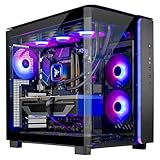
The O11 Vision is the best-appointed machine here at around $2,000, and the spec sheet reads like a wishlist: an X670 motherboard, 32GB of DDR5-5600, a 1TB Gen4 NVMe SSD, an 850W Gold ATX 3.0 PSU, a 360mm ARGB all-in-one cooler, Wi-Fi, and Windows 11. The RTX 5070 with 12GB of VRAM is comfortably more GPU than 1080p needs, with genuine 1440p and even 4K capability. In an O11-style dual-chamber case, it is also the one you will not mind sitting on your desk. It shares the same flaw as the Gaming Edge — it is overkill at 1080p — but it justifies itself on build quality and components.
- 850W Gold ATX 3.0 PSU and 360mm AIO leave room for any future GPU
- 32GB DDR5 and X670 board make this the most complete platform here
- You pay for features a 1080p player will not use
Skip it if you will never leave 1080p — the $1,199 RTX 5060 build plays the same games at the same settings.
7. Skytech Gaming PC (Ryzen 7 9850X3D, RX 9070 XT, 32GB RAM, 2TB SSD) — around $2,900
At around $2,900, this is our top-ranked machine on pure merit and our worst value for a 1080p buyer, and both statements are true. The 9850X3D is the fastest gaming CPU available, the RX 9070 XT is a heavyweight GPU, and 32GB of RAM with a 2TB SSD means nothing on this machine is a compromise. In 1080p esports it will outpace virtually everything, and it will remain excellent at 1440p and 4K for years. But the entire $1,700 premium over the O11 Vision buys you nothing visible on a 1080p monitor. This is the pick only if budget genuinely is not a constraint and you want the best machine that happens to also do 1080p perfectly.
- Highest-end CPU and GPU combination with no weak links
- 2TB SSD and 32GB RAM mean no near-term upgrades needed
- Dramatically overkill for 1080p at nearly $3,000
Skip it unless your monitor plans extend well past 1080p.
8. Skytech Gaming PC (Ryzen 7 9850X3D, RTX 5080, 32GB RAM, 2TB SSD) — around $3,700
The around $3,700 flagship pairs the 9850X3D with an RTX 5080, 32GB of RAM, and a 2TB SSD — a system built for 4K high refresh that happens to make 1080p look effortless. There is no scenario in which a 1080p-only buyer should purchase this, and we will not pretend otherwise; it appears here as the ceiling of the category and because some readers explicitly want the no-limits option. If you buy it, know what you are getting: the fastest CPU on the market, an RTX 5080 with substantial VRAM, and a machine that will not need a GPU swap for many years across any resolution.
- RTX 5080 and 9850X3D leave zero performance on the table
- 2TB SSD and 32GB RAM cover any workload alongside gaming
- Nearly $3,000 of this price is invisible at 1080p
Skip it, obviously, unless 1080p is just your starting monitor.
Buying Guide
GPU First, Always, at 1080p
At 1920×1080, the graphics card does roughly 70 percent of the work in games. An RTX 5060 with a mid-range CPU will beat a top-tier CPU with an entry GPU in every title you care about. For 1080p in 2026, the RX 6500 XT is the floor for esports, the RTX 5060 is the sweet spot, and the RTX 5060 Ti adds headroom. Anything at the RX 9070 XT or RTX 5070 level and above is 1440p silicon — great, but wasted on a 1080p panel. Also watch VRAM: 8GB is the practical minimum for new releases, and cards below that will stutter in heavy textures.
Platform Matters More Than You Think
AM4 systems (Ryzen 5 4500, Ryzen 7 5700X) are cheaper and perfectly good today, but their upgrade path is closed — you are buying a finished platform. AM5 systems (Ryzen 5 9600X, Ryzen 7 7800X3D, 7700X, 9850X3D) support current and likely future Ryzen generations, DDR5 memory, and PCIe 5.0 on the better boards. If you upgrade components every two to three years, pay the AM5 premium. If you buy once and replace the whole machine in five years, save the money and go AM4. Either way, insist on 16GB of RAM minimum; 32GB is the comfort zone.
Storage, PSU, and the $800 Reality
Sub-$800 prebuilts survive on three cuts: a small SSD, a modest GPU, and a budget PSU. A 512GB drive holds one Windows install, a few applications, and maybe three modern games — budget $50–80 for a 1TB expansion almost immediately. Check the PSU wattage before adding any GPU later; a quality 550–650W unit covers an RTX 5060 class card, while the 850W Gold ATX 3.0 unit in the O11 Vision covers anything on the market. Finally, the hard truth: in 2026, $800 buys a real but modest 1080p machine. The honest sweet spot for high-refresh 1080p is $1,200–1,500, and every dollar below that trades storage and settings, not just speed.
Our Verdict
If $800 is a hard line, buy the LXZ at around $660 — it is the only honest sub-$800 machine here and a solid entry into PC gaming. If you can stretch to around $1,200, the Ryzen 7 5700X / RTX 5060 / 1TB build is our outright recommendation for 1080p: the right GPU, enough CPU, double the storage of its rivals, and the lowest cost per frame of anything tested. KOTIN’s around $1,500 build is the upgrade-path pick, and the Skytech O11 Vision is the best machine money needs to buy for this resolution — everything above it is buying performance your 1080p monitor cannot show you.
FAQ
Can you actually get a good prebuilt gaming PC under $800?
Yes, but with defined limits. The LXZ at around $660 delivers a real six-core CPU, 16GB of RAM, and an RX 6500 XT — genuinely good for esports and older or well-optimized titles at 1080p. What $800 cannot buy is high settings in new AAA releases or more than ~512GB of fast storage. Treat sub-$800 as an esports-and-medium-settings tier, and plan a $50–80 SSD upgrade.
Is an RTX 5060 overkill for 1080p?
No — it is the sweet spot. The RTX 5060 runs most games at high or max settings at 1080p and drives 144Hz and faster monitors in competitive titles, with DLSS and frame generation extending its life. It is the least GPU we would recommend for a new AAA-focused 1080p build in 2026. Cards below it force settings compromises; cards above it are mostly paying for resolutions you are not using.
How much should a good 1080p gaming PC cost in 2026?
Plan on $1,200–1,500 for a machine that plays everything well and lasts four to five years: an RTX 5060 or 5060 Ti, an 8-core CPU, 16GB of RAM, and a 1TB SSD. Below $800 you get the entry tier described above; above $1,500 you are buying 1440p-class hardware or platform longevity, both worthwhile but neither required for 1080p.
Is AM4 still worth buying, or should I only consider AM5?
AM4 is still worth it if you are buying once and not upgrading — the Ryzen 7 5700X builds here are the best value per frame on the list. Choose AM5 if you expect to swap in a faster CPU in a few years, want DDR5, or plan to keep the motherboard across two or three GPU generations. The price gap in this roundup is roughly $300, which is exactly the cost of that flexibility.
Related guides
- Best Gaming PC for Fortnite: Eight Prebuilt Desktops Sorted by Refresh Rate Goal (2026)
- Best RX 9070 XT Prebuilt Gaming PCs: Seven Desktops and Three Cards Compared: 10 Compared (2026)
- CyberPowerPC vs iBUYPOWER Gaming PC: How the Two Brands Compare
- Best RX 9070 XT Prebuilt Gaming PC (2026): 5 Picks Compared









