
Every home office has a moment when the old tower under the desk stops being a background hum and starts being a problem. Maybe it’s the six-year-old desktop that takes four minutes to boot before your first video call, or the full-size case dominating a small spare bedroom that doubles as a guest room. A barebones kit solves this differently than a prebuilt: you get the chassis, motherboard, and cooling already matched by the manufacturer, then you drop in your own RAM, storage, and — on some models — your own CPU. That means you control the cost, you control the specs, and you end up with a machine that can be smaller than a hardcover book yet drive four monitors at 4K.
We’ve worked through the current field of mini PCs and compact barebones kits, from $159 entry-level Intel kits to a $600 ASUS NUC 15 Pro, and ranked them for actual home office work: document multitasking, video calls, browser-heavy research, light photo editing, and the occasional stretch into creative work. Below you’ll find quick picks, detailed mini-reviews, and a buying guide covering RAM, storage, and cooling so you can budget the full build, not just the box.
As an Amazon Associate we earn from qualifying purchases at no extra cost to you.


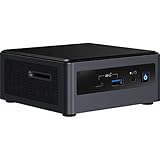

Our Top Picks
 Intel NUC 13 Pro NUC13ANHi5 Arena Canyon MiniNUC13 i5 0GB+0GB, Barebone4.6 x 4.4 x 2.1 InchesCheck on Amazon


Top 3 picks at a glance
Quick Picks
| Product | Best for | Price |
|---|---|---|
| Intel NUC 13 Pro (NUC13ANHi5) | Best overall home office barebones kit | $489 |
| Intel NUC 8 Mainstream Kit (NUC8i3BEK) | Best budget pick for light duty | $159 |
| ASUS NUC 15 Pro Barebone Kit | Best for long-term peace of mind | Check on Amazon |
| ASRock DeskMeet B760 | Best for DIY builders who want full-size parts | Check on Amazon |
| Intel NUC 9 Extreme Compute Element (NUC9i9QNB) | Best cheap path to serious CPU power | $300 |
| ASRock DeskMini X300 | Best compact AMD option | Check on Amazon |
| Intel NUC 10 Performance Kit (Core i3) | Best for basic productivity on a known platform | $325 |
| Intel NUC 11 (NUC11PAHi5) | Best for quad-display and 8K output | Check on Amazon |
How We Compared
We evaluated each kit against the same criteria a home office buyer actually cares about. First, completeness of the platform: a true barebones kit needs a working chassis, power solution, and cooling, with only RAM, storage, and sometimes a CPU left to buy. Second, connectivity: how many displays it drives, at what resolution, and whether modern conveniences like Wi-Fi 6E and Bluetooth 5.x are included. Third, upgradeability — socketed CPUs and standard DIMM slots extend a machine’s useful life. Fourth, price relative to what you still need to buy; a $489 kit that needs $150 of RAM and storage is a different purchase than a $159 kit with the same add-ons. We did not fabricate benchmark scores; instead we leaned on published specifications, platform capabilities, and how each kit’s feature set maps to real desk work.
The 8 Best Picks
1. Intel NUC 13 Pro (NUC13ANHi5 Arena Canyon)
The NUC 13 Pro is the sweet spot for a modern home office. The Core i5-1340P is a 13th-gen P-series chip with enough headroom for heavy browser sessions, video calls, and light creative work, and the kit supports quad displays at up to 8K or 4K — genuinely useful if you run three monitors plus a vertical screen. Wi-Fi 6E, Bluetooth 5.3, and Thunderbolt 4 mean fast wireless, fast docks, and fast external storage for years to come. It ships with no RAM, no SSD, and no OS, so budget roughly $150–$200 extra for a clean build.
- Pros: Thunderbolt 4 and quad-display support for serious multi-monitor setups; 13th-gen Core i5 performance that stays responsive under heavy multitasking.
- Con: No RAM, SSD, or OS included, so the real build cost lands closer to $650.
Skip it if you only answer email and browse — the $159 NUC 8 below costs a third as much.
2. Intel NUC 8 Mainstream Kit (NUC8i3BEK)
This is the cheapest legitimate way into a name-brand barebones kit. The NUC8i3BEK is a short-chassis kit built around a Core i3, and it remains perfectly usable for word processing, spreadsheets, email, and web work — the core of most home offices. It’s an older platform, so expect DDR4 SODIMMs, Wi-Fi 5-era wireless, and no Thunderbolt, but at $159 the kit leaves a generous budget for 16GB of RAM and a fast NVMe SSD. Total build cost can still land under $350, which is hard to beat from any major brand.
- Pros: Exceptional price for a complete Intel barebones platform; small short-chassis design that disappears behind a monitor.
- Con: Aging Core i3 platform that will feel slow with dozens of browser tabs and modern video calls running together.
Skip it if you run multiple 4K displays or edit photos regularly.
3. ASUS NUC 15 Pro Barebone Kit
ASUS now builds the NUC line, and the NUC 15 Pro is its current-generation take on the business mini PC — sold here as a DIY barebones kit with a three-year warranty, which is the standout feature at this price. That warranty matters when the machine underpinning your income is the same one you’re assembling yourself. You’re paying a premium over the Intel NUC 13 Pro, but you get the newest platform generation and long-term support. Like all true barebones kits, plan on adding your own RAM, storage, and operating system.
- Pros: Three-year warranty is rare among DIY barebones kits; current-generation platform with modern I/O for future-proofing.
- Con: At around $600 it’s the most expensive kit here before you’ve added a single component.
Skip it if budget rules — the NUC 13 Pro delivers most of the experience for over $100 less.
4. ASRock DeskMeet B760
The DeskMeet B760 is the kit for people who actually want to build. This 8-liter compact desktop accepts standard 14th, 13th, or 12th Gen Intel LGA1700 CPUs — including 65W and lower-TDP chips — along with standard DDR4 memory and a PCIe 4.0 x16 slot for a graphics card if you ever want one. A 500W 80 Plus Bronze power supply is built in, which is why this kit asks around $200 while including more hardware than any NUC here. Bring your own CPU, cooler considerations aside, RAM, and storage, and you can scale from an office workhorse to a genuine small-form-factor gaming or creative machine.
- Pros: Socketed LGA1700 support means full CPU choice across three Intel generations; built-in 500W Bronze PSU and PCIe 4.0 x16 slot leave real upgrade paths.
- Con: At 8 liters it’s far larger than a NUC and won’t hide behind a monitor.
Skip it if desk or shelf space is your primary constraint.
5. Intel NUC 9 Extreme Compute Element (NUC9i9QNB)
The NUC 9 Extreme Compute Element is an unusual, discontinued-platform bargain. It’s built around an octa-core Core i9-9980HK laptop chip — eight cores and sixteen threads at $300 — which is remarkable CPU muscle for the money. The catch: this is a compute element, not a complete mini PC. It slots into a NUC 9 Extreme chassis (sold separately, often found used) that provides power and PCIe slots for a full-height graphics card. If you already own or can cheaply source the NUC 9 chassis, this is a spectacular deal for a video-editing or heavy-multitasking office machine.
- Pros: Eight-core Core i9 performance at a $300 price that no current kit matches; modular design pairs with a chassis that accepts full-size graphics cards.
- Con: Requires a separate NUC 9 Extreme chassis to function, adding cost and complexity most home offices don’t want.
Skip it unless you specifically have or can get the matching chassis.
6. ASRock DeskMini X300
The DeskMini X300 is the AMD counterpart to the Intel NUCs, and it’s the most flexible small kit here. In 1.92 liters it fits a socketed AM4 motherboard accepting Ryzen 5000, 4000, 3000, or 2000 series desktop CPUs — meaning you can drop in a budget Ryzen 3 today and a fast Ryzen 7 later. Triple-display output and 2.5G LAN (rare at this price) make it a genuinely modern office machine, and DDR4 keeps memory costs low. At around $170 plus your CPU and components, a full build with a Ryzen 5 lands comfortably under $450.
- Pros: Socketed AM4 CPU support gives unmatched upgrade flexibility in a tiny chassis; 2.5G LAN for fast wired networks.
- Con: CPU not included, and AMD stock coolers can be tight fits in the compact chassis.
Skip it if you want a kit where only RAM and storage are your problem.
7. Intel NUC 10 Performance Kit – Core i3 (Tall Chassis)
The NUC 10 Performance Kit in its tall chassis is the “known quantity” pick. It pairs a Comet Lake Core i3 with a roomier case that adds a 2.5-inch drive bay alongside M.2 storage — handy if you have an old SSD or hard drive with files you want to keep. The tall chassis also improves thermals, so the fan runs quieter under sustained loads than the short NUC 8. At $325 it’s pricier than the NUC 8 for a similar tier of performance, so you’re paying for the extra storage bay, cooling headroom, and newer platform.
- Pros: Tall chassis adds a 2.5-inch drive bay and better sustained cooling; straightforward Intel platform that’s easy to set up and support.
- Con: $325 for Core i3 performance is a lot when the ASRock DeskMini X300 offers socketed desktop CPUs for less.
Skip it if you don’t need the extra drive bay — the NUC 8 does the same job for less.
8. Intel NUC 11 (NUC11PAHi5)
The NUC11PAHi5 “Panther Canyon” sits between the budget kits and the NUC 13 Pro. Its Core i5-1135G7 with Iris Xe graphics supports up to 8K output and quad-display configurations, plus Thunderbolt 3 and Wi-Fi 6 — a strong I/O story for a multi-monitor office. This listing ships with 0GB RAM and 0GB storage as a true barebone, so budget $150–$200 on top of the around $570 kit price. For most buyers the NUC 13 Pro at $489 is the better buy with a newer CPU and Thunderbolt 4, but if NUC 11 pricing in your region dips below the NUC 13, it remains a capable quad-screen machine.
- Pros: Quad-display and 8K support with Thunderbolt 3 for docks and fast external drives; Iris Xe graphics handle photo editing smoothly.
- Con: Older 11th-gen chip at around $570 undercuts its own value versus the newer NUC 13 Pro.
Skip it unless you find it meaningfully discounted.
Buying Guide
Budget Beyond the Kit Price
The sticker price is only part of the story. Every kit here needs RAM and storage; most need a CPU and operating system too. SODIMM laptops-style memory for a NUC runs about $45–$70 for 16GB of DDR4, while a fast 1TB NVMe SSD is roughly $60–$90. Windows 11 Home adds around $140 if you don’t have a license, though free Linux options work well for many offices. Realistic all-in totals: about $320 for a NUC 8 build, $400–$475 for a DeskMini X300 with a Ryzen 5, and $650–$700 for a NUC 13 Pro or ASUS NUC 15 Pro. Price your complete build before comparing kits.
Match the Chassis Size to Your Space
These kits span nearly a 10x range in volume. NUC-class machines occupy roughly 0.5–1.4 liters — small enough to VESA-mount behind a monitor. The ASRock DeskMini X300 is 1.92 liters, still desk-friendly. The DeskMeet B760 is 8 liters, closer to a shoebox, and needs shelf or floor space but accepts desktop-grade parts. Measure your space honestly, and remember smaller chassis mean smaller, sometimes louder fans under sustained load. If quiet matters for calls and recording, the larger tall-chassis options hold an advantage.
Displays, Ports, and Network
Count your monitors first. Dual-screen workers are served by everything here, but triple or quad setups require the NUC 11, NUC 13 Pro, or DeskMini X300 (triple display). Thunderbolt 4 on the NUC 13 Pro is the most future-proof port for docks that turn one cable into displays, gigabit Ethernet, and charging. On networks, Wi-Fi 6E (NUC 13 Pro) handles crowded wireless environments best, and the DeskMini X300’s 2.5G LAN is a genuine perk if your router and internet plan support multi-gig speeds. Anyone doing large file transfers or cloud backups should prioritize wired Ethernet regardless.
Our Verdict
For most home offices, the Intel NUC 13 Pro is the kit to buy: a current 13th-gen Core i5, Thunderbolt 4, Wi-Fi 6E, and quad-display support for $489, with total build cost near $650–$700. Budget buyers should grab the Intel NUC 8 at $159 for light work or the ASRock DeskMini X300 at around $170 if they want socketed CPU upgradeability. Tinkerers wanting graphics-card potential and desktop CPUs should choose the ASRock DeskMeet B760 at around $200. And if warranty support matters most — say, this machine runs your business — the ASUS NUC 15 Pro’s three-year coverage justifies its around $600 price.
FAQ
Do barebones kits include an operating system?
No. Every kit in this roundup ships without an OS, and most also lack RAM and storage. You’ll install Windows 11 (roughly $140 for a Home license), Linux, or ChromeOS Flex yourself, along with your chosen memory and drive. Setup is straightforward: RAM and M.2 drives click into accessible slots, and most kits boot to a USB installer in minutes.
How much RAM and storage does a home office PC actually need?
For typical office work in 2026 — dozens of browser tabs, video calls, and Office documents — 16GB of RAM and a 500GB–1TB NVMe SSD is the practical sweet spot. Step up to 32GB if you run virtual machines, edit large photos, or keep heavy spreadsheets open all day. All eight kits here support user-replaceable memory and storage, so you can start modest and add later.
Is a barebones mini PC powerful enough to replace a desktop tower?
For office work, absolutely. Kits like the NUC 13 Pro use the same 13th-gen Intel silicon found in mainstream laptops and handle productivity loads without strain. Where towers still win is sustained heavy loads — video rendering, high-end gaming, or workstation GPUs. The ASRock DeskMeet B760 narrows that gap, since its PCIe 4.0 x16 slot and 500W PSU accept a discrete graphics card.
Which kit offers the best upgrade path?
The ASRock DeskMini X300 leads on CPU flexibility thanks to its socketed AM4 board that accepts Ryzen 2000 through 5000 series desktop chips, letting you swap in a faster processor years from now. The ASRock DeskMeet B760 is close behind with LGA1700 support across three Intel generations plus a graphics card slot. NUC-class kits are limited to RAM and storage upgrades, since their CPUs are soldered — which is why buying current-generation silicon in a NUC matters more.
Related guides
- Best Gaming PC for Fortnite: Eight Prebuilt Desktops Sorted by Refresh Rate Goal (2026)
- Best RX 9070 XT Prebuilt Gaming PCs: Seven Desktops and Three Cards Compared: 10 Compared (2026)
- CyberPowerPC vs iBUYPOWER Gaming PC: How the Two Brands Compare
- Best RX 9070 XT Prebuilt Gaming PC (2026): 5 Picks Compared









