
The best prebuilt gaming pc under 1000 in 2026 is a tower with a current entry enthusiast GPU such as an RTX 4060, RTX 5060 or RX 7600 class card, paired with a modern 6-core Ryzen 5 or Core i5, 16GB of DDR4 or DDR5 memory, and a 1TB NVMe SSD.
As an Amazon Associate we earn from qualifying purchases at no extra cost to you.


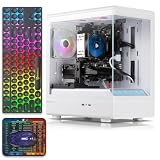


If you just want the short answer for a prebuilt gaming pc under 1000 dollars: prioritize the graphics card first, the SSD and RAM configuration second, and the CPU brand last. At this budget, the difference between a balanced RTX 4060 class system and a mismatched system with an older 4GB card is far larger than any difference between AMD and Intel CPUs in the same price tier.
This guide is built for real buyers on custombuiltgamingpc.com — first-time PC gamers, parents buying a best gaming desktop pc under 1000, students in dorms, and upgraders who want plug-and-play without building. Every recommendation below is based on manufacturer specifications and product positioning, not lab benchmarks.
Our Top Picks


Top 3 picks at a glance
What to realistically expect from the best prebuilt pc under 1000
The sub-1000 market in 2026 is split into three distinct tiers. Understanding which tier you are shopping in prevents the most common disappointment: paying a mid-tier price for entry-tier graphics.
-
Entry esports tier, broad low to mid 300s range: Integrated graphics or very old entry cards with 4GB of VRAM, typically 8GB to 16GB RAM and 512GB SSD. Suitable for Valorant, League of Legends, Rocket League, Minecraft, Roblox, Fortnite at modest settings, plus school and office work. Not suitable for recent AAA releases at high settings.
-
Balanced 1080p tier, broad mid 500s to upper 600s range: Previous-generation midrange cards such as RTX 2060, RTX 3050 8GB, or RX 6600 class equivalents, usually with a Core i5 or Ryzen 5, 16GB RAM and 512GB to 1TB SSD. This is where most buyers looking for a pre built gaming pc under 1000 should focus. It handles 1080p at medium to high settings in mainstream games and supports features like DLSS or FSR on supported titles.
-
Top of budget tier, broad high 800s to just under 1000 range: RTX 4060 or RTX 5060 class cards with Ryzen 5 5500-class or Core i5-14400F-class CPUs, 16GB of DDR4-3200 or DDR4/DDR5-3600+ memory and 1TB NVMe storage. These are the only configurations in this roundup that make sense for 1080p high-refresh gaming, light 1440p, streaming with OBS, and longer upgrade runway.
Decision matrix: which configuration fits your room and use case
Do not start with brand names. Start with where the PC will live and what it has to run. Use this matrix to narrow to one row, then shop only within that row.
| Use case | GPU class to target | RAM / SSD minimum | Connectivity to confirm | Who should skip |
|---|---|---|---|---|
| Bedroom 1080p gaming, single monitor | RTX 3050 6GB / 8GB or RTX 2060 class or newer | 16GB DDR4-3200 / 512GB NVMe minimum, 1TB preferred | Wi-Fi built-in, HDMI + DisplayPort | Skip 4GB cards and 256GB-only drives; you will run out of VRAM and storage in the first year |
| Esports + schoolwork on a tight budget | Integrated graphics or basic discrete is acceptable if priced accordingly | 8GB minimum, 16GB preferred / 256GB minimum | Wi-Fi 6, Bluetooth for dorm use | Skip if you plan to play AAA releases; save for the next tier instead of buying twice |
| Dorm / Wi-Fi only setup | Any of the above, but Wi-Fi matters more than CPU bump | 16GB / 512GB minimum | Wi-Fi 5 minimum, Wi-Fi 6 preferred; front USB ports | Skip towers that list Ethernet only with no wireless module |
| Streaming and content creation corner | RTX 4060 / RTX 5060 class for NVENC encoding headroom | 16GB minimum, 32GB upgrade path / 1TB NVMe | Extra USB for mic and camera, dual display outputs | Skip 6GB cards and 8GB RAM systems for this workload |
| Second PC / guest room / indie library | RX 590 8GB, GTX 1660 class or similar older midrange if discounted | 16GB / 512GB | Windows 11 included, quiet cooling preferred | Skip if you need driver longevity, ray tracing, or modern upscaling |
GPU first: how to read listings without getting misled
Under 1000, the graphics card determines 70 percent of gaming value. Two listings can both say Core i7 and 16GB RAM, yet perform in completely different classes because of the GPU.
Current generation vs older generation trade-off
A current entry card like an RTX 4060 or RTX 5060 class GPU offers three advantages that specifications alone do not fully show: more efficient architecture, ongoing driver support, and access to current upscaling and frame generation features where supported. An older card like an RTX 2060 or RTX 3050 can still be good value when the overall system is priced in the mid 500s to mid 600s range, because at 1080p those cards remain competent for medium to high settings in many titles.
Cards two or three generations older, such as RX 590 8GB, RX 560 4GB, or even older entry models, should only be considered when the total system cost is substantially lower. The 8GB of VRAM on an RX 590, for example, helps with texture capacity, but it does not add ray tracing support or modern upscaling. Reason: VRAM capacity helps avoid stutter from texture swapping, while architecture determines which software features the card can run at all.
VRAM rules that actually matter in 2026
-
4GB: Only acceptable for esports and older titles at 1080p low to medium settings. Avoid for new AAA games at high textures.
-
6GB: Workable for 1080p medium to high in most current games, especially with upscaling enabled. Expect to lower texture settings first as games get heavier.
-
8GB or more: Preferred if you want to run high textures at 1080p, try 1440p, or keep the GPU longer without upgrading. This is why an RTX 3050 8GB configuration is often more future-flexible than a 6GB version in the same GPU family.
Worked comparison: where the extra money actually goes
Consider three typical best prebuilt pc under 1000 configurations you will see from established lines like Lenovo Legion Tower 5i, HP Victus 15L and OMEN 25L, MSI MAG Codex 5, ASUS ROG Strix series, Acer Nitro N50, CyberPowerPC Gamer Master and Gamer Xtreme, iBUYPOWER TraceMesh and SlateMR, and Skytech Shadow and Blaze lines:
Example A: Balanced mid-tier tower with Ryzen 5 or Core i5, RTX 3050 or RTX 2060 class, 16GB DDR4, 512GB SSD. Example B: Top-tier tower with Core i5-14400F class or Ryzen 5 5600 class, RTX 4060 or RTX 5060 class, 16GB DDR4-3600, 1TB NVMe. The price gap between these examples usually falls in the broad 300 to 400 range.
What that gap buys: one full GPU tier jump, double the SSD capacity from 512GB to 1TB, and faster RAM. Reason it matters: modern installs for Call of Duty, Baldur’s Gate 3, Starfield class games can exceed 100GB each, so 512GB holds the operating system plus only three to four large games. Moving to 1TB removes storage management as a weekly chore. The GPU jump extends useful 1080p high-settings life and improves streaming encoder quality on NVIDIA cards.
When to save the money: if the PC is for a teen playing Fortnite, Apex Legends, and Minecraft, or as a second setup, Example A is the rational stop. Put the savings toward a 1080p 144Hz monitor, keyboard, and headset. When to spend it: if this is your only PC for the next three to four years and you play AAA releases, the top-tier configuration is cheaper than buying Example A now and replacing the GPU in 18 months.
CPU, RAM, storage and power: the checklist before you click buy
Use this checklist in order. If a listing fails point one or two, move on regardless of RGB or case design.
-
1. CPU generation, not just i5 or i7: Look for Ryzen 5 5500, Ryzen 5 5600, Core i5-12400F, Core i5-13400F, Core i5-14400F or Ryzen 7 / Core i7 equivalents from the last three generations. Reason: a recent Core i5 often outperforms an older Core i7 in games while running cooler. Clock speed alone, such as up to 3.9GHz, tells you little without the exact model number.
-
2. RAM capacity and speed: 16GB is the target for gaming plus Discord plus a browser in 2026. 8GB is workable only for esports and schoolwork. If DDR4, look for 3200MHz or 3600MHz in dual-channel. Reason: Ryzen in particular benefits from faster dual-channel memory for stable frame times.
-
3. SSD type and size: NVMe M.2 is the standard to insist on. 1TB is ideal, 512GB is acceptable if the system has an open M.2 slot for later. 256GB is only acceptable on the cheapest esports systems. Reason: SATA and small drives increase load times and force constant uninstalls.
-
4. Power supply headroom: Confirm wattage and upgrade path. A 400W to 500W unit is common at this budget and fine for RTX 3050 class builds, but a future move to a higher-tier GPU will usually require a PSU upgrade. Reason: prebuilts often use non-modular units with limited PCIe cables.
-
5. Wireless and case fit: Confirm Wi-Fi and Bluetooth version if you cannot run Ethernet, and measure desk clearance. Many mid-towers need 18 to 20 inches of vertical space with room for rear exhaust. Reason: dorm and bedroom setups often rely on Wi-Fi 6, and returns for fit issues are avoidable.
What to avoid in pre built gaming pc under 1000 listings
Most bad purchases under 1000 share the same patterns. Flag any listing that does any of the following:
-
Pairs a modern Ryzen 5 or Core i5/i7 label with a very old 2GB to 4GB card without disclosing the exact GPU model and VRAM.
-
Lists Core i7 with no generation, no chipset, no RAM speed, and no SSD model. Transparency correlates with support quality.
-
Shows only total RAM and total storage in the title but hides whether storage is NVMe SSD, SATA SSD, or hard drive.
-
Advertises gaming but ships with integrated graphics only at a mid-tier price. Integrated graphics is fine only when the system is priced in the entry tier.
-
Has a single 8GB stick instead of 2x8GB. Single-channel operation reduces performance on both AMD and Intel platforms.
Setting up a best gaming desktop pc under 1000 for 1080p
Once unboxed, these criteria help you get stable performance without manual overclocking:
-
Update Windows, motherboard chipset driver, and GPU driver from NVIDIA or AMD before installing games. Reason: prebuilt images are often months old.
-
Enable XMP or EXPO in BIOS so 3200MHz or 3600MHz kits do not run at 2133MHz defaults. Reason: this is the most common free performance left on the table.
-
Set a 1080p baseline: esports titles at high settings targeting high refresh, AAA titles at medium to high settings with upscaling set to Quality where available. Reason: upscaling gives more headroom than lowering resolution.
-
Keep 15 to 20 percent of the SSD free. Reason: full NVMe drives lose sustained write performance and Windows update headroom.
FAQ: closely related ways buyers search this topic
Is a prebuilt gaming pc under 1000 dollars enough in 2026?
Yes, for 1080p gaming. A balanced system with 16GB RAM, 1TB NVMe, and an RTX 3050 class GPU or better covers esports at high refresh and AAA titles at medium to high settings. For 1440p high settings or heavy streaming plus editing, plan for the top of the budget with an RTX 4060 or RTX 5060 class card or increase the budget.
What is the best prebuilt pc under 1000 for students?
Choose a compact tower with built-in Wi-Fi, Windows 11, 16GB RAM and at least 512GB NVMe. If the dorm has Wi-Fi only, do not buy a tower with Ethernet only. Entry configurations handle schoolwork plus esports, while mid-tier configurations add AAA capability without needing assembly tools or extra software purchases.
Should I choose DIY or a pre built gaming pc under 1000?
At this budget, prebuilts are often competitive because system integrators bundle Windows, assembly, warranty, and Wi-Fi hardware. DIY makes more sense when you already own a GPU, case, or Windows license, or when you want specific motherboard and power supply models for future upgrades. Otherwise, a well-specified prebuilt usually saves time with similar component value.
How much RAM and SSD do I need in a best gaming desktop pc under 1000?
Target 16GB RAM and 1TB NVMe if this is your primary gaming PC. Accept 16GB with 512GB if you play only a few games at a time and the motherboard has an open M.2 slot. Accept 8GB with 256GB only on entry systems meant for esports and schoolwork, with a plan to add memory later.
Bottom line: filter first by GPU class and VRAM, second by 16GB RAM and 1TB SSD, third by Wi-Fi and exact CPU model. That order is how you turn a crowded under-1000 category into a short list of two or three systems that fit your room, your games, and your upgrade plans.
Related guides
- Best Gaming PC for Fortnite: Eight Prebuilt Desktops Sorted by Refresh Rate Goal (2026)
- Best RX 9070 XT Prebuilt Gaming PCs: Seven Desktops and Three Cards Compared: 10 Compared (2026)
- CyberPowerPC vs iBUYPOWER Gaming PC: How the Two Brands Compare
- Best RX 9070 XT Prebuilt Gaming PC (2026): 5 Picks Compared









