
When two generations of AMD’s desktop CPUs share the same socket and platform, the buying question stops being “which is faster” and becomes “is the newer one worth the price gap for gaming.” Ryzen 9000 and Ryzen 7000 both drop into AM5 boards, both use DDR5, and both offer standard and X3D cache variants. For a gaming build, the answer hinges less on the raw generation and more on which specific chip and whether you can get the older one at a discount.
As an Amazon Associate we earn from qualifying purchases at no extra cost to you.
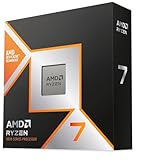
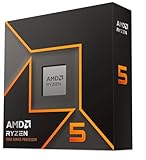


Our Top Picks



Top 3 picks at a glance
What actually changed generation to generation
The newer generation brings architectural efficiency and clock improvements that show up as modest single-digit to low-double-digit gains in many games, plus better power efficiency. That sounds nice, but gaming is often GPU-limited at 1440p and 4K, so the real-world gap narrows the higher you push resolution. At 1080p with a fast GPU, the newer chips pull ahead more clearly; at 4K, the two generations frequently land within a few frames of each other.
The X3D factor
For pure gaming, AMD’s 3D V-Cache (X3D) chips matter more than the generation number. A previous-gen X3D part often beats a newer non-X3D chip in games because the extra cache feeds the cores so well. So a smart shopper compares an older X3D against a newer standard chip, not just generation to generation.
| Scenario | Better value pick | Reason |
|---|---|---|
| Pure 1080p/1440p gaming | X3D chip (either gen on sale) | Cache beats clocks in games |
| 4K gaming | Cheaper of the two | GPU-limited; CPU gap shrinks |
| Game + stream / editing | Newer standard chip | Efficiency and multi-thread gains |
| Tight budget, same socket | Discounted 7000 | Same AM5 upgrade path later |
Platform longevity works in your favor
Because both generations share AM5, buying the older chip today does not trap you. You can pop in a newer or future AMD CPU on the same board after a BIOS update, so a discounted 7000-series chip is a legitimate way to start now and upgrade the CPU alone later. That shared-socket safety net is a big reason not to overpay for the newest part if your budget is tight.
Don’t forget the rest of the platform
Whichever generation you choose, the supporting parts shape the real-world result as much as the CPU badge. Both generations run DDR5, and on this platform memory speed genuinely affects gaming performance, so a well-matched kit around the sweet-spot speed and tuned timings can add frames that a slightly faster CPU would not. Spending an extra $30 on better memory frequently does more for gaming than stepping up one CPU tier, which is exactly the kind of trade the generation-number debate tends to overlook.
Cooling and power scale with the chip, not the generation
Higher-core and higher-clock chips draw and dissipate more heat regardless of which generation they belong to, so match the cooler to the specific model’s thermal output rather than assuming the newer generation runs cooler by default. The efficiency gains of a newer generation are real but modest; a capable tower air cooler or a 240mm AIO handles the popular gaming chips in either family. Similarly, a quality 650–750W power supply covers a single-GPU AM5 gaming build across both generations, so you rarely need to rebuy the PSU when you upgrade the CPU later.
Match the CPU to your GPU and resolution
The smartest way to settle the generation question is to look at your GPU and target resolution first. A mid-range GPU at 1440p will not expose the difference between the two generations, making the cheaper chip the obvious pick. A flagship GPU chasing high frame rates at 1080p is the one scenario where the newest, fastest chip, ideally an X3D part, actually stretches its legs. Buy the CPU your GPU and monitor can actually use, not the one with the biggest number.
Frequently asked questions
Is Ryzen 9000 worth the extra money over 7000 for gaming?
Only sometimes. At 1080p with a high-end GPU the newer generation shows a real but modest lead; at 1440p and 4K the gap often shrinks to a few frames. If the older chip is meaningfully cheaper, or if it is an X3D variant, it is frequently the smarter gaming buy.
Should I pick an X3D chip or a newer non-X3D chip?
For gaming, the extra cache on an X3D part usually wins, even against a newer standard chip. If you also do heavy multi-threaded work like rendering, a newer standard chip with more cores may serve you better overall.
Bottom line
For a gaming build, do not fixate on the generation number. Prioritize an X3D chip for the best frame rates, lean on the cheaper generation at 1440p and 4K where games are GPU-limited, and remember that shared AM5 support means a discounted 7000-series part keeps your future upgrade path fully open.

