
MMORPGs punish the wrong hardware in ways single-player games never do. A raid boss in Final Fantasy XIV, a 40-player siege in Elder Scrolls Online, or a packed capital city in World of Warcraft throws hundreds of player models, spell effects, and nameplates at your CPU all at once. That is why an MMO build should lean harder on the processor and memory than a pure shooter rig of the same price. This guide walks through a balanced build that stays smooth when the screen fills up.
As an Amazon Associate we earn from qualifying purchases at no extra cost to you.


Our Top Picks
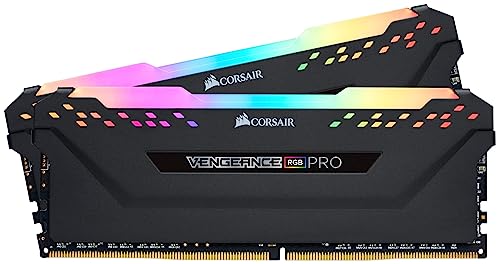
 CORSAIR Vengeance RGB RS DDR5 32GB32GB (2 x 16GB)5.43 x 0.28 x 1.73 inches0.11 PoundsCheck on Amazon

Top 3 picks at a glance
Why MMOs Are CPU and Memory Hungry
Most competitive shooters render a handful of opponents. MMOs simulate crowds. Every visible character needs animation, gear, and buff tracking, and much of that work lands on one or two CPU threads. Add-ons in WoW and combat parsers in FFXIV pile on more. The practical result: a mid-range CPU with strong single-thread performance and 32GB of RAM will out-perform a flashy GPU paired with a weak chip in exactly the moments that matter.
Component Priorities
Spend first on a modern 6 to 8 core CPU with high clocks, then 32GB of DDR5, a fast NVMe drive for zone loading, and a 1440p-class GPU. You do not need a halo graphics card unless you also chase 4K.
Recommended Build by Tier
| Tier | CPU | GPU class | RAM | Storage | Approx. budget | Target |
|---|---|---|---|---|---|---|
| Value | 6-core current-gen | 1080p/1440p mid | 16-32GB DDR5 | 1TB NVMe | $850-1000 | 1080p 100+ FPS |
| Sweet spot | 8-core with high clocks | 1440p upper-mid | 32GB DDR5-6000 | 1-2TB NVMe | $1200-1500 | 1440p 100+ FPS |
| High end | 8-core X3D-class | 1440p/4K high | 32-64GB DDR5 | 2TB Gen4 NVMe | $1800-2200 | 4K 60-90 FPS |
MMO frame rates swing widely between an empty field and a crowded hub, so treat these targets as open-world averages. Dense city zones can drop 30 to 50 percent regardless of GPU, which is exactly why the CPU choice dominates.
Settings and Storage That Help
Tame the crowd
In cities, cap the maximum number of displayed characters and lower shadow and spell-effect density before touching resolution. These options recover more frames in a raid than dropping from Ultra to High textures ever will, and they cost almost no visual quality on your own character.
Load zones faster
A Gen4 NVMe drive shortens the black-screen loading windows between zones and instances. Keep the game and its cache on NVMe; a secondary SATA SSD or hard drive is fine for screenshots and recordings.
Peripherals and Multi-Monitor Considerations
MMO players tend to keep the game running for long sessions and lean on the desktop more than shooter fans do. That changes what you should budget around the tower. A second monitor is genuinely useful for guides, maps, voice chat, and auction or market boards, so plan for a GPU with enough video outputs and a case and desk that fit a dual-monitor layout. A comfortable keyboard with easily reachable extra keys or a programmable mouse pays off in a genre built around dozens of abilities and macros.
Networking matters more than in single-player
MMOs are always online, so a stable connection affects your experience as much as raw frame rate. A wired Ethernet link is worth prioritizing over Wi-Fi for raids and competitive PvP, since latency spikes cause missed ability windows. If wired is impossible, a modern motherboard with a strong Wi-Fi module or a good USB adapter helps. None of this changes the core parts list, but ignoring it can make a fast PC feel worse than a slower one on a solid connection.
Longevity and upgrade path
Because players often stick with one MMO for years, buy with a multi-year horizon: 32GB of memory, a quality 650W-plus power supply, and a platform with an upgrade path let you drop in a stronger GPU later without rebuilding. That keeps the machine current across multiple expansions, which is exactly the timescale MMO players care about.
FAQ
Do I need 64GB of RAM for MMOs?
Not for playing one game. 32GB is the comfortable target and leaves headroom for a browser, Discord, and add-ons. Consider 64GB only if you run multiple clients at once, stream while raiding, or keep dozens of tabs open during play.
Is an X3D-style CPU worth it for MMOs?
Yes, if crowded content is your priority. The large cache helps exactly the CPU-bound moments MMOs create, often adding meaningful minimum-FPS gains in raids and cities. If you mostly quest solo, a standard high-clock 8-core is plenty and saves money.
Bottom Line
Build an MMO PC around a strong single-thread CPU, 32GB of fast memory, and quick NVMe storage, then add as much GPU as your resolution demands. That order keeps you fluid when a hundred players cram into one screen, which is the only benchmark that matters in a genre built around crowds.

