
Big-screen OLED TVs have become fantastic gaming displays: near-instant pixel response, HDMI 2.1 support for 4K at 120Hz, and VRR to keep everything tear-free. Building a PC to actually feed that panel in the living room is a different exercise than a desk build—you need serious 4K graphics power, quiet operation, and the right connectivity.
As an Amazon Associate we earn from qualifying purchases at no extra cost to you.
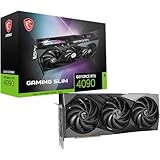


Our Top Picks
 GIGABYTE GeForce RTX 5080 Gaming OC 16G GraphicsRTX508013.46 x 5.59 x 2.76 inches4.03 PoundsCheck on Amazon
 ASUS TUF Gaming GeForce RTX™ 5080 16GB GDDR7RTX5080|OC13.7 x 5.7 x 2.8 inches5 poundsCheck on Amazon


Top 3 picks at a glance
The GPU does the heavy lifting
4K has four times the pixels of 1080p, so the graphics card is the single most important choice. To average 90–120 fps at 4K in modern titles you want a high-end current-gen GPU with 16GB or more of VRAM, leaning on quality upscaling to hit the higher end of that range. Ray tracing at 4K is demanding, so treat upscaling as a core feature, not a crutch.
Recommended configuration
| Component | Target | Notes |
|---|---|---|
| GPU | High-end, 16GB+ VRAM | HDMI 2.1 output required |
| CPU | 8-core current-gen | Prevents CPU limits at 120 fps |
| RAM | 32GB DDR5-6000 | Headroom for AAA + HDR |
| SSD | 2TB NVMe Gen4 | Large modern games, fast loads |
| PSU | 850W 80+ Gold | Transient headroom for a big GPU |
| Cooling/case | Quiet-focused airflow | Living rooms punish noisy fans |
Connectivity is non-negotiable
To get 4K 120Hz with HDR and VRR to an OLED TV, the GPU must output HDMI 2.1 (or use a certified DisplayPort-to-HDMI 2.1 adapter). Confirm this before buying; older HDMI 2.0 tops out at 4K 60Hz and defeats the purpose of the panel. A good 48Gbps HDMI cable matters too.
Noise and heat in the living room
A desk build can be a little loud; a couch build cannot. Choose a case with strong front-mesh airflow, a large air cooler or 240–360mm AIO, and a fan curve tuned for quiet. Undervolting the GPU by 5–10% can cut noise and heat with negligible fps loss—ideal for a room where the PC sits meters from your ears.
Set expectations by game type
Expect 100–120 fps at 4K in competitive and well-optimized titles, and 70–110 fps in heavy AAA games with upscaling. In the most punishing ray-traced scenes you may sit at 55–75 fps, which still feels smooth on an OLED with VRR because the panel eliminates stutter and blur.
Getting the TV settings right
Hardware aside, an OLED TV needs correct settings to shine as a monitor. Enable the TV’s Game Mode to cut input lag from 50ms+ down to roughly 5–15ms, and turn on VRR plus 4K 120Hz in the HDMI input’s advanced settings—many TVs default these off. On the PC, set the desktop to 3840×2160 at 120Hz and enable HDR in Windows, then calibrate HDR brightness in each game rather than trusting defaults. Because OLED panels can retain static images, hide the Windows taskbar, enable the TV’s pixel-shift and screen-saver features, and avoid leaving a paused game with a bright HUD on screen for hours. Sitting farther from a big panel than a desk monitor also means you can often lower anti-aliasing slightly to reclaim frames with no visible loss. Dialed in, a 4K 120Hz OLED delivers contrast and motion clarity that desktop LCDs still struggle to match.
FAQ
Do I need a 4K 120Hz TV to justify this build?
Yes. The build is tuned to feed a 4K 120Hz HDMI 2.1 panel. On a 4K 60Hz TV a smaller GPU would suffice, so you would be overspending on graphics you cannot display.
Is 850W really necessary?
For a high-end GPU, yes. Modern flagship cards have brief power transients well above their rated draw, and an 850W 80+ Gold unit stays quiet and stable while leaving room for a future upgrade.
Bottom line
A 4K 120Hz OLED deserves a high-end GPU with HDMI 2.1, an 8-core CPU, 32GB of RAM, and a quiet cooling setup. Get the connectivity and noise right, lean on upscaling, and the living-room build delivers a console-beating big-screen experience.

