
The Valve Index remains a favourite among serious PC VR players thanks to its high 144Hz refresh mode, excellent controllers and wired DisplayPort connection. Feeding those fast, high-resolution panels takes a genuinely powerful graphics card, so an Index build leans harder on GPU horsepower than most flat-screen setups.
As an Amazon Associate we earn from qualifying purchases at no extra cost to you.


Our Top Picks
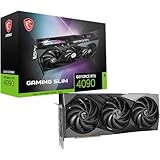
 ASUS ROG Strix GeForce RTX 4090 OC EditionROG Strix14.1 x 5.9 x 2.8 inches8.05 poundsCheck on Amazon


Top 3 picks at a glance
Why the Index demands GPU muscle
The Index can run up to 144Hz and supersamples well, so pushing it to its potential means rendering two high-resolution views at a very high, consistent frame rate. That is a heavy GPU workload, and dropped frames are far more noticeable and uncomfortable in VR than on a monitor.
Because it connects over DisplayPort rather than USB streaming, there is no video compression to worry about, but the raw rendering load is high. A modern 6 to 8 core CPU handles tracking and physics, and 16 to 32GB of RAM keeps VR titles and mods happy.
Recommended build tiers
Put the budget into a strong GPU, then add a capable CPU and enough RAM. The Index rewards graphics power more than almost any headset.
| Budget band | CPU | GPU | RAM | Target performance |
|---|---|---|---|---|
| $1,200-1,450 | Modern 6-core | Current 70-class, 12GB | 16GB DDR5-6000 | Comfortable Index VR at 90Hz |
| $1,600-2,000 | Modern 8-core | Current 80-class, 16GB | 32GB DDR5-6000 | 120-144Hz with supersampling headroom |
| $2,500+ | High-end 8-core | Flagship 90-class, 16GB+ | 32GB DDR5-6000 | Heavy sim VR at 144Hz max settings |
90Hz comfort rig
A modern 6-core and a 70-class 12GB card run the Index comfortably at 90Hz across most PC VR titles. At $1,200 to $1,450 it is the practical entry point for this higher-end headset.
144Hz rig
An 80-class 16GB GPU with a modern 8-core CPU unlocks the Index’s 120 and 144Hz modes with supersampling headroom. This is the target for players who bought the Index specifically for its high refresh.
Sim VR flagship rig
For demanding VR sims at 144Hz, only a flagship card keeps frame times stable at high supersampling. Pair with 32GB of DDR5 and a strong PSU for the sustained GPU load these sessions create.
Where to spend and where to save
Spend the majority of the budget on the graphics card, because the Index’s 144Hz mode and heavy supersampling make it one of the most GPU-hungry headsets around. A stronger card is what unlocks its high refresh rates smoothly, and dropped frames are far more uncomfortable in VR than on a monitor.
Save on the CPU with a modern 6 to 8 core chip, which handles tracking and physics without needing a flagship. Because the Index connects over DisplayPort with no video compression, you do not need special networking gear either, so concentrate spending on the GPU tier and a PSU that comfortably handles its sustained load.
Dialing in a smooth experience
Set your render resolution and supersampling to match what your GPU can sustain at your chosen refresh; a stable 90Hz feels far better than a stuttery 144Hz. Frame time consistency is the whole game in VR comfort.
Keep GPU drivers current, use the DisplayPort connection the Index is designed for, and give demanding sim titles extra GPU headroom. A modern multi-core CPU ensures tracking and physics never become the limiting factor.
Frequently asked questions
What GPU do I need for the Valve Index?
A 70-class card handles 90Hz comfortably, while an 80-class or flagship card is needed for the 120 and 144Hz modes with supersampling. The Index is GPU-hungry, so that is where your budget should go.
Does the Index need a powerful CPU?
A modern 6 to 8 core CPU is sufficient. VR leans on the CPU for tracking and physics, but for the Index the graphics card is by far the bigger determinant of a smooth, high-refresh experience.
What is the biggest factor for Valve Index performance?
The graphics card. The Index rewards GPU power more than almost any headset, especially in its 120 and 144Hz modes with supersampling, so that is where the bulk of a build’s budget should go.
Bottom line
For a Valve Index machine, lead with a powerful GPU sized to the refresh rate you want, back it with a modern 6 to 8 core CPU and 16 to 32GB of DDR5, and use its DisplayPort connection. That is how you turn the Index’s high-refresh, high-resolution panels into the smooth, immersive VR they are capable of.

