
Star Citizen is one of the most demanding games you can install, and it is demanding in an unusual way. It streams enormous, seamless environments, hammers your CPU with server-object simulation, and eats RAM for breakfast. Building a custom PC for it means planning around memory capacity and fast storage as much as around raw GPU horsepower.
As an Amazon Associate we earn from qualifying purchases at no extra cost to you.


Our Top Picks
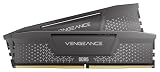
 CORSAIR Vengeance RGB RS DDR5 32GB32GB (2 x 16GB)5.43 x 0.27 x 1.77 inches0.11 poundsCheck on Amazon


Top 3 picks at a glance
What Makes Star Citizen So Hardware-Hungry
The game moves constant data between storage, memory, CPU, and GPU as you fly from a planet’s surface to a space station without loading screens. That puts stress on every subsystem at once. Weak storage causes hitching, low RAM causes stutter and crashes in busy areas, and a slow CPU drags frame rates down in cities and dogfights alike.
RAM and Storage Come First
32GB is the practical minimum, and 64GB is genuinely useful here, more than in almost any other game. If you can afford it, 64GB DDR5-6000 gives you breathing room in crowded landing zones. Storage should be a fast NVMe SSD, ideally PCIe Gen4, with at least 1TB free for the install and its future growth. Never run Star Citizen from a hard drive.
Suggested Builds by Budget
| Tier | Budget (build only) | CPU | RAM | GPU (VRAM) | Storage |
|---|---|---|---|---|---|
| Playable | $1,200–1,500 | Modern 6–8 core | 32GB DDR5-6000 | 12GB high mid-range | 1TB Gen4 NVMe |
| Recommended | $1,800–2,300 | 8-core high-clock | 32–64GB DDR5-6000 | 16GB high-end | 2TB Gen4 NVMe |
| Enthusiast | $2,800+ | Top 8-core X3D | 64GB DDR5-6000 | 16GB+ flagship | 2TB Gen4 + secondary SSD |
Balancing the Components
Because the game is CPU and memory sensitive, a mid-range GPU paired with a strong CPU and 64GB of RAM often outperforms a flagship GPU choking on 16GB of memory in busy scenes. Target 1440p as your resolution sweet spot; 4K is achievable on high-end builds, but frame rates in cities will still be modest because of the CPU-bound nature of the engine.
Power, Cooling, and Longevity
Star Citizen runs your hardware hard for long sessions, so plan for sustained load rather than short bursts. A 750W 80+ Gold PSU suits most single-GPU builds, and a good 240mm or 360mm AIO keeps an 8-core CPU cool during multi-hour play. Because the game is in ongoing development, favor a platform with an upgrade path: a current-socket motherboard lets you drop in a faster CPU later without rebuilding.
Realistic Performance Expectations
Even on a top-tier build, expect variable frame rates. Empty space might run at 100+ FPS while a packed trading hub drops to the 40s or 50s, largely due to server load and the alpha state of the engine. This is normal, and no amount of GPU spending fully eliminates it, which is exactly why a strong CPU and abundant RAM matter more than chasing the fastest graphics card.
Upgrade Path and Buying Timing
Because Star Citizen is a moving target that adds systems over time, buy a platform you can grow into rather than a dead-end one. A current-socket motherboard means you can drop in a faster CPU in a year or two without replacing the board or memory, and starting with a mid-tier chip on that socket keeps the door open. RAM is the same story: buying a 32GB kit now on a board that supports 64GB lets you add capacity if a future patch pushes memory demand higher.
Storage deserves a forward-looking plan too. The install has grown steadily across development, so a 2TB NVMe drive is a safer choice than a 1TB one you will fill quickly. Leave a spare M.2 slot free so you can add a second SSD later without cloning. As for timing, there is no perfect moment to build for a game in active development, but focusing your budget on CPU, RAM, and storage, the parts the engine leans on hardest, protects your investment better than sinking everything into a graphics card that a busy server will bottleneck anyway.
FAQ
Is 64GB of RAM overkill for Star Citizen?
It is one of the few games where 64GB is genuinely helpful rather than overkill. 32GB works, but 64GB reduces stutter and crash risk in busy areas and gives you margin as the game grows. If your budget allows, it is a sensible investment for this title.
Will a 4K monitor work well for Star Citizen?
4K works on high-end builds, but the engine is often CPU-limited in cities, so you will not always hit high frame rates. Many players get the best experience on a 1440p 144Hz display, which balances image sharpness with more consistent performance.
Bottom Line
Build for Star Citizen the way you would build a workstation that also games: prioritize 32–64GB of fast RAM and a quick NVMe drive, pair it with a strong 8-core CPU, then add a capable GPU. Choose an upgradeable platform, plan for long sessions, and keep your frame-rate expectations realistic given the game’s ongoing development.

