
Diablo 4 is friendlier to hardware than many modern releases, but it still rewards a sensible machine, especially if you play at 4K or push high refresh in the seasonal grind. The build centres on a GPU sized to your resolution and enough VRAM to keep the highest textures loaded during busy screens full of loot and effects.
As an Amazon Associate we earn from qualifying purchases at no extra cost to you.


Our Top Picks
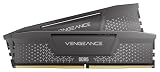
 CORSAIR Vengeance RGB RS DDR5 32GB32GB (2 x 16GB)5.43 x 0.28 x 1.73 Inches0.11 PoundsCheck on Amazon



Top 3 picks at a glance
What Diablo 4 actually stresses
The game is moderately GPU-bound, particularly at 4K with high textures where VRAM use climbs. The high texture preset benefits from 12GB or more of video memory, while 8GB is fine at 1080p. The CPU load is moderate, so a mid-range modern processor is plenty.
Screens dense with monsters, spell effects and loot are the heaviest moments, but they are far less punishing than in a game like Path of Exile 2. 16GB of RAM covers it, and a fast SSD keeps the open world and towns loading cleanly.
Recommended build tiers
Match the GPU and VRAM to your resolution, and do not overspend on the CPU; Diablo 4 does not need a flagship processor.
| Budget band | CPU | GPU | RAM | Target performance |
|---|---|---|---|---|
| $900-1,100 | Modern 6-core | Current 60-class, 8GB+ | 16GB DDR5-6000 | 1080p 100fps+ high settings |
| $1,300-1,600 | Modern 6/8-core | Current 70-class, 12GB | 16GB DDR5-6000 | 1440p 120fps+ high settings |
| $2,000+ | Modern 8-core | Current 80-class, 16GB | 32GB DDR5-6000 | 4K 100fps+ ultra with high textures |
1080p value rig
A modern 6-core and a 60-class card run Diablo 4 at 100fps+ on high settings at 1080p. At $900 to $1,100 it comfortably handles the seasonal grind, and 8GB of VRAM is fine at this resolution.
1440p high-refresh rig
A 70-class 12GB GPU with a modern CPU delivers 120fps+ at 1440p high settings, with the extra VRAM keeping high textures loaded during busy events. The value sweet spot for most players.
4K ultra rig
An 80-class 16GB card and a modern 8-core CPU push 4K at 100fps+ on ultra with high textures. The 16GB of VRAM is what keeps textures crisp during hectic world-boss fights.
Where to spend and where to save
Spend on a GPU with enough VRAM for your resolution, because Diablo 4 is GPU-bound and its high texture preset benefits from 12GB or more at 1440p and 4K. Matching video memory to your resolution is what keeps textures crisp and stutter-free during busy events.
Save on the CPU, where a mid-range modern chip is plenty since the game’s processor load is only moderate. Avoid overspending there and put the money into the graphics card and VRAM instead, along with a fast SSD for quick town and dungeon loads during the seasonal grind.
Getting a smooth grind
If VRAM runs short at 4K with high textures, you will see stutter and texture pop-in, so a 12 to 16GB card is the fix rather than a faster CPU. At 1080p and 1440p this is rarely an issue.
Keep the game on an SSD for quick town and dungeon loads, run RAM at rated speed, and enable an upscaler in quality mode if you want extra frames at 4K. A mid-range CPU keeps busy screens smooth without breaking the budget.
Frequently asked questions
How much VRAM does Diablo 4 need?
8GB is fine at 1080p, but the high texture preset benefits from 12GB or more, especially at 1440p and 4K. A 12 to 16GB card keeps textures loaded during dense, effect-heavy encounters.
Is Diablo 4 CPU or GPU heavy?
Mainly GPU-bound, with only a moderate CPU load. A mid-range modern processor is plenty, so put your budget into a graphics card and VRAM matched to your target resolution.
Is a flagship CPU worth it for Diablo 4?
No. Diablo 4 is mainly GPU-bound with only a moderate CPU load, so a mid-range processor suffices. A graphics card with enough VRAM for your resolution is a far better use of the budget.
Bottom line
Diablo 4 is a GPU-first but forgiving game, so match a 60 to 80-class card and its VRAM to your resolution, add a modern mid-range CPU, 16GB of DDR5 and a fast SSD. That machine keeps Sanctuary smooth through the seasonal grind without the flagship-everything cost heavier games demand.

