
Cyberpunk 2077 with the RT Overdrive path-tracing mode is one of the heaviest workloads any consumer GPU faces, and it punishes a mismatched machine harder than almost any other game. Getting a smooth, gorgeous Night City means planning around the graphics card first, then leaning on modern upscaling and frame generation to claw back the frames path tracing takes away.
As an Amazon Associate we earn from qualifying purchases at no extra cost to you.


Our Top Picks
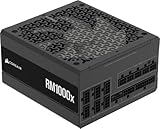
 CORSAIR RM1000x Fully Modular Low-Noise ATX Power Supply1000W2.3 x 3.39 x 5.91 inches6.88 PoundsCheck on Amazon


Top 3 picks at a glance
Why path tracing hits your GPU so hard
Path tracing simulates full light bounces instead of the hybrid ray tracing used in the standard RT presets, so it can cut raw frame rates by 60 to 70 percent versus rasterized rendering. That makes the GPU class the single biggest decision in the whole system.
VRAM matters too: at 4K with path tracing and high textures you can push past 12GB, so a card with 16GB of memory gives real headroom. The CPU is secondary here because path tracing is so GPU-limited, but you still want a modern 6 to 8 core chip so ray reconstruction and streaming do not stutter.
Recommended build tiers
Match the tier to your target resolution. Path tracing is realistic at 1080p and 1440p on mid-range cards with upscaling, but 4K path tracing demands the top of the stack plus frame generation.
| Budget band | CPU | GPU | RAM | Target performance |
|---|---|---|---|---|
| $1,300-1,600 | Modern 6-core | Current 70-class, 12GB+ | 32GB DDR5-6000 | 1080p path tracing 60fps+ with quality upscaling |
| $1,900-2,300 | Modern 8-core | Current 80-class, 16GB | 32GB DDR5-6000 | 1440p path tracing 80-110fps with frame gen |
| $2,800+ | High-end 8-core | Flagship 90-class, 16GB+ | 32GB DDR5-6400 | 4K path tracing 80fps+ with frame gen |
1440p path-tracing sweet spot
An 80-class card with 16GB paired with a modern 8-core CPU is the value pick for Overdrive. With performance upscaling and frame generation you can hold triple-digit frame rates at 1440p while keeping textures maxed. Budget around $1,900 to $2,300 and put the money into the GPU rather than an exotic CPU.
4K showcase rig
If you game on a 4K 120Hz+ display, only a flagship card keeps path tracing playable, and even then frame generation is doing heavy lifting. Pair it with 32GB of DDR5 and a 1000W 80+ Gold PSU to leave transient headroom for the GPU spikes.
Entry path-tracing rig
At 1080p a 70-class 12GB card makes Overdrive genuinely enjoyable with quality-mode upscaling. This is the cheapest honest way to see path tracing without dropping to potato settings.
Where to spend and where to save
Spend the biggest share of your budget on the graphics card, because path tracing is so GPU-limited that every other part is secondary to it. A card one tier higher does more for your experience here than any CPU, cooler or memory upgrade, so it is worth stretching the GPU line of the budget.
Save on the CPU without guilt; a mid-range modern 6 to 8 core chip will never bottleneck path tracing at the resolutions where it is playable. Also avoid overspending on ultra-fast RAM kits, since DDR5-6000 is plenty. Put any leftover money into a quality 750 to 1000W 80+ Gold PSU and a fast NVMe SSD rather than a flashier processor.
Getting the most out of Overdrive
Turn on the latest upscaler in quality or balanced mode before touching anything else; it is the difference between a slideshow and a smooth experience. Enable frame generation if your card supports it, but keep base frame rate above roughly 45fps first so input latency stays reasonable.
Use a fast NVMe SSD to reduce texture pop-in while driving, and cap your frame rate a few frames below your monitor refresh to smooth frametimes. Ray reconstruction improves image quality with little cost, so leave it on.
Frequently asked questions
Do I need 16GB of VRAM for path tracing?
At 1080p and 1440p, 12GB is usually enough with upscaling. At 4K with maxed textures you can exceed 12GB, so a 16GB card avoids stutter and texture downgrades in the busiest scenes.
Is frame generation worth using in Cyberpunk?
Yes, provided your real frame rate is already around 45fps or higher. Frame generation roughly doubles perceived smoothness for slower single-player games like this, where the small latency cost is barely noticeable.
Should I buy a faster CPU or a better GPU for Cyberpunk path tracing?
Almost always the better GPU. Path tracing is overwhelmingly GPU-limited, so a stronger graphics card raises frame rates far more than a pricier CPU, which will sit underused at path-tracing frame rates.
Bottom line
Build the machine around a strong current-generation GPU with 16GB of VRAM, add a modern 8-core CPU and 32GB of DDR5, and lean on upscaling plus frame generation. Do that and Cyberpunk in full path tracing goes from a benchmark torture test to one of the best-looking games you can play at a steady frame rate.

