
Baldur’s Gate 3 looks like a game any modern PC can walk through, and for the first two acts that is true. Then you reach the Lower City in Act 3, where dozens of NPCs, active scripts and physics turn the game into a surprisingly CPU-heavy test. A smart machine treats the processor, not just the graphics card, as the thing that keeps frame rates from cratering late in the campaign.
As an Amazon Associate we earn from qualifying purchases at no extra cost to you.


Our Top Picks
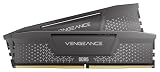
 CORSAIR Vengeance RGB RS DDR5 32GB32GB (2 x 16GB)5.43 x 0.27 x 1.77 inches0.11 poundsCheck on Amazon


Top 3 picks at a glance
Why Act 3 is a CPU test, not a GPU test
Through most of the game the GPU sets your frame rate, but the dense Lower City streams a huge number of characters and background simulation at once. That load lands squarely on the CPU, and it is where many otherwise strong systems drop into the 40s despite a powerful graphics card.
A modern 6 to 8 core CPU with strong single-thread performance is the fix. RAM should be 16GB minimum, with 32GB giving comfort for split-screen co-op and background apps. The GPU still matters for resolution and settings, but you rarely need the very top tier to enjoy this game.
Recommended build tiers
Prioritise a fast CPU and pair it with a mid-range GPU sized to your resolution. This is one of the few modern titles where overspending on the graphics card while skimping on the processor actively hurts you.
| Budget band | CPU | GPU | RAM | Target performance |
|---|---|---|---|---|
| $900-1,100 | Modern 6-core | Current 60-class, 8GB+ | 16GB DDR5-6000 | 1080p 60fps high settings, stable in Act 3 |
| $1,300-1,600 | Modern 8-core | Current 70-class, 12GB | 32GB DDR5-6000 | 1440p 90-120fps high settings |
| $2,000+ | High-end 8-core | Current 80-class, 16GB | 32GB DDR5-6000 | 4K 60-90fps ultra with headroom for co-op |
1080p value rig
A modern 6-core and a 60-class card handle the whole campaign at high settings and 60fps, and crucially the strong CPU keeps Act 3 from stuttering. Around $900 to $1,100 this is the most sensible pick for the majority of players.
1440p high-refresh rig
Step up to a modern 8-core and a 70-class 12GB GPU for smooth 90 to 120fps at 1440p. The extra cores also help if you play local split-screen co-op, which effectively renders two views at once.
4K comfort rig
At 4K an 80-class 16GB card with a fast 8-core CPU delivers a cinematic 60 to 90fps on ultra. Pair with 32GB of DDR5 so background streaming during the busiest city scenes never bottlenecks memory.
Where to spend and where to save
Spend on the CPU and memory rather than a top-tier graphics card. Because Act 3’s Lower City is CPU-limited, a stronger processor and 32GB of rated-speed DDR5 directly buy you the smoothness that matters late in the campaign, especially in split-screen co-op where two views are rendered at once.
Save on the GPU by matching it to your resolution instead of overbuying; a 60 or 70-class card is plenty for a game that rarely pushes graphics cards hard. Redirect the savings toward the processor and an NVMe SSD, which together tackle the real bottleneck and speed up the game’s frequent area transitions and saves.
Tuning tips for a smooth playthrough
If frame rates dip in the Lower City, the culprit is almost always the CPU, so lowering GPU settings will barely help. Instead close background apps, keep Windows and chipset drivers current, and make sure memory is running its rated speed profile.
Install the game on an NVMe SSD to cut loading and area-transition times, and cap your frame rate to stabilise frametimes. Split-screen players should treat 32GB of RAM and an 8-core CPU as the practical baseline.
Frequently asked questions
Why does my frame rate drop in Act 3 with a strong GPU?
Act 3’s Lower City is CPU-limited from heavy NPC and script density. A faster processor and rated-speed RAM help far more than a better graphics card in that area.
Is 16GB of RAM enough for Baldur’s Gate 3?
For single-player at 1080p or 1440p, yes. For split-screen co-op or if you keep browsers and Discord open, 32GB removes the last stutters during the busiest scenes.
Is a 60-class GPU really enough for Baldur’s Gate 3?
Yes, at 1080p and even 1440p a current 60 or 70-class card handles high settings comfortably. The game is CPU-limited in its busiest areas, so a stronger processor is a better use of money than a higher GPU tier.
Bottom line
Center Baldur’s Gate 3 on a modern high-clock 6 or 8 core CPU, add 16 to 32GB of DDR5 and a GPU matched to your resolution, and you get a machine that stays smooth from the beach to the Lower City. Do not overspend on the graphics card at the expense of the processor here.

