
An $1,800 budget sits in a genuinely happy place for a custom gaming PC. It is enough to build a machine that dominates 1440p high-refresh gaming and dips a toe into 4K, without paying the steep premium that flagship parts demand. The trick at this price is balance: no single component should soak up the budget at the expense of the rest.
As an Amazon Associate we earn from qualifying purchases at no extra cost to you.


Our Top Picks
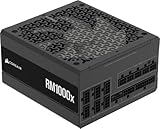
 Corsair RM1000x Shift Fully Modular ATX Power Supply1000W7.09 x 5.91 x 5.08 Inches4.2 PoundsCheck on Amazon


Top 3 picks at a glance
What $1,800 Buys You
At this tier you can afford a high-end current-generation GPU, a strong 8-core CPU, 32GB of fast memory, ample NVMe storage, and a quality case, cooler, and power supply with room to spare. This is the level where you stop making painful compromises and start optimizing for the games and resolution you actually play.
Suggested Allocation
| Component | Rough budget | What to target |
|---|---|---|
| GPU | $650–750 | High-end card, 16GB VRAM, strong 1440p/entry-4K |
| CPU | $300–400 | Modern 8-core with strong gaming performance |
| Motherboard | $180–220 | Quality B-series board with good VRM and PCIe |
| RAM | $90–130 | 32GB DDR5-6000 CL30 dual-channel |
| Storage | $90–140 | 2TB Gen4 NVMe SSD |
| PSU | $90–120 | 750W 80+ Gold, ATX 3.x preferred |
| Case + cooling | $130–200 | High-airflow case, 240mm AIO or premium air |
Resolution and Performance Targets
At 1440p, an $1,800 build should push high or ultra settings at 120–165 FPS in most modern titles, making it an ideal match for a 1440p 165Hz monitor. At 4K, expect 60–100 FPS in many games with sensible settings and upscaling, which makes this a credible entry point for a 4K 120Hz or 144Hz display if that is your goal.
Where to Flex the Budget
If you play fast competitive shooters, shift a little money from GPU to CPU and a high-refresh monitor. If you play graphically rich single-player games or want 4K, weight spending toward the GPU and 16GB of VRAM. The allocation above is a starting point, not a rulebook, so tune it to the games that fill your library.
One more lever worth pulling is storage tiering. Rather than a single drive, some builders at this budget pair a fast 1TB Gen4 NVMe for the operating system and current games with a larger, cheaper 2TB drive for a growing library. It keeps load times snappy where it matters while giving you room to install without constantly uninstalling, and it costs little more than a single 2TB drive once you shop sensibly.
Don’t Cut Corners Here
At $1,800 you have no excuse for a bargain-bin power supply or a suffocating case. A 750W 80+ Gold unit, ideally ATX 3.x with a native 12V-2×6 connector, gives you clean power and headroom for a future GPU. A high-airflow case and a strong cooler protect your CPU’s boost clocks and keep noise reasonable. These parts also carry over to your next build, so quality here pays off twice.
Remember the Monitor and Peripherals
The $1,800 figure above is for the tower alone. A common planning error is spending the entire budget on the PC and then driving a fast 1440p machine with an old 60Hz monitor, which throws away much of what you paid for. Decide up front whether your budget is tower-only or all-in, because a good 1440p 144Hz or 165Hz display, plus a decent keyboard and mouse, can add a few hundred dollars.
If your total budget must include a screen and peripherals, it is usually smarter to trim the GPU by one tier than to pair a flagship card with a mismatched monitor. A balanced $1,500 tower feeding a 165Hz panel delivers a better real-world experience than an $1,800 tower connected to a slow display. Match the monitor to the build: at this performance level a high-refresh 1440p screen is the natural home, and it is where the money you spent on the GPU actually pays off in visible smoothness.
FAQ
Is an $1,800 gaming PC good enough for 4K?
Yes, for entry-level 4K. With a high-end 16GB GPU and modern upscaling you can expect roughly 60–100 FPS at 4K in many games using sensible settings. It shines brightest at 1440p high-refresh, but it is a legitimate 4K starting point.
Should I spend more on the CPU or GPU at this budget?
For most gamers the GPU should get the largest single slice, but do not starve the CPU. An 8-core chip in the $300–400 range pairs well with a $650–750 GPU and avoids bottlenecks at 1440p. Shift the balance toward the CPU only if you play CPU-heavy competitive or simulation games.
Bottom Line
An $1,800 custom build is the point where balance beats bragging rights. Put the biggest slice into a high-end 16GB GPU, pair it with a capable 8-core CPU and 32GB of DDR5-6000, and back it with quality storage, cooling, and power. The result is a machine that crushes 1440p high-refresh gaming and handles 4K when you want it.

