
A $4,000 budget puts you firmly in high-end territory, where the goal shifts from stretching every dollar to building a no-compromise 4K machine that will stay fast for years. At this level the mistakes to avoid are different: overspending on flashy extras, ignoring cooling and acoustics, and buying a flagship GPU that a weaker platform cannot feed. Here is how to spend $4,000 wisely.
As an Amazon Associate we earn from qualifying purchases at no extra cost to you.
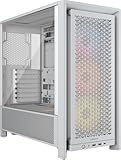


Our Top Picks
 NZXT H6 Flow RGB Mid-Tower Airflow Case withH6 Flow RGB v116.34 x 11.3 x 17.13 inches20.7 poundsCheck on Amazon


Top 3 picks at a glance
What a $4,000 Build Should Deliver
This budget targets high-refresh 4K gaming with maxed settings in most titles, plus enough CPU and memory to double as a serious content-creation or streaming workstation. You are buying a flagship or near-flagship GPU, a top gaming CPU, 32GB or more of fast RAM, generous NVMe storage, and premium cooling, power, and chassis to match.
Suggested Allocation
| Component | Rough budget | What to target |
|---|---|---|
| GPU | $1,500–1,900 | Flagship or near-flagship, 16–24GB VRAM |
| CPU | $450–600 | Top gaming 8-core (X3D-class) or high-core hybrid |
| Motherboard | $250–400 | Premium board, robust VRM, PCIe 5.0, fast networking |
| RAM | $130–250 | 32–64GB DDR5-6000 CL30 |
| Storage | $180–300 | 2–4TB Gen4/Gen5 NVMe |
| PSU | $180–260 | 1000W 80+ Gold/Platinum, ATX 3.x |
| Case + cooling | $300–450 | Premium airflow case, 360mm AIO, quality fans |
Performance Expectations
A well-balanced $4,000 build should deliver 4K at 100–144+ FPS in most modern games with high or ultra settings and upscaling where available, and it will breeze through 1440p at very high refresh rates. Pair it with a 4K 144Hz display, or a high-end 1440p ultrawide if you prefer immersion, and you will rarely feel a bottleneck.
Feed the Flagship Properly
The most common mistake at this budget is pairing a flagship GPU with a mid-range platform. A top graphics card needs a strong CPU, 32GB+ of fast memory, and a 1000W ATX 3.x power supply with the correct 12V-2×6 connector to run reliably at full load. Skimping on the board, memory, or PSU undercuts the very GPU you spent the most on.
Cooling, Noise, and Longevity
High-end parts generate serious heat, so cooling is not optional. A 360mm AIO or a top-tier air cooler keeps a flagship CPU in check, and a high-airflow case with quality fans keeps GPU temperatures and noise down during long sessions. Good thermals protect boost clocks and extend the life of your components, which matters when you have invested this much.
Where Not to Spend
Resist pouring money into extreme RGB, custom water loops you do not need, or exotic parts that add cost without meaningful performance. A clean, well-cooled build with a flagship GPU and strong CPU outperforms a gaudy one every time. Put any leftover budget toward a great monitor and peripherals, which affect your experience more than another lighting strip.
Should You Build This or Buy a Prebuilt?
At $4,000, the case for building your own is strong. You control every part, avoid the weak power supplies and cramped cases that plague some prebuilts, and typically get more performance per dollar because you are not paying for assembly and markup. You also gain a machine that is easy to upgrade and repair, since it uses standard components rather than proprietary parts. For anyone comfortable with a screwdriver and a few hours of patience, DIY is usually the better value at this level.
That said, a prebuilt still makes sense for some buyers. If you want a single warranty covering the whole system, one phone number for support, and no assembly, a reputable prebuilt at this budget can be worth the premium, especially for a first-time owner or as a gift. The tradeoff is that you may pay more for equivalent parts and occasionally get a component or two chosen to hit a price rather than to balance the build. Weigh your appetite for the build process against the convenience and support a prebuilt provides before you commit.
FAQ
Do I need 64GB of RAM in a $4,000 gaming build?
For pure gaming, 32GB is still plenty. Step up to 64GB only if you also do heavy content creation, run virtual machines, or play the rare memory-hungry title like Star Citizen. Many gamers are better served putting that money toward the GPU or storage.
Is a 1000W power supply overkill at this budget?
Not for a flagship GPU. Modern top-tier cards can draw high transient loads, and a 1000W 80+ Gold or Platinum ATX 3.x unit provides stable power and future headroom. It is one of the few places where buying a size up is genuinely sensible.
Bottom Line
A $4,000 build is about doing high-end right: a flagship GPU properly fed by a top CPU, 32GB+ of fast memory, premium cooling, and a 1000W ATX 3.x power supply. Skip the gimmicks, invest in thermals and a great display, and you will have a 4K powerhouse that stays near the top of the stack for years.

