
Once you have committed to AM5, the next fork is the chipset: B650, B650E, X670, or X670E. For the vast majority of gaming builds the real contest is B650 versus X670E, because those two bracket the sensible price range. Spending more on a chipset does not add frames — it buys connectivity and expansion you may or may not use. Here is how to tell which one your build actually needs.
As an Amazon Associate we earn from qualifying purchases at no extra cost to you.



Our Top Picks
 ASUS ROG Strix B650-A Gaming WiFi AMD B650ATX 3x M.2 WiFi6E (Pack of 1)13.4 x 10.8 x 2.9 inches4.25 poundsCheck on Amazon
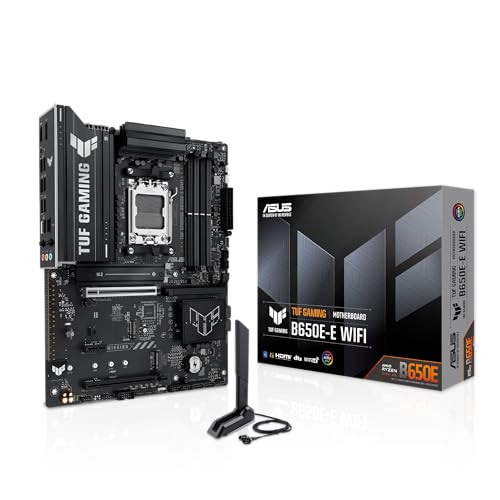


Top 3 picks at a glance
What the chipset controls
The AMD chipset does not touch gaming performance directly; the CPU handles the primary PCIe 5.0 graphics and NVMe lanes regardless. What the chipset adds is extra lanes, more USB ports, and additional M.2 and SATA connectivity. X670E uses two chipset dies daisy-chained together, which is why it offers roughly double the downstream I/O of a single-die B650 board.
The “E” suffix
“E” means Extreme, and it guarantees PCIe 5.0 on the primary graphics slot. Plain B650 may run the GPU slot at PCIe 4.0, which is fine — even a top-tier GPU loses under 2% moving from 5.0 to 4.0. B650E and X670E force 5.0 on both the GPU slot and at least one M.2. Unless you specifically need a Gen5 GPU slot, you are paying for a number you will not feel.
B650 vs X670E feature comparison
| Feature | B650 | X670E |
|---|---|---|
| Typical price | $130–200 | $280–450 |
| Chipset dies | 1 | 2 |
| GPU slot | PCIe 4.0 (5.0 on B650E) | PCIe 5.0 |
| M.2 slots (typical) | 2 | 3–4 |
| Rear USB ports | 6–10 | 10–14 |
| Best for | Most gamers | Heavy I/O, HEDT-lite |
When B650 is the right choice
A single-GPU gaming PC with one or two NVMe drives will never saturate a B650 board. You still get robust VRMs on mid-range models — enough for a 7800X3D or even a 9800X3D — plus DDR5 EXPO support and Wi-Fi on many SKUs. For a $1,000–1,600 build, B650 is the value sweet spot and leaves budget for the GPU that actually drives your frame rate.
When X670E earns its price
Choose X670E if you plan to run three or four NVMe SSDs, add capture cards or 10-gigabit networking, populate multiple USB4/Thunderbolt devices, or want guaranteed Gen5 everywhere for resale peace of mind. Creators juggling scratch disks and expansion cards are the natural audience.
VRM: the detail that actually matters
Do not obsess over the chipset name; check the VRM instead. A well-built B650 with a 12+2 phase power stage cools a 9800X3D better than a cheap X670E with a weak VRM. Reviews that measure VRM temperature under load tell you more than the chipset tier ever will.
Wi-Fi, audio, and the little extras
Chipset tier does not dictate onboard features, so compare the actual spec sheets. Plenty of B650 boards include Wi-Fi 6E, 2.5-gigabit Ethernet, USB-C front headers, and decent audio codecs, while some cheaper X670E models cut corners elsewhere to hit a price. Make a checklist of what you need, such as Wi-Fi, enough fan headers, an ARGB header count, and a USB-C case header, and match it against candidate boards regardless of chipset. It is common to find a well-equipped B650 that beats a stripped X670E on the features you will actually use every day.
FAQ
Will B650 bottleneck a high-end GPU?
No. The GPU runs on CPU-provided lanes, and PCIe 4.0 x16 has bandwidth to spare even for flagship cards — the difference versus 5.0 is under 2% in games.
Do I need X670E for a 9800X3D?
Not at all. A quality B650 or B650E board with a strong VRM runs the 9800X3D perfectly. Spend the savings on cooling or the GPU.
Bottom line
For a typical single-GPU gaming rig, a good B650 board delivers the same frame rates as X670E for a fraction of the cost. Step up to X670E only when your build genuinely needs the extra M.2 slots, USB ports, and guaranteed PCIe 5.0. Prioritize VRM quality over the chipset badge and your money lands where it counts.

