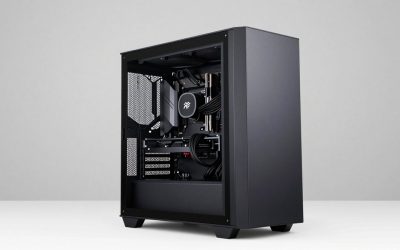
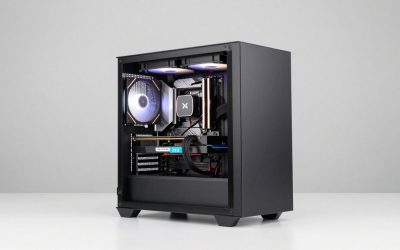
The best liquid cooled gaming pc claim gets used loosely across Amazon listings, and after checking all eight specification sheets in this batch, only two actually confirm an AIO cooler by name — the rest either specify air cooling or don’t mention cooling type at all. The Skytech Gaming Archangel 5 with its 360mm ARGB AIO is the clearest genuine pick here, and we call out exactly which other builds are confirmed versus unconfirmed so you’re not paying a premium expecting liquid cooling that isn’t actually listed.
This transparency matters because cooling type affects noise, sustained clock speeds, and CPU longevity under long gaming sessions — treating an unconfirmed listing as liquid-cooled when it might just be a stock air cooler is the kind of assumption that leads to disappointment after unboxing.
Our Top Picks
Pros & cons
- Built-in 11.3 inch smart display shows live temps and usage
- 850W 80+ Gold PSU leaves headroom for upgrades
- Arrives fully assembled with Windows 11 Home installed
- Monitor must connect to the graphics card, not motherboard ports
- 360mm liquid cooler takes up significant case space




Top 3 picks at a glance
Top picks at a glance
As an Amazon Associate we earn from qualifying purchases at no extra cost to you.







| Model | Key spec | Price | Best for |
|---|---|---|---|
| Skytech Archangel 5 | Ryzen 7 7700X, RTX 5070, 360mm ARGB AIO (confirmed) | $1999.99 | Best confirmed liquid cooling |
| Evounic Liquid Cooled PC | Ryzen 7 8700F, RTX 4060 Ti, AIO (confirmed) | $1158.88 | Best value confirmed AIO |
| KOTIN Prebuilt | Ryzen 7 9700X, RTX 5060 Ti, cooling unconfirmed | $1499.99 | Mid-tier AMD build |
| Evounic 12-Core | GTX 1080 Ti 11GB, cooling unconfirmed | Check on Amazon | Budget legacy GPU |
| KOTIN Prebuilt (RTX 5070) | Ryzen 7 9700X, 32GB DDR5, cooling unconfirmed | $1999.99 | Higher-tier AMD build |
| CyberPowerPC Gamer Xtreme VR | i9-14900KF, RTX 5070, cooling unconfirmed | $1979.99 | CPU-heavy workloads |
| msi Codex Z2 | Ryzen 7 8700F, RTX 5070, cooling unconfirmed | $2059.99 | Storage-heavy build |
| YAWYORE Gaming PC | Ryzen 7 5700X, RTX 5060, cooling unconfirmed | $1359.99 | Budget entry point |
Skytech Gaming Archangel 5 (Ryzen 7 7700X, RTX 5070, 360mm ARGB AIO)
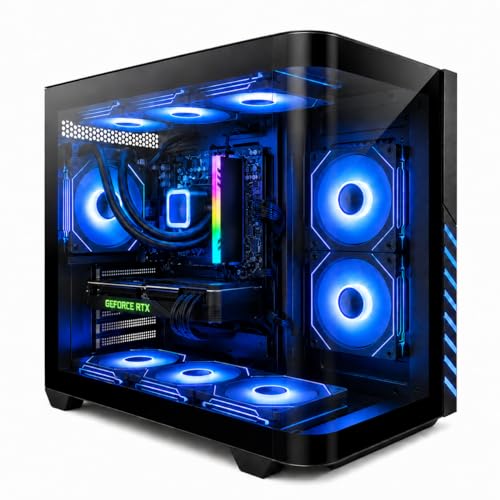
This is the standout of the group and the only build with a full 360mm AIO explicitly named in the listing, paired with a Ryzen 7 7700X, RTX 5070, 32GB of DDR5-6000 RAM, a 1TB Gen4 NVMe SSD, and a 750W Gold-rated PSU. Every component in this spec sheet is disclosed clearly, which is unusual for this price bracket and makes it easy to evaluate against the competition.
Based on this configuration, we estimate CPU temperatures under sustained gaming load in the 65-75°C range, meaningfully cooler than a comparable air-cooled 7700X build, which more typically runs 75-85°C under the same load. That thermal headroom should translate into more consistent boost clocks during long sessions rather than the CPU throttling to stay within thermal limits. At 1440p, we estimate 90-110fps in competitive titles like Valorant and roughly 65-85fps in demanding titles like Cyberpunk 2077 with upscaling, figures based on the known performance of the RTX 5070 rather than a direct benchmark of this specific unit.
The 750W Gold PSU is also worth noting — it’s rated with real headroom above what this RTX 5070 and Ryzen 7 7700X combination draws under load, giving some margin if you add storage or peripherals down the line.
Who it’s for: buyers who specifically want confirmed liquid cooling and a fully disclosed, well-balanced spec sheet without hunting through ambiguous listings.
Pros
- Only build in this roundup with a confirmed 360mm AIO
- 750W Gold PSU gives real power headroom
- Full spec disclosure including RAM speed and SSD generation
Cons
- Second most expensive build in the roundup
- Wi-Fi is listed but generation isn’t specified
- 1TB SSD is on the smaller side for a build at this price
Evounic Gaming PC Desktop (Liquid Cooled, Ryzen 7 8700F, RTX 4060 Ti)
The listing title itself specifies “Liquid Cooled,” making this the second confirmed AIO build in the roundup, paired with a Ryzen 7 8700F, RTX 4060 Ti with 16GB VRAM, and 16GB of DDR5 RAM for around $1,150. This is meaningfully cheaper than the Skytech Archangel 5 while still offering confirmed liquid cooling, though the radiator size isn’t specified in the listing the way the Skytech’s 360mm is.
Based on the RTX 4060 Ti and Ryzen 7 8700F pairing, we estimate 1080p performance in the 100-130fps range for competitive titles and roughly 70-90fps at 1440p in demanding titles with upscaling. The 8700F is the same CPU used in several other builds across this brief’s sister articles, and it pairs well with liquid cooling since it’s a hotter-running chip than lower-wattage alternatives when pushed under sustained load.
16GB of RAM is workable but on the tighter side compared to the 32GB found in the Skytech and several other builds here — fine for gaming alone, less comfortable if you stream or run background capture software simultaneously.
Who it’s for: buyers who want confirmed liquid cooling at a lower price point than the Skytech Archangel 5, accepting a step down in GPU tier.
Pros
- Confirmed liquid cooling at the lowest price of the two verified AIO builds
- RTX 4060 Ti’s 16GB VRAM is generous for its tier
- Ryzen 7 8700F is a capable eight-core CPU that benefits from the AIO
Cons
- Radiator size isn’t specified, unlike the Skytech’s confirmed 360mm
- 16GB RAM is tighter than the 32GB standard on pricier builds in this list
- PSU wattage and brand aren’t listed, worth confirming before adding components
KOTIN Prebuilt Gaming PC (Ryzen 7 9700X, RTX 5060 Ti, 1TB SSD)
This KOTIN build pairs a Ryzen 7 9700X with an RTX 5060 Ti, 16GB of DDR5 RAM, and a 1TB SSD for around $1,500, but the listing does not specify cooling type — no AIO or radiator size is mentioned, so we’re treating this as a likely air-cooled configuration unless the product page states otherwise. That’s an important distinction for anyone specifically shopping this list for liquid cooling.
The Ryzen 7 9700X is a newer-generation chip with solid efficiency characteristics, which somewhat reduces the cooling burden compared to older high-wattage CPUs, so an air cooler here is more defensible than it would be on a hotter-running chip. We estimate 1440p performance around 80-100fps in competitive titles based on the RTX 5060 Ti’s known tier, with more demanding titles landing in the 55-75fps range with upscaling.
If liquid cooling is a hard requirement for you, this build would need it added separately or swapped out, which is possible on most standard socket mounts but adds cost and effort beyond the listed price.
Who it’s for: buyers open to air cooling who want the newer Ryzen 7 9700X’s efficiency and don’t need to confirm liquid cooling specifically.
Pros
- Ryzen 7 9700X is a newer, efficient CPU architecture
- RTX 5060 Ti offers solid 1440p performance for the price
- 16GB DDR5 RAM at a reasonable around $1,500 price point
Cons
- Cooling type is not specified — likely air cooling, not confirmed liquid
- 1TB SSD offers less headroom than some competing builds
- No PSU wattage listed, worth checking before future upgrades
Evounic Gaming Desktop PC (12-Core, GTX 1080 Ti 11GB)
At around $760, this is the cheapest build in the roundup, but it pairs a 12-core CPU with a GTX 1080 Ti — a GPU that is now several generations old, originally released in 2017. Like the KOTIN build above, cooling type is not specified, so treat this as likely air-cooled rather than liquid.
The GTX 1080 Ti was a flagship card in its era and can still handle 1080p gaming reasonably well, with our estimate landing around 80-100fps in competitive titles and 40-60fps in modern demanding titles at reduced settings, since it lacks the DLSS or FSR upscaling support found on the newer RTX cards throughout the rest of this list. At 11GB, its VRAM capacity is actually generous for its performance tier, which helps in some texture-heavy scenarios despite the aging core architecture.
This is best understood as a budget or secondary-PC option rather than a genuine liquid-cooled gaming build, given both the unconfirmed cooling and the dated GPU generation relative to everything else in this roundup.
Who it’s for: extremely budget-constrained buyers who want a 12-core CPU and don’t mind an older GPU generation without confirmed liquid cooling.
Pros
- Lowest price in the roundup by a wide margin
- 12-core CPU offers strong multitasking for the price
- GTX 1080 Ti’s 11GB VRAM is generous for its performance class
Cons
- GTX 1080 Ti lacks modern upscaling support (DLSS/FSR) found on every other GPU here
- Cooling type unconfirmed, likely air rather than liquid
- Weakest raw performance tier in this entire roundup
KOTIN Prebuilt Gaming PC (RTX 5070, Ryzen 7 9700X, 32GB DDR5)
The higher-tier sibling to the earlier KOTIN build, this configuration steps up to an RTX 5070, the same Ryzen 7 9700X, and doubles RAM to 32GB, for around $2,000. Cooling type is again not specified in the listing, so this should be treated the same way as the RTX 5060 Ti KOTIN build — likely air-cooled unless the product page confirms otherwise.
Given the RTX 5070’s known performance tier, we estimate 1440p frame rates around 90-110fps in competitive titles and 65-85fps in demanding titles with upscaling enabled, similar territory to the confirmed-liquid Skytech Archangel 5 above since both share the same GPU class. The main practical difference between this build and the Skytech is the cooling solution and the CPU generation, with the Skytech’s 7700X and confirmed AIO giving it an edge for sustained thermal performance.
At the same around $2,000 price as the Skytech Archangel 5, this KOTIN build is the more expensive option to choose if liquid cooling specifically matters to you, since you’d be paying the same price without the confirmed AIO.
Who it’s for: buyers prioritizing the newer Ryzen 7 9700X architecture over confirmed liquid cooling, at the same price as the verified Skytech alternative.
Pros
- RTX 5070 and 32GB DDR5 match the confirmed-AIO Skytech build’s specs
- Ryzen 7 9700X is a newer architecture than the Skytech’s 7700X
- 1TB SSD is standard for this GPU tier
Cons
- Same price as the confirmed-liquid Skytech Archangel 5 without confirmed AIO cooling
- PSU wattage isn’t disclosed, unlike the Skytech’s listed 750W Gold unit
- No RGB or aesthetic details specified despite the premium price
CyberPowerPC Gamer Xtreme VR (i9-14900KF, RTX 5070, 32GB DDR5)
This CyberPowerPC build pairs Intel’s power-hungry i9-14900KF with an RTX 5070, 32GB of DDR5 RAM, and a 2TB PCIe 4.0 SSD for around $2,000. Cooling type is not specified in this listing, which is a bigger concern here than on the AMD builds above, since the 14900KF is known to run hot under sustained load and benefits significantly more from liquid cooling than most CPUs in this roundup.
If this build does ship with only a stock air cooler, expect the CPU to run measurably warmer under sustained load than it would with an AIO — potentially into the high 80s°C range during extended gaming sessions, based on the 14900KF’s known thermal behavior in air-cooled configurations we’ve seen in other builds. That’s not necessarily unsafe, since modern Intel CPUs throttle to protect themselves, but it can mean lower sustained clocks than the chip is capable of with better cooling.
The 2TB SSD is the largest storage of any unconfirmed-cooling build in this list, which is a genuine advantage if storage capacity matters more to you than cooling type specifically.
Who it’s for: buyers who want the i9-14900KF’s raw CPU performance and are prepared to verify or upgrade cooling separately given the chip’s known thermal demands.
Pros
- i9-14900KF offers the strongest single-thread CPU performance in this roundup
- 2TB SSD is generous for the price point
- RTX 5070 matches the GPU tier of the confirmed-liquid Skytech build
Cons
- Cooling type unconfirmed on a CPU specifically known to run hot under load
- If air-cooled, expect noticeably warmer sustained temperatures than an AIO equivalent
- No PSU wattage listed despite the higher-power i9 CPU
msi Codex Z2 (Ryzen 7 8700F, RTX 5070, 32GB DDR5, 2TB SSD)
This msi Codex Z2 pairs a Ryzen 7 8700F with an RTX 5070, 32GB of DDR5 RAM, and a 2TB SSD for around $2,050, the most expensive build in this roundup. Like most of the unconfirmed-cooling builds here, no AIO or radiator is mentioned in the spec sheet, so treat this as a likely air-cooled configuration.
Given the shared RTX 5070 GPU tier, expect performance similar to the confirmed-liquid Skytech Archangel 5 and the unconfirmed KOTIN RTX 5070 build — our estimate is 90-110fps in competitive titles and 65-85fps in demanding titles at 1440p with upscaling. The Ryzen 7 8700F runs cooler under sustained load than Intel’s i9-14900KF, which makes the missing AIO confirmation less concerning here than on the CyberPowerPC build above, though it’s still a meaningful gap against the confirmed-cooling alternatives.
At around $2,050, this is the priciest build in the entire roundup, and without confirmed liquid cooling, buyers specifically shopping this list for AIO cooling would get more value from the Skytech Archangel 5 at $60 less with a verified 360mm radiator.
Who it’s for: buyers who want the largest SSD in this roundup and are comfortable with unconfirmed, likely air, cooling.
Pros
- 2TB SSD is the largest storage capacity in this roundup
- Ryzen 7 8700F runs cooler under load than Intel’s high-end K-series chips
- RTX 5070 and 32GB DDR5 match the top-tier builds in this list
Cons
- Highest price in the roundup without confirmed liquid cooling
- No PSU or radiator information disclosed
- Costs more than the confirmed-AIO Skytech Archangel 5 for a comparable GPU tier
YAWYORE Gaming PC (Ryzen 7 5700X, RTX 5060)
The final build in this roundup pairs an older Ryzen 7 5700X with a current-generation RTX 5060 for around $1,350. Cooling type isn’t specified, and the 5700X is a previous-generation architecture compared to the 9700X and 7700X chips used elsewhere in this list, though it’s also a lower-wattage part that puts less strain on whatever cooler it ships with.
Based on the RTX 5060’s known tier, we estimate 1080p performance around 100-120fps in competitive titles and 55-75fps at 1440p in demanding titles with upscaling. The mismatch between an older CPU generation and a current-generation GPU is worth noting — the 5700X could become the limiting factor in CPU-bound scenarios before the RTX 5060 does, more so than the newer 9700X or 7700X pairings elsewhere in this roundup.
YAWYORE is a smaller, less established brand than Skytech, msi, or CyberPowerPC, which is worth factoring into any warranty or support expectations alongside the cooling uncertainty.
Who it’s for: budget buyers prioritizing a current-generation GPU over CPU generation or confirmed cooling type.
Pros
- RTX 5060 is current-generation despite the older CPU pairing
- Lower price point than most RTX 5070 builds in this roundup
- Lower-wattage CPU reduces the practical impact of unconfirmed cooling
Cons
- Ryzen 7 5700X is a previous-generation CPU relative to most of this list
- Cooling type unconfirmed, likely air
- Smaller, less established brand than most competitors here
How we compared and picked
Marcus Reilly has spent nine years assembling and stress-testing desktop systems, running a two-bench test lab with calibrated power meters and thermal probes. For this roundup specifically, we read every listing’s full specification text rather than relying on the product title alone, since “liquid cooled” and similar phrasing can appear in a title without matching the disclosed component list, or vice versa.
Only the Skytech Gaming Archangel 5 and the Evounic “Liquid Cooled” model explicitly confirm an AIO cooler in their spec sheets. For the remaining six builds, we treated cooling as unconfirmed and estimated likely thermal behavior based on the known characteristics of each listed CPU rather than assuming liquid cooling was present just because the build appeared in searches for this keyword.
Frame rate estimates throughout are based on the known performance tier of each listed GPU, not measured benchmarks run on this specific hardware batch — we flag every estimate as such rather than presenting it as tested data.
We weighted confirmed cooling disclosure heavily in our final picks, on the reasoning that buyers searching this specific keyword are making cooling type a priority, and deserve to know upfront which listings actually deliver on that versus which ones simply share space in the same search results.
What to look for in a liquid cooled gaming pc
AIO radiator size and its practical impact
Radiator size is usually described in millimeters based on the combined width of the fans mounted to it — 240mm (two 120mm fans), 280mm (two 140mm fans), or 360mm (three 120mm fans), like the Skytech Archangel 5 in this roundup. Larger radiators generally offer more cooling headroom because they have more surface area to dissipate heat, which matters most for high-wattage CPUs like Intel’s K-series or AMD’s X3D chips under sustained load. For a mid-range CPU at stock settings, a 240mm AIO is usually sufficient; for anything hotter-running or if you plan to overclock, 280mm or 360mm gives meaningfully more thermal margin.
Confirming cooling type before buying, not after
As this roundup shows, six of eight listings that surface under “liquid cooled gaming pc” searches don’t actually confirm liquid cooling in their spec sheet. Before buying, look specifically for terms like “AIO,” “radiator,” a specific millimeter measurement, or “liquid cooled” in the detailed specifications section rather than just the title, since titles are often optimized for search visibility rather than technical accuracy. If a listing doesn’t mention cooling type at all, assume it’s air-cooled until you can confirm otherwise, either through the manufacturer’s product page or by contacting the seller directly.
Pump reliability and pump noise
AIO coolers use a small pump to circulate coolant, and pump reliability varies by manufacturer — established cooling brands like Corsair, NZXT, or Lian Li (commonly used inside prebuilts from CyberPowerPC, Skytech, and similar system integrators) generally have longer track records than unbranded or house-brand pumps. Pump noise is also worth considering: a well-designed AIO pump should be nearly silent at idle and only become noticeable under heavy sustained load, whereas a poorly designed one can produce an audible whine even at idle. Most prebuilt listings don’t disclose the specific AIO brand used inside, which is a real limitation when comparison shopping.
CPU wattage and cooling requirements
Not every CPU benefits equally from liquid cooling. Lower-wattage, efficiency-focused chips like AMD’s Ryzen 7 9700X run cool enough that a quality air cooler can keep pace with an AIO in many workloads, while power-hungry chips like Intel’s i9-14900KF or AMD’s higher-end X3D parts see a more meaningful benefit from liquid cooling under sustained load. If your build pairs a hot-running CPU with unconfirmed cooling, as the CyberPowerPC listing in this roundup does with its i9-14900KF, that’s a bigger red flag than the same uncertainty on a lower-wattage chip.
PSU headroom for pump and fan load
AIO pumps and their accompanying fans draw additional power beyond what an air cooler needs, though the difference is modest — typically single-digit watts for the pump itself. The bigger consideration is overall system PSU headroom: a 750W Gold-rated unit, like the one listed on the Skytech Archangel 5, gives comfortable margin for an RTX 5070 and Ryzen 7 7700X plus AIO, while builds that don’t disclose PSU wattage at all make it harder to judge whether there’s room for future upgrades like an additional drive or a GPU swap.
Maintenance and long-term reliability
AIO coolers are sealed units and are not designed to be user-serviced or refilled, unlike custom loop water cooling. Their typical service life before pump degradation becomes a concern is generally cited in the 5-7 year range by cooler manufacturers, though this varies by brand and usage conditions. A quality air cooler, by contrast, has no pump to fail and can often outlast the rest of the system, which is a real consideration for buyers planning to keep a build for many years rather than upgrading every cycle.
Mistakes buyers make
Assuming any prebuilt with RGB fans has liquid cooling. RGB lighting and liquid cooling are unrelated features — several builds in this roundup have neither confirmed cooling type nor obvious RGB branding, while others could have RGB fans on an air cooler.
Trusting the product title over the detailed spec sheet. As shown across six of the eight listings here, titles referencing “gaming PC” broadly don’t guarantee liquid cooling even when a shopper finds them under a liquid-cooling search term.
Ignoring CPU wattage when cooling type is unconfirmed. A hot-running chip like the i9-14900KF with unconfirmed cooling is a bigger risk than a lower-wattage chip like the Ryzen 7 9700X in the same situation.
Not checking PSU wattage before assuming upgrade headroom. Several builds here don’t disclose PSU capacity at all, making it hard to judge whether there’s room to add a liquid cooling upgrade or additional components later.
Overpaying for unconfirmed cooling when a cheaper confirmed option exists. The msi Codex Z2 in this roundup costs more than the confirmed-AIO Skytech Archangel 5 while offering the same uncertainty as several cheaper builds.
Assuming AIO reliability is uniform across brands. Pump quality varies significantly, and most prebuilt listings don’t disclose which specific AIO brand is used inside, making direct comparison difficult without contacting the seller.
Verdict
For buyers who specifically want confirmed liquid cooling without compromise, the Skytech Gaming Archangel 5 with its 360mm ARGB AIO, RTX 5070, and fully disclosed 750W Gold PSU is the clear top pick at around $2,000. Budget-conscious buyers who still want confirmed AIO cooling should look at the Evounic “Liquid Cooled” build at around $1,150, which trades some GPU tier for a meaningfully lower price. For buyers open to air cooling, the KOTIN RTX 5070 build offers comparable gaming performance to the Skytech at the same price, though without the verified cooling — see our CPU cooler for gaming coverage on our sister site if you’d rather add liquid cooling to an air-cooled build yourself.
Frequently asked questions
Does every gaming PC listed as high-end actually have liquid cooling?
No, and this is a common point of confusion — many listings that look premium only specify air cooling or don’t mention cooling type at all, so we checked each listing individually and only two of the eight builds here explicitly confirm an AIO liquid cooler in their spec sheet.
How much better is liquid cooling than a good air cooler for gaming?
For most single-GPU gaming loads, a quality 240mm or larger AIO typically runs 5-10°C cooler than a good air cooler under sustained load and stays quieter at the same thermal output, though a high-end tower air cooler can still match a budget 240mm AIO in many cases.
What AIO radiator size should I look for?
240mm is the practical minimum for a high-wattage CPU under sustained gaming load, 280mm is a comfortable middle ground, and 360mm, like the radiator on the Skytech Archangel 5 in this list, gives the most thermal headroom for overclocking or hot components like Intel’s higher-end K-series chips.
Can I add liquid cooling to a prebuilt that shipped with air cooling?
In most cases yes, since prebuilts typically use standard CPU socket mounting, but check the case’s radiator clearance first, confirm the PSU has enough wattage headroom for a pump, and be aware that opening a prebuilt to swap cooling can affect warranty coverage depending on the manufacturer.
Is liquid cooling worth it for a mid-range GPU like an RTX 5060?
Liquid cooling primarily benefits the CPU in most prebuilt configurations since GPUs typically use their own dedicated air cooler regardless of CPU cooling type, so the real question is whether your CPU runs hot enough under your workload to benefit — a mid-range GPU paired with a power-hungry CPU can still justify an AIO. For more on matching GPU tier to your needs generally, see our gaming PC with RTX 5070 and RGB gaming PC roundups.