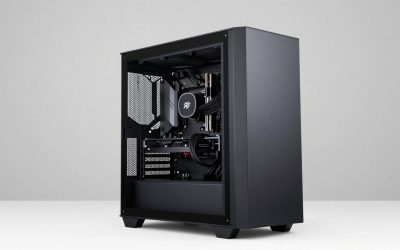
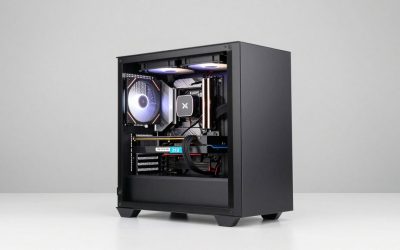
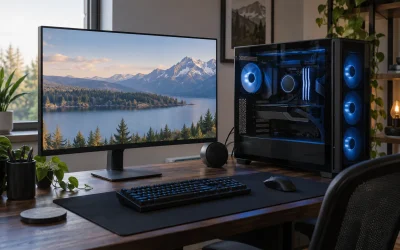
Our Top Picks


Top 3 picks at a glance

Best CPU for Multitasking in 2026
The AMD Ryzen 9 9950X3D is the best CPU for multitasking in 2026 for most high-end PCs because it combines 16 cores, 32 threads, excellent gaming performance, and strong productivity performance without requiring a workstation-class platform.
It is not the best choice for every workload, however. The right processor depends on whether your “multitasking” means streaming while gaming, editing 4K video, running virtual machines, compiling software, or keeping several heavy applications open at once. Core count, sustained thread performance, cooling, power consumption, and motherboard and memory costs can matter more than peak benchmark scores.
As an Amazon Associate we earn from qualifying purchases at no extra cost to you.

Quick comparison: the leading multitasking CPUs
| CPU | Cores / threads | Rated power | Best use | Typical CPU price range |
|---|---|---|---|---|
| AMD Ryzen 9 9950X3D | 16 / 32 | 170 W | Gaming, streaming, editing, heavy everyday workloads | Usually $650–$800 |
| AMD Ryzen 9 9950X | 16 / 32 | 170 W | Rendering, encoding, compiling, productivity-first builds | Usually $550–$700 |
| Intel Core Ultra 9 285K | 24 / 24 | 125 W base, up to 250 W maximum turbo | Mixed desktop work, media features, Intel-focused software | Usually $500–$650 |
| AMD Ryzen 9 9900X | 12 / 24 | 120 W | Efficient editing, streaming, and multitasking at a lower cost | Usually $350–$500 |
| AMD Ryzen 7 9800X3D | 8 / 16 | 120 W | Gaming-first systems with moderate background workloads | Usually $400–$550 |
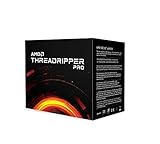
| AMD Ryzen Threadripper 9970X | 32 / 64 | 350 W | Professional rendering, simulation, and virtual machines | Usually $2,000–$2,500 |
Prices vary by retailer, promotions, and region. Platform cost can change the value calculation substantially because a processor is only part of the final build.
Why the Ryzen 9 9950X3D is the best all-round choice
The Ryzen 9 9950X3D gives a gaming PC 16 full-performance cores and 32 threads, while its large 3D V-Cache helps games that benefit from additional cache. That combination makes it particularly effective when the computer must play a demanding game while also running OBS, a browser with multiple tabs, voice chat, recording software, and perhaps an image or video editor.
Its two compute chiplets can also keep background tasks from competing as severely with the game as they would on an eight-core processor. The result is not simply a higher average frame rate; it can mean steadier frame pacing while a recording or encode is running.
Choose the 9950X3D when you want one system to cover:
- High-refresh-rate gaming and live streaming.
- 4K video editing with frequent exports.
- Photo editing alongside browsers, communication apps, and file transfers.
- Software development with containers, local databases, and virtual machines.
- Long-term flexibility without moving to an expensive workstation platform.
A strong air cooler may be sufficient in some configurations, but a high-end dual-tower air cooler or 240–360 mm liquid cooler gives more thermal headroom during sustained rendering and encoding. Use a quality power supply in the 850 W class for a high-end gaming GPU, or around 1,000 W when pairing the CPU with a very power-hungry flagship graphics card.
9950X3D versus 9950X: gaming value or productivity value?
The Ryzen 9 9950X has the same 16-core, 32-thread layout but is designed more directly around conventional productivity performance. If your PC spends most of its time rendering, compiling, compressing files, or exporting video, the 9950X can deliver similar or better value, especially when it is meaningfully cheaper.
The 9950X3D costs more because its extra cache is most useful in selected games and cache-sensitive applications. It does not automatically make every multithreaded workload faster. A workstation that rarely plays games may be better served by the 9950X plus a larger SSD, more memory, or a quieter cooling system.
Choose the 9950X3D if:
- Gaming is a major part of the PC’s job.
- You stream or record while gaming.
- You want high gaming performance without giving up 16 cores.
Choose the 9950X if:
- Rendering and encoding are more important than gaming.
- The processor is substantially cheaper than the 9950X3D.
- You prefer to spend the difference on 64 GB or 96 GB of memory and faster storage.
Where Intel’s Core Ultra 9 285K fits
The Core Ultra 9 285K uses 8 performance cores and 16 efficiency cores. That gives it 24 physical cores, but unlike many earlier Intel desktop chips, it does not use Hyper-Threading, so it has 24 threads. Core count alone therefore does not tell the entire story: 16 high-performance AMD cores can compete very strongly with 24 mixed Intel cores in heavily threaded work.
Intel’s processor remains a sensible option for users who value its media engine, Quick Sync support in compatible applications, and strong single-threaded responsiveness. It can be attractive for video editors whose software benefits from Intel’s integrated graphics media features, particularly when the discrete GPU is busy with effects or display work.
Power planning needs more care. Although its base processor power is listed at 125 W, maximum turbo power can reach 250 W. Set a sensible motherboard power limit if you prefer lower noise and lower electricity use. A well-tuned limit can reduce performance slightly in long renders while making cooling and fan control considerably easier.
Best lower-cost option: Ryzen 9 9900X
The Ryzen 9 9900X provides 12 cores and 24 threads at a lower power rating than the 16-core models. It is a strong choice for a balanced workstation that edits video, streams games, runs development tools, and handles normal office applications, but does not need the fastest possible export times.
It is also easier to cool and can reduce total system cost. The money saved can fund 64 GB of DDR5 memory, which often improves real multitasking more than moving from one 12-core CPU to another that is only marginally faster.
For a new build, 32 GB is a practical minimum for gaming plus streaming, while 64 GB is preferable for editing, development, large creative projects, or heavy browser use. Choose 96 GB or 128 GB if you regularly use virtual machines, large datasets, or professional applications that approach the limits of 64 GB.
When a gaming CPU is not enough
The Ryzen 7 9800X3D is excellent for gaming, but its 8 cores and 16 threads leave less capacity for sustained background work. It is appropriate when gaming is the priority and streaming is handled mostly by the graphics card’s hardware encoder. It is less suitable when the CPU must simultaneously run a software encode, compile a large project, render a scene, or operate several virtual machines.
At the other extreme, Threadripper 9970X is designed for professional workloads that can use 32 cores and 64 threads continuously. It can be dramatically faster for CPU rendering, simulation, code compilation, and multiple virtual machines, but the platform requires a workstation motherboard, registered or specialized memory depending on the platform, stronger cooling, and a much larger power budget. It is poor value for a gaming PC that only occasionally renders video.
Decision matrix: match the CPU to your workload
| Your workload | Recommended class | Reason | Memory target |
|---|---|---|---|
| Gaming plus OBS, browser, and voice chat | Ryzen 9 9950X3D | High gaming performance with 16 cores for background tasks | 32–64 GB |
| Gaming plus occasional editing | Ryzen 9 9900X or 9950X3D | 12 cores are adequate; 16 cores reduce export and multitasking delays | 64 GB |
| Daily 4K editing and encoding | Ryzen 9 9950X or Core Ultra 9 285K | Strong sustained throughput and useful media acceleration options | 64–96 GB |
| 3D CPU rendering or software compilation | Ryzen 9 9950X or Threadripper 9970X | More full-performance cores shorten long all-core workloads | 64–128 GB |
| Many virtual machines or professional simulation | Threadripper 9970X | 64 threads and workstation expansion capacity | 128 GB or more |
Power and platform cost: the calculation that changes the choice
Suppose a 9950X3D system draws an average 450 W from the wall during demanding mixed use, while a lower-power 9900X system averages 380 W. At four hours per day and around $0 per kilowatt-hour, the annual difference is:
(0.45 − 0.38) × 4 hours × 365 × around $0 = about $20 per year.
That means electricity savings alone rarely justify choosing a slower CPU if the system is used only a few hours daily. The 9950X3D may be the better purchase if it saves time and provides better gaming performance. For a render farm or workstation running 10 hours daily, however, the same difference becomes roughly $51 per year per PC, before considering cooling and noise.
Also compare complete platform prices. AM5 systems use an AM5 motherboard and DDR5 memory, while Threadripper requires a far more expensive workstation board and larger memory budget. A CPU that is twice as fast in a professional benchmark may still be the wrong choice if the workload does not run continuously or scale efficiently across dozens of cores.
Frequently asked questions
How much memory should I choose for a multitasking PC?
Choose 32 GB for gaming plus streaming, but 64 GB is preferable for video editing, development, large creative projects, or heavy browser use. Consider 96 GB or 128 GB if you regularly run virtual machines, use large datasets, or work with professional applications that approach the limits of 64 GB. More memory can improve real multitasking.
What cooling does a high-core-count CPU need?
A high-end dual-tower air cooler or a 240–360 mm liquid cooler provides more thermal headroom during sustained rendering and encoding. A strong air cooler may be sufficient in some configurations, particularly when workloads are less demanding. Cooling needs also depend on the processor, power settings, and whether the system must remain quiet during long all-core workloads.
How large should the power supply be for a multitasking gaming PC?
Use a quality power supply in the 850 W class for a high-end gaming GPU, or around 1,000 W when pairing the CPU with a very power-hungry flagship graphics card. The appropriate choice depends on the complete system, because the processor and graphics card both contribute to power demand during demanding mixed workloads.
Can hardware encoding make an eight-core gaming CPU suitable for streaming?
Yes, the Ryzen 7 9800X3D can be appropriate when streaming is handled mostly by the graphics card’s hardware encoder. Its 8 cores and 16 threads leave less capacity for sustained CPU background work, so it is less suitable for simultaneous software encoding, large project compilation, scene rendering, or operating several virtual machines.
Should I change motherboard power settings on the Core Ultra 9 285K?
Set a sensible motherboard power limit if you prefer lower noise and lower electricity use. The Core Ultra 9 285K has a 125 W base processor power rating, while maximum turbo power can reach 250 W. A well-tuned limit can slightly reduce performance in long renders while making cooling and fan control considerably easier.
Final recommendation
For one PC that must game, stream, edit, and run demanding applications, choose the Ryzen 9 9950X3D. Choose the Ryzen 9 9950X for a productivity-first build, the Ryzen 9 9900X for strong value and efficiency, the Core Ultra 9 285K when compatible media features and Intel software support are priorities, and Threadripper 9970X only when professional workloads can consistently use its additional cores and workstation platform.