
HyperX is usually the pick for comfort, long battery life and straightforward value across its Cloud line, while Logitech G is usually the pick for multi-platform wireless flexibility, software features and a wider range of audio gear. The right choice depends on whether you want a simple, comfortable headset or a more versatile and feature-rich one.
As an Amazon Associate we earn from qualifying purchases at no extra cost to you.

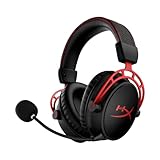

Our Top Picks
 Logitech G325 Lightspeed Wireless Gaming HeadsetOne Size7.56 x 3.5 x 7.95 inches0.5 PoundsCheck on Amazon


Top 3 picks at a glance
The Two Brands in Brief
HyperX built its name on the Cloud series of headsets, with a reputation for padded comfort and easy setup. Its current Cloud III family includes wired and wireless versions, and reviewers frequently highlight the long battery life of the wireless model, which one comparison lists at about 120 hours. HyperX also makes microphones, keyboards and mice, but headsets remain its core audio category. The company manages features through its NGENUITY software on supported devices.
Logitech G covers a wider audio range. Its G Pro X 2 Lightspeed is a flagship wireless headset with 50 mm drivers that, according to spec comparisons, supports 2.4 GHz wireless, Bluetooth, USB and a 3.5 mm wired connection. Logitech also sells budget headsets, streaming microphones, speakers and webcams, all of which can be configured in G HUB. This broader catalog is useful if you want matching audio gear on one platform.
Comparison Table
| Area | HyperX Cloud III family | Logitech G Pro X 2 Lightspeed |
|---|---|---|
| Connection | Wired model with 3.5 mm and USB; separate wireless model | 2.4 GHz wireless, Bluetooth, USB and 3.5 mm |
| Drivers | 53 mm on the wired model | 50 mm |
| Weight | About 308 g (wired) as listed in a comparison | About 345 g as listed in a comparison |
| Battery life | About 120 hours listed for the wireless version | About 50 hours listed |
| Microphone | Boom mic described by RTINGS as more natural on the wireless model | Described by RTINGS as boomy and bass-heavy |
| Console support | Varies by model; the wireless version is reported as limited on Xbox | Wired connection reported to work with Xbox Series consoles |
| Software | NGENUITY | G HUB |
| Strength | Comfort, battery, simplicity | Versatility, connections, tuning options |
RTINGS describes the wireless versions of these two headsets as performing similarly overall, so the differences come down to details rather than a clear winner.
Sound Quality
Both makers tune their headsets for gaming, with an emphasis on clear mids for voices and footsteps and a lifted bass. A spec sheet comparison lists the Cloud III’s frequency range as 10 to 21,000 Hz and the G Pro X 2 Lightspeed as 20 to 20,000 Hz, but frequency ranges are not a reliable guide to how a headset sounds. What matters more is the tuning and how it holds up at moderate volume. Reviewers who rate sound quality often favor Logitech for its more adjustable profiles through G HUB, while HyperX is praised for a comfortable, easy sound out of the box. Listening preferences differ, so try to read several independent reviews.
Microphones and Chat
RTINGS reports that the HyperX boom microphone sounds more natural, while the Logitech recording is boomier. If you spend a lot of time in voice chat or streaming, a separate USB microphone often beats any headset boom mic. Logitech and HyperX both sell standalone microphones if you want a clearer voice without changing headsets.
Comfort and Build
HyperX Cloud headsets are known for soft memory-foam ear cushions and a lightweight, durable frame. The Cloud III wired model is reported as lighter than the Logitech flagship, which can make a difference over long sessions. The Logitech uses a more modern, minimal design and offers swappable pads on some models. Fit varies with head size, so people with glasses or large heads should look for return policies and comfort reviews.
Wireless, PC and Console Use
For a gaming PC, either brand connects through a USB dongle or a wired USB or 3.5 mm cable. Logitech’s multi-connection design is helpful if you switch between a PC, a phone and a console. HyperX offers simpler setups, and some of its models are designed for specific platforms, so always read the model page before buying for Xbox or PlayStation. Wireless headsets use 2.4 GHz dongles that can be affected by crowded USB ports, so plug the dongle into a port on the front or a short extension if you notice dropouts.
Who Should Pick Which
Competitive and long-session gamers
HyperX is a strong fit if comfort and battery life matter most. The lighter wired Cloud III is a straightforward, durable option for desk use.
Players who switch devices
The Logitech G Pro X 2 Lightspeed suits people who move between PC, console and mobile, because of its multiple connection types.
Streamers and creators
Logitech’s G HUB tuning and matching microphones and webcams make it appealing, while HyperX offers popular microphones that pair well with its headsets. Either way, a dedicated microphone is often worth considering.
Budget tiers
Both brands sell lower-tier wired headsets. Look for a detachable microphone, a durable cable and comfortable pads, which matter more than headline driver size.
Common Myths
- “Bigger drivers always sound better.” Tuning and design matter more than driver diameter.
- “7.1 surround means better positioning.” Virtual surround is a software effect and many competitive players prefer plain stereo.
- “Wireless headsets always lag.” Modern 2.4 GHz designs are made for low delay, though Bluetooth adds more latency.
- “A wider frequency range is a better headset.” The numbers say little about real-world sound.
- “A headset mic is as good as a studio mic.” Boom mics are convenient but usually not equal to dedicated microphones.
Practical Recommendation
Choose HyperX if you want a comfortable, no-fuss headset, particularly with a long-lasting wireless model. Choose Logitech if you want broader connectivity, more software control and an ecosystem that extends to mics and speakers. Compare the exact models you are considering, since each brand sells many tiers, and read the manual before updating firmware or changing equalizer settings. Keep listening volume moderate to protect your hearing.
Finally, remember that a headset is a personal fit item. Ear shape, glasses and listening habits all change how a model feels, so independent reviews and a return window are more useful than any single specification.
Frequently Asked Questions
Which is more comfortable, HyperX or Logitech?
HyperX Cloud headsets are widely praised for comfort and light weight. Logitech headsets are comfortable too, but fit depends on head shape. Reviews and return options help.
Does the Logitech G Pro X 2 work with Xbox?
One comparison reports that its wired connection works with Xbox Series consoles, while the HyperX wireless model does not. Model details vary, so confirm the console support list for the exact headset.
Which headset has better battery life?
The HyperX Cloud III Wireless is listed with about 120 hours, compared with about 50 hours for the Logitech G Pro X 2 Lightspeed. Real battery life depends on volume and lighting.
Is the HyperX or Logitech mic better?
RTINGS reports that the HyperX boom mic sounds more natural on the wireless model, while the Logitech’s recording is boomier. If voice quality matters, consider a separate microphone.
Do I need software for these headsets?
Both work as plug-and-play audio devices. Software such as NGENUITY and G HUB adds equalizer, microphone and lighting controls on supported models.
Can I use these headsets on a phone?
Models with Bluetooth or a 3.5 mm jack can connect to phones. The Logitech G Pro X 2 Lightspeed offers both, while HyperX support depends on the specific model.


