
For gaming, a Ryzen 7 is usually the better choice than a Ryzen 9, because games rarely use more than eight fast cores, and the Ryzen 7 9800X3D is widely reported as one of the fastest gaming CPUs available. Pick a Ryzen 9 if you also do heavy video editing, 3D rendering, compiling or streaming with encoding, where its extra cores pay off.
As an Amazon Associate we earn from qualifying purchases at no extra cost to you.



Our Top Picks




Top 3 picks at a glance
What the two tiers mean
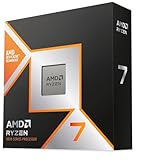
AMD’s naming is a ladder. Ryzen 5 sits in the mainstream, Ryzen 7 is the upper-mid tier, and Ryzen 9 is the top tier. In the current Ryzen 9000 desktop generation on the AM5 socket, the Ryzen 7 models have eight cores and sixteen threads, while Ryzen 9 models use two chiplets (called CCDs) and offer twelve or sixteen cores. The Ryzen 7 9800X3D has a single eight-core chiplet with stacked 3D V-Cache, which AMD lists at 96 MB of L3 cache. The Ryzen 9 9950X3D has sixteen cores across two chiplets, with the 3D V-Cache on only one of them.
Key differences at a glance
| Aspect | Ryzen 7 (example: 9800X3D) | Ryzen 9 (example: 9950X3D) |
|---|---|---|
| Cores and threads | 8 cores, 16 threads | 16 cores, 32 threads |
| Chiplet layout | One CCD | Two CCDs |
| 3D V-Cache | All cores share it | Only one CCD has it |
| Gaming speed | Reported as top tier | Reported as similar to the 9800X3D |
| Multi-thread work | Good | Much stronger |
| Scheduling complexity | Simple | Depends on Windows and AMD drivers placing games on the cache CCD |
| Power and cooling | Lower demand | Higher demand |
| Budget tier | Upper mid | Premium |
Gaming performance
AMD said ahead of launch that it expected the Ryzen 9 X3D models to deliver gaming performance similar to the 9800X3D, and outlets such as Tom’s Hardware and TechRadar have described the two as very close in games. The reason is straightforward: most games lean on a few fast cores and a large cache, and the 9800X3D gives all eight of its cores access to that cache. On the 9950X3D, AMD’s chipset driver and Windows scheduling steer a game onto the cache-equipped chiplet, which makes it behave like a 9800X3D-class chip. Forum reports say this occasionally fails, so a Ryzen 9 can be slightly less predictable. One aggregator site rates the 9950X3D a few percent faster on average, while most reviews call the difference negligible, so treat claims of a large gap with caution.
Resolution matters too. At 1440p and 4K, the graphics card is usually the limit, and the processor tier changes frame rates very little. The difference shows at 1080p, with a very fast GPU, in competitive esports titles, and in CPU-heavy simulations and strategy games.
Creator and multitasking performance
This is where Ryzen 9 earns its place. Sixteen cores help with video encoding, rendering, large code compilation, virtual machines, and running a game while streaming and editing in the background. Eight cores can handle many of these tasks, just more slowly. If your PC is a workstation that also plays games, the extra cores are a practical benefit.
Who should pick which
Choose Ryzen 7 if
- Gaming is the main use of the PC.
- You want to put more of the budget into a better graphics card, which usually lifts frame rates more than a CPU upgrade.
- You prefer simple, predictable behavior and moderate power and cooling needs.
Choose Ryzen 9 if
- You edit video, render 3D scenes, compile code or run several heavy apps at once.
- You stream with software encoding while playing.
- You want one top-tier chip for work and play and accept higher cost, heat and power draw.
Budget tiers without prices
For a budget gaming build, Ryzen 5 or a non-X3D Ryzen 7 paired with a stronger GPU is a common reviewer suggestion. For a high-end gaming build, a Ryzen 7 X3D chip is the typical pick. A Ryzen 9 sits in the premium or workstation tier, and only makes sense when its cores are used.
Common myths
- “More cores always mean more FPS.” Most games do not scale beyond a handful of cores. Cache and per-core speed matter more.
- “Ryzen 9 is always faster.” Not in games. In some titles, the single-chiplet X3D chip leads or ties.
- “X3D is only for gaming.” It helps some workloads, but the cache’s main reported benefit is in games.
- “You need a Ryzen 9 for streaming.” Many streamers use hardware encoding on the GPU, which needs far fewer CPU cores.
- “The CPU matters more than the GPU.” For most gamers at higher resolutions the GPU is the bigger lever.
Practical recommendation
Match the chip to the work. A pure gaming PC does well with a Ryzen 7, and the saved budget can go to the GPU, a good cooler and fast memory. A mixed work and play PC benefits from a Ryzen 9. Whichever you choose, confirm that your motherboard supports the chip, update the BIOS before installing it, and use a cooler rated for the chip’s heat output. Overclocking or manual voltage changes can void warranties and cause instability, so keep settings conservative.
Also consider the platform. Both tiers use AM5 and DDR5, so memory and motherboard choices are the same. Check the motherboard maker’s CPU support list and minimum BIOS version for the exact processor, and look at the AMD product page for current official specifications.
Cooling, power and platform notes
Sixteen-core chips draw more power under all-core loads, so the cooler and case airflow matter more. Check the cooler maker’s compatibility list for the AM5 socket and make sure the power supply and motherboard voltage regulation are adequate for the chip you choose. For gaming-focused builds, the single-chiplet Ryzen 7 X3D parts are commonly reported to run cooler in games because only a few cores are busy. Another factor is upgrade path: AMD has said the AM5 socket will keep supporting new processors, so starting with a Ryzen 7 and moving up later is a reasonable plan if future products fit your board, though you should read the motherboard maker’s CPU support page before counting on it. Finally, remember that games are not the only demand on a PC: browsers, voice chat, capture software and launchers all run alongside, and a higher core count simply leaves more headroom for them. Whether that headroom is worth the extra cost is a personal decision based on how you use the PC every day.
Frequently Asked Questions
Is the Ryzen 9 9950X3D better than the 9800X3D for gaming?
Reviewers generally report them as very close in games. The 9950X3D has more cores, which helps productivity work, while the 9800X3D keeps things simple with a single chiplet.
Do I need a Ryzen 9 for 4K gaming?
No. At 4K the GPU is usually the limiting factor, so a Ryzen 7 normally performs about the same in most games.
Does a Ryzen 9 run hotter?
Generally it can, because it has more cores and a higher power ceiling. Pair it with an adequate cooler as the maker recommends.
Will a Ryzen 7 hold up for several years?
Eight modern cores with large cache have been described as strong for gaming, and the AM5 platform lets you upgrade later within the supported CPU range.
Are non-X3D Ryzen 7 chips good for gaming?
Yes, they are capable gaming chips, but reviewers report X3D versions lead in CPU-bound games thanks to the extra cache.


