
Logitech and Razer are both strong gaming keyboard brands, and the practical answer is that Logitech tends to suit players who value clean design, wireless reliability and a familiar G HUB workflow, while Razer suits players who want adjustable analog optical switches, macro-focused flagships and Chroma lighting. Pick the model that matches your game and desk, not the logo.
As an Amazon Associate we earn from qualifying purchases at no extra cost to you.


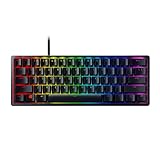
Our Top Picks
 Razer BlackWidow V4 X Mechanical Gaming Keyboard20.5 x 8 x 2 Inch18.36 x 6.01 x 1.71 inches2.51 PoundsCheck on Amazon
 Razer Huntsman V3 Pro 8KHz Analog Optical GamingFull Size17.54 x 5.48 x 1.52 inches3.7 PoundsCheck on Amazon
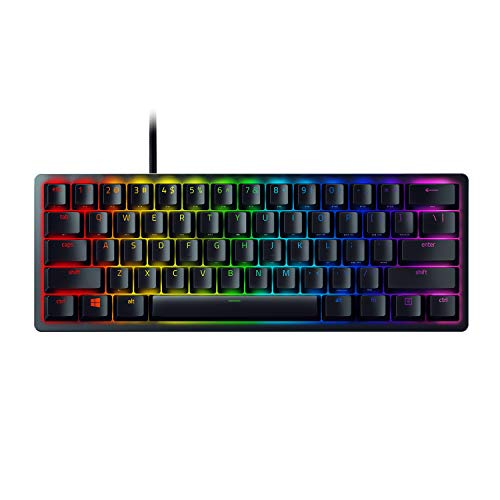 Razer Huntsman Mini 60% Gaming Keyboard11.56x 4.07 x 1.45 inches11.56 x 4.07 x 1.45 inches1.1 poundsCheck on Amazon

Top 3 picks at a glance
What Each Brand Offers
Logitech G sells a broad range, from simple mechanical boards to esports designs. Its G Pro X TKL Rapid is a tenkeyless model that the maker describes as using magnetic analog switches with rapid trigger, and a newer PRO X2 Rapid has been reported as adding Hall effect switches. Logitech also makes the long-running wireless G915 family with low-profile switches. Settings are handled through Logitech G HUB.
Razer’s lineup includes the Huntsman V3 Pro series, which the maker describes as using analog optical switches with adjustable actuation, rapid trigger and a polling-rate option up to 8,000 Hz on selected variants. It also sells the Huntsman V3 HE line with magnetic Hall effect sensing, and the BlackWidow V4 Pro for people who want macro keys and a command dial. Razer settings live in Synapse.
Quick Comparison Table
| Feature | Logitech G | Razer |
|---|---|---|
| Fast-response model examples | G Pro X TKL Rapid, PRO X2 Rapid | Huntsman V3 Pro, Huntsman V3 HE |
| Sensing method | Magnetic analog (Hall effect type) | Analog optical, plus magnetic on the HE line |
| Adjustable actuation | Yes, on rapid-trigger models | Yes, listed from about 0.1 mm to 4.0 mm on the V3 Pro |
| Polling rate | 1,000 Hz is typical; check the model page for higher options | 1,000 Hz standard, 8,000 Hz variants offered |
| Wireless options | Strong, with Lightspeed 2.4 GHz and Bluetooth on many models | HyperSpeed 2.4 GHz and Bluetooth on selected models |
| Software | G HUB | Synapse |
| Macro hardware | G-keys on select older boards | Dedicated macro keys and dial on BlackWidow V4 Pro |
| Build style | Understated, PBT keycaps on some models | Bold styling, Chroma RGB, wrist rests on flagships |
A comparison site reviewing the G Pro X TKL Rapid and the Huntsman V3 Pro TKL scored the two almost level, which matches the general view that they are close in capability and differ mainly in sensing method, software and design.
Switch Technology and Feel
Both brands now compete in the rapid-trigger space. Rapid trigger lets a key reset the instant you begin to lift your finger, so you can change direction in a shooter without waiting for a fixed reset point. Logitech’s Rapid keyboards use magnetic sensing, while Razer’s V3 Pro uses light-based analog optical sensing. Reviewers generally say the end result feels similar, because all of these designs measure key travel continuously.
Key feel is more subjective. Both makers sell linear switches on their fast-response boards. If you prefer a tactile bump or a click, you will need to look at their conventional mechanical models, where Razer offers its Green, Yellow and Orange switches and Logitech offers its GX linear, tactile and clicky options.
Wireless and Latency
Logitech has a long record in wireless gaming peripherals, and its Lightspeed receiver is widely used on mice and keyboards. Razer’s HyperSpeed is a comparable 2.4 GHz solution. Both makers state that their wireless modes are designed for gaming use, though wired connections remain the lowest-risk option for competitive events. Features such as high polling rates and rapid trigger are sometimes limited to wired mode, so read the manual for your exact model before assuming they work wirelessly.
Software Differences
G HUB handles Logitech lighting, macros and per-game profiles, and many users find it quick to set up. Synapse handles Razer devices, with cloud-synced profiles and Chroma effects. Reviewers often note that both programs can be heavy, and both makers allow some settings to be stored onboard. If you dislike background apps, check whether your chosen model saves actuation and lighting to memory before you uninstall the software.
Who Should Pick Which
Esports and competitive players
Choose a tenkeyless rapid-trigger model from either brand. The G Pro X TKL Rapid is built around that use case, and the Huntsman V3 Pro TKL is Razer’s equivalent. Compare weight, cable type and the availability of a high polling rate if you use a powerful CPU.
Creators and streamers
The BlackWidow V4 Pro suits people who want extra macro keys and a dial for editing or streaming controls. Logitech’s wireless boards suit those who want a tidy desk and several device connections.
Budget tiers
Both makers also sell entry-level mechanical and membrane boards. For lower budgets, prioritize a solid build, a detachable cable if possible, and a layout you like, since adjustable actuation is generally found on higher tiers.
Players with existing gear
If your mouse and headset are already Logitech or Razer, staying in one ecosystem keeps lighting and profile management simple.
Common Myths
- “Razer is only about looks.” The V3 Pro line has adjustable actuation and rapid trigger, which are functional features, not just styling.
- “Logitech is only for office use.” Logitech G sells esports-oriented boards used in competitive play.
- “Higher polling rate always means better performance.” Reviewers describe the gains above 1,000 Hz as small for most users.
- “Optical and magnetic are very different in games.” Both measure analog key travel, and the practical difference is minor.
- “A software account is required for everything.” Some features need the app, but many boards can store profiles onboard.
Practical Recommendation
Decide on layout first: full-size, tenkeyless or compact. Then decide whether you want adjustable actuation. If you do, shortlist the G Pro X TKL Rapid and the Huntsman V3 Pro TKL and compare keycap material, cable design and software feel. If you do not need rapid trigger, almost any mainstream board from either maker will serve for typing and gaming. Avoid setting very short actuation distances until you are used to them, since accidental presses are common, and read each maker’s manual before changing firmware.
Frequently Asked Questions
Is Logitech or Razer better for competitive gaming?
Both make rapid-trigger tenkeyless keyboards aimed at competitive players. The difference is mostly sensing method, software and design. Choose the one whose layout, weight and software you prefer.
Does Razer’s analog optical switch work like Hall effect?
It achieves a similar result, measuring how far a key is pressed, but it uses light instead of magnets. Razer also sells a separate magnetic Hall effect line, the Huntsman V3 HE. In use, players usually describe the experience as comparable.
Can I use both G HUB and Synapse on one PC?
Yes, they can coexist. Some users report extra background load or lighting conflicts. If that happens, store settings onboard and close the program you do not need.
Is a wireless Logitech or Razer keyboard good enough for gaming?
Both makers design their 2.4 GHz wireless modes for gaming, and many players use them daily. Wired mode is still the safest choice for tournaments and for features that may be wired-only.
Do I need 8,000 Hz polling?
Most players do not. The benefit is small, depends on a capable system and game, and may increase CPU load. The default 1,000 Hz is enough for nearly everyone.
Which brand has better keycaps?
It depends on the model. Some Logitech boards use PBT keycaps, and Razer has also moved some models to PBT. Read the specification page for the board you are considering.


