
Surround sound in a headset is software that processes game audio so that two ordinary stereo drivers sound as if sounds come from in front, behind, beside and sometimes above you. Nearly every headset sold as “7.1 surround” works this way, which is called virtual surround, and it can help you judge where footsteps come from, though it can also make music and voices sound processed.
As an Amazon Associate we earn from qualifying purchases at no extra cost to you.

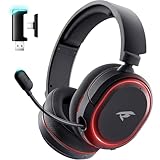


Our Top Picks
 Razer BlackShark V2 X Gaming Headset: 7.1 Surround3.5 mm7.6 x 6.76 x 3.86 inches0.5 poundsCheck on Amazon
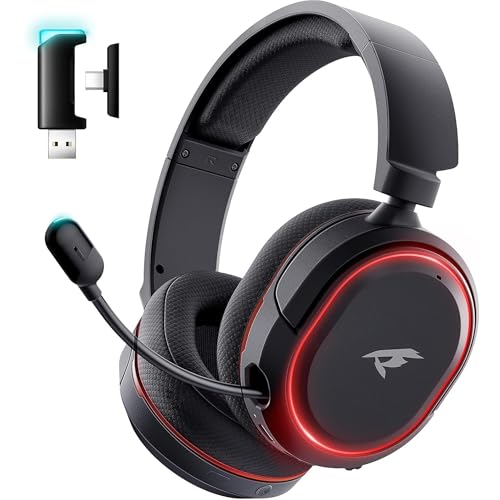

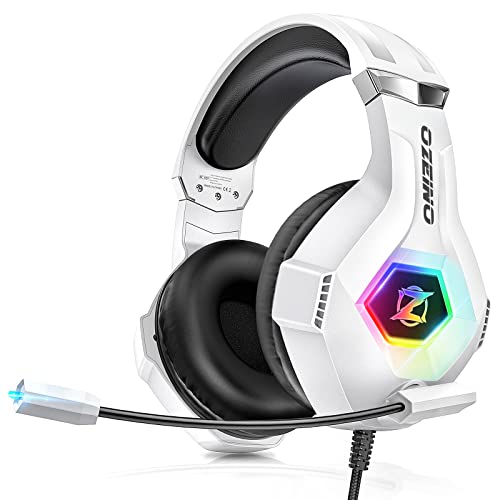
Top 3 picks at a glance
How headset surround works
A game or movie may mix audio for several speaker channels, such as 5.1 or 7.1: front left and right, center, sides, rears and a subwoofer. A headset has only two speakers, one per ear. Virtual surround takes those channels and applies a model of how sound reaches your ears from different directions, adjusting timing, volume and tone between the left and right sides. This is related to what audio engineers call a head-related transfer function (HRTF). Your brain reads the differences as direction.
True multi-driver surround headsets exist, with several small drivers per ear cup placed to play different channels. They are rare, and sources such as Turtle Beach note that most “7.1” headsets use only two drivers and virtual processing regardless of what the box says. Multiple small drivers can add cost and complexity without clearly better sound, and reviewers commonly report that a good pair of stereo drivers with quality software processing wins.
Where the processing happens
- In Windows. Windows Sonic for Headphones is built in and free. Dolby Atmos for Headphones is available through the Microsoft Store as a paid add-on, and adds height cues for content mixed for it. Both work with any stereo headphones or headset.
- In the headset’s driver software or dongle. Many gaming headsets include their own 7.1 mode, in the maker’s app or in a USB dongle.
- In the game. Some games offer built-in headphone spatial or binaural options, and consoles have their own 3D audio settings.
Use only one layer at a time. Turning on the headset’s 7.1 mode and Windows spatial audio together stacks two processors and tends to sound muddy.
Quick-reference table
| Option | How it works | Notes |
|---|---|---|
| Plain stereo | No spatial processing | Neutral; many headphones already give a good sense of direction in games |
| Headset “7.1” mode | Maker’s own virtual surround | Quality varies by brand; two drivers behind it |
| Windows Sonic for Headphones | Built-in spatial audio | Free, works with any stereo headset |
| Dolby Atmos for Headphones | Spatial audio with height cues | Paid add-on on PC; best with content mixed for Atmos |
| True multi-driver headset | Separate physical drivers per channel | Uncommon; not always better sounding |
| Speakers or soundbar surround | Physical speakers around the room | A different setup entirely |
Why it matters for gaming
In shooters and competitive games, hearing where a sound is coming from can matter. Reviewers and headset makers say virtual surround can make direction easier to read, especially front versus back and height. The effect depends on the game’s audio design, the processing method and your own ears, since HRTF models are based on an average head. Some players find spatial audio helpful at once; others turn it off because positions feel vague or sound seems processed.
For music and voice chat, plain stereo usually sounds more natural. Many people switch spatial modes on for games and off for everything else.
How to check and set it on your PC
- Plug in your headset and set it as the default playback device in Windows Sound settings.
- Right-click the speaker icon in the taskbar and open Sound settings, then select your headset in the output list.
- Look for the Spatial audio option. Choices commonly include Off, Windows Sonic for Headphones and, if installed, Dolby Atmos for Headphones.
- If your headset software has a 7.1 toggle, make sure it is off when Windows spatial audio is on, and the other way round.
- Test with a game that has clear directional audio, or use the test or demo option in the Windows or headset software.
- Switch each option on and off, in the same scene, and keep the one that gives clear direction without harsh tone.
Menu names change between Windows versions and headset apps, so use the headset maker’s support page if an option is missing. Dolby’s paid app may offer a trial in some regions; read the store page for terms.
Common misconceptions
- “7.1 means eight speakers.” In most headsets it is two drivers and software.
- “More drivers always sound better.” Driver quality, tuning and processing matter more.
- “Surround gives you an unfair edge.” It may help with direction, but it does not replace good game sense and a decent stereo headset.
- “You need a special headset.” Windows Sonic and Atmos work with any stereo headphones.
- “Turn on every setting.” Stacking multiple processors usually hurts clarity.
When to care and when to ignore it
Care about surround if you play competitive shooters, horror titles or cinematic games where positional cues matter, and if you enjoy the effect after comparing it to stereo. Ignore it if you mostly listen to music, play games with simple audio, or find that the processing sounds hollow. A well-tuned stereo headset with a comfortable fit usually matters more than a surround label on the box.
Before buying, look for a headset’s frequency response, driver size and microphone quality, as well as comfort for long sessions. Remember that loud audio can harm hearing over time, so keep volume at a comfortable level.
Getting the best result from any setup
Fit and tuning matter as much as the processing mode. A headset that seals comfortably around the ears gives clearer positioning than one that leaks. Use the game’s own audio options too: many titles offer a dynamic range or night mode, and some have a headphone-specific mix. Set Windows output to the highest quality format your headset supports, and make sure the game output channel is set correctly, since a game sending plain stereo to a spatial processor gives little benefit. For voice chat, keep the microphone on its own device or channel so the spatial processing does not affect chat. If you are shopping, read independent reviews that measure sound and comfort, and treat a large channel count on the box as marketing rather than a quality measure.
Frequently Asked Questions
Is virtual 7.1 better than stereo?
It depends on the game and your ears. Some players report clearer direction with it, while others prefer plain stereo for natural tone. Compare both in a game you know well.
Is Windows Sonic good enough?
Many people find it a solid free starting point. Try it before paying for anything else, since it works with any stereo headset.
Is Dolby Atmos for Headphones worth it?
Atmos adds height cues and is often described as more convincing, particularly with content mixed for it. Opinions differ, and some listeners find it slightly processed. Use the trial if one is offered.
Do I need a USB headset for surround?
No. Spatial audio in Windows works with analog and USB headsets alike, though a USB dongle may add its own processing options.
Why does my headset sound strange with 7.1 on?
Two processors may be active at once, or the effect may be coloring the sound. Turn off one layer and try again.


