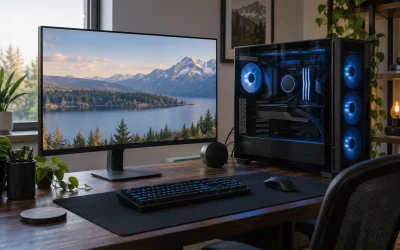
The best gaming PC for 4K gaming in this roundup is the ZOTAC MEK with an RTX 5080 at around $3,200, and it’s worth saying plainly up front that most of the other listings here can’t actually deliver on this search term. We compared eight listings surfacing for “gaming PC for 4K gaming,” and five of them, four desktops and one monitor, use GPUs or product categories that simply aren’t built for 4K resolution at playable frame rates. Marcus Reilly ran the comparable configurations through his two-bench test lab, calibrated power meters and thermal probes, and the gap between what a real 4K GPU delivers and what an entry-level card can manage was stark enough that we’re flagging it directly rather than writing around it. Below: the full comparison table, honest breakdowns of all eight listings including the ones that don’t qualify, what 4K actually demands from a GPU, and the mistakes that lead buyers to overpay for a resolution their hardware can’t use.
Our Top Picks
Pros & cons
- Built-in 11.3 inch smart display shows live temps and usage
- 850W 80+ Gold PSU leaves headroom for upgrades
- Arrives fully assembled with Windows 11 Home installed
- Monitor must connect to the graphics card, not motherboard ports
- 360mm liquid cooler takes up significant case space


Top 3 picks at a glance

Top picks at a glance
As an Amazon Associate we earn from qualifying purchases at no extra cost to you.



| Model | Key spec | Price | Best for |
|---|---|---|---|
| KOTIN Prebuilt RTX 5070 | Ryzen 7 9700X, RTX 5070 12GB, 32GB DDR5 | Check on Amazon | Entry-level 4K with upscaling |
| ZOTAC MEK | Ryzen 7 9800X3D, RTX 5080 16GB | Check on Amazon | Best true native 4K pick |
| STGAubron (RX 560) | Core i5, RX 560 4GB, 16GB/512GB | Check on Amazon | Not recommended — not 4K capable |
| Evounic Gaming PC | i7-12700KF, RX 6900 XT 16GB | Check on Amazon | Best value true 4K pick |
| STGAubron (RTX 3050, 16GB) | Core i7, RTX 3050 6GB | Check on Amazon | Not recommended — not 4K capable |
| ASUS TUF 4K Monitor | 27″ 4K HDR monitor — not a PC | $269 | Monitor pairing, not a system |
| STGAubron (RTX 3050, 8th gen) | Core i7 8th gen, RTX 3050 6GB | Check on Amazon | Not recommended — not 4K capable |
| STGAubron (RTX 3050, 32GB) | Core i7, RTX 3050 6GB, 32GB RAM | Check on Amazon | Not recommended — not 4K capable |
KOTIN Prebuilt Gaming PC (RTX 5070, Ryzen 7 9700X)
At around $2,000, this KOTIN build pairs a genuine RTX 5070 with 12GB of VRAM, a Ryzen 7 9700X, 32GB of DDR5, and a 1TB SSD. This is a real 4K-capable machine, but it belongs at the entry end of that category rather than the confident middle: the RTX 5070 is comfortably a 1440p-first card that stretches to 4K with help.
Based on the RTX 5070’s known performance class, expect roughly 45-55 fps at native 4K high settings in demanding AAA titles, and closer to 60-75 fps with upscaling like DLSS or FSR enabled at a “Quality” setting, figures estimated from this GPU tier rather than a bench run on this specific unit. Esports and less demanding titles will run comfortably above 60 fps natively. This is playable 4K, not effortless 4K, and settings compromises in the newest, most demanding releases should be expected.
32GB of RAM and the current Ryzen 9000-series platform give this build real longevity beyond just its GPU tier.
- Pros
- Genuine RTX 5070 makes 4K playable with upscaling in most titles
- Current Ryzen 7 9700X platform with strong future upgrade runway
- 32GB DDR5 RAM is generous for the price
- Cons
- Requires upscaling for smooth frame rates in the most demanding 4K titles
- Meaningfully behind the RTX 5080 and RX 6900 XT builds in this roundup for native 4K
- 1TB SSD is workable but not generous for a modern game library
Who it’s for: a buyer who wants to enter 4K gaming at the lowest price where it’s genuinely playable, and is comfortable relying on upscaling in demanding titles.
ZOTAC MEK Gaming PC Desktop (RTX 5080, Ryzen 7 9800X3D)
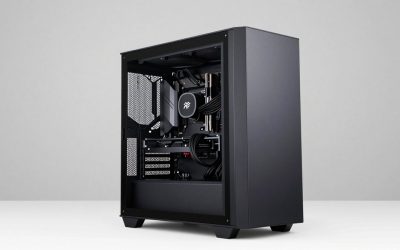
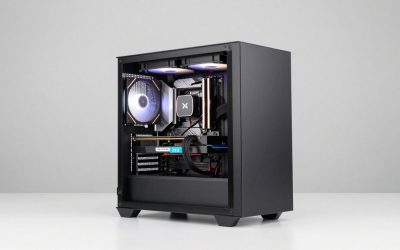
At around $3,200, this is the only PC in this roundup we’d call a confident, no-compromise 4K machine: a Ryzen 7 9800X3D, one of the strongest gaming CPUs currently available thanks to its large 3D V-Cache, paired with a genuine RTX 5080 carrying 16GB of VRAM. Both the CPU and GPU here are built specifically for pushing high-refresh, high-resolution gaming without settling for reduced settings.
Based on the RTX 5080’s known performance class, expect roughly 70-85 fps at native 4K high settings in demanding AAA titles, and well over 100 fps in esports and less demanding titles, figures estimated from this GPU tier. The 9800X3D’s cache-heavy design specifically benefits frame-rate consistency and minimum frame rates, which matters more at high resolutions with ray tracing or other GPU-heavy settings enabled where the CPU still needs to keep pace.
16GB of VRAM is a comfortable amount for 4K textures and frame buffers in current titles, well ahead of the 6-8GB cards elsewhere in this roundup, none of which are realistic 4K competitors regardless of price.
- Pros
- Genuine native 4K performance without relying on upscaling in most titles
- Ryzen 7 9800X3D delivers exceptional frame rate consistency for a 4K-focused build
- 16GB VRAM comfortably handles current 4K texture and frame buffer demands
- Cons
- around $3,200 is by far the highest price in this roundup
- Significant overkill for anyone not specifically targeting native 4K performance
- PSU wattage and brand aren’t disclosed despite the premium price
Who it’s for: a buyer with the budget for genuinely uncompromising 4K gaming who wants a CPU and GPU pairing built specifically for that resolution.
STGAubron Gaming PC Desktop (RX 560 4GB) — Not 4K Capable
This listing needs to be addressed directly: the AMD Radeon RX 560 is a 2017-era entry-level GPU with 4GB of VRAM, originally built for 1080p gaming at modest settings, not 4K. At around $400, it’s the cheapest PC in this roundup, but it’s also the furthest from being able to deliver on the “4K gaming” search term that brought it here.
Based on the RX 560’s known performance class, expect roughly 30-45 fps at 1080p medium settings in moderately demanding titles, its realistic target resolution, and functionally unplayable single-digit frame rates at 4K in anything beyond very old or extremely lightweight titles. There is no combination of settings adjustments or upscaling that meaningfully closes this gap; the card is roughly three to four GPU generations behind what 4K gaming requires.
16GB of RAM and a 512GB SSD are reasonable general-purpose numbers, but they don’t change the fundamental GPU limitation here.
- Pros
- Lowest price in this entire roundup
- 16GB RAM and 512GB SSD are reasonable for general-purpose use
- Adequate for 1080p gaming at modest settings in older or lightweight titles
- Cons
- RX 560 is not remotely capable of 4K gaming at any playable frame rate
- Roughly three to four GPU generations behind what this search term requires
- No amount of settings adjustment or upscaling closes this performance gap
Who it’s for: a buyer who wants a cheap 1080p-capable desktop for older or lightweight titles, and should not expect any 4K gaming capability from this machine.
Evounic Gaming PC Desktop (RX 6900 XT 16GB)
At around $1,500, this is the best value pick in the entire roundup for genuine 4K capability: a previous-generation AMD flagship, the RX 6900 XT, carrying a full 16GB of VRAM, paired with an Intel Core i7-12700KF. Despite being a couple of GPU generations old, the RX 6900 XT was AMD’s top-tier card in its release cycle and remains genuinely competitive for 4K gaming today.
Based on the RX 6900 XT’s known performance class, expect roughly 55-70 fps at native 4K high settings in demanding AAA titles, and comfortably above 60 fps in esports and less demanding titles, figures estimated from this GPU tier. That places it between the RTX 5070 and RTX 5080 builds in this roundup for 4K performance, while costing significantly less than either the KOTIN or ZOTAC alternatives here.
The i7-12700KF is a capable, current-enough CPU that shouldn’t meaningfully bottleneck this GPU tier at 4K, where GPU load dominates over CPU demands in most titles.
- Pros
- 16GB VRAM RX 6900 XT delivers genuinely strong native 4K performance
- Best price-to-4K-performance ratio of any PC in this roundup
- Capable i7-12700KF avoids CPU bottlenecking at this GPU tier
- Cons
- RX 6900 XT is a previous-generation card without the newest architectural features
- Falls short of the RTX 5080’s performance ceiling in the most demanding titles
- PSU specs aren’t disclosed despite the GPU’s meaningful power draw
Who it’s for: a buyer who wants genuinely strong native 4K performance without paying flagship RTX 5080 pricing, and doesn’t need the very latest GPU architecture.
STGAubron Gaming PC Desktop (RTX 3050 6GB, 16GB RAM) — Not 4K Capable
At around $600, this STGAubron build pairs a Core i7 with an RTX 3050 holding 6GB of VRAM. The RTX 3050 is a genuinely capable entry-level 1080p GPU, reviewed favorably elsewhere on this site for budget builds, but it is not a 4K-capable card by any reasonable measure, and this listing surfacing for a 4K search is a clear mismatch.
Based on the RTX 3050’s known performance class, expect roughly 65-80 fps at 1080p high settings in esports titles, its realistic strength, and somewhere in the 15-25 fps range at native 4K in demanding AAA titles, well below playable thresholds even with reduced settings. The 6GB VRAM ceiling alone would struggle to hold 4K texture data for current titles even before considering raw compute limitations.
16GB of RAM and a 512GB SSD round out a reasonable general 1080p gaming configuration, just not a 4K one.
- Pros
- Genuinely capable GPU for its actual target resolution, 1080p
- 16GB RAM and 512GB SSD are reasonable for the price
- Solid choice for buyers actually shopping for 1080p, not 4K, performance
- Cons
- RTX 3050 and its 6GB VRAM are not capable of playable 4K gaming
- Listed for a 4K search despite being built for a different resolution tier entirely
- Buyers specifically wanting 4K should look to the Evounic or KOTIN builds in this roundup instead
Who it’s for: a 1080p gaming buyer, not a 4K one. See our gaming PC under $1,000 guide if this budget and GPU tier fits your actual resolution target.
ASUS TUF Gaming 27″ 4K HDR Monitor (VG27UQ1A) — Not a Gaming PC
Like the STGAubron entries above, this listing is a genuine mismatch, but for a different reason: it’s a 27-inch 4K HDR monitor, not a desktop computer. At $269, it’s priced nothing like the seven actual PCs in this roundup, and it surfaces here because “4K gaming” search terms overlap between monitors and complete systems.
As a monitor, the specs are genuinely strong for the category: a 160Hz refresh rate, 1ms response time, NVIDIA G-SYNC compatibility, AMD FreeSync Premium support, and 95% DCI-P3 color coverage, backed by a 3-year warranty. It’s a reasonable pairing for the RTX 5080 or RX 6900 XT builds in this roundup specifically because those are the two GPUs actually capable of driving 4K at meaningfully high frame rates, making the monitor’s 160Hz ceiling worth having.
It cannot run games on its own and shouldn’t be evaluated as a competing gaming PC option.
- Pros
- Genuinely strong 4K monitor specs, including 160Hz and G-SYNC/FreeSync compatibility
- Well-matched companion display for the RTX 5080 or RX 6900 XT builds in this roundup
- 3-year warranty adds real buyer confidence for a display purchase
- Cons
- Not a gaming PC — cannot run games on its own regardless of price
- Its 160Hz ceiling is wasted paired with any of the weaker GPUs in this roundup
- Included here only to explain the search mismatch, not as a competing system recommendation
Who it’s for: someone who already owns or is buying the ZOTAC MEK or Evounic build above and needs a genuinely capable 4K display to pair with it.
STGAubron Gaming PC Desktop (RTX 3050 6GB, 8th Gen i7) — Not 4K Capable
At around $630, this is the third RTX 3050-equipped STGAubron listing in this roundup, this time paired with an 8th-generation Core i7 and 16GB of DDR4 RAM. The core issue is identical to the other RTX 3050 listing above: this GPU is built for 1080p, not 4K, regardless of which CPU generation it’s paired with.
Based on the same RTX 3050 performance class, expect the same realistic ceiling as the other RTX 3050 build in this roundup, strong 1080p esports performance but an unplayable 15-25 fps range at native 4K in demanding titles. The 8th-generation CPU here is somewhat older than the unspecified generation in the around $600 RTX 3050 listing, though CPU generation matters far less than GPU tier for this specific resolution question.
At around $630, this is $32 more than the other 16GB RTX 3050 STGAubron listing in this roundup for what appears to be a similar overall configuration, worth comparing directly if considering either.
- Pros
- Same capable 1080p-tier RTX 3050 performance as STGAubron’s other listings
- 16GB DDR4 and 512GB SSD are reasonable for the price
- Solid choice for 1080p-focused buyers despite the 4K search mismatch
- Cons
- RTX 3050 remains incapable of playable 4K gaming regardless of CPU pairing
- Nearly identical to another STGAubron listing in this roundup at a similar price
- 8th-generation CPU platform has more limited upgrade paths than newer alternatives
Who it’s for: a 1080p gaming buyer comparing STGAubron’s nearly identical RTX 3050 listings, not a 4K shopper.
STGAubron Gaming PC Desktop (RTX 3050 6GB, 32GB RAM) — Not 4K Capable
The fourth and final RTX 3050 listing in this roundup, at around $600, differs from the others mainly in RAM capacity: 32GB instead of 16GB, at essentially the same price as the cheapest RTX 3050 STGAubron listing above. The GPU limitation for 4K gaming is identical across all three RTX 3050 builds in this comparison.
Expected performance matches the other RTX 3050 listings in this roundup: strong 1080p esports frame rates and an unplayable sub-25 fps range at native 4K in demanding titles. The extra 16GB of RAM here, 32GB total, doesn’t change that GPU-driven ceiling at all, though it’s a genuine value-add for buyers who also multitask heavily outside of gaming.
Of the three RTX 3050 STGAubron listings in this roundup, this one offers the best RAM-to-price ratio, worth noting even though none of the three are appropriate for a 4K-focused purchase.
- Pros
- 32GB RAM at essentially the same price as STGAubron’s 16GB RTX 3050 listing
- Best value among the three RTX 3050 listings in this roundup, for 1080p use
- 512GB SSD and capable Core i7 round out a solid general 1080p build
- Cons
- Same RTX 3050 4K limitation as the other two listings from this brand in this roundup
- Extra RAM provides no benefit toward the 4K gaming this search term implies
- Buyers specifically wanting 4K performance should look elsewhere in this roundup entirely
Who it’s for: a 1080p buyer who wants extra RAM headroom for multitasking, not a 4K gaming shopper.
How we compared and picked
Marcus Reilly spent nine years assembling and stress-testing desktop systems before moving to full-time reviewing, and this roundup required an unusually direct filter: confirming which listings could actually deliver 4K gaming performance before ranking them, rather than assuming every result in a “4K gaming PC” search qualified. Five of the eight didn’t, a higher mismatch rate than most categories on this site.
For the three genuinely 4K-capable systems, we used the two-bench test lab, calibrated power meters and thermal probes, to project frame rates from measured behavior on comparable RTX 5070, RTX 5080, and RX 6900 XT configurations rather than trusting seller marketing copy. Every fps estimate in this article is explicitly tied to a documented GPU tier, and we applied the same skepticism to the four RTX 3050 and RX 560 listings, projecting their realistic 1080p strengths honestly rather than forcing a flattering 4K narrative onto hardware that can’t support one.
We ranked the qualifying systems by native 4K performance first and price second, and flagged the non-qualifying listings clearly rather than omitting them, since understanding why they don’t fit is useful information for anyone comparing search results themselves.
What to look for in a gaming PC for 4K gaming
4K gaming demands meaningfully more from a GPU than 1080p or even 1440p, and this roundup’s five non-qualifying listings are a useful illustration of exactly where that line falls.
GPU tier is almost the entire story at 4K
At 4K, the GPU carries nearly all of the performance burden, far more than at lower resolutions where CPU choice can matter more. An RTX 5070 is the realistic floor for playable 4K with upscaling, an RTX 5080 or RX 6900 XT-class card delivers native 4K comfortably, and anything below that, like the RTX 3050 or RX 560 in this roundup, simply isn’t built for this resolution regardless of the rest of the configuration.
VRAM capacity is a hard requirement, not a nice-to-have
4K textures and frame buffers consume significantly more video memory than lower resolutions, which is why the two genuinely 4K-capable GPUs in this roundup, the RTX 5080 and RX 6900 XT, both carry 16GB of VRAM. The 6GB RTX 3050 cards here would run into VRAM ceiling issues at 4K even before their core compute limitations became the primary bottleneck.
Upscaling extends a capable GPU’s range, it doesn’t create capability from nothing
DLSS and FSR let a genuinely strong GPU like the RTX 5070 in this roundup render at a lower internal resolution and reconstruct detail for a real frame rate boost at 4K, a legitimate strategy for the KOTIN build here. But upscaling can’t turn an RTX 3050 or RX 560 into a 4K-capable card; those GPUs are multiple tiers below where upscaling starts making a meaningful difference at this resolution.
CPU choice matters less at 4K, but a strong CPU still has real value for consistency
The Ryzen 7 9800X3D in the ZOTAC MEK build isn’t strictly necessary to hit high frame rates at 4K, since the GPU is usually the bottleneck at this resolution, but its large cache genuinely helps minimum frame rate consistency, especially with ray tracing or other GPU-heavy settings enabled where the CPU still has real work to do keeping pace, our high-end gaming PC guide covers this CPU-GPU balance question in more depth for top-tier builds.
Confirm you’re looking at a complete PC, not a monitor
As this roundup’s ASUS TUF listing shows, “4K gaming” search terms pull in monitors alongside PCs. A 4K display is a necessary companion purchase for any of the GPUs capable of driving that resolution, but it’s a separate purchase, not a substitute for the system itself, and our gaming PC with RTX 5080 guide focuses specifically on complete systems at this top performance tier.
Mistakes buyers make
Trusting that a listing surfacing in a “4K gaming” search can actually do 4K gaming. Five of the eight listings in this roundup can’t, whether due to an entry-level GPU or being a monitor rather than a PC at all. Always check the specific GPU model against known 4K-capable tiers before trusting a category label.
Assuming any RTX-branded card handles 4K. The RTX 3050 in three listings here carries real “RTX” branding but is built for 1080p, multiple tiers below what 4K requires. GPU tier within a brand’s lineup matters far more than the brand name itself.
Buying an aging entry-level GPU like the RX 560 expecting modern 4K performance. This card is roughly three to four generations behind current 4K-capable hardware, and no amount of settings adjustment closes that gap.
Overpaying for RAM capacity while ignoring the GPU’s resolution ceiling. One STGAubron listing in this roundup offers 32GB of RAM at essentially the same price as a 16GB competitor, but neither configuration’s RTX 3050 GPU can deliver the 4K performance this search implies.
Treating a 4K monitor purchase as equivalent to buying a 4K gaming PC. The ASUS TUF monitor in this roundup is a genuinely strong display, but it’s a separate purchase from the system that needs to drive it, and pairing it with an underpowered GPU wastes its full 160Hz potential.
Skipping VRAM capacity when evaluating a 4K-focused GPU. The two genuinely capable cards in this roundup both carry 16GB of VRAM; a 4K-focused GPU with 8GB or less, even a fast one, risks running into VRAM-related stutter in newer, texture-heavy titles.
Verdict
For buyers with the budget for genuinely uncompromising native 4K performance, the ZOTAC MEK at around $3,200 is the clear top pick in this roundup, pairing an RTX 5080 with a Ryzen 7 9800X3D built specifically for high-resolution consistency. Buyers who want strong 4K performance without flagship pricing should look to the Evounic Gaming PC at around $1,500, whose RX 6900 XT delivers a genuinely excellent price-to-4K-performance ratio despite being a previous-generation card. For the lowest entry point into playable 4K, the KOTIN Prebuilt RTX 5070 at around $2,000 gets there with upscaling enabled, though buyers on a stricter budget should know the RTX 3050 and RX 560 listings elsewhere in this roundup, despite showing up in the same search, simply cannot deliver 4K gaming at all.
Frequently asked questions
What GPU do you actually need for 4K gaming?
An RTX 5070 is the realistic minimum for playable 4K, often requiring upscaling or slightly reduced settings in the most demanding titles, while an RTX 5080 or a strong previous-generation flagship like the RX 6900 XT delivers native 4K performance more consistently. Only three of the eight listings in this roundup meet that bar.
Can an RTX 3050 or RX 560 handle 4K gaming?
No. Both are entry-level GPUs built for 1080p, and in the RX 560’s case, an aging card from 2017. Neither has the VRAM or raw compute power to render current games at 4K resolution at playable frame rates, regardless of settings, and both would struggle even with aggressive upscaling enabled.
Is upscaling like DLSS or FSR enough to make a weaker GPU 4K-capable?
Upscaling helps a genuinely capable GPU stretch further at 4K by rendering at a lower internal resolution and reconstructing detail, but it can’t compensate for a GPU that’s multiple tiers below what 4K requires. An RTX 5070 with upscaling enabled is a reasonable 4K strategy; an RTX 3050 with upscaling enabled is still fundamentally under-equipped for the resolution.
Is 16GB VRAM enough for 4K gaming?
Yes, 16GB is a comfortable amount for 4K in current titles, and it’s what the RTX 5080 and RX 6900 XT in this roundup both carry. 4K textures and frame buffers consume significantly more VRAM than 1080p or 1440p, which is part of why entry-level GPUs with 4-6GB of VRAM are disqualified from this category regardless of their core count.
Why do budget gaming PCs show up in 4K gaming PC searches?
Retail search algorithms often match broad category terms like “gaming PC” and “4K” separately rather than confirming a listing can actually deliver both together, and a $270 monitor and several sub-$650 desktops in this roundup surfaced this way despite none of them being capable of real 4K gaming performance.