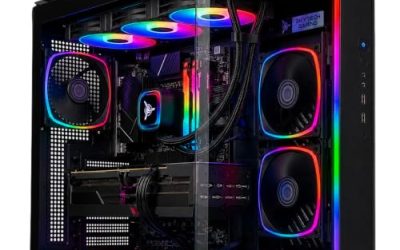
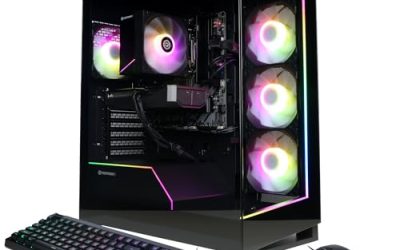
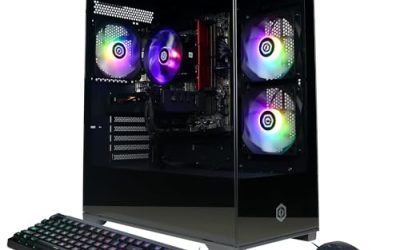
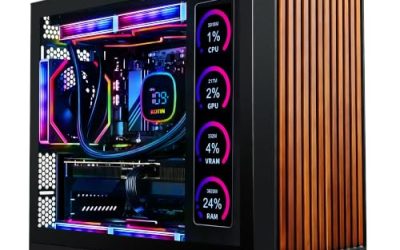
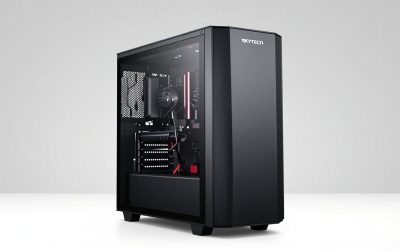
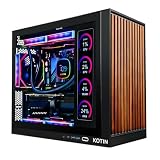
The best mini gaming PC prebuilt for most players is the MINISFORUM G1 Pro, because it pairs a 16-core, 32-thread Ryzen 9 CPU with a GeForce RTX 5060 8GB in a compact box and gives you modern connectivity such as Wi-Fi 7 and 5GbE. If you want the fastest small machine on this list and do not mind a premium-tier system, the ROG NUC 16 with an RTX 5080-class GPU is the one to look at. If you only want to play esports titles and older games at modest settings, the ACEMAGICIAN S3A, which relies on integrated Radeon 780M graphics, is the entry point. Everything else in this roundup sits between those poles: a ROG mini with an RTX 5070, two Skytech small-form-factor towers, an OCuLink-ready mini PC built for external graphics, and an older GTX 1050 box for light gaming only. Read the sections below to match the graphics class, cooling and upgrade path to the games you actually play.
Our Top Picks
 ASUS ROG GR70 Gaming Mini PCRyzen9|9955HX|RTX50702.22 x 11.12 x 7.39 Inches6.06 PoundsCheck on Amazon
 ROG NUC 16 Gaming Mini PCRTX 5080|64GB RAM|2TB SSD11.12 x 7.46 x 2.22 Inches7.05 PoundsCheck on Amazon


Top 3 picks at a glance
Top 3 Picks
Best overall: MINISFORUM G1 Pro. A Ryzen 9 8945HX with 16 cores and 32 threads, an RTX 5060 8GB GDDR7, 32GB of DDR5, a 1TB SSD, Wi-Fi 7 and quad-4K display output make this the most balanced compact system here. It targets smooth 1080p play and solid 1440p play in most current titles with sensible settings and upscaling.
Best budget pick: ACEMAGICIAN S3A. A Ryzen 7 H 255 with 8 cores and 16 threads and Radeon 780M integrated graphics is not a discrete-GPU machine, but it handles esports games, indie titles and older libraries at lower settings, and it doubles as a capable everyday desktop.
Best premium pick: ROG NUC 16 (64GB DDR5, 2TB SSD, white 3L chassis). An Intel Core Ultra 9 290HX Plus with an RTX 5080-class GPU in a roughly three-liter, triple-fan chassis is the high-performance end of the mini gaming category. It suits players who want near-tower speed on a desk without a tower.
Quick Comparison
| Product | Best for | Key specs (from the listing) |
|---|---|---|
| ASUS ROG GR70 | Balanced high-refresh 1440p play | Ryzen 9 9955HX, RTX 5070 graphics |
| ROG NUC 16 (64GB / 2TB) | Maximum performance in a small chassis | Core Ultra 9 290HX Plus, RTX 5080, 64GB DDR5-5600, 2TB SSD, white 3L chassis, triple fan |
| Mini Gaming PC (GTX 1050) | Light and older games on a tight budget | Core i7-8750H, GTX 1050 3GB GDDR5, 16GB DDR4, 512GB NVMe SSD, RGB lighting |
| MINISFORUM G1 Pro | Best all-round compact gaming | Ryzen 9 8945HX 16C/32T, RTX 5060 8GB GDDR7, 32GB DDR5, 1TB SSD, 5GbE, Wi-Fi 7, 245W |
| Skytech Chronos Mini | Current-generation Intel plus RTX 5060 | Core Ultra 7 270K Plus, RTX 5060 |
| ROG NUC 16 (base listing) | High-end small form factor | Core Ultra 9 290HX Plus, RTX 5080 |
| ACEMAGICIAN S3A | Budget esports and everyday use | Ryzen 7 H 255 8C/16T up to 4.9GHz, Radeon 780M, 16GB RAM, 512GB PCIe 4.0 SSD |
| Skytech Blaze4 Mini | RTX-class graphics in a small tower | Ryzen 5 3600, RTX 5060 Ti 8GB |
| Reatan X7 OCuLink | Upgradable setup with external GPU option | Ryzen 7 255, 48GB Crucial DDR5, OCuLink port |
How We Chose
This roundup is built from research, not bench time. We started from the product names and specifications published in each listing, then cross-checked well-established facts about the processors and graphics chips named in them, including core counts, memory types and the typical power draw of each GPU class. We weighed five criteria: graphics class, because it drives frame rates more than anything else; CPU strength and cooling headroom, which decide whether a small chassis can sustain performance; memory and storage as shipped, with attention to upgrade paths; connectivity for monitors, networking and external devices; and brand support signals such as warranty-backed lines from established makers. We did not run benchmarks, and nothing here should be read as measured frame-rate data. Where a listing leaves a detail open, such as exact chassis volume or power supply rating, we say so and suggest you confirm it on the product page before you order.
1. ASUS ROG GR70 – Best for Balanced 1440p Gaming in a Small Footprint
As an Amazon Associate we earn from qualifying purchases at no extra cost to you.

The ASUS ROG GR70 is a Republic of Gamers mini desktop that the listing describes as an “AI Desktop” built around a Ryzen 9 9955HX processor and RTX 5070 graphics. The Ryzen 9 9955HX is a Zen 5 high-performance mobile chip with 16 cores and 32 threads, the same HX family that powers thick gaming laptops. Paired with an RTX 5070, the combination targets high-refresh 1080p and strong 1440p play in current games, especially when DLSS upscaling and frame generation are enabled in supported titles.
This machine suits players who want a recognizable gaming brand, a compact desk presence and enough headroom for streaming or creative work alongside play. Because the 9955HX has so many threads, it also handles video editing, game development tools and heavy multitasking better than the quad-core and six-core processors that dominate budget small-form-factor systems.
Key specs from the listing
- CPU: AMD Ryzen 9 9955HX (16 cores, 32 threads, mobile HX class)
- GPU: NVIDIA GeForce RTX 5070
- Category: ROG gaming mini PC sold under the “AI Desktop” label
- Memory, storage and chassis volume: not fully stated in the listing name, so confirm on the product page
One detail worth confirming is whether the RTX 5070 is a laptop-class or desktop-class implementation. Compact machines often use mobile graphics silicon, which draws less power than the 250-watt desktop RTX 5070 and performs correspondingly differently. Neither choice is wrong, but it changes what you should expect from frame rates and how loud the cooling gets under load.
Strengths
The biggest strength is the CPU. Sixteen cores give you room to run a game, a streaming encoder, voice chat and a browser at once without the stutters that smaller processors can produce. The RTX 5070 tier is a sweet spot for 1440p, and modern RTX features such as DLSS 4 and ray tracing support are available at this level. Buying from an established brand also tends to mean clearer driver and firmware support than anonymous small-box vendors provide.
Pros
- 16-core, 32-thread CPU is strong for gaming plus multitasking
- RTX 5070-class graphics suit 1440p high-refresh play
- Established gaming brand with ongoing driver and firmware support
- Compact enough for shelf or desk placement
Cons
- Listing name does not spell out RAM, storage or chassis size, so verify before buying
- Small chassis limits GPU upgrades; you cannot drop in a larger graphics card later
- Compact cooling can mean audible fan noise during long sessions
How it compares
The nearest alternative is the MINISFORUM G1 Pro. The ROG GR70 steps up to RTX 5070 graphics where the G1 Pro uses an RTX 5060, so it should have more raw GPU headroom for 1440p. The G1 Pro, however, spells out its memory, storage, Wi-Fi 7 and 245-watt power design in the listing, while the GR70 leaves more for you to verify. Choose the GR70 if graphics performance and brand support come first, and the G1 Pro if you value clearly stated specifications and a lower entry point in GPU class.
Before you commit, check three items on the product page: installed memory capacity and speed, SSD size, and the exact power adapter rating. If the unit ships with an external power brick, use only the supplied adapter or a manufacturer-approved replacement, keep it in open air, and plug it into a surge-protected outlet rather than a crowded power strip.
2. ROG NUC 16 (64GB / 2TB, White 3L Chassis) – Best for Maximum Performance in a Tiny Box

This ROG NUC 16 configuration is the loaded version of ASUS’s compact gaming line. The listing names an Intel Core Ultra 9 290HX Plus, an RTX 5080 GPU, 64GB of DDR5-5600 memory, a 2TB SSD, Windows 11, a white 3-liter chassis and triple-fan cooling. Published information about the ROG NUC 16 family describes an Arrow Lake HX-class processor with 24 cores, a laptop-class RTX 5080 with 16GB of GDDR7, a toolless chassis that opens by hand for memory and storage upgrades, and a large external power adapter.
This model is for players who want flagship-tier frame rates, content creators who need lots of memory, and anyone who wants a very small machine that still behaves like a high-end tower. At 64GB of RAM and 2TB of storage, you will not need upgrades for years, which is the main thing that separates this listing from the base version below.
Key specs from the listing
- CPU: Intel Core Ultra 9 290HX Plus
- GPU: NVIDIA GeForce RTX 5080
- Memory: 64GB DDR5-5600
- Storage: 2TB SSD
- Chassis: white, roughly 3 liters, triple-fan cooling
- OS: Windows 11
Strengths
Raw capability is the headline. An RTX 5080-class GPU can run demanding games at high settings at 1440p and many titles at 4K with upscaling. The 64GB memory configuration is generous for gaming, game development, virtual machines and large creative projects, and the 2TB drive holds a sizeable library. The three-fan thermal design is built to keep a very dense chassis within safe temperature limits, and the white finish is a cosmetic choice some buyers will prefer over typical black enclosures.
Pros
- RTX 5080-class graphics for top-tier gaming performance
- 64GB of RAM and 2TB of storage included from day one
- Triple-fan cooling designed for a three-liter body
- Tiny footprint compared with any tower of similar performance
Cons
- Premium-tier system with the highest cost on this list
- Laptop-class GPU silicon means performance differs from a desktop RTX 5080 card
- Large external power adapter and significant heat output under full load
- Graphics cannot be swapped later
How it compares
The closest alternative is the other ROG NUC 16 listing on this page, which shares the same CPU and GPU named in its title. The difference here is the stated memory and storage: 64GB and 2TB versus whatever the base listing ships with. If you plan to edit video, run virtual machines or keep many large games installed, this version saves you an upgrade project. If you only play games, the base listing may be enough, and you can add memory later because the chassis is described as easy to open.
A practical safety note applies to any machine drawing this much power. Use a high-quality surge protector or a dedicated wall outlet, keep the vents clear of walls and cloth, and do not stack objects on top. Because the system relies on a large external adapter, avoid bending its cable sharply and replace it only with the manufacturer’s specified unit. The Intel Core Ultra 9 290HX Plus is a high-wattage chip, so sustained heavy loads will warm the surrounding desk surface noticeably.
3. Mini Gaming PC with Core i7-8750H and GTX 1050 – Best for Light Gaming on a Tight Budget

This generic-brand mini gaming PC pairs an Intel Core i7-8750H with a GTX 1050 3GB GDDR5 graphics chip, 16GB of DDR4 memory, a 512GB NVMe SSD, RGB lighting and dual HDMI outputs, according to the listing. The Core i7-8750H is a six-core, twelve-thread laptop processor from 2018, and the GTX 1050 is a Pascal-generation entry-level graphics chip. Both are well-established parts, and their age is the most important thing to understand before buying.
This system suits someone who wants an inexpensive compact desktop for esports titles, classic games, emulation, browsing, streaming video and light creative work. It does not suit anyone expecting modern AAA performance. A GTX 1050 with 3GB of video memory will struggle with current releases at anything beyond low settings and reduced resolution, and it lacks the ray tracing and DLSS hardware found in RTX cards.
Key specs from the listing
- CPU: Intel Core i7-8750H (6 cores, 12 threads)
- GPU: NVIDIA GTX 1050 with 3GB GDDR5
- Memory: 16GB DDR4
- Storage: 512GB NVMe SSD
- Extras: RGB lighting, two HDMI outputs plus additional ports
Strengths
The six-core processor remains perfectly adequate for everyday computing, and 16GB of memory with an NVMe drive keeps Windows responsive. The system can run many esports and older titles at 1080p with reduced settings, and it can serve as a secondary or living-room machine. The 8th-generation Intel generation is among those Microsoft lists as compatible with Windows 11, though you should confirm the installed operating system on the product page.
Pros
- Six-core CPU is still fine for general use and light gaming
- NVMe SSD and 16GB RAM keep the system quick day to day
- Multiple HDMI outputs for dual-monitor desks
- Smallest financial commitment among the discrete-GPU systems here
Cons
- GTX 1050 3GB is far behind current RTX-class graphics
- Older platform with limited upgrade options and no modern Wi-Fi guarantees
- Generic brand means support and warranty terms need careful reading
- Not a good fit for recent AAA releases
How it compares
Its nearest alternative is the ACEMAGICIAN S3A. The S3A uses a newer Ryzen 7 H 255 with integrated Radeon 780M graphics, which is a more recent architecture and often competitive with an entry-level discrete card of this vintage in lighter games, while drawing far less power and producing less noise. The GTX 1050 box offers a dedicated graphics chip and RGB styling, but the S3A has a more modern CPU and a PCIe 4.0 SSD. If you want the newest platform for general use, lean toward the S3A. If you specifically want a discrete NVIDIA GPU for compatibility with older titles or software that expects one, this model fits.
Because this is a compact system with a mobile-class processor, keep the vents free of dust and plan to blow them out with short bursts of compressed air every few months, after powering the unit down and unplugging it. Use the supplied power adapter and avoid daisy-chaining extension cords.
4. MINISFORUM G1 Pro – Best for All-Round Compact Gaming

The MINISFORUM G1 Pro is the most clearly specified machine in this roundup. The listing states a Ryzen 9 8945HX with 16 cores and 32 threads boosting up to 5.4GHz, a GeForce RTX 5060 with 8GB of GDDR7, 32GB of DDR5, a 1TB SSD, 5GbE networking, Wi-Fi 7, quad 4K display output and a 245W power figure. Published information about the product describes a desktop-class RTX 5060 rated around 145 watts, a chassis of about 3.8 liters, and an internal PCIe slot design that lets the system house a full graphics card rather than a soldered laptop chip.
It suits players who want strong 1080p and capable 1440p performance, enough CPU strength for streaming and productivity, and modern networking, all without a large tower. It also suits anyone who values knowing exactly what they are buying from the title alone.
Key specs from the listing
- CPU: Ryzen 9 8945HX, 16C/32T, up to 5.4GHz
- GPU: GeForce RTX 5060 8GB GDDR7
- Memory and storage: 32GB DDR5, 1TB SSD
- Networking: 5GbE and Wi-Fi 7
- Display: quad 4K output
- Power: 245W
Strengths
The balance is excellent. The CPU is more than most games need, the RTX 5060 supports DLSS 4 and ray tracing, and the memory and storage amounts are comfortable for a gaming PC. Wi-Fi 7 and 5GbE help with online play and large downloads, and four-display capability suits streamers who keep chat, capture software and game windows on separate screens. The cooling design is built around the 245-watt envelope stated in the listing.
Pros
- Fully specified listing with generous memory and storage
- Desktop-style RTX 5060 in a compact chassis
- Fast networking for online gaming and large downloads
- Strong CPU for multitasking and creative work
Cons
- 8GB of video memory can limit very high texture settings in newer games
- Power headroom is finite when CPU and GPU are both loaded
- Smaller brand than ASUS or MSI, so check warranty terms
How it compares
Against the ROG GR70, the G1 Pro gives up one GPU tier but spells out everything else. Against the Skytech Chronos, it offers a mobile-class workstation CPU and Wi-Fi 7 where the Chronos pairs a desktop-style Intel chip with the same RTX 5060 tier. Against the Reatan X7, which relies on an external GPU for serious graphics, the G1 Pro delivers discrete graphics out of the box, with no dock or second power supply to manage.
Power guidance matters here. A system rated at 245 watts should be plugged straight into a wall outlet or a quality surge protector rated for the load, never into a lightweight travel adapter. Do not block the exhaust vents, and give the case a few inches of clearance on all sides.
5. Skytech Gaming Chronos Mini – Best for a Current-Generation Intel Build with RTX 5060

The Skytech Gaming Chronos Mini Gaming PC is a prebuilt small-form-factor desktop that, per the listing, uses an Intel Core Ultra 7 270K Plus processor and an RTX 5060 graphics card. Unlike the laptop-derived chips in several other mini PCs here, the “K” suffix points to an unlocked desktop-class Intel processor, which generally means a standard socketed CPU, a conventional motherboard and a graphics card that follows the ordinary desktop form. Skytech is a long-running prebuilt brand that sells many configurations, so the Chronos line is meant to bring a familiar formula to a more compact case.
It suits buyers who want 1080p high-refresh gaming and good 1440p performance with a modern Intel platform, and who prefer a more conventional PC architecture that is easier to service than an ultra-dense mini PC. Because the parts are closer to standard desktop components, repair and upgrades are more realistic than on a soldered mobile design, though the compact case limits cooler and graphics card size.
Key specs from the listing
- CPU: Intel Core Ultra 7 270K Plus (desktop-class, unlocked “K” series)
- GPU: NVIDIA GeForce RTX 5060
- Memory, storage, PSU wattage and case volume: not given in the listing name, so verify them on the product page
Strengths
The RTX 5060 delivers the current-generation feature set, including DLSS 4 with multi frame generation support in compatible games, and it draws about 145 watts, which is manageable in a small case. A desktop-class Core Ultra 7 provides plenty of gaming performance and efficient multitasking. Because it is a prebuilt from a PC-focused brand, the system comes assembled, with Windows and drivers typically preinstalled, which saves a beginner hours of setup.
Pros
- Desktop-class Intel CPU with strong gaming and productivity performance
- RTX 5060 supports current NVIDIA features including DLSS 4
- More serviceable than a soldered mini PC
- Pre-assembled from a recognized prebuilt brand
Cons
- Listing is thin on RAM, storage and power supply details
- Compact case can run warmer than a mid-tower under sustained load
- Same RTX 5060 tier as the G1 Pro, so no GPU advantage over it
How it compares
The closest alternative is the Skytech Blaze4 Mini, which steps up to an RTX 5060 Ti but pairs it with an older Ryzen 5 3600. The Chronos balances the platform better: a much newer CPU with a slightly lower GPU tier. In games that lean on the processor, such as large strategy games, simulation titles and competitive shooters at high frame rates, the newer CPU should help more than a small GPU bump. Against the MINISFORUM G1 Pro, the Chronos relies on a standard desktop architecture while the G1 Pro uses a laptop-class CPU in a tighter chassis, so the Chronos is likely easier to maintain while the G1 Pro is likely smaller.
Before purchase, confirm the power supply wattage and certification. For an RTX 5060 system NVIDIA’s guidance has historically been in the 550-watt range, so a unit rated at or above that from a reputable maker is appropriate. Never open the case while the system is plugged in, and avoid using the machine in a closed cabinet.
6. ROG NUC 16 (Core Ultra 9 290HX Plus, RTX 5080) – Best for High-End Performance Without the Extra Memory Tier

This second ROG NUC 16 listing names the same flagship pairing: an Intel Core Ultra 9 290HX Plus and an RTX 5080 GPU. The product title does not state the memory or storage capacity, which is why it appears as its own entry. Published information about the ROG NUC 16 family describes configurations with 32GB of DDR5 and a 1TB SSD as common starting points, a roughly three-liter body, Wi-Fi 7, Thunderbolt 4, HDMI 2.1 and DisplayPort 2.1 outputs, and two memory slots plus two M.2 storage slots that you can reach without tools. Confirm the exact configuration on the product page.
This model suits the same buyer as the 64GB version, but one who would rather start with a more modest memory and storage setup or who may want to upgrade those components on a schedule. It is a strong pick for 1440p and 4K gaming with upscaling, for players with multiple high-resolution displays, and for anyone who wants a quiet-ish, tidy desk setup.
Key specs from the listing
- CPU: Intel Core Ultra 9 290HX Plus
- GPU: NVIDIA GeForce RTX 5080
- Category: ROG gaming mini PC sold under the “AI Desktop” label
- RAM and SSD: unstated in the title, so verify on the product page
Strengths
The performance ceiling is the same as the loaded version. The compact chassis keeps your desk free, and the connectivity set, which reportedly includes Thunderbolt 4 and multiple modern display ports, makes it easy to drive several monitors and fast external drives. The easy-open design reported for this family makes it more practical to expand than most laptop-derived mini PCs, which matters because memory and SSD prices tend to shift over time.
Pros
- Flagship CPU and GPU pairing in a very small chassis
- Reportedly toolless access for memory and storage upgrades
- Strong port selection for multi-monitor and high-speed storage setups
- Brand-backed support from a major hardware maker
Cons
- Listing leaves RAM and storage unstated
- GPU is a laptop-class chip, not a full desktop RTX 5080 card
- High power draw requires a good outlet and clear ventilation
- Premium positioning means it is not the value pick
How it compares
Compared with the 64GB/2TB version, this listing is the better choice only if you want to confirm or customize memory and storage yourself, or if you find the base configuration sufficient. Compared with the ROG GR70, the NUC 16 sits a full GPU tier higher (RTX 5080 versus RTX 5070) and adds an Intel-based platform instead of AMD. If your monitor is 1440p at 165Hz or below, the RTX 5070 in the GR70 may already saturate it in many games, and the extra performance of the NUC 16 matters most at 4K or when you want maximum ray tracing settings.
Electrical safety reminder: high-end compact PCs ship with large power adapters, and the cable between adapter and PC carries substantial current. Do not use a damaged cable, do not coil the adapter tightly while it is running, and keep it off carpet or bedding where heat cannot escape.
7. ACEMAGICIAN S3A Gaming Mini PC – Best for Budget Esports and Everyday Use

The ACEMAGICIAN S3A is the most affordable-feeling path into compact gaming on this list. According to the listing, it uses a Ryzen 7 H 255 (up to 4.9GHz, 8 cores and 16 threads) with Radeon 780M integrated graphics, 16GB of RAM and a 512GB PCIe 4.0 SSD. The Radeon 780M is an RDNA 3 integrated GPU with 12 compute units, and it is widely regarded as one of the stronger integrated graphics options for light gaming, which is why mini PCs built around it are marketed as gaming-capable.
The S3A suits students, casual gamers, families and anyone whose library is dominated by esports titles, indie games, older AAA releases and emulators. It also works as a small home office or media-center PC. It does not suit players who want ray tracing, 1440p at high settings or the newest AAA releases at high frame rates.
Key specs from the listing
- CPU: AMD Ryzen 7 H 255, 8C/16T, up to 4.9GHz
- Graphics: AMD Radeon 780M integrated
- Memory: 16GB RAM
- Storage: 512GB PCIe 4.0 SSD
Strengths
Efficiency is the standout feature. An integrated-graphics mini PC draws far less power than any machine with a discrete GPU, runs cooler and quieter, and is easier to place. Eight cores handle general computing, light content creation and multitasking comfortably. With sensible settings, titles like Valorant, Counter-Strike 2, League of Legends and Fortnite at lower presets are realistic, and AMD upscaling technologies such as FSR can lift frame rates in supported games.
Pros
- Low power use, low noise and a small footprint
- Eight-core CPU is plenty for everyday workloads
- PCIe 4.0 SSD gives quick load times for the price class
- Radeon 780M is strong among integrated GPUs
Cons
- Integrated graphics cannot match any RTX card on this page
- Memory is probably shared with the GPU, so 16GB is the practical minimum
- Newer AAA games need low settings and upscaling
- Smaller brand, so read the warranty terms carefully
How it compares
Against the GTX 1050 mini PC, the S3A offers a newer CPU, faster storage and lower power use, though the older box has a dedicated GPU. Against the Reatan X7, which uses a closely related Ryzen 7 255 processor, the S3A has a more conventional approach, while the Reatan adds an OCuLink port and 48GB of RAM, making it better for people who intend to attach an external GPU later. If you will never add a GPU, the S3A is the simpler choice; if you might, the Reatan gives you the upgrade path.
Check whether the memory is soldered or socketed, since that determines whether you can raise capacity later. Use the included power adapter, and keep this small unit away from heat sources such as monitors’ rear exhausts.
8. Skytech Gaming Blaze4 Mini – Best for RTX-Class Graphics in a Small Tower
The Skytech Gaming Blaze4 Mini is a compact prebuilt that pairs an RTX 5060 Ti with 8GB of video memory and a Ryzen 5 3600 processor, according to the listing. The Ryzen 5 3600 is a six-core, twelve-thread Zen 2 CPU from 2019 on the AM4 platform, and it is a recognized budget gaming chip. The RTX 5060 Ti is a current-generation mid-range card, though this listing names the 8GB version, which is an important detail.
This system suits players who prioritize graphics over CPU power, who play mostly at 1080p, and who want modern GPU features such as DLSS 4 at an attainable level. It is also a sensible choice for builders who like the AM4 platform’s mature ecosystem and plan to swap in a faster compatible processor later.
Key specs from the listing
- CPU: AMD Ryzen 5 3600 (6 cores, 12 threads)
- GPU: NVIDIA GeForce RTX 5060 Ti 8GB
- Memory, storage and chassis details: not given in the title, so confirm on the product page
Strengths
A 5060 Ti-class graphics card gives noticeably more rendering power than a plain RTX 5060 for the same resolution targets, and the platform choice leaves a straightforward upgrade route, since AM4 supports a range of faster Ryzen processors. Skytech’s compact tower approach generally keeps the system usable on a desk or shelf.
Pros
- RTX 5060 Ti graphics are a step above RTX 5060
- AM4 platform makes later CPU upgrades inexpensive and simple
- Six-core CPU is adequate for 1080p gaming
- Pre-assembled and ready to use
Cons
- Ryzen 5 3600 can bottleneck a card this fast in CPU-heavy games
- The card is designed with a narrow PCIe x8 link, and an older platform may run it at reduced bandwidth, so check the motherboard generation
- 8GB of VRAM is tight for the latest high-texture titles
- Older platform lacks DDR5 and PCIe 5.0
How it compares
The Chronos Mini is the nearest alternative. The Chronos has a much newer CPU and a slightly weaker GPU, while the Blaze4 flips that balance. If you play at 1440p or in GPU-bound games, the Blaze4’s stronger card helps. If you play simulation, strategy or competitive titles that depend on the processor, the Chronos is likely to feel smoother. The G1 Pro uses a lower GPU tier but has a vastly stronger CPU, which means the G1 Pro may feel faster in some games despite the lower-tier card.
When evaluating the Blaze4, ask the seller which motherboard chipset is installed. A board with PCIe 4.0 support avoids the performance penalty that an x8-lane card can show on a PCIe 3.0 slot.
9. Reatan X7 OCuLink Mini PC – Best for Building Toward an External GPU

The Reatan X7 is a compact mini PC built around a Ryzen 7 255 processor with 48GB of Crucial DDR5 memory and an OCuLink port, per the listing. OCuLink is a cable standard that carries PCIe lanes outside the PC, typically as PCIe 4.0 x4, and it is the usual way mini PCs connect to external graphics docks. The Ryzen 7 255 is an eight-core, sixteen-thread Zen 4 processor with Radeon 780M integrated graphics, the same class of chip as the ACEMAGICIAN S3A.
This unit suits tinkerers who want to start with a modest, quiet, power-efficient machine and add a desktop graphics card through a dock later, spreading the spend over time. The large 48GB of memory is unusual in this category and is excellent for browser-heavy workflows, virtual machines and light creative work.
Key specs from the listing
- CPU: AMD Ryzen 7 255
- Memory: 48GB Crucial DDR5
- Connectivity: OCuLink port for external graphics docks
- Storage, ports and exact graphics: confirm on the product page
Strengths
The upgrade path is the main appeal. With an OCuLink dock and a desktop graphics card, this small computer can reach a performance level well above its integrated graphics, often with less overhead than a Thunderbolt enclosure because OCuLink offers a more direct PCIe connection. Using branded Crucial memory also signals a recognizable component rather than anonymous modules.
Pros
- OCuLink offers an external-GPU upgrade route
- 48GB of RAM is generous for multitasking and virtual machines
- Efficient integrated graphics for light gaming on its own
- Small, quiet and low in power use
Cons
- The dock and graphics card are separate purchases, each with its own power requirements
- Integrated graphics only on its own
- OCuLink is not designed to be hot-plugged, so connect it with everything powered off
- Less-known brand, so warranty and driver support need checking
How it compares
The ACEMAGICIAN S3A is its nearest sibling. They share the same processor class, but the Reatan prioritizes memory capacity and the OCuLink port while the S3A emphasizes storage speed and a simpler purchase. Compared with discrete-GPU systems like the Chronos or G1 Pro, the Reatan costs less up front but will cost more in total once you add a dock, a graphics card and a power supply for the dock.
Safety matters with external docks. A dock has its own power supply that must be sized for the graphics card, and its power cables should be connected with the unit unplugged. Never plug or unplug the OCuLink cable while either device is powered on, and keep the dock in a ventilated space.
How to Choose a Mini Gaming PC Prebuilt
Choosing a compact gaming system comes down to matching four things: the graphics class, the cooling and power design, the upgrade path and the monitor you own. Start with the graphics, because in a mini PC the GPU decides most of what you can play and at what settings.
Match the graphics class to your monitor
Here is a rule of thumb based on well-established GPU tiers. Integrated graphics such as the Radeon 780M are suited to 1080p at low or medium settings in esports and older games. An entry discrete chip like the GTX 1050 is similar or slightly better in the same use cases, but without modern features. An RTX 5060 or RTX 5060 Ti targets 1080p at high settings and 1440p with upscaling. An RTX 5070 aims at 1440p at high settings. An RTX 5080 class GPU is meant for 1440p at maximum settings and 4K with upscaling. The more pixels your monitor pushes, the more GPU you need, so a 1080p 144Hz monitor does not need the RTX 5080, and a 4K display will be frustrated by integrated graphics.
Check the memory and storage
Sixteen gigabytes of RAM is the practical floor for current games, and 32GB gives comfortable headroom for gaming plus streaming or browser tabs. For storage, 512GB fills up fast because many modern games exceed 100GB each, so plan on 1TB or more, or confirm that a second M.2 slot is available. Machines with socketed memory and open M.2 slots let you grow later, while systems with soldered memory do not.
Worked calculation: power and outlet headroom
Compact gaming PCs concentrate a lot of power in a small space, so it helps to estimate the load. Take a system like the G1 Pro, whose listing states 245 watts. At full tilt it may draw roughly 245 watts of component power, plus conversion losses in the power supply. If the supply is about 88 percent efficient, wall draw is about 245 divided by 0.88, or roughly 280 watts. Add a 27-inch monitor at around 35 watts, a pair of speakers at 20 watts and a router at 10 watts, and your desk total is about 345 watts. A standard US 15-amp, 120-volt household circuit supports about 1,800 watts, and the usual practice is to stay at or below 80 percent for continuous loads, which is 1,440 watts. So a single mini PC desk setup is far below the limit. The issue arises when the same circuit also runs a space heater, a microwave or a window air conditioner. In that case, plug your PC into a different circuit and use a surge protector with a safety listing such as UL 1449 rather than a thin, unrated extension cord.
Cooling and noise
Small cases have less volume for air, so fans spin faster under load. Look for listings that mention multi-fan designs, heat pipes or vapor-chamber style cooling, and leave at least a few inches of open space around every vent. Do not place a mini PC in a closed cabinet or on a soft surface. Plan to clean dust filters or vents every few months by powering the system down, unplugging it, and using short bursts of compressed air while holding fan blades still.
Laptop-class versus desktop-class parts
Many mini PCs use mobile processors and mobile graphics, which draw less power. An RTX 5080 Laptop GPU is not identical to a desktop RTX 5080 card, so frame rates differ, usually in favor of the desktop card. Listings that name a part without saying “laptop” or “mobile” can still use mobile silicon, so check the product page. This matters when comparing, for example, a ROG machine with a mobile RTX chip to a Skytech tower with a standard desktop card.
Decision matrix
| If you are… | Choose | Why |
|---|---|---|
| A 1080p player wanting the best balance | MINISFORUM G1 Pro | Strong CPU, RTX 5060 and fully specified listing |
| A 1440p high-refresh player | ASUS ROG GR70 | RTX 5070 tier with a 16-core CPU |
| A 4K or maximum-settings player | ROG NUC 16 | RTX 5080-class graphics in a tiny body |
| A creator who also games | ROG NUC 16 (64GB / 2TB) | Lots of memory and storage included |
| Playing esports and indie titles only | ACEMAGICIAN S3A | Efficient integrated graphics, low noise |
| Wanting a standard desktop-style build | Skytech Chronos Mini | Desktop Intel CPU and RTX 5060 |
| Wanting graphics now with a later CPU upgrade | Skytech Blaze4 Mini | RTX 5060 Ti on an upgradable AM4 platform |
| Planning to add an external GPU later | Reatan X7 | OCuLink port plus 48GB of RAM |
| On the lowest possible budget | GTX 1050 mini PC | Dedicated GPU for older and light games |
Warranty and support
Prebuilts from larger brands usually come with clearer warranty terms and driver pages. With smaller brands, look for a stated warranty period, a named support channel and a return window. Keep the original packaging for the first few weeks in case you need to return the unit.
Setup and Maintenance Checklist for Compact Gaming PCs
A few habits in the first week make a small gaming PC more reliable for years. Unbox the machine on a clean, hard surface and keep every accessory, since warranty claims often ask for the original power adapter and serial label. Plug in the supplied adapter first, then connect the display to the graphics outputs rather than the motherboard outputs where your model offers both. Connecting a monitor to the wrong port is the most common reason a new owner sees low frame rates on an expensive system.
Run Windows Update and install the latest graphics driver from the chip maker, because prebuilts often ship with drivers that are several months old. In the display settings, confirm that your monitor is actually running at its rated refresh rate; many screens default to 60Hz until you change it. In the manufacturer’s control software, if your model includes one, pick a power or performance profile that matches how you use the machine. Quiet profiles lower fan noise but also reduce sustained frame rates.
For memory, make sure the system is running at its rated speed. Some boards fall back to a lower default until an option is enabled in firmware. Check the storage too: leave at least 15 to 20 percent of your SSD free, since fuller drives slow down and wear faster. If your model has a second M.2 slot, add a drive there rather than replacing the first.
Every three to six months, power the system down, unplug it and inspect the vents. Use short bursts of compressed air while holding the fan still with a cotton swab so it does not overspin. Never use a household vacuum on electronics, since it can generate static discharge. Keep liquids away from the unit, and if the case ever smells of burning, stops powering on or shows swelling around the adapter, unplug it and contact the seller instead of continuing to use it.
Frequently Asked Questions
Can a mini gaming PC really match a full-size tower?
Not exactly, but the gap is smaller than it used to be. Mini PCs with laptop-class graphics generally perform below the desktop version of the same-named GPU, and their compact cooling limits sustained power. A mini PC with a desktop-style card, such as the G1 Pro, narrows the difference. For most players, the difference is small enough to be outweighed by the space savings.
Is 8GB of video memory enough in 2026?
For 1080p gaming it is usually adequate, but a growing number of recent games can exceed 8GB at high texture settings, even at 1080p. Lowering texture quality or using upscaling typically fixes it. If you want a longer runway, consider a higher GPU tier with more memory.
Can I upgrade the graphics card later?
On most mini PCs here, no. The GPU is either soldered or fits a compact design that does not accept standard cards. The exceptions are towers like the Skytech models, which use standard parts within case-size limits, and the Reatan X7, which can connect to an external GPU through OCuLink.
What is OCuLink and do I need it?
OCuLink is a cable standard that carries PCIe lanes outside the computer, typically as PCIe 4.0 x4. It lets a mini PC connect to a graphics dock with a desktop card. You only need it if you plan to build an external GPU setup, and you should power everything down before connecting or disconnecting the cable.
Are integrated graphics good enough for gaming?
For esports titles, indie games and older releases at 1080p with low to medium settings, the Radeon 780M is workable. It will not run recent demanding games at high settings. Upscaling tools such as FSR can help in supported titles.
How hot do mini gaming PCs get?
Under gaming load, the exhaust air and chassis can become noticeably warm, and fans will be audible. Good airflow, clean vents and a hard, flat surface keep temperatures in the intended range. If a system shuts down or throttles repeatedly, stop using it and contact the seller.
Do I need a surge protector?
Yes, a protector with a recognized safety listing is a sensible precaution for any gaming PC. Plug the system’s own power adapter into it and avoid chaining one strip to another. Replace the protector if its protection indicator light goes out.
Which Windows version do these machines use?
Most listings mention Windows 11, and at least one names it explicitly. Where a listing does not say, confirm the preinstalled operating system and license on the product page before you buy.
Our Recommendation by Situation
Pick the MINISFORUM G1 Pro if you want the best all-round choice. Pick the ROG GR70 for 1440p performance with a reputable brand behind it. Choose a ROG NUC 16 when you want the highest performance a tiny case can offer, and the 64GB version if you also create content. Go with the Skytech Chronos Mini for a standard desktop-style platform, the Blaze4 for an upgradable AM4 base, the S3A for efficient budget gaming and the Reatan X7 if an external GPU is in your plans. Treat the GTX 1050 box as a light-use machine only.