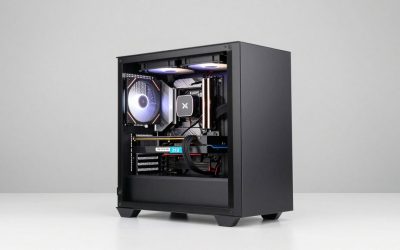
The best gaming PC under $5000 in 2026 is a fully loaded RTX 5080 system, not an RTX 5090 one. That surprises a lot of buyers, but the math is simple: the RTX 5090 launched at a $1,999 MSRP and has spent most of 2026 selling at more than double that because of the global memory shortage, so complete RTX 5090 desktops now land well above $5,000. Our top pick is the ASUS ROG GM700 (2026) with a Ryzen 7 9800X3D and RTX 5080, a balanced, well-cooled machine from a major brand. The runner-up is the Skytech Ryzen 7 9850X3D + RTX 5080, which pairs the same GPU with AMD’s fastest 8-core gaming chip.
Below you will find seven main picks and three alternatives, all built around current-generation parts, plus GPU and CPU tables, a component checklist and clear advice on when spending less makes more sense.
Disclosure: we may earn a commission if you buy through the product cards on this page, at no extra cost to you.
Our Top Picks


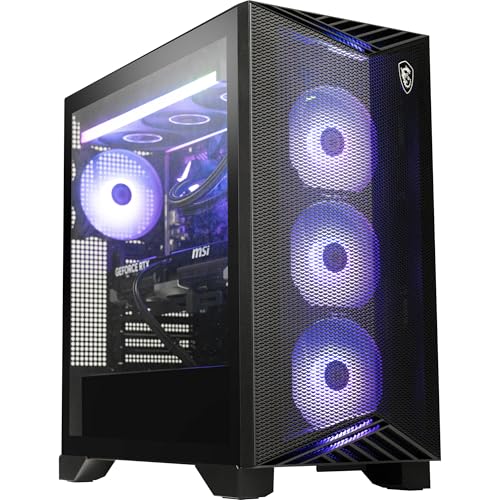
Top 3 picks at a glance

Top Picks at a Glance
- Best Overall: ASUS ROG GM700 (2026): Ryzen 7 9800X3D, RTX 5080, 32GB DDR5, 2TB.
- Best for High-Refresh Gaming: Skytech Ryzen 7 9850X3D + RTX 5080: the fastest 8-core X3D chip with the strongest sub-$5,000 GPU.
- Best for Gaming and Creating: Empowered PC Panorama XL: 16-core Ryzen 9 9950X3D, RTX 5080, 64GB DDR5.
- Best Cooling and Power Headroom: HP OMEN MAX 45L (Empowered PC configuration): liquid cooling and a 1,200W Platinum PSU.
- Best Intel Option: Alienware Aurora: Core Ultra 9 285 and RTX 5080 with Dell support.
- Best for Upgraders: MSI Aegis ZS: Ryzen 9 9900X, RTX 5080, liquid cooling and a DIY-friendly layout.
- Best Value: Skytech Ryzen 7 9850X3D + RX 9070 XT: excellent 1440p gaming with thousands left in the budget.
Best Gaming PC Under $5000: Comparison Table
| Product | Best For | CPU | GPU | RAM / Storage | Watch For | Price Tier |
|---|---|---|---|---|---|---|
| ASUS ROG GM700 (2026) | All-round 1440p and 4K gaming | Ryzen 7 9800X3D | RTX 5080 16GB | 32GB DDR5 / 2TB | Proprietary case styling | Upper-mid |
| Skytech 9850X3D + RTX 5080 | High-refresh esports and AAA | Ryzen 7 9850X3D | RTX 5080 16GB | 32GB / 2TB | Brand-specific parts list varies by batch | Upper-mid |
| Empowered PC Panorama XL | Gaming plus streaming and editing | Ryzen 9 9950X3D | RTX 5080 16GB | 64GB DDR5 / 2TB Gen4 | Close to the $5,000 ceiling | Premium |
| HP OMEN MAX 45L (Empowered PC) | Cooling and future GPU headroom | Ryzen 7 9800X3D | RTX 5080 16GB | 32GB DDR5 / 2TB Gen4 | Wi-Fi 6E, not Wi-Fi 7 | Upper-mid |
| Alienware Aurora | Intel buyers, brand support | Core Ultra 9 285 | RTX 5080 16GB | Varies by configuration | Check RAM and SSD in the chosen config | Upper-mid |
| MSI Aegis ZS | Upgraders, mixed work and play | Ryzen 9 9900X | RTX 5080 16GB | 32GB / 2TB | Non-X3D chip is slower in CPU-bound games | Upper-mid |
| Skytech 9850X3D + RX 9070 XT | Value 1440p high refresh | Ryzen 7 9850X3D | RX 9070 XT 16GB | 32GB / 2TB | Weaker ray tracing than RTX 5080 | Mid-range |
The 2026 Price Reality: Why $5,000 Buys an RTX 5080, Not a 5090
Two things shape every high-end gaming PC this year. First, AI demand has soaked up memory supply. Memory now makes up the bulk of a graphics card’s bill of materials, and reports through 2026 put RTX 5090 retail pricing in the $4,300 to $5,000 range for the card alone, with marketplace listings going far higher. Complete RTX 5090 prebuilts in the current lineup generally sit in the $7,500 to $9,000+ range. The RTX 5080, which launched at $999, has also crept up but remains far closer to its launch price.
Second, there is no refresh coming soon. NVIDIA skipped new GPU announcements at CES 2026, and as of October 2026 the rumored RTX 50 Super cards have not been announced, with industry reports pointing to 2027 at the earliest. Next-generation RTX 60 cards are reported to be further out still. Waiting is unlikely to unlock a cheap RTX 5090 this year.
The good news: an RTX 5080 with a top X3D processor is a superb 1440p machine and a strong 4K one, especially with DLSS 4 Multi Frame Generation. That is what a $5,000 budget should buy in 2026, with the leftover going to more RAM, faster storage, better cooling or a great monitor.
1. ASUS ROG GM700 (2026): Best Overall Gaming PC Under $5000
Key specs: AMD Ryzen 7 9800X3D (8 cores, up to 5.2GHz, 96MB L3) | NVIDIA GeForce RTX 5080 16GB GDDR7 | 32GB DDR5 | 2TB M.2 NVMe PCIe 4.0 | Windows 11 Home
As an Amazon Associate we earn from qualifying purchases at no extra cost to you.
Best for: gamers who want a high-end 1440p or 4K machine from a major brand without overthinking the parts list. Skip if: you need 64GB of RAM or a 16-core CPU for heavy video work.
The ROG GM700 lands on the combination most reviewers recommend for a pure gaming PC in 2026: the Ryzen 7 9800X3D with its 96MB of L3 cache and an RTX 5080. The 3D V-Cache design keeps frame rates high and consistent in CPU-heavy games such as large strategy titles, open-world games and competitive shooters, while the RTX 5080’s 16GB of GDDR7 at 960GB/s handles 1440p at very high refresh rates and 4K with DLSS upscaling.
Compared with the Skytech 9850X3D build below, the GM700 uses a chip that is a few hundred megahertz slower, but reviewers measured the 9850X3D at only up to about 4% faster than the 9800X3D, and often identical. That difference will rarely change your experience. What ASUS adds is a polished chassis, ROG software and a large support network.
For longevity, the AM5 platform is a plus: AMD has kept the socket alive through the Ryzen 9000 series, and DDR5 plus PCIe 4.0 storage gives room to add drives and memory later. At a typical upper-mid price, the GM700 also leaves room under a $5,000 budget for a quality 1440p or 4K high-refresh monitor.
Pros
- Best-in-class gaming CPU with an RTX 5080
- Major-brand build quality and support
- Leaves budget for a high-end monitor or peripherals
- AM5 platform with DDR5 for future upgrades
Cons
- 32GB RAM is fine for gaming but lean for heavy creative work
- PCIe 4.0 SSD rather than Gen5
2. Skytech Ryzen 7 9850X3D + RTX 5080: Best for High-Refresh Gaming
Key specs: AMD Ryzen 7 9850X3D (8 cores, up to 5.6GHz, 96MB L3) | NVIDIA GeForce RTX 5080 16GB | 32GB RAM | 2TB SSD
As an Amazon Associate we earn from qualifying purchases at no extra cost to you.
Best for: competitive players on 240Hz to 360Hz monitors who want every possible frame. Skip if: you want a big-name warranty network or more than 32GB of RAM out of the box.
The Ryzen 7 9850X3D launched in January 2026 and is essentially a higher-clocked 9800X3D: same 8 cores, same 96MB of L3, same 120W TDP, but a 5.6GHz boost instead of 5.2GHz. Reviewers called it the fastest gaming processor available at launch. Paired with an RTX 5080, it is the best way to push very high frame rates at 1080p and 1440p, where the CPU is more likely to be the limit.
Skytech’s systems use standard ATX components, which makes upgrades and repairs straightforward. Against the ASUS GM700, you get the slightly faster chip and a more DIY-style build; against the Empowered PC Panorama XL, you give up the 16-core CPU and 64GB of RAM but save a meaningful amount. For a pure gaming rig, this is one of the strongest uses of a sub-$5,000 budget.
Plan to check the exact motherboard, power supply and cooler in the current listing, since boutique builders sometimes rotate parts between batches. An RTX 5080 needs an 850W-class power supply under NVIDIA’s guidance, and a quality 850W Gold unit is what to look for.
Pros
- Fastest 8-core gaming CPU paired with the RTX 5080
- Standard parts that are easy to upgrade
- Upper-mid price leaves budget for a monitor
Cons
- Component brands can vary between batches
- Only marginally faster than a 9800X3D in most games
3. Empowered PC Panorama XL (Ryzen 9 9950X3D, 64GB): Best for Gaming and Creating
Key specs: AMD Ryzen 9 9950X3D (16 cores, up to 5.7GHz, 128MB L3) | RTX 5080 16GB | 64GB DDR5 | 2TB Gen4 NVMe | Windows 11 Pro | Wi-Fi 7 | 3-year warranty
As an Amazon Associate we earn from qualifying purchases at no extra cost to you.
Best for: streamers, video editors and 3D artists who also want top-tier gaming. Skip if: you only game; the extra cores and RAM add cost without adding frames.
This is the “maxed” RTX 5080 build that competitors describe as the honest $5,000 configuration, delivered as a prebuilt. The Ryzen 9 9950X3D gives you 16 cores for encoding, rendering and compiling, while its 3D V-Cache chiplet keeps gaming performance in the same class as the 8-core X3D chips. Doubling RAM to 64GB matters for 4K video timelines, large Unreal Engine projects and running OBS, a game and a browser full of tabs at once.
The trade-off is price. This configuration sits close to the top of a $5,000 budget, so there is little left for a monitor. Compared with the ASUS and Skytech picks, gaming performance will look nearly identical; the difference shows up in creative workloads and multitasking. Windows 11 Pro, Wi-Fi 7 and a three-year warranty are welcome extras at this level.
If you were planning to build this yourself, note that 64GB of DDR5 has been one of the most volatile prices of 2026. A prebuilt can sometimes come out close to DIY cost because builders buy memory in volume.
Pros
- 16-core X3D CPU for gaming and production work
- 64GB DDR5 for creative multitasking
- Wi-Fi 7, Windows 11 Pro and a 3-year warranty
Cons
- Near the top of the budget
- No gaming advantage over 8-core X3D builds
4. HP OMEN MAX 45L (Empowered PC Configuration): Best Cooling and Power Headroom
Key specs: AMD Ryzen 7 9800X3D | RTX 5080 16GB | 32GB DDR5 | 2TB Gen4 SSD | liquid cooling | 1,200W Platinum PSU | Wi-Fi 6E | 2x 10Gbps USB-C
As an Amazon Associate we earn from qualifying purchases at no extra cost to you.
Best for: buyers who want a cool, quiet tower with room to drop in a bigger GPU later. Skip if: you want the newest Wi-Fi 7 standard or a compact case.
HP’s OMEN MAX 45L is a large, airflow-focused chassis, and this configuration from Empowered PC pairs it with a 9800X3D, an RTX 5080 and an unusually large 1,200W Platinum power supply. NVIDIA recommends 850W for the RTX 5080 and 1,000W for the RTX 5090, so the 1,200W unit gives real headroom if you swap in a more powerful card down the line.
The liquid-cooled CPU and spacious case should keep noise low during long sessions, which matters more than many buyers expect at this tier. Compared with the ASUS GM700, gaming performance should be in the same class since the core parts match; the OMEN’s advantages are cooling, power headroom and fast front USB-C. Its weak spot is wireless: Wi-Fi 6E rather than Wi-Fi 7, which is only a concern if you rely on wireless and have a Wi-Fi 7 router.
Pros
- 1,200W Platinum PSU leaves room for a future GPU upgrade
- Liquid cooling in a large, airflow-friendly chassis
- Two 10Gbps USB-C ports
Cons
- Wi-Fi 6E, not Wi-Fi 7
- Very large tower
5. Alienware Aurora (Core Ultra 9 285 + RTX 5080): Best Intel Option
Key specs: Intel Core Ultra 9 285 (24 cores: 8 performance + 16 efficient, up to 5.6GHz) | RTX 5080 16GB | RAM and storage vary by configuration
As an Amazon Associate we earn from qualifying purchases at no extra cost to you.
Best for: buyers who prefer Intel, want Dell’s support network, or plan to use the PC for productivity alongside gaming. Skip if: you want the absolute highest frame rates in CPU-bound games, where AMD’s X3D chips lead.
The redesigned Alienware Aurora pairs Intel’s 24-core Core Ultra 9 285 with an RTX 5080. The Core Ultra 9 is strong in multithreaded work such as compiling, rendering and encoding, and its efficiency cores help keep background tasks off the performance cores. In games, it is competitive, though X3D chips like the 9800X3D generally lead in titles that lean heavily on the CPU.
The Aurora’s case is designed for quiet operation and tool-free access, and Dell’s support and on-site service options are a genuine advantage for buyers who would rather not troubleshoot hardware themselves. RAM and SSD amounts vary between Aurora configurations, so confirm you are getting at least 32GB of DDR5 and a 2TB SSD at this price tier.
Pros
- 24-core Intel CPU strong in productivity work
- Dell support and service options
- Quiet, tool-free chassis design
Cons
- Trails X3D chips in CPU-heavy games
- Memory and storage depend on the configuration you choose
6. MSI Aegis ZS (Ryzen 9 9900X + RTX 5080): Best for Upgraders
Key specs: AMD Ryzen 9 9900X (12 cores, up to 5.6GHz, 64MB L3) | RTX 5080 16GB | 32GB RAM | 2TB SSD | liquid cooling | Wi-Fi 7 | keyboard and mouse included | Windows 11 Pro
As an Amazon Associate we earn from qualifying purchases at no extra cost to you.
Best for: gamers who also work on the same machine and want a layout that is easy to upgrade. Skip if: your main goal is maximum frame rates in CPU-limited games.
MSI markets the Aegis ZS as DIY-friendly, which means standard components and easy access for adding storage, memory or a future GPU. The Ryzen 9 9900X brings 12 cores for productivity and streaming, though it lacks 3D V-Cache, so expect it to trail the X3D chips in games that are sensitive to cache. With an RTX 5080 doing the heavy lifting at 1440p and 4K, the gap narrows considerably as resolution rises.
Liquid cooling, Wi-Fi 7 and Windows 11 Pro round out a well-equipped package. Compared with the Empowered PC Panorama XL, you get fewer cores and half the RAM but a lower price; compared with the ASUS GM700, you trade some CPU-bound gaming speed for extra cores.
Pros
- 12-core CPU balances gaming and work
- Upgrade-friendly design with standard parts
- Wi-Fi 7, liquid cooling and Windows 11 Pro
Cons
- No 3D V-Cache, so slower in some CPU-bound games
- 32GB RAM for mixed workloads
7. Skytech Ryzen 7 9850X3D + RX 9070 XT: Best Value
Key specs: AMD Ryzen 7 9850X3D | AMD Radeon RX 9070 XT 16GB GDDR6 | 32GB RAM | 2TB SSD
As an Amazon Associate we earn from qualifying purchases at no extra cost to you.

Best for: 1440p high-refresh gamers who want top-tier CPU performance and plenty of budget left over. Skip if: you play mostly path-traced games at 4K or rely on NVIDIA-specific features.
Not everyone with a $5,000 ceiling needs to spend it all on the tower. This Skytech build uses the same Ryzen 7 9850X3D as our runner-up but swaps in AMD’s Radeon RX 9070 XT, a 16GB card with 640GB/s of bandwidth and a 304W board power rating. It is an excellent 1440p card with FSR 4 upscaling, and it sits in the mid-range tier, which can leave thousands of dollars for a premium OLED monitor, a high-end headset and a proper desk setup.
The RTX 5080 is faster, especially in ray tracing and at 4K, and NVIDIA’s DLSS 4 Multi Frame Generation is a real advantage in supported games. But for many players, especially in esports and 1440p AAA gaming, the 9070 XT build combined with a better display will feel like the bigger upgrade.
Pros
- Top gaming CPU at a mid-range system price
- 16GB GPU for strong 1440p performance
- Leaves a large part of the budget for a premium monitor
Cons
- Weaker ray tracing and 4K performance than an RTX 5080
- FSR 4 support is narrower than DLSS in older games
Also Consider
Empowered PC Sentinel Wood (Ryzen 9 9950X3D, 64GB, 4TB)
As an Amazon Associate we earn from qualifying purchases at no extra cost to you.

Best for: creators who want a distinctive wood-accented case and double the storage. It pairs a 16-core Ryzen 9 9950X3D and RTX 5080 with 64GB DDR5 and a 4TB Gen4 NVMe SSD. Trade-off: sits at the very top of the budget with no gaming gain over cheaper 5080 builds.
Thermaltake LCGS View 9580S
As an Amazon Associate we earn from qualifying purchases at no extra cost to you.

Best for: showcase builds with a glass-heavy case. It combines a Ryzen 9 9950X3D, RTX 5080, 32GB DDR5-6000 and a 2TB NVMe SSD on an X870 platform. Trade-off: 32GB RAM is light for a 16-core creator CPU.
HOENGAGER Ryzen 7 9800X3D + RTX 5070 Ti
As an Amazon Associate we earn from qualifying purchases at no extra cost to you.

Best for: a cheaper high-end option with a 360mm AIO and an 850W Gold PSU. It pairs a Ryzen 7 9800X3D with an RTX 5070 Ti 16GB, 32GB DDR5 and 1TB NVMe plus 2TB SATA storage. Trade-off: the RTX 5070 Ti is a step below the RTX 5080 at 4K.
GPU Tiers: What Fits Under $5,000 in 2026
| GPU | VRAM | Memory Bandwidth | Board Power | Recommended PSU | Launch MSRP | Fits a $5,000 System? |
|---|---|---|---|---|---|---|
| RX 9070 XT | 16GB GDDR6 | 640 GB/s | 304W | 750W | $599 | Yes, with lots of room |
| RTX 5070 Ti | 16GB GDDR7 | 896 GB/s | 300W | 750W | $749 | Yes, with room |
| RTX 5080 | 16GB GDDR7 | 960 GB/s | 360W | 850W | $999 | Yes, the sweet spot |
| RTX 5090 | 32GB GDDR7 | 1,792 GB/s | 575W | 1,000W | $1,999 | Rarely; 2026 street prices push complete builds past $5,000 |
CPU Options in Sub-$5,000 Gaming PCs
| CPU | Cores / Threads | Max Boost | L3 Cache | TDP | Best Use |
|---|---|---|---|---|---|
| Ryzen 7 9800X3D | 8 / 16 | 5.2GHz | 96MB | 120W | Pure gaming |
| Ryzen 7 9850X3D | 8 / 16 | 5.6GHz | 96MB | 120W | Pure gaming, highest refresh |
| Ryzen 9 9900X | 12 / 24 | 5.6GHz | 64MB | 120W | Gaming plus work |
| Ryzen 9 9950X3D | 16 / 32 | 5.7GHz | 128MB | 170W | Gaming plus heavy creation |
| Core Ultra 9 285 | 24 (8P + 16E) / 24 | 5.6GHz | 36MB | 65W base | Productivity-first, Intel platform |
AMD also released the Ryzen 9 9950X3D2 in April 2026, with 3D V-Cache on both chiplets and 192MB of L3. Reviewers found only small gains over the 9950X3D for a much higher price and a 200W TDP, so it is not a sensible use of a gaming budget.
How We Chose
We reviewed the current lineup of prebuilt gaming desktops and kept only systems with current-generation parts: RTX 50-series or Radeon RX 9000 graphics, Ryzen 9000 or Core Ultra 200 processors, DDR5 memory and NVMe storage. We then filtered for systems whose typical price falls under $5,000 and ranked them on:
- GPU tier: the biggest driver of gaming performance at 1440p and 4K.
- CPU gaming strength: with extra weight for 3D V-Cache chips in high-refresh play.
- Balance: RAM, storage, cooling and power supply sized correctly for the GPU.
- Brand support and upgradeability: warranty terms, standard parts and case access.
- Value: how much budget is left for a monitor and peripherals.
Sources included manufacturer specifications from AMD, Intel and NVIDIA, retailer listing specs, and independent reviews from established hardware outlets. These picks are research-based. We did not run our own benchmarks, and any performance statements are estimates based on component tiers.
Buying Guide: Getting the Most From $5,000
Put the GPU First, Then Match Everything Else
At 1440p and 4K, the graphics card decides most of your frame rate. In 2026, the RTX 5080 is the strongest card that reliably fits in a sub-$5,000 system. Once the GPU is set, match the rest: an 850W-class power supply for an RTX 5080, a case with strong airflow, and a CPU that will not hold the card back at your target refresh rate.
Choose an X3D CPU for High-Refresh Gaming
If you play on a 240Hz or faster monitor, the CPU starts to matter more. AMD’s X3D chips (9800X3D, 9850X3D, 9950X3D) lead in most CPU-bound games thanks to their large L3 cache. If you also edit video, render or compile code, the 16-core 9950X3D gives you both. If you prefer Intel, the Core Ultra 9 285 is strong in productivity but generally a step behind X3D chips in games.
32GB vs 64GB of RAM
For gaming alone, 32GB of DDR5 is the right amount in 2026. Step up to 64GB only if you edit 4K video, stream while gaming with many apps open, work in large game engines or run local AI tools. Memory prices have been volatile this year, so 64GB adds a noticeable chunk to the system cost.
Storage: 2TB Minimum
Modern AAA games frequently take 100GB or more each. A 2TB NVMe SSD is a sensible minimum at this budget, and 4TB is worth it if you keep a large library installed. PCIe 4.0 drives are fast enough for gaming; Gen5 adds cost with little in-game benefit today.
Power Supply and Cooling
Follow GPU-maker guidance: 750W for an RTX 5070 Ti or RX 9070 XT, 850W for an RTX 5080 and 1,000W for an RTX 5090. Look for 80 Plus Gold or better and ATX 3.x with a native 12V-2×6 connector for NVIDIA cards. A 240mm to 360mm AIO or a large tower air cooler keeps an X3D chip quiet; the 9950X3D runs hotter than the 8-core parts.
Prebuilt or DIY?
DIY still gives you full control over every part. But with memory and GPU prices swinging in 2026, prebuilt systems are often competitive because builders buy in volume, and you get a single warranty. If you go prebuilt, check the exact motherboard, PSU and RAM speed in the listing before buying.
Component Targets for a Balanced Build
| Component | Gaming-First Target | Gaming + Creating Target |
|---|---|---|
| GPU | RTX 5080 16GB | RTX 5080 16GB |
| CPU | Ryzen 7 9800X3D or 9850X3D | Ryzen 9 9950X3D |
| RAM | 32GB DDR5-6000 | 64GB DDR5-6000 |
| Storage | 2TB PCIe 4.0 NVMe | 2TB to 4TB PCIe 4.0 NVMe |
| Power supply | 850W 80 Plus Gold, ATX 3.x | 850W to 1,000W 80 Plus Gold or Platinum |
| Cooling | 240mm to 360mm AIO or large air cooler | 360mm AIO |
| Networking | 2.5GbE, Wi-Fi 6E or 7 | 2.5GbE or faster, Wi-Fi 7 |
Mistakes to Avoid
- Stretching for an RTX 5090 at any cost. In 2026, an RTX 5090 system usually costs far more than $5,000. A balanced RTX 5080 build plus a better monitor is the smarter spend for most players.
- Overspending on the CPU for gaming. A 16-core chip will not raise frame rates over an 8-core X3D. Buy cores only if you need them for work.
- Ignoring the power supply. A cheap or undersized PSU is a common weak point in prebuilts. Confirm wattage and efficiency rating.
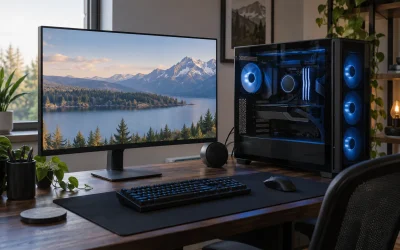
- Pairing a $5,000 PC with a weak monitor. An RTX 5080 is wasted on a 60Hz 1080p screen. Budget for a 1440p 240Hz or 4K 144Hz+ display.
- Waiting for rumored cards. The RTX 50 Super refresh has not been announced as of October 2026, and reports point to 2027.
FAQ
What is the best gaming PC under $5000 in 2026?
The best gaming PC under $5,000 in 2026 is an RTX 5080 system with an X3D processor. Our top pick is the ASUS ROG GM700 with a Ryzen 7 9800X3D, RTX 5080, 32GB DDR5 and 2TB SSD. If you also create content, the Ryzen 9 9950X3D build with 64GB is the better fit.
Can you get an RTX 5090 gaming PC for under $5,000?
Rarely in 2026. The RTX 5090 launched at $1,999, but memory shortages pushed retail card prices to roughly $4,300 to $5,000 for much of the year. Complete RTX 5090 desktops in the current lineup typically cost well above $5,000.
Is the RTX 5080 good enough for 4K gaming?
Yes. The RTX 5080 has 16GB of GDDR7 and handles 4K well, especially with DLSS 4 upscaling and Multi Frame Generation in supported games. At native 4K with heavy ray tracing, an RTX 5090 is faster, but the 5080 is the strongest sensible choice under $5,000.
Do I need 64GB of RAM for gaming?
No. 32GB of DDR5 is plenty for gaming in 2026. 64GB helps with 4K video editing, large game-engine projects, streaming with many apps open and local AI models, but it does not raise frame rates on its own.
Is the Ryzen 7 9850X3D worth it over the 9800X3D?
Only if the price gap is small. The 9850X3D raises boost clock from 5.2GHz to 5.6GHz with the same 8 cores and 96MB L3. Reviewers measured it at up to about 4% faster in games, and often the same as the 9800X3D.
What power supply does an RTX 5080 gaming PC need?
NVIDIA recommends an 850W power supply for the RTX 5080. Look for an 80 Plus Gold or better unit with ATX 3.x support and a native 12V-2×6 connector. A 1,000W unit adds headroom for a future RTX 5090-class upgrade.
Should I wait for the RTX 50 Super series?
Probably not. As of October 2026, NVIDIA has not announced the RTX 50 Super cards, and industry reports point to an early 2027 launch at the earliest because of high GDDR7 memory costs. If you need a PC now, current RTX 50 cards remain the best options.
Is it better to build or buy a gaming PC in 2026?
Both work. Building gives you full control over parts, but volatile 2026 memory and GPU prices mean prebuilt systems are often close in cost, with a single warranty and no assembly. Check the listed motherboard, PSU and RAM speed before buying a prebuilt.
Which Gaming PC Under $5000 Should You Buy?
- You want the best all-rounder from a big brand: ASUS ROG GM700 (2026).
- You chase the highest refresh rates: Skytech Ryzen 7 9850X3D + RTX 5080.
- You stream, edit or render as well as game: Empowered PC Panorama XL with Ryzen 9 9950X3D and 64GB.
- You want a cool, quiet tower with upgrade headroom: HP OMEN MAX 45L configuration.
- You prefer Intel and brand support: Alienware Aurora with Core Ultra 9 285.
- You plan to upgrade parts yourself: MSI Aegis ZS.
- You want to spend on a premium monitor instead: Skytech Ryzen 7 9850X3D + RX 9070 XT.
For most players, the right move is an RTX 5080 and X3D tower in the upper-mid tier, plus a high-refresh 1440p or 4K monitor with the remaining budget.
Sources
- NVIDIA: GeForce RTX 5090, 5080 and 5070 Ti specifications and power supply guidance
- AMD: Ryzen 7 9800X3D, Ryzen 7 9850X3D, Ryzen 9 9900X, Ryzen 9 9950X3D and Radeon RX 9070 XT specifications
- Intel: Core Ultra 9 285 specifications
- Independent CPU reviews of the Ryzen 7 9850X3D and Ryzen 9 9950X3D2 (2026)
- 2026 GPU market price tracking reports on RTX 5090 and RTX 5080 pricing
Last updated: October 10, 2026