The best gaming PC build under 5,000 US dollars in late 2026 is built around a Ryzen 7 9850X3D and either an RTX 5090 or an RTX 5080, and which one you choose depends almost entirely on what you can pay for the graphics card. If you can find an RTX 5090 at a sane price, it is the fastest gaming GPU made and the clear pick for 4K with path tracing. If 5090 pricing is still inflated where you shop, as Tom’s Hardware’s price snapshots have shown through 2026, an RTX 5080 build with better everything else is the smarter way to spend the same budget. Below are both builds, part by part, with the reasoning behind each choice.
Our Top Picks
 GIGABYTE GeForce RTX 5080 Gaming OC 16G GraphicsRTX508013.46 x 5.59 x 2.76 inches4.03 PoundsCheck on Amazon
 MSI MAG X870 Tomahawk WiFi Gaming Motherboard13.4"L x 10.9"W x 3"H13.46 x 10.55 x 2.76 inches4 poundsCheck on Amazon


Top 3 picks at a glance

Verdict at a glance
- Best overall (if you can find the GPU): RTX 5090 build with a Ryzen 7 9850X3D, 32GB DDR5-6000, 2TB Gen5 SSD and a 1,000W-class ATX 3.1 power supply.
- Best value under 5,000: RTX 5080 build with a Ryzen 7 9850X3D, 64GB DDR5, 4TB of storage and premium cooling.
- Best for gaming plus streaming or local AI: RTX 5090 with a Ryzen 9 9950X3D and 64GB of RAM, if the budget stretches.
- Best CPU for this tier: Ryzen 7 9850X3D, the fastest gaming CPU in reviews from TechSpot, Tom’s Hardware and TechPowerUp.
- Skip: the Ryzen 9 9950X3D2 for a gaming build. Tom’s Hardware found it matches the 9800X3D in games at a much higher price.
The problem with a 5,000 budget in 2026
Two years ago, this budget bought an RTX 4090 build with change left over. In 2026 the arithmetic is harder for three reasons.
RTX 5090 pricing. Tom’s Hardware’s August price snapshot put the RTX 5090’s best US street price at more than double its launch MSRP. At that level the card alone eats most of this budget.
Memory prices. Tom’s Hardware’s RAM price index shows 32GB DDR5-6000 kits several times above their all-time low, with DDR5 increases of 372 to 485 percent year over year depending on kit. 64GB kits cost proportionally more.
No relief coming. NVIDIA’s RTX 50 Super refresh has been reported as delayed indefinitely or cancelled, and the next generation is not expected before 2027. Tom’s Hardware’s advice is that with no new launches on the horizon, waiting is unlikely to bring prices down.
So the honest answer is that an RTX 5090 build under 5,000 is possible only if you find the card near its original pricing, through a retailer drop, a bundle or a prebuilt. Otherwise, the RTX 5080 build delivers 77 percent of the 5090’s 1440p raster performance in Tom’s Hardware’s GPU hierarchy and leaves room for more RAM, more storage and better cooling.
Build 1: the RTX 5090 build
| Component | Pick | Why |
|---|---|---|
| CPU | AMD Ryzen 7 9850X3D | Fastest gaming CPU in current reviews; 8 cores with 3D V-Cache |
| Cooler | Arctic Liquid Freezer III Pro 360 or a large dual-tower air cooler | Keeps the 9850X3D at full boost quietly |
| Motherboard | X870 board such as the MSI MAG X870 Tomahawk WiFi | PCIe 5.0 x16, Wi-Fi 7, USB4; no need for X870E |
| Memory | 32GB (2 x 16GB) DDR5-6000 CL30 | The sweet spot for Ryzen 9000; 64GB only if you stream or run local AI |
| Graphics card | NVIDIA GeForce RTX 5090 32GB | Fastest gaming GPU available |
| Storage | 2TB Samsung 9100 Pro (Gen5) or WD Black SN850X (Gen4) | Fast boot and game drive; add a second drive later |
| Power supply | 1,000W to 1,200W ATX 3.1 Gold or Platinum with native 12V-2×6 | NVIDIA recommends a 1,000W system PSU for the 5090 |
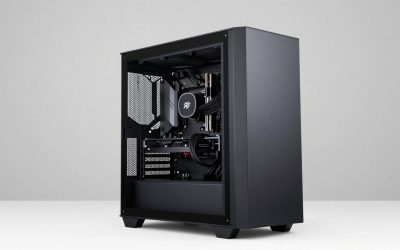
| Case | Fractal Design North XL or Lian Li Lancool 217 | Room for a 4-slot card and strong front intake |
The RTX 5090 has 32GB of GDDR7 on a 512-bit bus and a 575W board power rating. In Tom’s Hardware’s GPU Benchmarks Hierarchy, it averaged 167.3 fps at 1440p ultra native and set the 100 percent mark against which every other card is ranked. It also supports the full DLSS 4.5 stack, including Dynamic Multi Frame Generation and the 6X mode that is exclusive to RTX 50 cards.
Reasons to pick: the fastest gaming performance money can buy; 32GB of VRAM will not run out in games for years and suits local AI work; full access to DLSS 4.5 and NVIDIA’s upcoming DLSS 5.
Reasons to skip: street pricing; heat and power; a 4-slot card limits case and board choices.
The catch: to stay under 5,000 with a 5090 you usually have to accept 32GB of RAM, a single 2TB drive and a mid-range board, which is fine for gaming but leaves no slack.
Build 2: the RTX 5080 build (best value)
| Component | Pick | Why |
|---|---|---|
| CPU | AMD Ryzen 7 9850X3D | Same top gaming CPU |
| Cooler | 360mm AIO such as the Arctic Liquid Freezer III Pro 360 | Quiet under sustained load |
| Motherboard | X870E board with extra M.2 slots and USB4 | More connectivity for a long-lived system |
| Memory | 64GB (2 x 32GB) DDR5-6000 CL30 | Headroom for streaming, mods, creative apps and local AI |
| Graphics card | NVIDIA GeForce RTX 5080 16GB | About 77 percent of a 5090 at 1440p for far less |
| Storage | 2TB Gen5 boot drive plus 2TB Gen4 game drive | Room for a big game library |
| Power supply | 850W to 1,000W ATX 3.1 Gold with native 12V-2×6 | Comfortable headroom for a 360W card |
| Case | Fractal Design North XL or Lian Li Lancool 217 | Quiet, high-airflow, roomy |
The RTX 5080 scored 76.7 percent of the RTX 5090 at 1440p ultra raster and 73.4 percent with ray tracing in Tom’s Hardware’s hierarchy, averaging 128.3 fps at native 1440p. Tom’s Best GPUs guide places it 8 to 16 percent ahead of the RTX 5070 Ti. With DLSS 4.5 upscaling and Multi Frame Generation, it handles 4K high settings well.
Reasons to pick: leaves budget for 64GB of RAM, 4TB of storage and better cooling; lower power and heat; still supports every DLSS 4.5 feature including 6X frame generation.
Reasons to skip: 16GB of VRAM on a top-tier card; Tom’s data shows the older RTX 4090 still ahead at native 1440p.
The catch: 16GB is plenty for gaming today, but if you plan to run larger local AI models, 32GB on the 5090 is a real advantage.
Why the Ryzen 7 9850X3D
AMD’s 9850X3D is the fastest gaming CPU available, but the margin over the 9800X3D is small. TechSpot measured a 5 percent lead across 14 games, Tom’s Hardware found 3.2 percent on average, Gamers Nexus saw 0 to 4 percent, and TechPowerUp recorded only 0.5 percent at 4K. Tom’s also measured worse efficiency: 1.99 fps per watt versus 2.51 for the 9800X3D.
At this budget, we pick the 9850X3D because the price gap is small relative to the total and it is the best you can buy. If you find the 9800X3D noticeably cheaper, take it; at 4K with an RTX 5090 or 5080, you will not see the difference.
Reasons to pick: the top gaming chip; AM5 upgrade path to Zen 6, which AMD expects in 2027.
Reasons to skip: only 8 cores for heavy creative or AI work.
The catch: if you also render, compile or run large models on the CPU, a Ryzen 9 9950X3D gives you 16 cores with nearly the same gaming performance.
Alternative picks
- CPU for creators: Ryzen 9 9950X3D. Sixteen cores, 3D V-Cache on one chiplet, close to the 9850X3D in games.
- Intel alternative: Core Ultra 7 270K Plus. Puget Systems found it excellent in video editing and Gamers Nexus praised its value, but LGA 1851 has no upgrade path because Nova Lake moves to a new socket.
- AMD GPU alternative: RX 9070 XT. It ties the RTX 5070 Ti in raster per Tom’s data, but at this budget the RTX 5080 or 5090 is the right tier.
- Air cooling: a premium dual-tower air cooler keeps the 9850X3D cool and removes pump noise and failure risk.
- Prebuilt route: Tom’s Hardware has highlighted high-end prebuilts with an RTX 50-series card and a 9800X3D around this budget; system builders sometimes get RTX 5090 allocation that retail buyers do not.
What these builds deliver
| Use case | RTX 5090 build | RTX 5080 build |
|---|---|---|
| 1440p ultra native raster (Tom’s Hardware average) | 167.3 fps | 128.3 fps |
| 1440p ultra ray tracing (relative) | 100% | 73.4% |
| 4K with path tracing | Best possible, especially with DLSS 4.5 | Playable with DLSS 4.5 upscaling and frame generation |
| VRAM | 32GB | 16GB |
| Local AI models | Up to about 32B dense at 4-bit, fast | Up to about 14B dense at 4-bit |
| Power draw (GPU board power) | 575W | 360W |
Pair the build with the right monitor
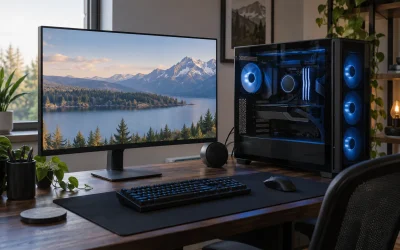
A build at this level only makes sense with a display that can show what it does. The monitor is not part of the 5,000 budget here, but it shapes which GPU makes sense.
- 4K at 144Hz to 240Hz: this is the natural home for an RTX 5090. With DLSS 4.5 upscaling and frame generation, high-refresh 4K with ray tracing becomes realistic in demanding games. The RTX 5080 also works here, leaning more on upscaling.
- 1440p at 240Hz to 360Hz OLED: the RTX 5080 is a near-perfect match. At 1440p the CPU matters more, which is where the 9850X3D’s small lead over the 9800X3D shows up.
- Ultrawide 3440 x 1440: sits between the two in pixel load; either GPU handles it, with the 5090 holding higher frame rates with ray tracing on.
If you already own a 1440p 165Hz monitor and do not plan to upgrade, the RTX 5090 is wasted money. Build the 5080 version and put the difference toward a better display later.
Noise, heat and power in daily use
High-end builds can be loud if you are not careful. A 575W RTX 5090 plus a CPU, motherboard and drives can push total system draw well past 700W in demanding games. That heat has to go somewhere, and the case fans and GPU cooler will ramp to move it.
Three choices keep things civil. First, a case with a full mesh front and room for three 140mm intake fans; both the Fractal North XL and Lian Li Lancool 217 qualify. Second, a fan curve set in BIOS that keeps case fans low at idle and ramps gradually with GPU temperature rather than CPU spikes. Third, a frame-rate cap a little below your monitor’s refresh rate, which cuts power and noise without hurting smoothness.
The RTX 5080 build is much easier to keep quiet. Its 360W card and an efficient X3D CPU let a well-ventilated case stay near silent at moderate loads, and the lower heat output matters in a small room during summer.
How long will this build last?
Longer than usual. With reports pointing to no new NVIDIA gaming cards in 2026 and next-generation GPUs from both NVIDIA and AMD in 2027 or later, an RTX 5090 or 5080 will sit at or near the top of the stack for an unusually long time. NVIDIA continues to add features to existing RTX 50 cards, such as DLSS 4.5’s Dynamic Multi Frame Generation, delivered through driver and app updates rather than new hardware.
On the CPU side, AM5 gives you a drop-in path to Zen 6 when it arrives. Realistically, a 9850X3D will stay ahead of what most games demand for many years, so the first thing you are likely to change in this build is the monitor, followed by more storage.
Build tips for a high-end rig
- Seat the 12V-2×6 cable fully. Push until it clicks, avoid sharp bends near the connector, and use the PSU’s native cable rather than an adapter where possible.
- Enable EXPO. Ryzen 9000 runs best with DDR5-6000 and EXPO switched on in BIOS. Leave the memory at default and you lose performance.
- Update BIOS before installing the CPU-specific features. New X3D chips often need a recent BIOS for full support.
- Mind the GPU sag. Big cards should use the included support bracket.
- Plan airflow. Front intake, rear and top exhaust. A 575W GPU dumps a lot of heat into the case.
- Turn on Resizable BAR. It is usually enabled by default on X870 boards, but check.
- Install the NVIDIA app. It lets you override DLSS presets and use DLSS 4.5 features in supported games.
Common mistakes at this budget
- Overspending on the motherboard. A flagship X870E board will not add frames. Spend the difference on the GPU or RAM.
- Buying a 9950X3D2 for gaming. Tom’s Hardware found it matches the 9800X3D in games, and Gamers Nexus questioned its value.
- Undersizing the power supply. Transient spikes on a 5090 punish marginal PSUs; 1,000W is the sensible floor.
- Using 4 sticks of RAM. Four DDR5 sticks often force lower memory speeds on AM5; use 2 x 16GB or 2 x 32GB.
- Waiting for a refresh. Reports suggest no new NVIDIA gaming cards in 2026.
- Ignoring the monitor. These builds are wasted on a 1080p 60Hz screen. Budget for a 4K high-refresh or 1440p 240Hz OLED separately.
Products Mentioned in This Guide
These are the specific CPU, graphics card, cooler, motherboard and storage models used in the two builds above.
AMD Ryzen 7 9850X3D
As an Amazon Associate we earn from qualifying purchases at no extra cost to you.
The CPU in both builds and the fastest gaming processor in current reviews, with 8 cores and 3D V-Cache on the AM5 platform.
ASUS TUF Gaming GeForce RTX 5090 32GB OC Edition

The heart of Build 1: the fastest gaming GPU available, with 32GB of GDDR7, worth choosing only if you can find it at a reasonable price.
GIGABYTE GeForce RTX 5080 Gaming OC 16G

The graphics card in the best-value Build 2, delivering about 77 percent of an RTX 5090 at 1440p while leaving budget for more RAM, storage and cooling.
ARCTIC Liquid Freezer III Pro 360

The 360mm AIO listed for both builds to keep the 9850X3D at full boost quietly under sustained load.
MSI MAG X870 Tomahawk WiFi

The X870 board suggested for the RTX 5090 build, with PCIe 5.0 x16, Wi-Fi 7 and USB4 and no need to pay for X870E.
Samsung 9100 PRO 2TB

The 2TB Gen5 boot drive named in the parts lists, most useful if you also move large video or AI model files.
How we compared
We compared these using manufacturer specifications, independent lab measurements from the sources named above, and owner reports. We did not bench-test these units ourselves. The budget assumes US retail pricing in October 2026, excludes the monitor and peripherals, and may need adjusting because memory and GPU prices have changed quickly this year.
Sources
- Tom’s Hardware, GPU Benchmarks Hierarchy 2026
- Tom’s Hardware, Best Graphics Cards for Gaming 2026 and GPU price snapshots
- Tom’s Hardware, RAM price index and DDR5 pricing coverage
- Tom’s Hardware, Ryzen 7 9850X3D vs Ryzen 7 9800X3D and Ryzen 9 9950X3D2 review
- Tom’s Hardware, high-end prebuilt deal coverage
- TechSpot, AMD Ryzen 7 9850X3D review
- TechPowerUp, AMD Ryzen 7 9850X3D review
- Gamers Nexus, Ryzen 7 9850X3D and Ryzen 9 9950X3D2 reviews
- Puget Systems, Core Ultra 200S Plus and Ryzen 9 9950X3D2 coverage
- NVIDIA, GeForce RTX 5090 and RTX 5080 specifications and CES 2026 DLSS 4.5 announcement
- Wccftech and PC Gamer, RTX 50 Super delay reports
Frequently Asked Questions
Can you build an RTX 5090 PC under 5,000 dollars?
Yes, but only if you find the card well below the inflated street prices Tom’s Hardware has tracked in 2026. Otherwise the card takes most of the budget and the rest of the build suffers.
RTX 5090 or RTX 5080 for a high-end build?
The 5090 is about 30 percent faster at 1440p native in Tom’s Hardware’s hierarchy and has twice the VRAM. The 5080 leaves room for more RAM, storage and cooling. Pick the 5090 only if its price is reasonable.
Is the Ryzen 7 9850X3D overkill for 4K?
At 4K the GPU does most of the work, so a 9800X3D or even a 7800X3D performs almost the same. The 9850X3D makes most sense at 1440p high refresh or if the price gap is small.
How much RAM does a high-end gaming PC need?
32GB is enough for gaming. Choose 64GB if you stream, edit video, run heavy mods or local AI models.
What power supply does an RTX 5090 need?
NVIDIA recommends a 1,000W system power supply. Choose an ATX 3.1 unit from a reputable brand with a native 12V-2×6 cable.
Should I buy a prebuilt instead?
It is worth comparing. Tom’s Hardware has highlighted high-end prebuilts that undercut equivalent DIY builds during the 2026 memory shortage.
Is a Gen5 SSD worth it in a gaming build?
For gaming alone, not really. Load times barely change between a good Gen4 drive and a Gen5 drive. A Gen5 boot drive makes more sense if you also move large video or AI model files, and a Gen4 drive is a fine choice for your game library either way.
Do I need a 360mm liquid cooler for the 9850X3D?
No. X3D chips run cooler than most flagship CPUs, and a premium dual-tower air cooler keeps the 9850X3D at full boost. A 360mm AIO mainly buys lower noise under long sessions and a cleaner look through a glass panel.
Will new GPUs make this build outdated soon?
Not soon. Reports point to next-generation NVIDIA and AMD gaming GPUs arriving in 2027 at the earliest, and an RTX 5090 or 5080 will stay near the top for years.