
Hunt Showdown is a tense PvPvE shooter with a distinctive dark, detailed art style and a game engine update that raised its visual bar considerably. Because gunfights are deadly and reaction-driven, a build for it aims at high, stable frame rates and clean image quality, balancing a capable GPU with a fast CPU.
As an Amazon Associate we earn from qualifying purchases at no extra cost to you.


Our Top Picks
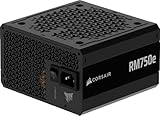
 CORSAIR RM750e ATX 3.1 PCIe 5.1 Ready 750W750 watts5.91 x 5.51 x 3.35 inches3.3 PoundsCheck on Amazon


Top 3 picks at a glance
What Hunt demands after its engine update
The move to a newer CryEngine version improved visuals and lighting but also raised hardware requirements, making the game more GPU-intensive than it once was. At the same time competitive play rewards high frame rates, which brings the CPU into focus for feeding a high-refresh monitor.
A modern 6 to 8 core CPU keeps frames high, a 70-class GPU with 12GB of VRAM suits 1440p, and 16GB of RAM is enough with 32GB useful for streaming. The dark, detailed environments reward good image quality, so upscaling in quality mode is a sensible tool.
Recommended build tiers
Balance a capable GPU for the visuals with a fast CPU for high refresh, sized to your resolution and monitor.
| Budget band | CPU | GPU | RAM | Target performance |
|---|---|---|---|---|
| $1,000-1,250 | Modern 6-core | Current 60/70-class, 8GB+ | 16GB DDR5-6000 | 1080p 120fps+ high settings |
| $1,400-1,700 | Modern 8-core | Current 70-class, 12GB | 32GB DDR5-6000 | 1440p 120fps+ high settings |
| $2,100+ | High-end 8-core | Current 80-class, 16GB | 32GB DDR5-6000 | 1440p 200fps+ or 4K high |
1080p hunter rig
A modern 6-core and a 60 or 70-class card run Hunt at 1080p high settings above 120fps after the engine update. At $1,000 to $1,250 it delivers the atmospheric visuals at a competitive frame rate.
1440p competitive rig
A modern 8-core with a 70-class 12GB GPU keeps 1440p above 120fps with high settings. The stronger CPU helps feed a high-refresh monitor, which matters in Hunt’s lethal gunfights.
High-refresh rig
An 80-class 16GB card and a top CPU push 1440p at 200fps+ or drive 4K at high settings. A good pick if you want maximum clarity and frame rate for serious competitive bounty hunting.
Where to spend and where to save
Spend on a balanced 70-class GPU with 12GB of VRAM and a fast CPU, because the engine update raised the graphics demand while competitive play still rewards high frame rates. Both matter, so avoid pouring the whole budget into one at the expense of the other.
Save by leaning on a quality-mode upscaler for clarity rather than buying a tier higher, since image quality helps you spot enemies in shadow and foliage. Put spare budget into an SSD and rated-speed RAM instead of an oversized graphics card the game does not require.
Tuning for dark, detailed maps
Image clarity matters in Hunt because enemies hide in shadow and foliage, so favour a clean upscaler in quality mode over aggressive setting cuts that muddy the picture. Shadows and volumetrics are the heaviest settings if you need more frames.
Run RAM at rated speed, keep the game on an SSD for quick match loads, and a modern CPU keeps frame rate high for competitive play. After the engine update, a card with 12GB of VRAM gives comfortable headroom at 1440p.
Frequently asked questions
Did Hunt Showdown get harder to run?
Yes. The newer CryEngine version improved visuals and lighting but raised requirements, making it more GPU-intensive than before. A 70-class card with 12GB of VRAM is a comfortable target for 1440p high settings.
Is image quality important in Hunt Showdown?
Very. Enemies use shadow and foliage for cover, so a clean image helps you spot them. A quality-mode upscaler preserves clarity while boosting frames better than lowering settings that muddy the picture.
Did the Hunt Showdown engine update change hardware needs?
Yes. The newer CryEngine version improved visuals but raised requirements, making it more GPU-intensive. A 70-class card with 12GB of VRAM is a comfortable target for 1440p high settings after the update.
Bottom line
For Hunt Showdown after its engine update, balance a 70-class or better GPU with 12GB of VRAM against a fast modern CPU, add 16 to 32GB of DDR5 and a fast SSD. Favour clean image quality through quality-mode upscaling, and you get the sharp, high-refresh experience this lethal, atmospheric shooter rewards.

