
Starfield is a sprawling Bethesda RPG that mixes detailed cities, dense interiors and space travel, and it is notably CPU-hungry in its busiest hubs. Building for it means pairing a strong processor with a capable GPU and, crucially, fast storage to keep the constant area transitions from turning into loading-screen stutter.
As an Amazon Associate we earn from qualifying purchases at no extra cost to you.


Our Top Picks
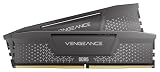
 CORSAIR Vengeance RGB RS DDR5 32GB32GB (2 x 16GB)5.43 x 0.28 x 1.73 Inches0.11 PoundsCheck on Amazon



Top 3 picks at a glance
Why Starfield leans on the CPU and storage
The major cities and populated interiors simulate many NPCs and systems at once, which loads the CPU heavily and causes frame-rate dips that a better GPU cannot fix. The game also streams large amounts of data during its frequent transitions, so storage speed directly affects smoothness.
A modern 8-core CPU handles the busy hubs, a 70-class or better GPU covers 1440p, and 16GB of RAM is the minimum with 32GB preferred. An NVMe SSD is effectively mandatory given how often the game loads new areas.
Recommended build tiers
Center the build on a strong CPU and fast NVMe storage, then add a GPU matched to your resolution and plan to use upscaling.
| Budget band | CPU | GPU | RAM | Target performance |
|---|---|---|---|---|
| $1,150-1,400 | Modern 6/8-core | Current 60/70-class, 12GB | 16GB DDR5-6000 | 1080p 60fps+ high with upscaling |
| $1,600-1,900 | Modern 8-core | Current 70-class, 12GB | 32GB DDR5-6000 | 1440p 60-90fps high with upscaling |
| $2,300+ | High-end 8-core | Current 80-class, 16GB | 32GB DDR5-6000 | 4K 60fps+ high with upscaling |
1080p explorer rig
A modern CPU and a 60 or 70-class 12GB card run Starfield at 60fps+ on high settings at 1080p with upscaling. At $1,150 to $1,400 it is the practical entry point, paired with a fast NVMe SSD.
1440p RPG rig
A modern 8-core, a 70-class 12GB GPU and 32GB of RAM deliver 60 to 90fps at 1440p. The stronger CPU is what keeps the frame rate up in New Atlantis and other busy cities.
4K deep-space rig
An 80-class 16GB card with a high-end 8-core CPU reaches 4K 60fps+ with upscaling. The 32GB of RAM and fast storage keep the game streaming its huge worlds without hitching.
Where to spend and where to save
Spend on a strong CPU and a fast NVMe SSD, because Starfield’s cities are CPU-limited and the game streams data during its constant area transitions. Those parts are what stop the frame-rate dips in busy hubs and the stutter that slower storage causes.
Save on the GPU by sizing it to your resolution and leaning on the built-in upscaler rather than brute-forcing native resolution. A 70-class card with quality upscaling handles 1440p well, freeing budget for the processor and storage that address Starfield’s real bottlenecks.
Smoothing out the busiest hubs
If frame rate drops in major cities, it is the CPU, not the GPU, so lowering graphics settings will barely help. A faster processor and rated-speed RAM are the real fixes for those crowded hubs.
Install Starfield on an NVMe SSD to tame its frequent load transitions, enable the built-in upscaler in quality mode for a solid frame-rate boost, and give it 32GB of RAM to avoid stutter during long sessions with mods.
Frequently asked questions
Why does Starfield stutter in cities?
Major cities like New Atlantis simulate many NPCs and systems, which is CPU-limited. A stronger processor and rated-speed RAM help far more than a better GPU in those crowded areas.
Does Starfield need an SSD?
Effectively yes. The game streams data and loads new areas constantly, so an NVMe SSD is important to avoid stutter and long waits. A hard drive will noticeably worsen the experience.
What limits Starfield performance most?
Its busy cities are CPU-limited, and frequent area transitions stress storage. A strong processor and a fast NVMe SSD do more for smoothness than a bigger GPU, which cannot fix the CPU-bound hubs.
Bottom line
For Starfield, lead with a strong modern 8-core CPU and a fast NVMe SSD, add a 70-class or better GPU for your resolution and 32GB of DDR5, and use the built-in upscaler. That combination tames the CPU-heavy cities and constant transitions that trip up a GPU-first build.

