
The Meta Quest 3 is a standalone headset, but plugging it into a PC through Link or Air Link unlocks the full PC VR library at much higher fidelity. Driving its high-resolution panels smoothly takes a capable graphics card and a fast connection, so a Quest 3 PC VR build has a couple of priorities that flat-screen builds do not.
As an Amazon Associate we earn from qualifying purchases at no extra cost to you.



Our Top Picks


Top 3 picks at a glance
What PC VR asks of your hardware
VR renders two high-resolution views at a high, steady frame rate, which is far more demanding than a single 1080p image. Dropped frames cause discomfort, so consistent performance matters more than peak numbers, and that puts a capable GPU at the centre of the build.
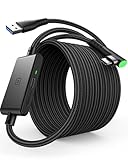
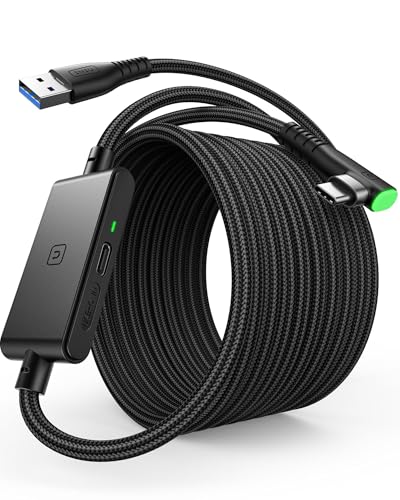
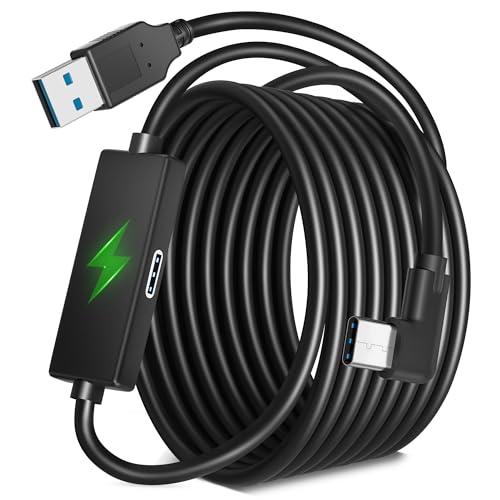
For wired Link you want a good-quality USB port and cable; for Air Link you want Wi-Fi 6E on a dedicated router for low-latency wireless. A modern 6 to 8 core CPU and 16 to 32GB of RAM round things out, since VR games also lean on the CPU for tracking and physics.
Recommended build tiers
Center the build on a 70-class or better GPU for smooth stereo rendering, and make sure your connection to the headset is up to the task.
| Budget band | CPU | GPU | RAM | Target performance |
|---|---|---|---|---|
| $1,100-1,350 | Modern 6-core | Current 70-class, 12GB | 16GB DDR5-6000 | Comfortable PC VR at high Quest 3 resolution |
| $1,500-1,850 | Modern 8-core | Current 70/80-class, 12GB+ | 32GB DDR5-6000 | High-res, high-refresh PC VR with headroom |
| $2,300+ | High-end 8-core | Current 80-class, 16GB | 32GB DDR5-6000 | Demanding sim VR at max resolution |
Entry PC VR rig
A modern 6-core and a 70-class 12GB card drive the Quest 3 smoothly at high resolution for most PC VR titles. At $1,100 to $1,350 it is the sensible entry point, paired with a solid USB cable for Link.
High-fidelity rig
A modern 8-core and a 70 or 80-class GPU with 32GB of RAM handle higher render resolutions and refresh rates with headroom. Add Wi-Fi 6E for the best Air Link experience if you prefer wireless.
Sim VR rig
For demanding VR sims and flight or racing titles, a high-end 8-core and an 80-class 16GB card keep frame rates stable at max resolution. VR sims are among the heaviest VR workloads, so this headroom is worthwhile.
Where to spend and where to save
Spend on the graphics card and on a good connection to the headset, because stereo VR rendering is demanding and dropped frames cause discomfort. A 70-class or better GPU plus a quality Link cable or a Wi-Fi 6E router for Air Link are what deliver the smooth, comfortable high-resolution VR the Quest 3 is capable of.
Save on the CPU, where a modern 6 to 8 core chip is plenty for VR tracking and physics. Avoid overspending on the processor or exotic memory and put that money toward the GPU tier or the network gear, since those are what actually limit a wireless or wired PC VR experience on the Quest 3.
Getting smooth, comfortable VR
Aim for a stable frame rate that matches your chosen headset refresh rather than chasing peaks; dropped frames cause discomfort in VR in a way they never do on a monitor. Space-warp style reprojection can help, but a strong GPU that hits the target natively is better.
For Air Link, use a Wi-Fi 6E router ideally on its own network for low latency, and for Link use a high-quality USB cable and port. Keep GPU drivers current since VR performance improvements land there regularly.
Frequently asked questions
Is a Quest 3 good for PC VR?
Yes. Over Link or Air Link the Quest 3 accesses the full PC VR library at higher fidelity than standalone. You just need a capable GPU and a good connection to feed its high-resolution displays smoothly.
Do I need Wi-Fi 6E for Quest 3 Air Link?
It is strongly recommended. Wi-Fi 6E on a dedicated router gives the low latency and bandwidth wireless PC VR needs. Wired Link with a quality USB cable is the alternative if your network is not up to it.
Does a better CPU improve Quest 3 PC VR?
Only up to a point. A modern 6 to 8 core CPU covers VR tracking and physics; beyond that, the graphics card and your Link or Air Link connection are what determine whether high-resolution VR runs smoothly.
Bottom line
For a Meta Quest 3 PC VR machine, center it on a 70-class or better GPU with 12GB+ of VRAM, add a modern 6 to 8 core CPU and 16 to 32GB of DDR5, and get the connection right with a good cable or Wi-Fi 6E. That combination delivers the smooth, comfortable high-resolution VR the headset is capable of.

