
A gaming PC that lives in your bedroom has one extra requirement most builds ignore: it needs to be quiet enough to sit beside while you sleep, take calls, or wind down at night. Silence is not a single part you buy — it is a set of choices across the case, cooling, fans, and tuning that together drop your system from an audible whoosh to a near-inaudible whisper. Here is how to build a genuinely quiet gaming PC without giving up real performance.
As an Amazon Associate we earn from qualifying purchases at no extra cost to you.


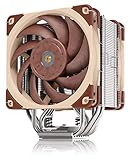

Our Top Picks
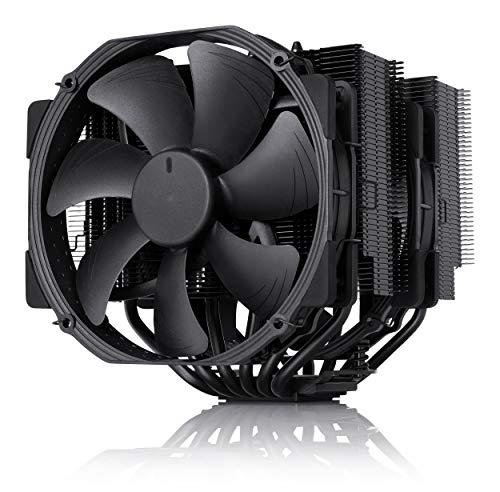



Top 3 picks at a glance
Where PC Noise Actually Comes From
Three sources dominate: fans spinning fast to fight heat, coil whine from the GPU or PSU under load, and vibration transferring into a thin case panel. A silent build attacks all three. The counterintuitive truth is that the quietest builds often run cooler hardware, because parts that stay cool never need to spin fans up in the first place.
| Noise Source | Fix | Impact |
|---|---|---|
| Fast small fans | Large 140mm fans at low RPM | High |
| Hot components | Oversized cooler, roomy case | High |
| Coil whine | Quality PSU, frame rate cap | Medium |
| Vibration | Sound-damped case, rubber mounts | Medium |
Build for Low Noise from the Start
Choose a case designed for silence or with excellent airflow and sound-dampening panels, and prioritize larger 140mm fans. A bigger fan moves the same air as a smaller one at far lower RPM, and lower RPM means less noise. Two or three slow, large fans running a gentle fan curve are quieter than a swarm of small fans screaming to keep up.
Cooling: Bigger Than You Need
Deliberately oversize your CPU cooler. A large dual-tower air cooler or a 240 to 360mm liquid cooler running at low fan speeds keeps temperatures down without noise. The goal is a cooler so capable that its fans rarely need to leave their quiet idle range even during gaming. Pair that with a GPU model known for a quiet cooler and a zero-RPM mode that stops the fans entirely at low load.
Pick Efficient, Cool-Running Parts
An efficient CPU and a mid-range GPU that draw less power generate less heat, which means quieter fans. This is why chasing the absolute top-end flagship can actually work against a silent build — those parts dump the most heat and force fans to work hardest. A strong, efficient mid-to-upper-range system is the silent-build sweet spot.
Tune It Quiet
Software finishes the job. Set a gentle fan curve that keeps fans slow until temperatures genuinely climb. Undervolt the CPU and GPU to cut heat with no meaningful performance loss. Cap your frame rate — rendering hundreds of unnecessary frames raises power draw, heat, and often coil whine. Use SSD-only storage so there is no mechanical drive humming. Finally, set the PC on a soft surface or use anti-vibration feet so nothing rattles into the floor.
FAQ
Can a silent PC still game well?
Absolutely. The quietest builds use efficient, cool-running parts with oversized cooling, which delivers strong 1440p or even 4K gaming while the fans barely spin. Silence comes from managing heat and vibration, not from underpowering the machine.
Is liquid cooling or air cooling quieter?
Both can be near-silent when oversized. A large dual-tower air cooler with slow fans is extremely quiet and simple, while a 280 to 360mm liquid cooler moves heat away efficiently and lets radiator fans stay slow. Choose based on your case and clearance; either can achieve whisper-quiet operation if you do not undersize it.
Bottom Line
A silent bedroom gaming PC comes from stacking quiet choices: a sound-damped case, large low-RPM fans, an oversized cooler, efficient cool-running parts, SSD-only storage, and careful fan-curve, undervolt, and frame-cap tuning. Do all of that and you get a machine that games beautifully at 1440p or 4K yet stays quiet enough to sit an arm’s length from your pillow.

