
Ray tracing at 4K with everything cranked is the single most demanding thing you can ask a gaming PC to do. Path-traced lighting in the heaviest modern titles will bring almost any system to its knees without the right hardware and the right features enabled. If your goal is genuinely maxed-out RT at 4K rather than a marketing-friendly compromise, this build guide focuses your budget where it counts and sets realistic expectations.
As an Amazon Associate we earn from qualifying purchases at no extra cost to you.
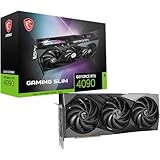


Our Top Picks
 ASUS ROG Strix GeForce RTX 4090 OC EditionROG Strix14.1 x 5.9 x 2.8 inches8.05 poundsCheck on Amazon


Top 3 picks at a glance
Why Ray Tracing at 4K Is Different
Standard 4K rasterized gaming is hard enough. Full ray tracing adds an enormous extra workload for lighting, reflections, and shadows, and path tracing multiplies that again. This is why raw GPU horsepower alone is not sufficient — you also need strong dedicated RT hardware and modern upscaling and frame-generation features to reach playable frame rates.
| Target | Realistic Frame Rate | What It Takes |
|---|---|---|
| 4K, RT high, native | 40-60 FPS | Flagship GPU, 16GB+ VRAM |
| 4K, RT high + upscaling | 70-100 FPS | Flagship GPU + quality DLSS/FSR |
| 4K, path tracing + upscaling + frame gen | 60-90 FPS | Top-tier GPU, all features on |
The GPU Is 60 Percent of This Build
There is no way around it: maxed RT at 4K needs a flagship graphics card with strong ray-tracing cores and at least 16GB of VRAM, ideally more. Path-traced games are notorious VRAM consumers at 4K, and running out of memory causes brutal stutter no amount of CPU can fix. Spend here first and build the rest of the system to support it.
Supporting Cast: CPU, RAM, Storage
Pair the GPU with a strong 8-core gaming CPU. At 4K the CPU is rarely the bottleneck for pure frame rate, but frame generation and busy scenes still benefit from a fast processor, and you do not want the CPU holding back your expensive GPU. Add 32GB of DDR5-6000 and a fast PCIe 4.0 or 5.0 NVMe SSD so texture streaming in huge open worlds never becomes the weak link.
Power and Cooling for a Hungry Flagship
Flagship GPUs under a full RT load can spike hard. Use an ATX 3.1 power supply of 1000W or more with the native 12V-2×6 connector, and invest in a case with excellent airflow plus a strong air or 360mm liquid CPU cooler. Sustained path-traced sessions generate a lot of heat, and thermal throttling will quietly rob you of the performance you paid for.
Turn On the Features That Make It Playable
Native 4K with full RT is often a 40 to 60 FPS experience even on the best hardware. Quality-mode upscaling typically lifts that into the 70 to 100 FPS range with excellent image quality, and frame generation can push it higher still for single-player titles. These are not cheating — they are the intended way to run maxed ray tracing at 4K, and they transform borderline frame rates into a smooth experience.
FAQ
Can any GPU run maxed ray tracing at 4K natively?
Even flagship cards often land at 40 to 60 FPS in the heaviest path-traced titles at native 4K. That is why quality upscaling and, for single-player games, frame generation are essential — they lift frame rates into the smooth 70 to 100 FPS range while keeping the maxed visuals you built the PC for.
How much VRAM do I need for 4K ray tracing?
Aim for 16GB at minimum, and more is better. Path-traced games at 4K are heavy VRAM users, and exceeding your card’s memory causes severe stutter that no CPU or RAM upgrade can fix. Prioritize a flagship GPU with a large memory buffer.
Bottom Line
Maxed ray tracing at 4K is a flagship-GPU project, full stop. Put the majority of your budget into a top-tier graphics card with 16GB or more of VRAM, support it with a strong 8-core CPU, 32GB of DDR5, fast NVMe storage, a 1000W-plus ATX 3.1 PSU, and serious cooling. Then embrace upscaling and frame generation as standard tools, and you will get gorgeous, smooth path-traced 4K gaming that genuinely justifies the spend.

