
Most gaming PC guides chase maximum frames and ignore what the machine costs to run. If you game several hours a day, live somewhere with high electricity rates, or just want a cooler and quieter room, an energy-efficient build is a completely valid goal. The good news: modern parts are dramatically more efficient than they were a few years ago, and you can build a rig that plays 1440p beautifully while pulling far less from the wall than a brute-force system.
As an Amazon Associate we earn from qualifying purchases at no extra cost to you.


Our Top Picks


Top 3 picks at a glance
Why Efficiency Is Worth Planning For
A high-end system can draw 500 to 700W under load, while a carefully chosen efficient build handles 1440p high settings at 200 to 300W. Over a year of daily gaming that difference adds up. At roughly $0 to around $0 per kWh, trimming 250W across a few hours a day can save meaningful money annually, plus it means less heat dumped into your room and quieter fans.
The Two Numbers That Matter: Performance-per-Watt
Efficiency is not about buying weak parts. It is about buying parts with excellent performance-per-watt and then tuning them. A modern mid-range GPU can deliver most of a flagship’s frame rate at a fraction of the power. The same is true of CPUs: the most efficient chips for gaming are frequently not the top-end models but the ones a tier or two down.
The Build
| Component | Efficient Pick | Typical Draw |
|---|---|---|
| CPU | Efficient 6-8 core (favor high perf-per-watt over max clocks) | 45-90W gaming |
| GPU | Efficient mid-range card, 150-220W class | 150-220W |
| Memory | 32GB DDR5-6000, single EXPO profile | ~8-12W |
| Storage | 2TB PCIe NVMe SSD (no power-hungry HDD) | ~5-7W |
| PSU | 650W 80+ Gold or Platinum, ATX 3.1 | — |
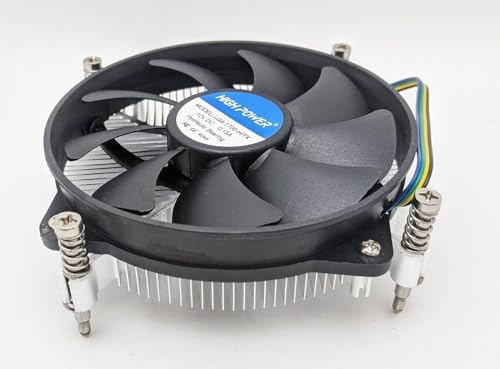
| Cooling | Quality air cooler + slow, large fans | Low |
Pick a Right-Sized 80+ Gold or Platinum PSU
An oversized 1000W supply running a 300W system spends most of its life outside its efficient load band. A 650W 80+ Gold or Platinum unit sized to sit around 40 to 60 percent load during gaming is where these ratings deliver their best real-world efficiency. Platinum costs a bit more but wastes noticeably less energy as heat over years of use.
Undervolt for Free Efficiency
The single most effective trick is undervolting. Modern GPUs and CPUs ship with voltage headroom for the worst silicon. Dialing voltage down while holding clocks can cut 15 to 30 percent of GPU power for a 1 to 3 percent performance change you will never feel. Cap your frame rate too — rendering 300 FPS on a 144Hz monitor burns power for frames you never see. A sensible cap can shave 50 to 100W instantly.
SSD-Only and Sensible Peripherals
Skip mechanical hard drives; a large NVMe SSD is faster and draws a fraction of the power. Enable modern standby so the machine sleeps properly instead of idling all night. Even monitor choice matters — an efficient panel and enabling power-saving idle behavior across the whole setup compounds the savings.
FAQ
Does an efficient build mean slower gaming?
No. A well-chosen mid-range GPU at 1440p high settings delivers a smooth 90 to 144 FPS in most titles while drawing 150 to 220W. Efficiency comes from picking parts with strong performance-per-watt and tuning them, not from buying underpowered hardware.
How much can undervolting and a frame cap actually save?
Together they commonly reduce total system draw by 100 to 200W under load with no perceptible drop in gaming feel. Undervolting trims voltage waste while a frame cap stops the GPU from rendering pointless extra frames, and both are reversible BIOS or driver settings.
Bottom Line
An energy-efficient gaming PC is not a compromise build — it is a smarter one. Choose parts with the best performance-per-watt, size an 80+ Gold or Platinum PSU to your real load, run SSD-only storage, then undervolt and cap your frame rate. You end up with a rig that plays 1440p gorgeously at 200 to 300W, runs cooler and quieter, and quietly saves money every month it stays on.

