
Escape From Tarkov punishes hardware in ways most shooters do not. It is a memory hog, it leans hard on single-thread CPU performance, and the huge Streets of Tarkov map can tank frame rates on rigs that breeze through Warzone. If you are speccing a custom build specifically to survive raids without stuttering, you need to weight your budget differently than you would for a typical 1440p gaming PC.
As an Amazon Associate we earn from qualifying purchases at no extra cost to you.

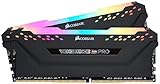

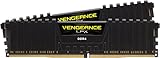
Our Top Picks
 CORSAIR Vengeance LPX DDR4 RAM 32GB2 count (pack of 1)5.32 x 0.28 x 1.32 inches0 poundsCheck on Amazon
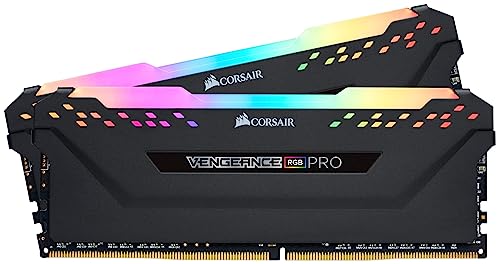

Top 3 picks at a glance
Why Tarkov Needs a Different Build
Three things matter more in Tarkov than in almost any other game: system RAM, CPU cache and clock speed, and fast storage. The game streams a staggering amount of data, and its poorly threaded engine rewards high per-core performance over raw core count. A card that pushes 200 FPS elsewhere can dip into the 70s on Streets when the CPU and memory subsystem are the bottleneck.
RAM Is Not Optional
16GB is the bare minimum and it will hitch. 32GB is the real starting point, and many hardcore players run 32GB dual-channel at high speed to keep 1% lows stable. On AM5, aim for DDR5-6000 CL30; on older AM4, DDR4-3600 CL16 is the sweet spot. Dual-channel is mandatory here, so buy a matched 2-stick kit, not a single stick you plan to expand later.
Recommended Spec by Budget
| Tier | Budget (build only) | CPU class | RAM | GPU class | Target |
|---|---|---|---|---|---|
| Entry | $900–1,100 | 6-core with strong single-thread | 32GB DDR5-6000 | Upper mid-range (12GB) | 1080p 100+ FPS |
| Sweet spot | $1,300–1,600 | 8-core X3D-class cache CPU | 32GB DDR5-6000 CL30 | High-end (16GB) | 1440p 120+ FPS |
| No-compromise | $2,200+ | Top X3D 8-core | 32–64GB DDR5-6000 | Flagship (16GB+) | 1440p high, stable 1% lows on Streets |
Where to Spend, Where to Save
Spend on the CPU and memory first. A large-cache 8-core chip is the single biggest upgrade for Tarkov’s frame pacing, often worth more than a GPU tier jump. Save on the GPU if money is tight, since Tarkov is rarely GPU-bound at 1080p and 1440p on modern cards. Do not save on the power supply, though: a 650W–750W 80+ Gold unit gives you headroom and clean power for stable clocks.
Storage and Cooling
Install Tarkov on a PCIe NVMe SSD, not a SATA drive or hard disk. Load times and in-raid streaming both improve, and you avoid the disk stutter that shows up on slow storage. A 1TB Gen4 NVMe is a sensible minimum; 2TB if you also keep other large games installed. For cooling, a solid air cooler or a 240mm AIO keeps an 8-core chip from throttling during long raids, which directly protects your sustained clock speed and therefore your FPS.
Monitor Pairing
Tarkov is not a 360Hz esports title for most players. A 1440p 144Hz or 165Hz panel is the ideal pairing, giving you sharp long-range spotting without demanding frame rates your CPU cannot sustain on the worst maps. If you play mostly for immersion, a 27-inch 1440p IPS is the practical pick.
Common Build Mistakes for Tarkov
The most frequent mistake is buying a single stick of RAM to “add more later.” Tarkov needs dual-channel memory to breathe, so a single 32GB stick can leave real performance on the table compared with a matched 2x16GB kit at the same capacity. The second mistake is pairing a flagship GPU with a modest 6-core CPU; in a CPU-bound game, that money is largely wasted, and you would see better 1% lows by spending less on the graphics card and more on a large-cache 8-core chip.
Two more traps catch new builders. A bargain power supply with poor voltage regulation can cause instability under long raids, so a 650W–750W 80+ Gold unit is worth the small premium. And skimping on cooling lets an 8-core chip throttle after 20 minutes, quietly dropping your clocks and your frames exactly when a raid gets tense. Budget for a competent air cooler or 240mm AIO from the start rather than treating it as an afterthought.
FAQ
Is 16GB of RAM really not enough for Tarkov?
You can launch and play with 16GB, but you will see hitching, longer loads, and worse 1% lows, especially on Streets of Tarkov. 32GB removes the memory ceiling for almost everyone and is the biggest quality-of-life upgrade you can make.
Should I prioritize the CPU or the GPU for Tarkov?
Prioritize the CPU. A large-cache 8-core processor with fast dual-channel memory improves frame pacing more than a GPU upgrade at 1080p and 1440p, because Tarkov is usually CPU and memory bound rather than GPU bound.
Bottom Line
A great Tarkov build inverts the usual gaming-PC priorities: pour money into a high-cache 8-core CPU, 32GB of fast dual-channel memory, and a quick NVMe drive, then add as much GPU as your budget allows. Do that and you will hold steady frames where lesser builds stutter, giving you one less excuse when a raid goes wrong.

