
An ultrawide 3440×1440 monitor is a wonderful upgrade for immersion, but it quietly asks more of your graphics card than a standard 2560×1440 panel. That extra width is roughly 34 percent more pixels to render every frame, which sits between regular 1440p and 4K in workload. Building for ultrawide means choosing a GPU that can handle that middle ground without stumbling, then balancing the rest of the system around it.
As an Amazon Associate we earn from qualifying purchases at no extra cost to you.


Our Top Picks
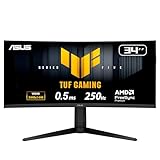
 ASUS ROG PG34WCDN 34 Inch 1440p 360Hz Ultrawide14.7" x 32" x 4.2"10.9 x 32 x 22.2 Inches18.3 poundsCheck on Amazon


Top 3 picks at a glance
How much GPU you actually need
Because ultrawide 1440p pushes about 5 million pixels versus 3.7 million for standard 1440p, aim for a graphics card that would comfortably handle standard 1440p with headroom to spare. An upper-mid to high-tier card with 12-16GB of VRAM hits 90-144 fps in most modern titles with high settings and upscaling. VRAM matters here because the wider frame buffer and high-resolution textures add up.
Recommended pixel-to-hardware match
| Resolution | Approx. pixels | GPU tier | Typical fps (high) |
|---|---|---|---|
| 1920×1080 | 2.1M | Mid-range | 144+ |
| 2560×1440 | 3.7M | Upper-mid | 100-165 |
| 3440×1440 | 5.0M | Upper-mid to high | 90-144 |
| 3840×2160 | 8.3M | High-end | 60-120 |
Balancing the rest of the system
A modern 6 or 8-core CPU is enough since ultrawide gaming is GPU-bound at this resolution; the graphics card is doing the heavy lifting. Pair it with 32GB of DDR5 so background apps and modern games have breathing room. For power, a quality 750W 80+ Gold PSU covers an upper-mid card with headroom, and a case with good front-to-back airflow keeps sustained gaming temperatures in check.
Do not forget the monitor connection
Ultrawide high-refresh panels can demand a lot of display bandwidth. Make sure your GPU and monitor both support DisplayPort 1.4 or newer, and use the cable that shipped with the monitor or a certified equivalent. A marginal cable can cause blank screens or dropped refresh rates at 3440×1440 at 144Hz or above.
Getting the most from the extra width
An ultrawide is as much a productivity and immersion upgrade as a gaming one, so it is worth building with both in mind. The extra horizontal space is transformative for sim racing, flight sims, and open-world games where peripheral vision matters, and it doubles as a fantastic workspace for editing timelines or spreadsheets. That dual role is a good argument for 32GB of RAM and a fast SSD, since you are likely to keep more applications open across that wide canvas.
Be realistic about the demanding titles. In the heaviest modern games with maxed settings and ray tracing, even a strong upper-mid card may dip below 60 fps at 3440×1440, and that is where upscaling technology becomes your best friend rather than an optional extra. Running the quality preset of your GPU’s upscaler recovers a large chunk of performance with minimal visible impact at this resolution. Treat upscaling as a core part of the ultrawide experience, and you will keep frame rates comfortable without needing to chase a flagship card that costs as much as the rest of the build combined.
Frequently asked questions
Is ultrawide harder to run than 4K?
No, it sits between standard 1440p and 4K. A 3440×1440 panel needs roughly 60 percent of the horsepower of true 4K, so a strong upper-mid GPU that struggles at 4K can drive ultrawide beautifully. It is a great way to get an immersive, wide field of view without buying a flagship card.
Will all games support the 21:9 aspect ratio?
Most modern titles support 21:9 natively, giving you a wider field of view. A few older or competitive games letterbox the image or stretch the HUD, and community patches often exist. Check whether your favorite titles support ultrawide before committing if it is a dealbreaker for you.
Bottom line: Ultrawide 1440p is the immersive sweet spot between standard 1440p and 4K. An upper-mid graphics card with 12-16GB, a modern 6-8 core CPU, 32GB of RAM, and a proper DisplayPort connection deliver smooth, wide-screen gaming without flagship pricing.

